
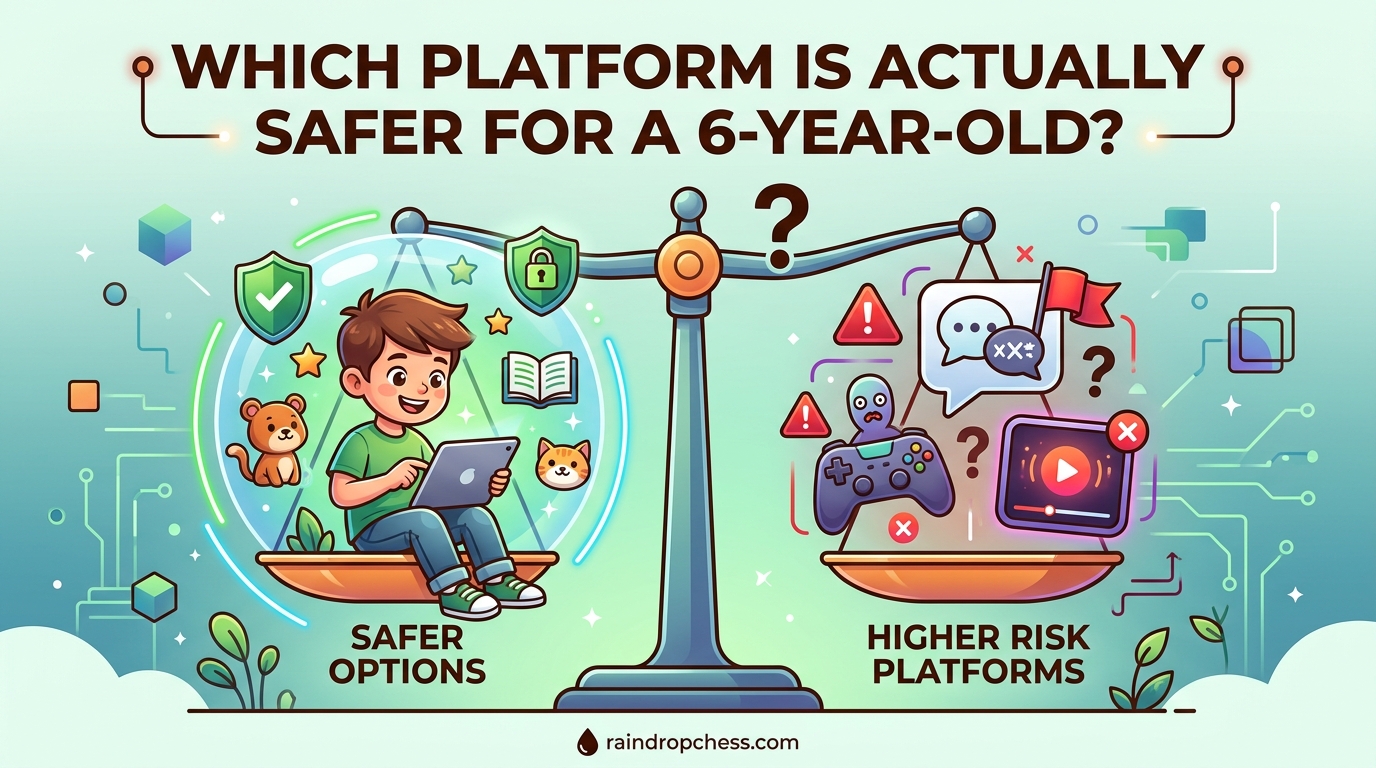
# ChessKid vs Lichess Kids vs Chess.com Kids: Which Platform Is Actually Safer for a 6-Year-Old?
[h2]Introduction: Why Safety Matters When Choosing a Chess Platform for Your Child[/h2]
[p]When your 6-year-old asks to play chess online, your first thought might not be about safety settings. It should be. Every year, parents discover that the chess platform their child loves comes with open chat windows, stranger messages, and ads targeting young players. You did not sign up for any of that. Neither did your child.[/p]
[p]Finding a safe chess platform for kids does not have to feel overwhelming. Three platforms come up repeatedly in parent conversations: ChessKid, Lichess Kids, and Chess.com. Each markets itself as child-friendly, but they are not created equal when it comes to keeping your little one protected while they learn and play.[/p]
[p]This guide cuts through the marketing language. We will walk through what each platform actually offers in terms of safety features, privacy protections, and parental controls. By the end, you will know exactly which chess platform is actually safest for your 6-year-old. You will also feel confident making a decision that lets your child explore chess without you watching over their shoulder every second.[/p]
[summary]At a Glance: If you want the quickest answer, ChessKid is our top recommendation for 6-year-olds because it was built specifically for children with safety as the primary feature, not an afterthought. Lichess Kids is an excellent free alternative when properly configured, while Chess.com requires more hands-on parental supervision to be safe for young children.[/summary]
[h2]Understanding What “Safe” Really Means for Young Children Online[/h2]
[p]Before diving into platform comparisons, let us establish what safety actually looks like for a 6-year-old chess player. You are not just looking for a platform without obvious threats. You are looking for one that actively protects your child from risks you might not even know to look for.[/p]
[h3]Chat Filtering and Communication Controls[/h3]
[p]The biggest risk on general chess platforms is communication. Adults can send messages to children, send friend requests, and engage in conversations that have nothing to do with chess. Some use these channels to coach children outside the game, offer “help” that leads to outside platforms, or worse.[/p]
[p]Safe platforms restrict who can contact your child. The best ones disable chat entirely between players, or only allow pre-approved phrases. Some require parent accounts to supervise any communication. Others flag suspicious language automatically.[/p]
[h3]Privacy and Data Collection[/h3]
[p]Children under 13 are protected by laws like COPPA in the United States, which requires platforms to get explicit parental consent before collecting personal data. Not all platforms take this seriously. Some collect browsing data, usage patterns, and behavioral information that has nothing to do with playing chess.[/p]
[p]Safe platforms are transparent about what they collect, why they collect it, and how they protect it. They do not sell child data to advertisers. They do not use your child’s playing habits for any purpose beyond improving their experience on the platform.[/p]
[h3]Advertising and External Links[/h3]
[p]Free platforms often make money through advertising. For children, this means ads for chess products, paid upgrades, or links to external websites. Some platforms embed ads in ways that feel manipulative, encouraging children to click on things that interrupt their game or lead them off the platform entirely.[/p]
[p]Safer options either eliminate ads entirely for child accounts or restrict advertising to age-appropriate content that does not exploit好奇心 or impulse control.[/p]
[h3]Interface Appropriateness[/h3]
[p]A 6-year-old needs a chess interface designed for small hands, simple navigation, and limited reading ability. The board should be large and clear. Buttons should be easy to tap. Complex menus and settings should be hidden from normal view until a parent accesses them. Platforms designed for adults often fail this basic test.[/p]
[h2]ChessKid: Built for Children from the Ground Up[/h2]
[p]ChessKid is not just a chess platform that happens to be used by children. It was designed specifically for kids, and that distinction matters enormously when safety is your priority. The platform is owned by Chess.com, but it operates with its own separate infrastructure, safety protocols, and child-focused policies.[/p]
[h3]Communication Safety on ChessKid[/h3]
[p]ChessKid takes a firm stance on communication. By default, children cannot chat with each other during games. They cannot send private messages to other players, and adults cannot initiate contact with child accounts. This is not a setting you have to enable; it is the default state of every account.[/p]
[p]If you want your child to communicate, you as the parent must actively set up a supervised connection. This means creating a parent account, linking it to your child’s account, and then approving specific friends or family members who can exchange messages. Random strangers cannot reach your 6-year-old through ChessKid. This alone separates it from most other platforms.[/p]
[h3]Privacy and COPPA Compliance[/h3]
[p]ChessKid explicitly states that it complies with COPPA regulations. The platform collects only the minimum data needed to run the service, and it does not use child data for advertising purposes. Parental consent is required before any data collection occurs, and parents can request deletion of their child’s information at any time.[/p]
[p]The platform’s privacy policy is written in plain language, not buried in legal jargon. You should not need a law degree to understand what happens to your child’s data. ChessKid makes this easy, which parents consistently appreciate in forum discussions.[/p]
[h3]Advertising and External Content[/h3]
[p]ChessKid operates on a freemium model, but the free tier is genuinely free from ads. Children do not see banner advertisements, video ads, or pop-ups trying to sell them things. The only “promotional” content they might encounter is prompts to upgrade to premium, but these are not intrusive and never exploit impulse control or curiosity in manipulative ways.[/p]
[p]There are no external links in the ChessKid interface. Children cannot click their way to other websites, and there is no social media integration that could expose them to outside contacts. The platform stays contained, which is exactly what you want when your 6-year-old is learning chess.[/p]
[h3]Interface Design for Young Children[/h3]
[p]The ChessKid board is large, colorful, and easy to tap on tablets and phones. Lessons are presented as short, interactive challenges that keep children engaged without requiring extensive reading. Puzzles use animated characters and encouraging sounds that make learning feel like play.[/p]
[p]The navigation is simple. Children see only what they need to see: their next puzzle, their next game, their progress tracking. Parent controls and advanced settings are hidden behind a parent login that your child cannot access accidentally. You control the experience, not the platform’s algorithm.[/p]
[h3]What Parents Love About ChessKid[/h3]
[p]Forum discussions consistently highlight that ChessKid parents feel comfortable letting their children play independently. One parent described it as “the easiest answer” for keeping a 6-year-old safe while playing chess online. Another noted that adults simply cannot “friend” random kid accounts, which eliminates the most common safety concern parents raise.[/p]
[p]The combination of built-in safety features, transparent privacy practices, and age-appropriate design makes ChessKid the strongest option for parents who want peace of mind while their child learns chess.[/p]
[h2]Lichess Kids: A Powerful Free Option with Proper Configuration[/h2]
[p]Lichess is a beloved platform among adult chess players for its open-source transparency, powerful analysis tools, and completely free access. Its Kids version attempts to bring that same quality to younger players, and it largely succeeds. But it requires more setup to achieve the same safety baseline as ChessKid.[/p]
[h3]Communication Safety on Lichess Kids[/h3]
[p]Lichess Kids includes a “kid mode” that restricts communication by default. When enabled, chat is limited to pre-approved phrases, and private messaging between players is disabled. However, this is not automatic. As the parent, you must understand that kid mode exists and enable it for your child’s account.[/p]
[p]Unlike ChessKid, where safety is the default state, Lichess Kids requires active configuration. If you skip this step, your child could potentially access the same open communication environment that adult Lichess users experience. This learning curve is a genuine concern for parents who do not know to look for these settings.[/p]
[p]Once properly configured, Lichess Kids does provide solid communication safety. The platform’s open-source nature means security researchers can audit its safety features, which adds a layer of trustworthiness that closed-source platforms cannot match.[/p]
[h3]Privacy and Data Handling[/h3]
[p]Lichess operates as a non-profit organization funded by donations. It does not sell advertising, and it does not collect user data for commercial purposes. The platform’s privacy policy reflects its mission: providing free chess access without exploiting users.[/p]
[p]However, Lichess is not specifically designed for children under 13 in a legal sense. COPPA compliance is less explicitly addressed than on ChessKid, which means parents should do their own research to understand what data is collected and how it is handled. For children in the United States, this may require additional parental involvement to ensure compliance with federal regulations.[/p]
[h3]Advertising and External Links[/h3]
[p]Lichess is entirely free and entirely ad-free. There are no advertisements, sponsored content, or promotional interruptions. The platform is funded by the chess community through donations and voluntary support. This means your 6-year-old will never encounter an ad while playing chess on Lichess Kids.[/p]
[p]External links are not prominent in the Lichess interface. While the platform is web-based and could theoretically contain links, the kid mode does not encourage navigation to external sites. Parents should still supervise initial setup to ensure their child does not encounter any unexpected external content.[/p]
[h3]Interface Design for Young Children[/h3]
[p]Lichess Kids inherits the clean, functional interface of the main Lichess platform. The board is clear and easy to read, and the overall design prioritizes function over flashy graphics. For a 6-year-old who is just learning chess, this might feel slightly more “adult” than ChessKid’s colorful approach.[/p]
[p]The learning curve is steeper. Puzzles and lessons are available, but they are not presented with the same gamification that makes ChessKid so accessible for young children. Your 6-year-old might need more guidance to navigate Lichess Kids independently, at least initially.[/p]
[h3]What Parents Love About Lichess Kids[/h3]
[p]Parents who invest time in proper configuration often become strong Lichess Kids advocates. The platform’s transparency, powerful features, and completely free access appeal to parents who want high-quality chess without paying subscription fees. The open-source community also means bugs and security issues get addressed quickly.[/p]
[p]However, the consensus in parent forums is that Lichess Kids requires hands-on setup to be truly safe for a 6-year-old. If you are willing to spend 15-20 minutes configuring the platform properly, it becomes one of the safest free options available. If you expect safety to be automatic, you may be disappointed.[/p]
[h2]Chess.com: The Mainstream Platform That Needs Supervision[/h2]
[p]Chess.com is the largest chess platform in the world, with millions of active players. It offers excellent learning resources, robust competition features, and a thriving community. For young children, however, it requires more parental supervision than the other options on this list.[/p]
[h3]Communication Safety on Chess.com[/h3]
[p]Chess.com provides parental controls and a dedicated “kid-safe” experience, but it is not the default. The platform’s main environment allows open communication between players, including direct messaging and public chat in certain areas. Children can encounter strangers, receive friend requests, and engage in conversations that have nothing to do with chess.[/p]
[p]Chess.com has improved its safety features over the years, including kid-focused modes and better content moderation. However, forum discussions consistently indicate that parents do not feel comfortable letting a 6-year-old play independently on Chess.com without first configuring multiple safety settings and then regularly monitoring activity.[/p]
[p]If you choose Chess.com for your child, plan to spend time setting up parental controls, enabling communication restrictions, and periodically checking in on your child’s activity. This is not a set-it-and-forget-it solution for young children.[/p]
[h3]Privacy and Data Handling[/h3]
[p]Chess.com is a commercial platform that generates revenue through subscriptions, advertising, and premium features. Like most large online services, it collects user data and uses it to improve its platform and, in some cases, for advertising purposes. Parents should carefully review Chess.com’s privacy policy to understand exactly what data is collected and how it is used.[/p]
[p]Chess.com does offer a separate child-focused experience through its ChessKid subsidiary, which operates under stricter privacy standards. If you are primarily interested in Chess.com’s features and community but want better privacy protections, steering toward ChessKid may be the better choice.[/p]
[h3]Advertising and External Links[/h3]
[p]Chess.com’s free tier includes advertisements. These are not always appropriate for young children, and some ads can be surprisingly pushy in their marketing tactics. Children may encounter promotions for premium subscriptions, chess equipment, or third-party services while playing.[/p]
[p]External links are present throughout the Chess.com interface, including advertisements, sponsored content, and social media integrations. A curious 6-year-old could easily click their way to external websites, potentially exposing themselves to marketing content or, in rare cases, inappropriate material.[/p]
[p]Premium subscriptions eliminate most advertising, but the platform’s design still encourages exploration of external links even for paid users. Parents should be aware of this before letting their child navigate Chess.com independently.[/p]
[h3]Interface Design for Young Children[/h3]
[p]Chess.com offers a clean, professional interface that works well for experienced players. For a 6-year-old just learning chess, the interface can feel overwhelming. Multiple menus, competition options, and settings create a cluttered experience that does not match what young children need in a learning platform.[/p]
[p]However, Chess.com has invested significantly in its learning content, with puzzles, lessons, and videos that are genuinely excellent. For a motivated child who is ready for a more mature interface, Chess.com’s educational resources are hard to beat. The question is whether your 6-year-old is ready for an interface designed for older children and adults.[/p]
[h3]What Parents Say About Chess.com for Young Children[/h3]
[p]Parent forums reveal a split opinion. Some parents successfully use Chess.com with their children by investing time in safety configuration and ongoing supervision. Others express frustration that the platform feels unsafe for young children even after careful setup. The consensus is that Chess.com can work for families willing to actively manage the experience, but it is not the easiest choice for parents who want a platform their child can navigate somewhat independently.[/p]
[h2]Head-to-Head Safety Comparison[/h2]
[p]Now that you understand each platform, let us compare them side by side on the factors that matter most to parents of 6-year-olds.[/p]
[summary]Safety Comparison Summary:
– ChessKid: Built-in safety by default, no configuration needed, COPPA-compliant
– Lichess Kids: Strong safety when configured, free, open-source, requires setup
– Chess.com: Safety features exist but require active configuration and ongoing supervision[/summary]
[h3]Communication Restrictions[/h3]
[p]ChessKid wins here. Safety is the default, not an option you have to enable. Lichess Kids is a close second if you configure kid mode, but it is not automatic. Chess.com requires the most active management to restrict communication effectively.[/p]
[h3]Privacy and Data Protection[/h3]
[p]ChessKid explicitly addresses COPPA compliance and prioritizes child privacy. Lichess Kids does not collect data commercially but is less explicit about child-specific protections. Chess.com, as a commercial platform, collects more data and uses it for advertising purposes, though premium subscriptions reduce this concern.[/p]
[h3]Advertising and External Content[/h3]
[p]ChessKid is ad-free for children and contains no external links. Lichess Kids is also ad-free with no commercial funding. Chess.com includes advertising on its free tier and features external links throughout the interface.[/p]
[h3]Ease of Use for a 6-Year-Old[/h3]
[p]ChessKid is designed for young children, with a colorful, simple interface that requires minimal parental guidance. Lichess Kids is functional but more utilitarian in design. Chess.com is the most complex and requires the most supervision to use safely.[/p]
[h3]Cost Considerations[/h3]
[p]All three platforms offer free tiers. ChessKid and Lichess Kids are genuinely free without intrusive limitations. Chess.com’s free tier is limited compared to its premium subscription, and the advertising on free accounts creates a less child-friendly experience.[/p]
[cta]Looking for more guidance on keeping your child safe online? This comparison covers the key safety factors for chess platforms, but every family has unique needs. Take time to evaluate which platform matches your child’s maturity level and your family’s comfort with active versus passive supervision.[/cta]
[h2]FAQ: Parents Ask, We Answer[/h2]
[faq]Is ChessKid safe for a 6-year-old?|Yes. ChessKid was designed specifically for children, and safety is built into the platform by default. Children cannot receive messages from strangers, ads are eliminated, and COPPA compliance ensures parental consent and data protection. Most parents report feeling comfortable letting their 6-year-old play independently on ChessKid.[/faq]
[faq]Does Lichess have a kid mode?|Yes. Lichess offers a kids mode that restricts communication and simplifies the interface. However, unlike ChessKid, this mode must be actively enabled by a parent. If you skip this configuration step, your child could access the standard Lichess environment with open communication features. Take time to set this up properly before letting your child play.[/faq]
[faq]Is Chess.com safe for children?|Chess.com has made improvements to child safety, but it is not the safest option for young children without active parental supervision. The platform’s main environment allows open communication, and the free tier includes advertising. If you choose Chess.com for your child, plan to configure parental controls carefully and monitor activity regularly.[/faq]
[faq]Which chess platform has no ads for kids?|ChessKid and Lichess Kids are both ad-free platforms. Chess.com’s free tier includes advertising, though premium subscriptions eliminate most ads. The absence of ads on ChessKid and Lichess Kids creates a cleaner, safer experience for young children.[/faq]
[faq]What age is appropriate for Lichess?|Lichess does not have a minimum age requirement, but its standard interface is designed for older children and adults. The kids mode creates a safer environment for younger players, but even with kid mode enabled, parents should supervise young children. For a 6-year-old, ChessKid provides a more age-appropriate experience without requiring active configuration.[/faq]
[faq]Can strangers contact my child on these platforms?|On ChessKid, no. Adults cannot contact child accounts without parental approval. On Lichess Kids with kid mode enabled, communication is restricted to pre-approved phrases. On Chess.com without parental controls, yes, strangers can potentially contact your child through messages and friend requests.[/faq]
[faq]What is COPPA and why does it matter?|COPPA is the Children’s Online Privacy Protection Act, a US federal law that requires websites and online services to obtain explicit parental consent before collecting personal information from children under 13. Platforms that comply with COPPA are required to protect child data, allow parental access to and deletion of that data, and avoid using child information for commercial purposes. ChessKid explicitly complies with COPPA; other platforms vary in their compliance.[/faq]
[faq]Is ChessKid owned by Chess.com?|Yes. ChessKid is a subsidiary of Chess.com, but it operates with its own separate infrastructure, safety protocols, and child-focused policies. The parent company’s size and resources provide ChessKid with stability, while its dedicated focus on children provides safety features that the main Chess.com platform lacks.[/faq]
[h2]The Verdict: Which Platform Is Actually Safest for Your 6-Year-Old[/h2]
[p]After examining safety features, privacy protections, advertising policies, and interface design across all three platforms, one answer stands above the others for parents of 6-year-olds.[/p]
[p]ChessKid is the safest option for a 6-year-old. It was built for children from the ground up, with safety as the default state rather than an optional feature. Your child cannot receive messages from strangers. Their data is protected under COPPA compliance. They will not encounter ads or be tempted by external links. The interface is colorful, simple, and designed for young hands and developing readers.[/p]
[p]Lichess Kids is the best free alternative, but only if you take time to configure kid mode properly. The platform’s open-source transparency and lack of commercial interests make it trustworthy once set up, but the initial configuration requirement means it is not as foolproof as ChessKid for parents who want safety to be automatic.[/p]
[p]Chess.com requires the most active parental involvement to be safe for young children. Its excellent learning resources make it tempting, but the open communication environment and advertising on the free tier create real safety concerns that demand ongoing attention. Only choose Chess.com if you are prepared to invest significant time in configuration and continued supervision.[/p]
[summary]The bottom line: For a 6-year-old just starting their chess journey, ChessKid provides the peace of mind you need as a parent while giving your child a fun, safe place to learn and play. Set up an account, explore the features together, and feel confident that your child is protected while they develop their chess skills and love for the game.[/summary]