
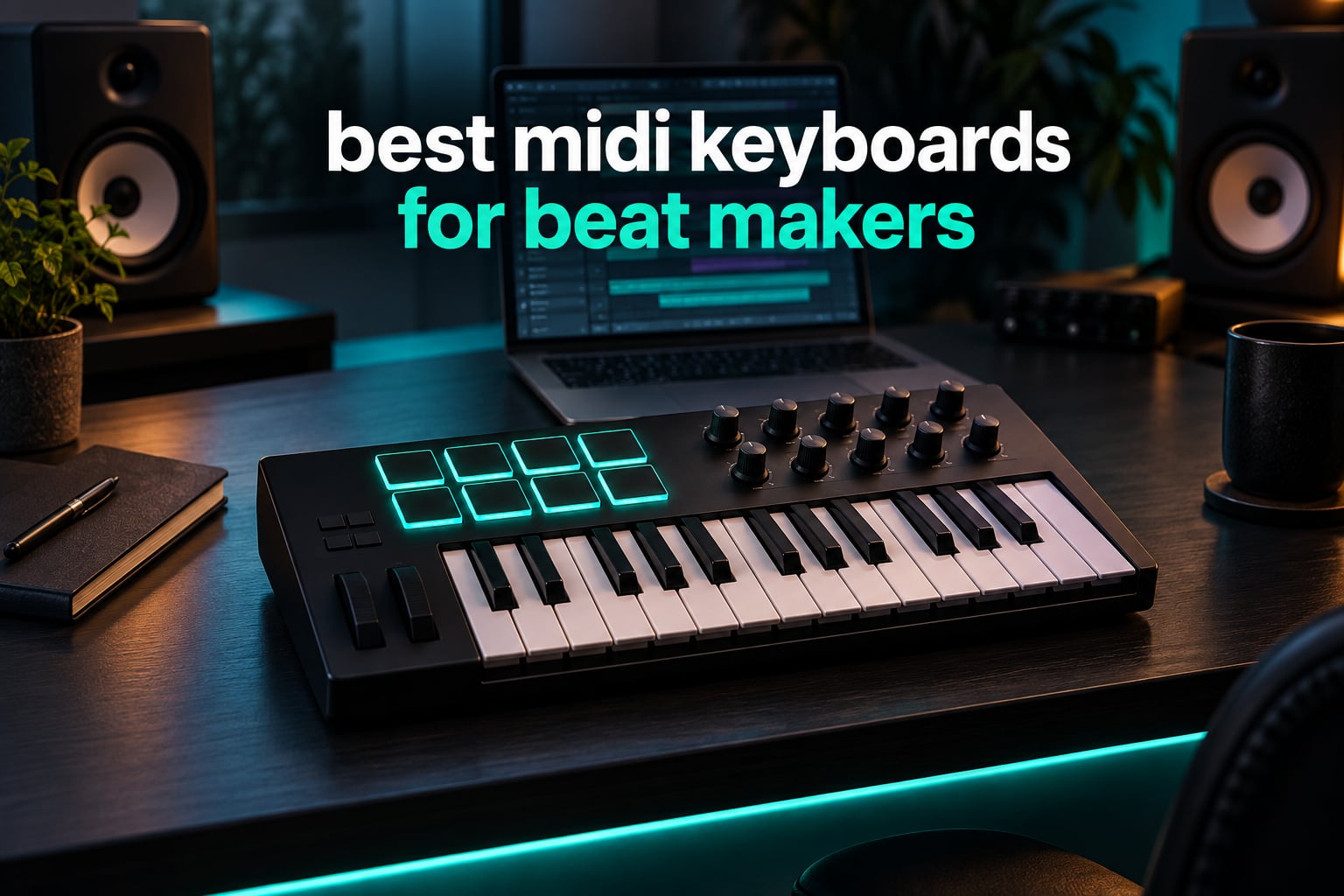
No, you do not need a MIDI keyboard to make beats. You can produce an entire track with a mouse and your computer keyboard. What a MIDI keyboard changes is speed and expression: velocity-sensitive keys turn a flat chord into a played one, and velocity-sensitive drum pads let you finger-drum instead of clicking a step sequencer one row at a time. If you have ever watched a producer sketch a hook in a minute while you hunt through a plugin menu, that gap is mostly hardware.
That is the honest starting point for this roundup of the best MIDI keyboards for beat makers in 2026. Every board below is a controller, not an instrument: it sends note, velocity and control data to your computer, and it makes no sound on its own. All ten connect over USB, work on Windows and macOS, and ship with something usable so you are not staring at an empty project on day one.
We kept the list deliberately narrow. Every pick has velocity-sensitive keys, because without velocity a beat maker is programming, not playing. Nine of the ten add hardware control surfaces or pads, and four bundle a virtual instrument collection substantial enough to build a finished loop from. We did not include arranger keyboards, grooveboxes or pad-only controllers, because those solve a different problem and buyers in the comments keep confusing the categories.
If you are completely new to hardware, our beginner MIDI controller guide covers the basics first. If you already know you want a proper keybed, the 49-key controller breakdown goes deeper on that tier.
Top 3 Picks for Beat Making in 2026
Those three cover the three most common starting points: the smallest board that still gives you pads and knobs, the highest-rated board that fits two-handed playing into a desktop footprint, and the cheapest way to get real full-size keys under your fingers.
The 10 Best MIDI Keyboards for Beat Makers at a Glance
| Product | Specifications | Action |
|---|---|---|
 Akai MPK Mini IV Akai MPK Mini IV |
|
Check Latest Price |
 M-Audio Keystation 49 MK3 M-Audio Keystation 49 MK3 |
|
Check Latest Price |
 midiplus AKM320 midiplus AKM320 |
|
Check Latest Price |
 Arturia MiniLab 37 Arturia MiniLab 37 |
|
Check Latest Price |
 Novation Launchkey 25 MK3 Novation Launchkey 25 MK3 |
|
Check Latest Price |
 Novation FLkey Mini Novation FLkey Mini |
|
Check Latest Price |
 Akai LPK25 Akai LPK25 |
|
Check Latest Price |
 M-Audio Oxygen Pro Mini M-Audio Oxygen Pro Mini |
|
Check Latest Price |
 Korg nanoKEY2 Korg nanoKEY2 |
|
Check Latest Price |
 Arturia KeyLab Essential 49 MK3 Arturia KeyLab Essential 49 MK3 |
|
Check Latest Price |
A few things stand out immediately. Only two boards in this list give you full-size keys, and only three reach 37 keys or more. If you plan to learn chord progressions rather than just trigger samples, that is the filter that matters.
1. Akai Professional MPK Mini IV – the best MIDI keyboard for beat making overall
Akai Professional MPK Mini IV 25-Key USB-C MIDI Keyboard Controller, Black
25 mini keys
8 RGB MPC pads
8 360-degree knobs
USB-C plus MIDI Out
Pros
- Eight velocity and pressure sensitive MPC pads with RGB feedback
- Eight assignable 360-degree knobs plus a full-colour screen
- 25 velocity-sensitive mini keys in a portable USB-C footprint
- Bundled suite with 1000+ drums and synths from AIR and Akai Pro
- Pre-mapped DAW transport for Ableton Live Lite 12 and Logic Pro
Cons
- Mini keys are short so players used to full-size piano keys need adjusting
- Pad and knob count is more limited than larger 32 and 37-key controllers
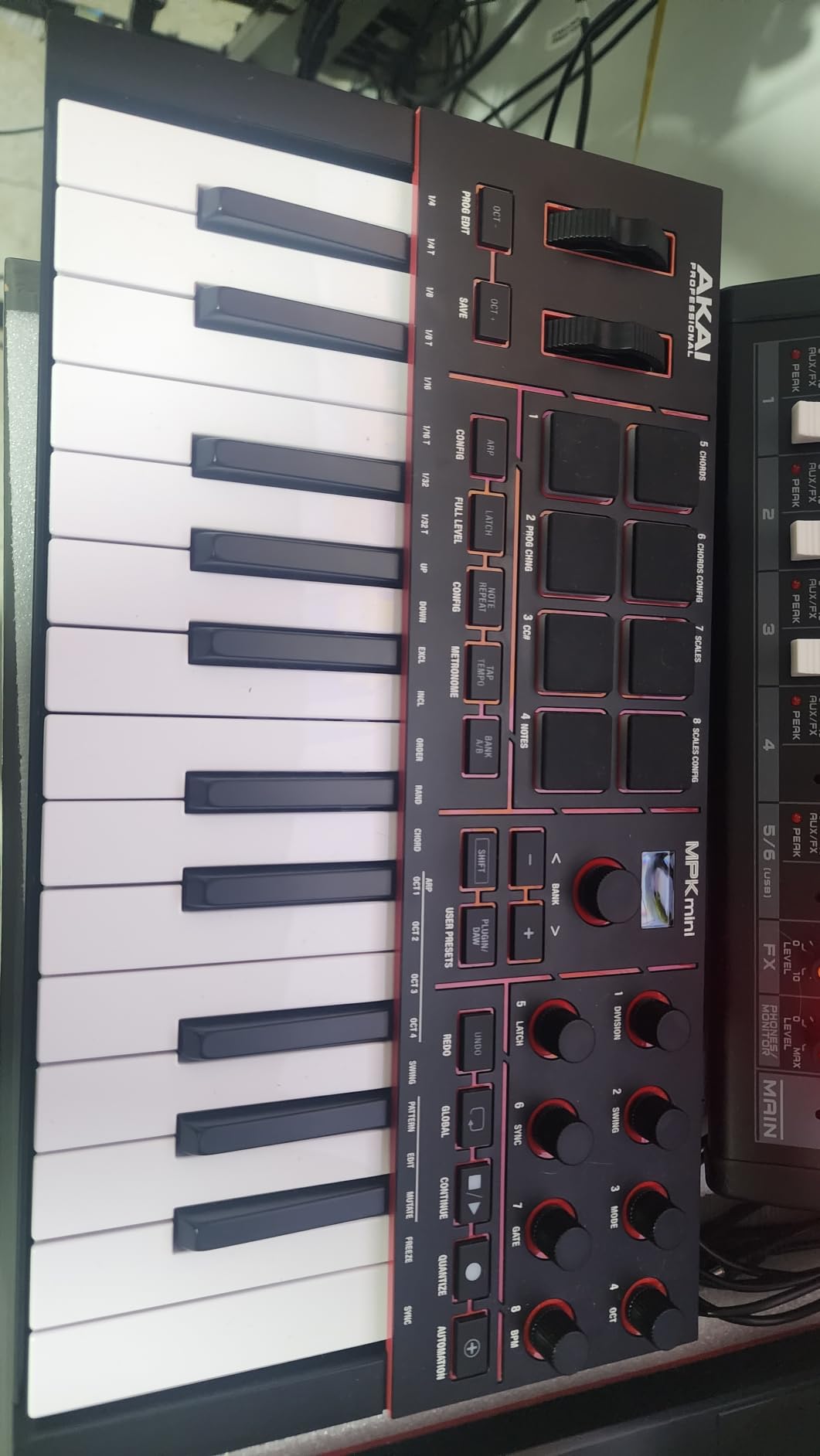
This is the board we keep coming back to. The MPK Mini IV weighs 1 kg, measures 7.56 by 13.88 by 1.44 inches, and packs an unusually complete control surface into that space: 25 velocity-sensitive mini keys, 8 velocity and pressure sensitive MPC pads with RGB feedback, 8 assignable 360-degree knobs, a full-colour screen and a push/turn encoder.
At 18636 reviews it is by a wide margin the most reviewed controller in this roundup, and the ratings hold up. Roughly 81 percent of ratings are 5-star and 12 percent are 4-star, which is a very narrow band of dissatisfaction for a device at this size.
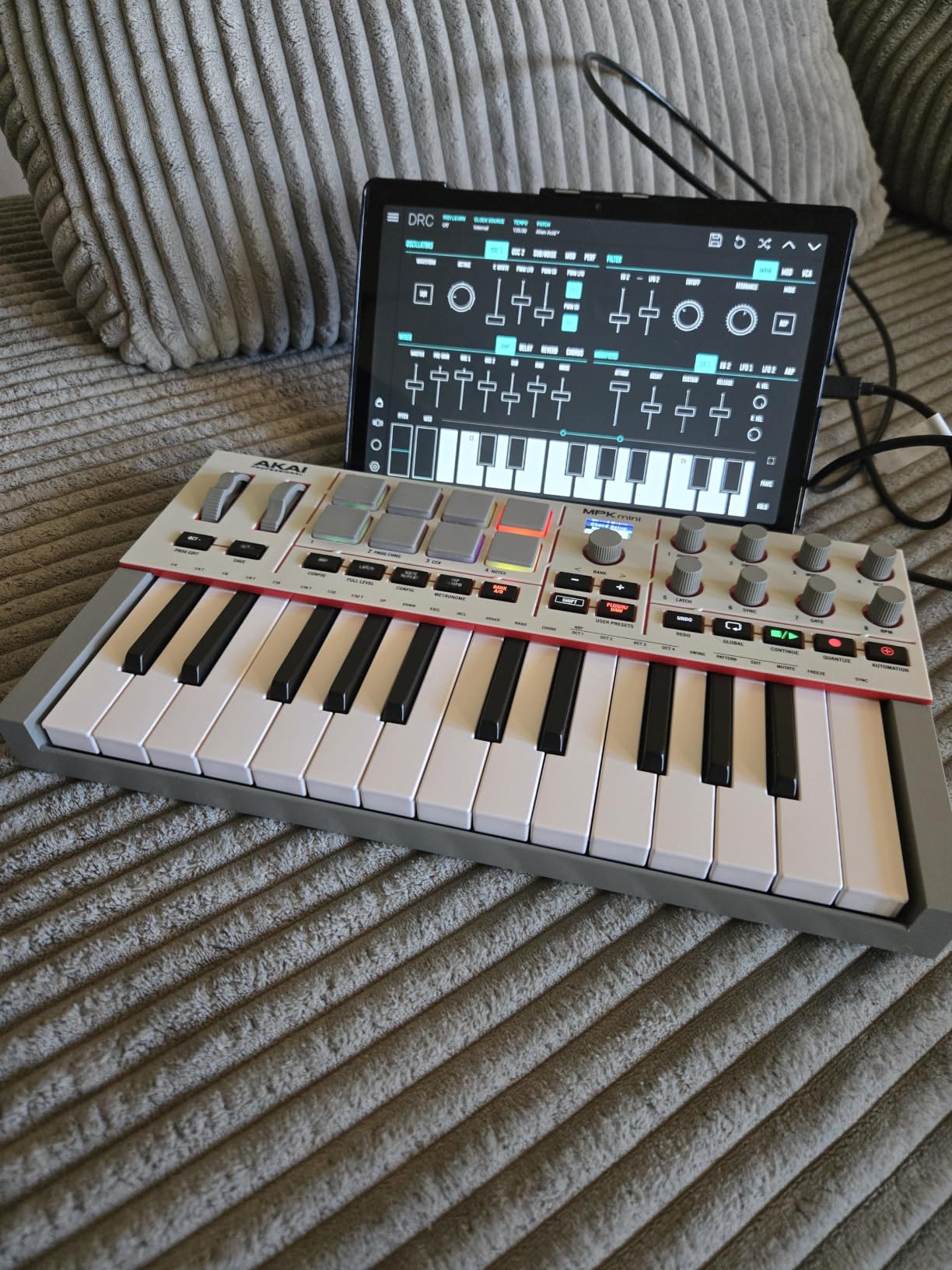
What separates it from a generic 25-key board is the pad section. Eight RGB-backlit MPC pads respond to both velocity and pressure, so finger drumming has dynamics rather than triggering at one fixed level. That is the single feature that most changes how a beginner’s beats sound, and it is the one cheap boards usually fake.
The bundled software matters just as much. You get a VST, AU and standalone suite with more than 1000 pro-grade drums, keys, synths, bass and effects from AIR, Akai Professional and Moog, plus pre-mapped transport controls for Ableton Live Lite 12, Logic Pro and FL Studio. Reviewers repeatedly note that they could make a beat the same day the box opened, which is exactly the failure point we hear about with thinner bundles.
There is also a 30-day Melodics trial for keyboard and pad lessons, two months of Splice for royalty-free loops, and NKS support so you can browse Native Instruments presets from the board. The arpeggiator includes Pattern, Freeze and Mutate functions, and Chord and Scale modes are built in for staying in key while you move fast.
Connectivity is handled properly for a board this size. It runs over USB-C on a USB 3.0 port, is bus-powered so there is no external brick, and carries a full-size MIDI Out alongside the USB, which means it can drive an external groovebox or synth without an adapter dongle. That detail matters more than it sounds if you ever expand beyond the laptop.
It is built in durable high-grade plastic with a one-year manufacturer warranty, and the box contains the controller, a quickstart guide and a USB cable. Akai lists Mac and Windows support and compatibility with any DAW that runs on either, so nothing here locks you to a particular DAW.
Will the mini keys stop you writing chords?
They will slow you down if you have piano experience, because 25 mini keys give you a little over two octaves. For a beat maker working in chord stabs under a hook, or one-handed bass lines, that range is workable. For sustained two-handed chord progressions, look at the MiniLab 37 or the Keystation 49 instead.
The screen is the part reviewers underrate. It shows settings, presets and DAW functions without a computer, which turns the board from a note inputter into a small navigation surface.
What you give up on a board this compact
You give up pad count and knob count. Larger controllers in the same family run more pads and more assignable controls, and if you are building a large instrument rack with many parameters mapped, eight knobs will feel narrow after a few months.
It is also controller-only. There is no onboard sound engine, so a laptop is required for every session. If making beats away from a computer is the goal, this is the wrong category entirely.
2. M-Audio Keystation 49 MK3 – best value full-size keybed
M-AUDIO Keystation 49 MK3 USB MIDI Controller
49 full-size velocity keys
Pitch and mod wheels
Sustain pedal input
No drum pads
Pros
- 49 full-size velocity-sensitive keys give a natural feel across a wide range Volume fader and transport buttons plus pitch and modulation wheels
- Sustain pedal input and octave up/down buttons Plug-and-play over USB with no drivers or external power Bundled suite includes MPC Beats and Ableton Live Lite
Cons
- No drum pads which limits hands-on beat programming against pad-equipped rivals Basic onboard controls mean most DAW functions still need mouse or screen access
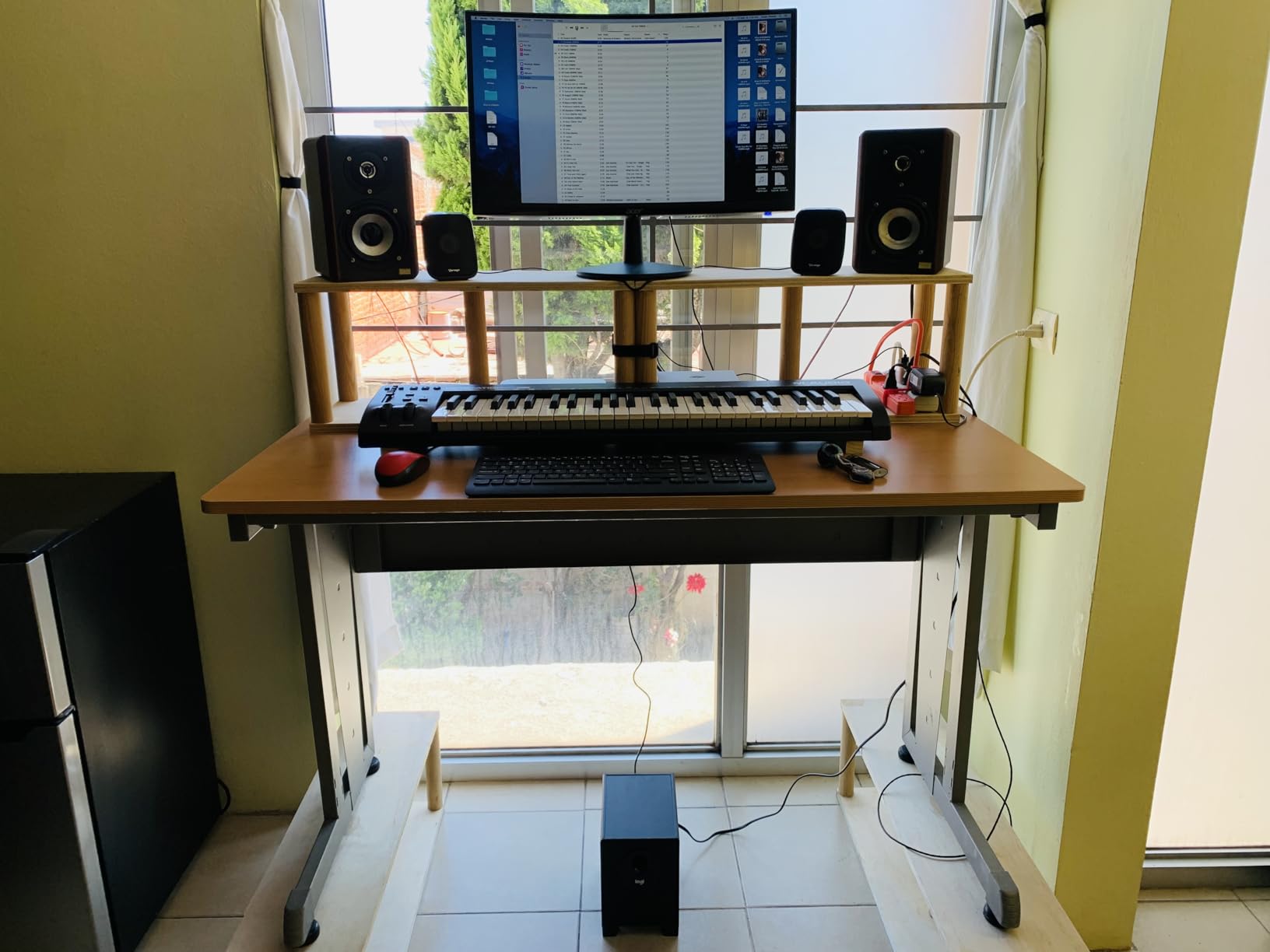
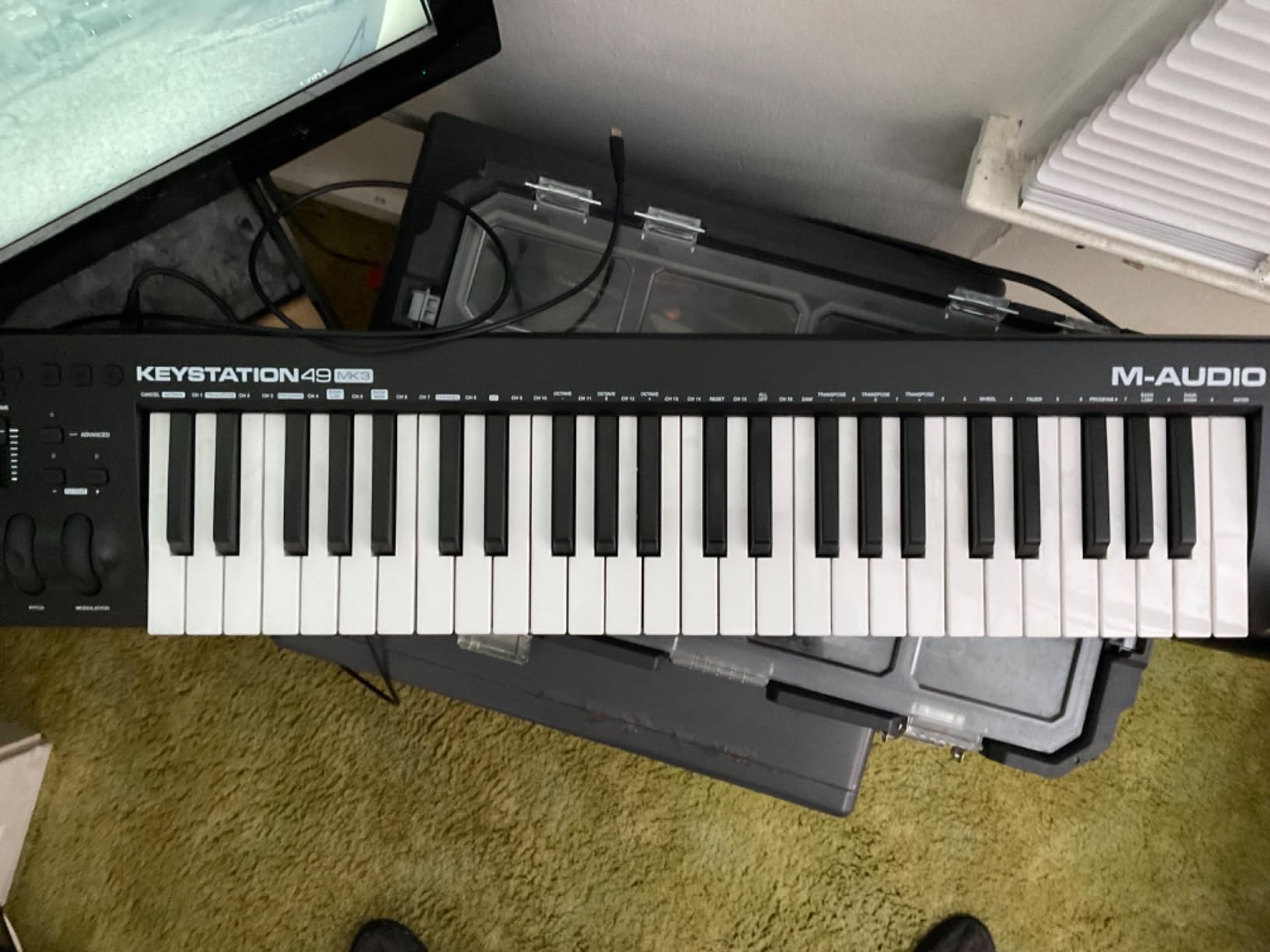
The Keystation 49 MK3 is the reason we still recommend full-size keys to anyone who asks about learning chord progressions. It is 32.26 inches wide, 7.44 deep and 2.68 high, and it gives you 49 full-size velocity-sensitive keys, which is four octaves and a bit more.
Full-size spacing means you can play a seven-note chord without your fingers landing on the wrong key, and it means octave-shift buttons are a convenience rather than a necessity. Buyers in the beginner forums describe exactly this: it is the first board where playing an actual chord shape felt natural.
It is also a long-running staple with 6793 reviews, and the distribution is reassuring. About 78 percent are 5-star and 12 percent are 4-star, with the usual criticism aimed at the missing pads rather than the keybed.
Control is deliberately traditional. You get a volume fader, transport and directional buttons, ergonomically placed pitch and modulation wheels, octave up and down, and a sustain pedal input. There is no screen, which means no preset browsing, and no arpeggiator or chord mode, which means those musical helpers have to live in your DAW.
The bundle is genuinely usable rather than decorative: MPC Beats, Ableton Live Lite, Velvet, XPand2, Mini Grand and Touch Loops, plus Skoove and Melodics lessons. That is a complete first-hour experience for a new beat maker.
The keyboard sits in the box with a USB A to USB B cable, a user guide, a safety and warranty manual and software download cards, backed by a one-year manufacturer warranty. It is listed for Mac, Windows and iOS, though iOS use goes through an Apple to USB Camera Adapter that you buy separately.
One practical warning about this width. At 32.26 inches it will not sit beside a 13-inch laptop, so plan the desk layout before it arrives. Producers who move between a studio desk and a home desk report keeping it in one place rather than transporting it, which is the opposite of what the boards lower down this list are built for.
Is 49 keys the right number for beat making?
For chord writing, 49 is the practical minimum that covers four octaves. You can lay down a loop without reaching for octave controls on every other phrase. The tradeoff is desk width, since at over 32 inches this is a full arm span rather than a laptop-side accessory.
For pure sample triggering, 49 keys is more than you need and 25 is enough. Decide first whether you are writing melodies or firing one-shots, because that changes the tier you should shop in.
Where this board loses to its rivals
There are no drum pads, and that is the honest limitation. If your beat-making style is finger drumming, chopping or clip launching, you are doing all of that with the mouse on a pad-equipped competitor.
The controls are also basic enough that you will still reach for the mouse constantly. It is a keyboard-first board for a producer who writes parts, not a workstation for one who performs a kit.
3. midiplus AKM320 – the best 32-key starter board
midiplus AKM320 Midi Keyboard Controller
32 velocity keys
Pitch and mod wheels
0.72 kg
Works on Linux too
Pros
- Thirty-two velocity-sensitive keys give more playing room than a typical 25-key budget board
- Real pitch bend and modulation wheels rather than buttons
- Lightweight at 0.72 kg and compact enough for a daypack
- Works immediately over USB on Windows macOS and Linux
Cons
- Limited key velocity resolution with fewer intermediate levels than premium controllers
- Light plastic build with reviewer reports of durability issues
- No pads or screen and no bundled DAW or virtual instruments
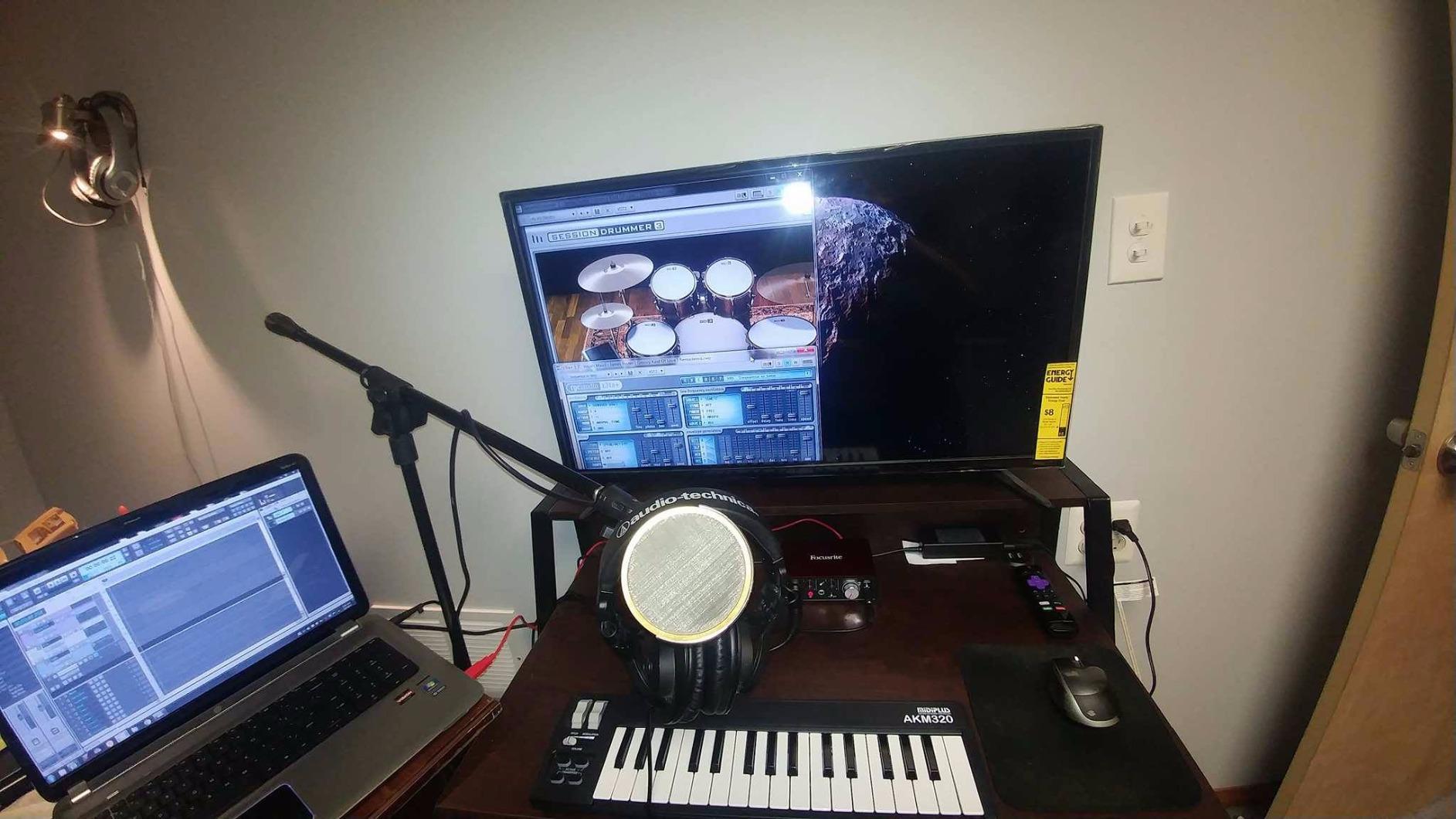
The AKM320 solves a narrow problem very well: you want more than 25 keys, you want wheels rather than buttons, and you want to spend almost nothing. At 18.11 by 4.92 by 1.18 inches and 0.72 kg, it is barely larger than a computer keyboard.
Thirty-two velocity-sensitive keys plus real pitch bend and modulation wheels is a spec sheet that punches above its weight. Octave and transpose buttons cover the range you are missing, and it runs on Windows, macOS and Linux with no driver step at all.
Its 4.3 rating is the lowest in this roundup, and the distribution explains why: 63 percent 5-star, 19 percent 4-star and 10 percent 3-star. That is a wider spread than the other boards, with recurring complaints about build quality and shallow velocity response.
Reviewers routinely describe it as having everything a beat maker needs while staying portable, and that is accurate for sketching ideas and practising. It is a writing tool, not a performance surface.
Be clear about what is missing: no pads, no knobs, no faders, no screen, and no bundled DAW or virtual instruments. You will open your DAW and start from an empty project.
Details worth knowing before you commit: it uses a USB B type connection, comes with the cable only, and has a 12-month warranty. A sustain switch interface is present but the pedal is not included, so budget for one if you play held parts.
Is 32 keys better than 25 for writing beats?
Marginally, and only for melodic work. The extra seven keys take you past three octaves, which reduces how often you hit the octave buttons when writing a bass line or a chord loop. If you mostly trigger samples one at a time, the difference is small.
Because it runs on Linux with no driver, it is also one of the few boards here worth recommending to someone on an older or non-standard setup.
Where the low rating comes from
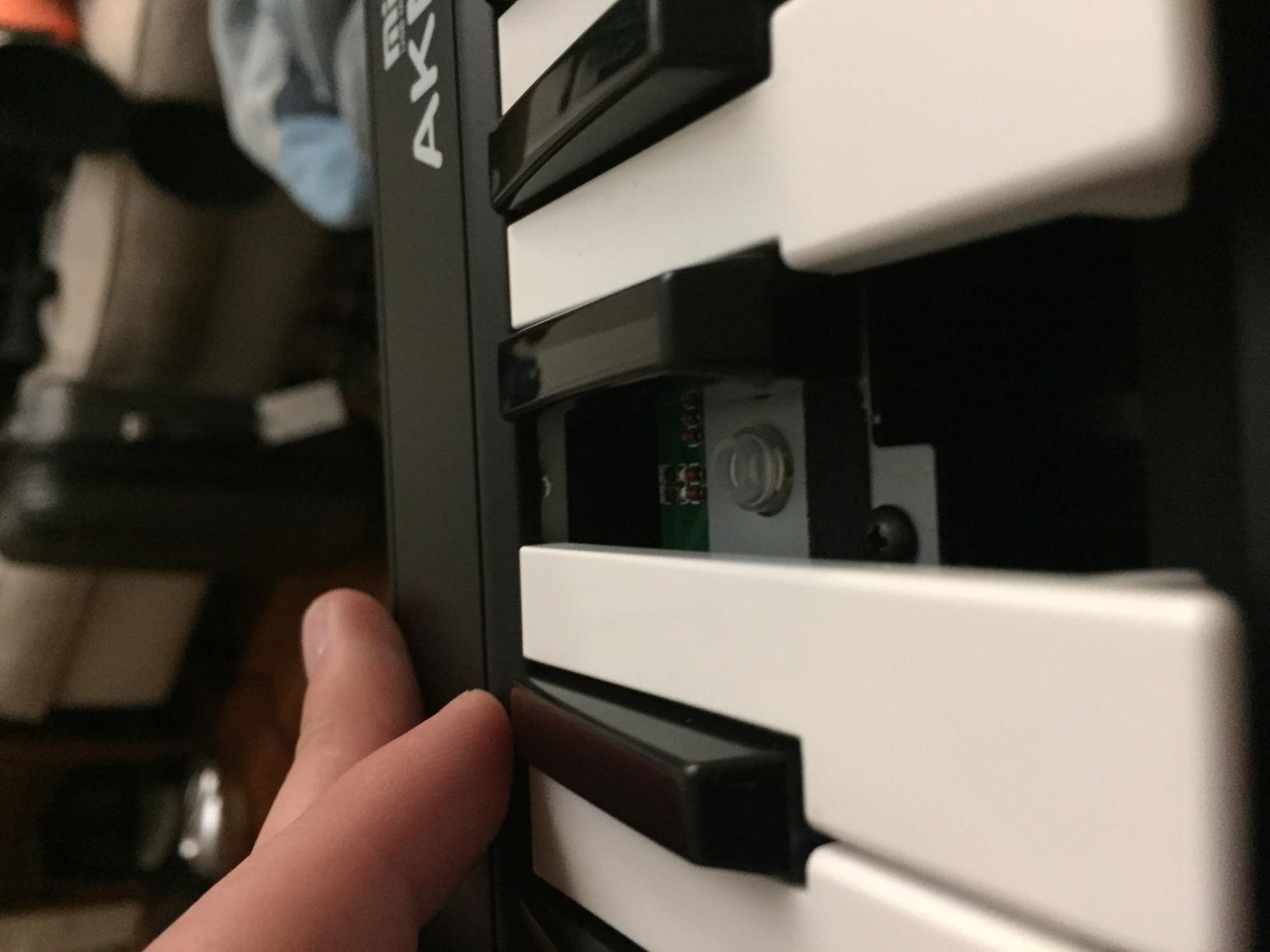
Two things. Velocity resolution is shallower than on premium controllers, so quiet passages and soft chords do not have as much range, and the plastic chassis is light enough that reviewers report durability concerns over years of use.
If your plan involves a home studio desk you will return to daily for several years, the lighter build is a fair reason to step up a tier instead.
4. Arturia MiniLab 37 – top rated for melody and beat work
Arturia MiniLab 37 MIDI Keyboard Controller
37 slim keys
2x4 stacked pads
Mini display
Arpeggiator and Chord mode
Pros
- 37 slim keys add 12 more than the base model for genuine two-handed play
- Stacked 2x4 pad layout suited to finger drumming and clip launching
- Smart DAW-integrated pads and faders plus a real-time mini display
- Built-in arpeggiator and Chord mode with custom DAW mappings
Cons
- Slim keybed does not replicate the feel of a weighted piano keyboard
- Compact control surface means fewer dedicated knobs than larger controllers
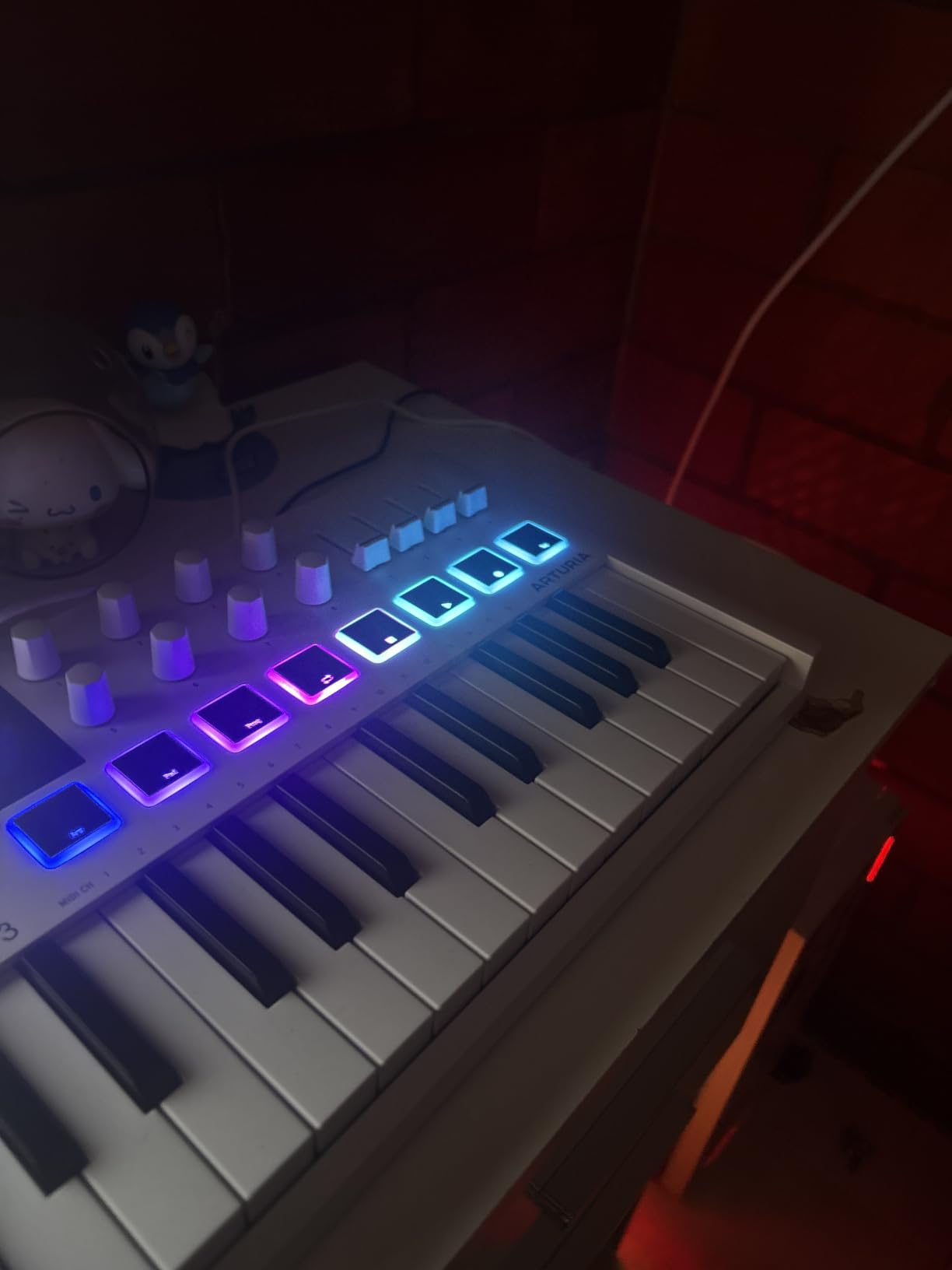
The MiniLab 37 carries the highest average rating in this list at 4.7, with about 83 percent of ratings at 5 stars and 10 percent at 4 stars. Buyers consistently credit the expanded 37-key layout as the reason it works for melody writing and drum triggering on the same desk.
Thirty-seven slim keys is an unusual number and it is the point. It sits between a 25-key mini board and a 49-key full-size board, giving you roughly three octaves in a body measuring 20.98 by 7 by 3.11 inches at 1.17 kg, which is far more desk-friendly than a 49-key controller.
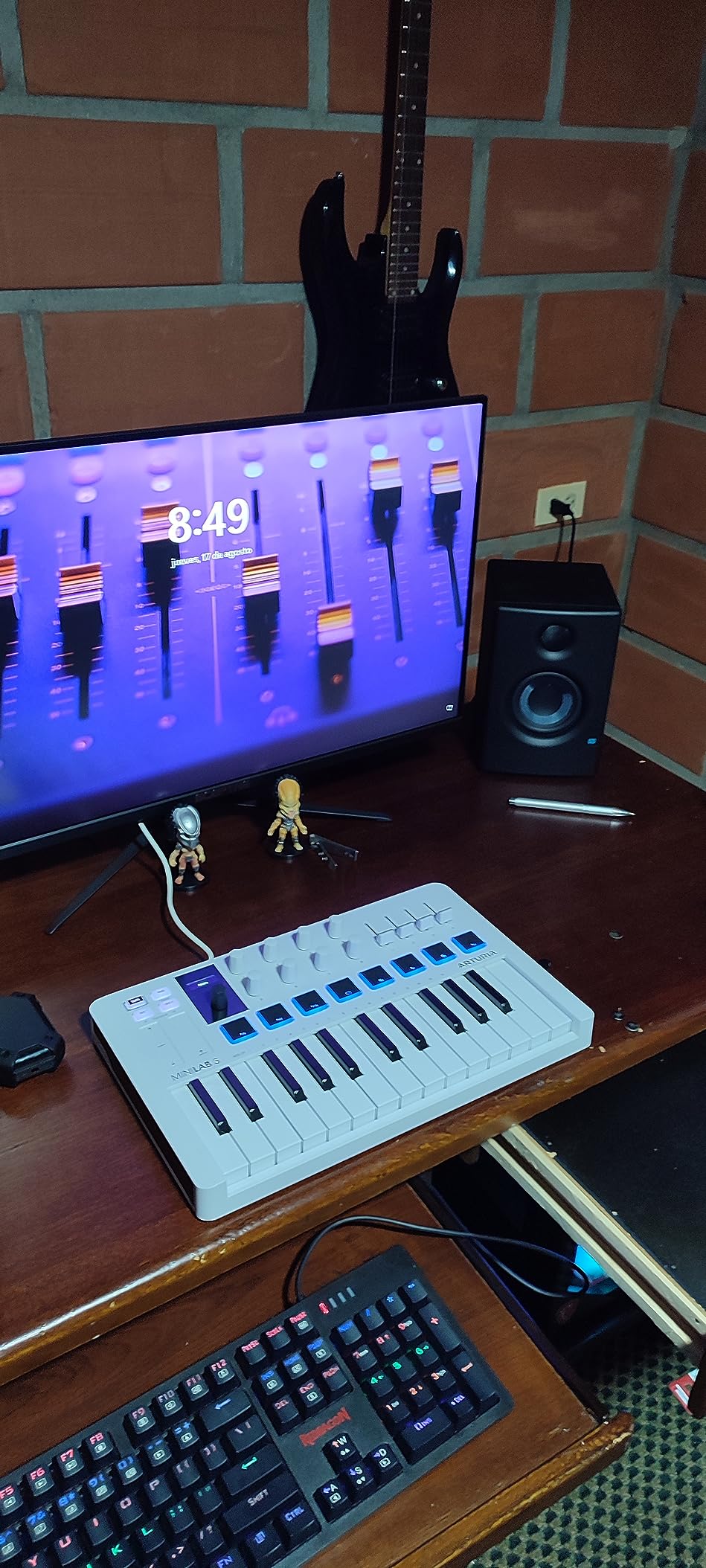
The stacked 2×4 pad layout is designed specifically for finger drumming and clip launching, with two pads directly above two others so your hand travels less. Pads and faders are DAW-integrated, and a real-time mini display shows what is mapped where.
It also handles musical tasks without a computer. A built-in arpeggiator, Chord mode, custom DAW mappings and easy transposition are all onboard, so you can move an idea forward while your DAW is closed. Arturia includes a two-year warranty, which is longer than most in this category.
For a beat maker who wants to sketch chord progressions and drum hits in the same sitting without fighting for desk space, this is the board we recommend most often.
Physical details are well judged. It uses USB Type C, weighs 1.17 kg, and ships with a two-year manufacturer warranty plus a stated five-year spare part availability in the EU, which is a longer support commitment than most controllers in this roundup.
Is 37 keys enough for two-handed playing?
For most beat-making patterns, yes. Three octaves covers a two-bar loop and a set of chord stabs without constant octave switching. Where it falls short is writing a full arrangement with a bass line and chords spread across the keybed at the same time.
If you are a trained pianist moving over from a weighted instrument, the slim keybed will feel light and you should test it before committing.
What the slim keybed costs you
Slim keys are not weighted, so they do not give you the resistance that tells your fingers a note has played, and there is no aftertouch of any kind. For a beat maker this is rarely a problem; for a piano player it is the dealbreaker.
The control surface is also compact, so you get fewer dedicated knobs than a 49-key board. Everything on offer is well chosen, just limited in number.
5. Novation Launchkey 25 MK3 – best for Ableton Live
Novation Launchkey 25 [MK3] MIDI Keyboard Controller – Seamless Ableton Live Integration. Chord Mode, Scale Mode, and Arpeggiator — All the software you need for Music Production
25 full-size keys
16 velocity pads
3 chord modes
Arpeggiator and scale modes
Pros
- Deep Ableton Live integration covering device macros and clip launch
- 16 velocity-sensitive pads alongside velocity-sensitive keys
- Three chord modes let you lay down a chord shape with one finger and transpose it
- Deeply controllable arpeggiator with rhythm and gate parameters
- Strong integration for Logic and any HUI-compatible DAW
Cons
- Integration is strongest in Ableton Live
- so other DAWs get a smaller feature set
- Full-size keys at this price push it above cheaper mini-key alternatives
If Ableton Live is your DAW, this is the most complete controller in the roundup, and the gap over a generic board is not marginal. The integration covers device macro control, track select, record, Capture MIDI, clip and scene launch, stop, mute, solo, volume, pans and sends.
That means you can build an entire track with one hand on the pads and one on the knobs, without touching the mouse. For beat makers who work in Session View this is the practical difference between playing an instrument and operating a software.
![Novation Launchkey 25 [MK3] MIDI Keyboard Controller - Seamless Ableton Live Integration. Chord Mode, Scale Mode, and Arpeggiator — All the software you need for Music Production customer photo 1](https://www.raindropchess.com/wp-content/uploads/2026/10/B086N4S1B9_customer_1.jpg)
The musical tools are unusually strong. Three chord modes assign a fixed shape to the keys so you can play a chord with one finger and transpose it across the keybed, and scale modes transpose both keys and pads so you cannot hit a wrong note while improvising.
Sixteen velocity-sensitive pads sit alongside velocity-sensitive keys, and the arpeggiator exposes rhythm, beat, pattern, octave and gate parameters rather than a single on/off switch. The 4.6 rating across 3449 reviews is stable, with 81 percent 5-star and 12 percent 4-star.
It is also not Ableton-only. Novation lists solid integration for Logic, Reason and any HUI-compatible DAW such as Cubase and Pro Tools, and the warranty is three years.
The build is worth noting for a 25-key board: it weighs 4.1 pounds and measures 18.23 by 10.16 by 3.03 inches, which is a solid-feeling desktop unit rather than a travel accessory. The box includes the controller, a USB cable and a safety information sheet, and Novation lists Mac, Windows and iOS support.
![Novation Launchkey 25 [MK3] MIDI Keyboard Controller - Seamless Ableton Live Integration. Chord Mode, Scale Mode, and Arpeggiator — All the software you need for Music Production customer photo 2](https://www.raindropchess.com/wp-content/uploads/2026/10/B086N4S1B9_customer_2.jpg)
Do you need Ableton Live for this board to be worth buying?
No, but you get the most from it there. The Ableton-specific mapping is what the reviewers praise, and in a HUI DAW the pads, knobs and chord modes still work well. In a DAW with no HUI layer, you are back to manual mapping and the value drops.
Worth knowing: this is the MK3 generation, and the MK4 adds a larger display and a more modern control layout. Check the current model before settling on this one.
Is 25 full-size keys a contradiction?
It is an unusual combination and a good one. Full-size spacing at 25 keys gives you accurate chord shapes across a bit over two octaves, so you avoid the cramped feeling of mini keys without committing to a 49-key desk footprint.
The cost is that full-size keys in a 25-key body sit at a higher tier than mini-key rivals, so if you are only triggering samples, you are paying for key spacing you may not use.
6. Novation FLkey Mini – best for FL Studio
Novation FLkey Mini USB MIDI Controller Keyboard
25 mini keys
16 RGB velocity pads
8 encoders
FL Studio mapping
Pros
- Native FL Studio mapping means no manual control assignment out of the box
- 16 RGB backlit velocity-sensitive pads with Sequencer mode and Note Repeat for drum programming
- Eight encoders for Channel Rack mixer volume and pan control
- Scale and Chord modes plus FPC and SliceX triggering
- Bus-powered and highly portable at 1.6 pounds
Cons
- Knobs are mapped to FL Studio's own instruments so third-party plugins need Novation script editing
- Mini keys feel stiff and need noticeable force to reach high velocity
- 25-key range is limiting for piano-style playing
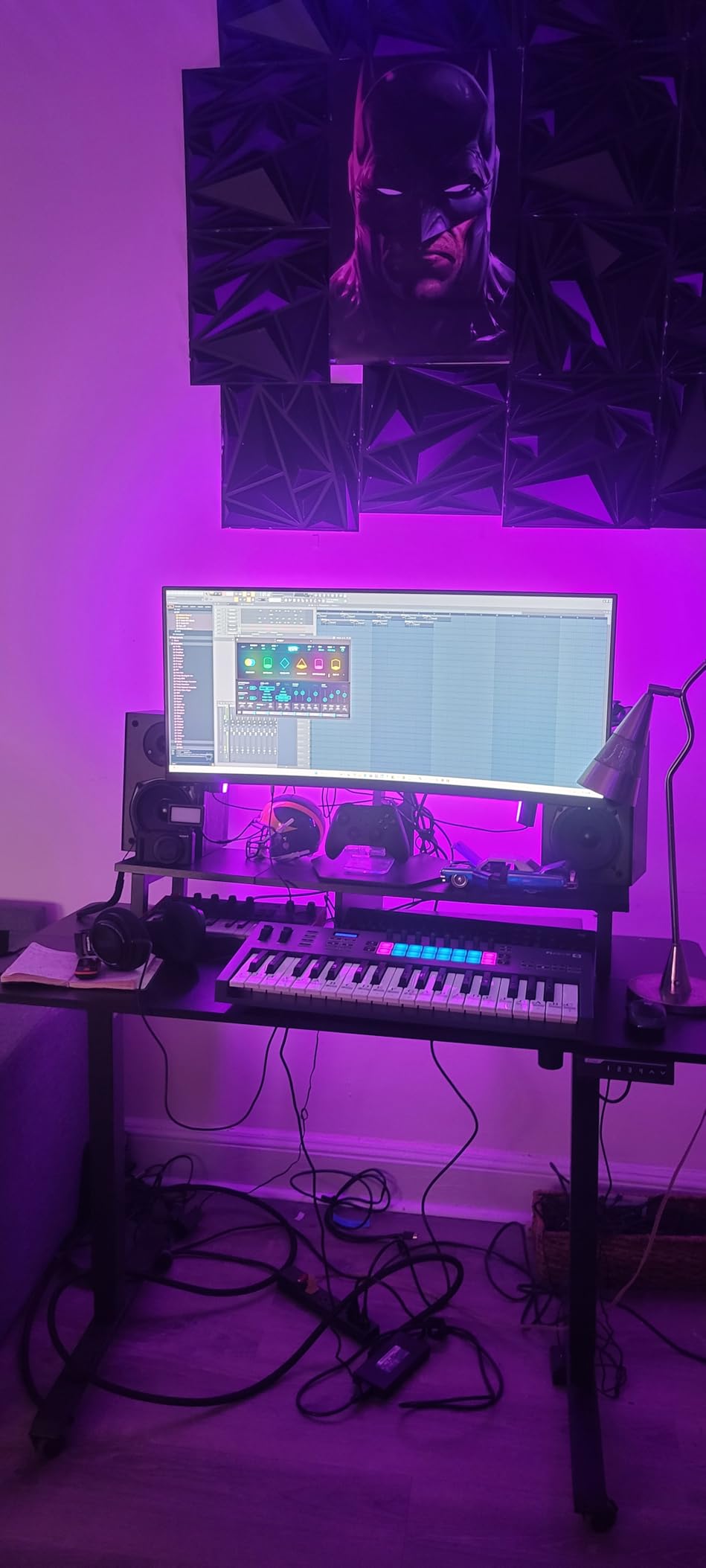
The FLkey Mini is the most opinionated board in this list, and that is the point. It is mapped for FL Studio out of the box, so the Channel Rack, mixer and transport respond as soon as you plug it in. There is no control assignment step at all.
Sixteen RGB backlit velocity-sensitive pads with a Sequencer mode let you program drums step by step on the hardware, and Note Repeat handles hi-hat rolls without manual timing. That combination is the single biggest time saver for a beat maker working in FL Studio.
Eight encoders handle Channel Rack volume and pan directly, and Scale and Chord modes keep you in key while you work. Pads can also trigger FPC and SliceX, so melodic ideas and chopped material go through the same 16 buttons.
At 1.6 pounds and bus-powered, it is one of the more portable boards here, and the 4.6 rating across 1261 reviews reflects a satisfied FL Studio user base.
The reviews are close to unanimous on one drawback: the knob mapping targets FL Studio’s own instruments, and sending those knobs to a third-party plugin means editing Novation scripts. If you use mostly stock instruments, this never comes up.
Construction is bus-powered and rated to Mac and Windows, with a three-year warranty and eight mixer channels controlled by the encoders. At 1.6 pounds it is heavier than the ultra-portable boards in this list but still small enough for a mobile rig.
Is it worth buying a DAW-locked controller?
If FL Studio is your DAW for the next few years, yes. The pad sequencer and Note Repeat replace work you would otherwise do with the mouse, and the time saved shows up in how many beats you finish in a session.
If you are not certain about your DAW, or you already own a hardware synth and control plugins through a DAW you are still choosing, buy something DAW-neutral instead. Paying for mapping you cannot use is the most common regret we see in this category.
What about the key feel and range?
Two things to test. The mini keys are reported as stiff, requiring noticeable force to reach high velocity, so your quietest playing may be harder to control than you expect. And 25 keys is a narrow range for anything melodic.
The included cable is USB B to USB A, so if your laptop only has USB-C ports you will need an adapter. That is a minor annoyance on the first day and a permanent one if you work mobile.
7. Akai Professional LPK25 – Most Versatile for your first beats
Akai Professional LPK25 25-Key USB MIDI Keyboard Controller
25 mini keys
Arpeggiator and clock
8 preset slots
0.48 kg
Pros
- Very light at 0.48 kg and small enough to sit on top of a laptop
- Built-in arpeggiator and clock plus dedicated octave up/down and sustain buttons
- Eight programmable preset slots for recalling DAW and instrument mappings
- Wide compatibility with GarageBand and Logic and Cubase and FL Studio
- Bundled Hype synth and BFD Player drums plus Melodics lessons
Cons
- Mini keys can feel muddy under pressure and the black keys feel less solid
- USB socket has some give which worries buyers concerned about durability
- No pads or knobs so it is limited to melody and basic performance control
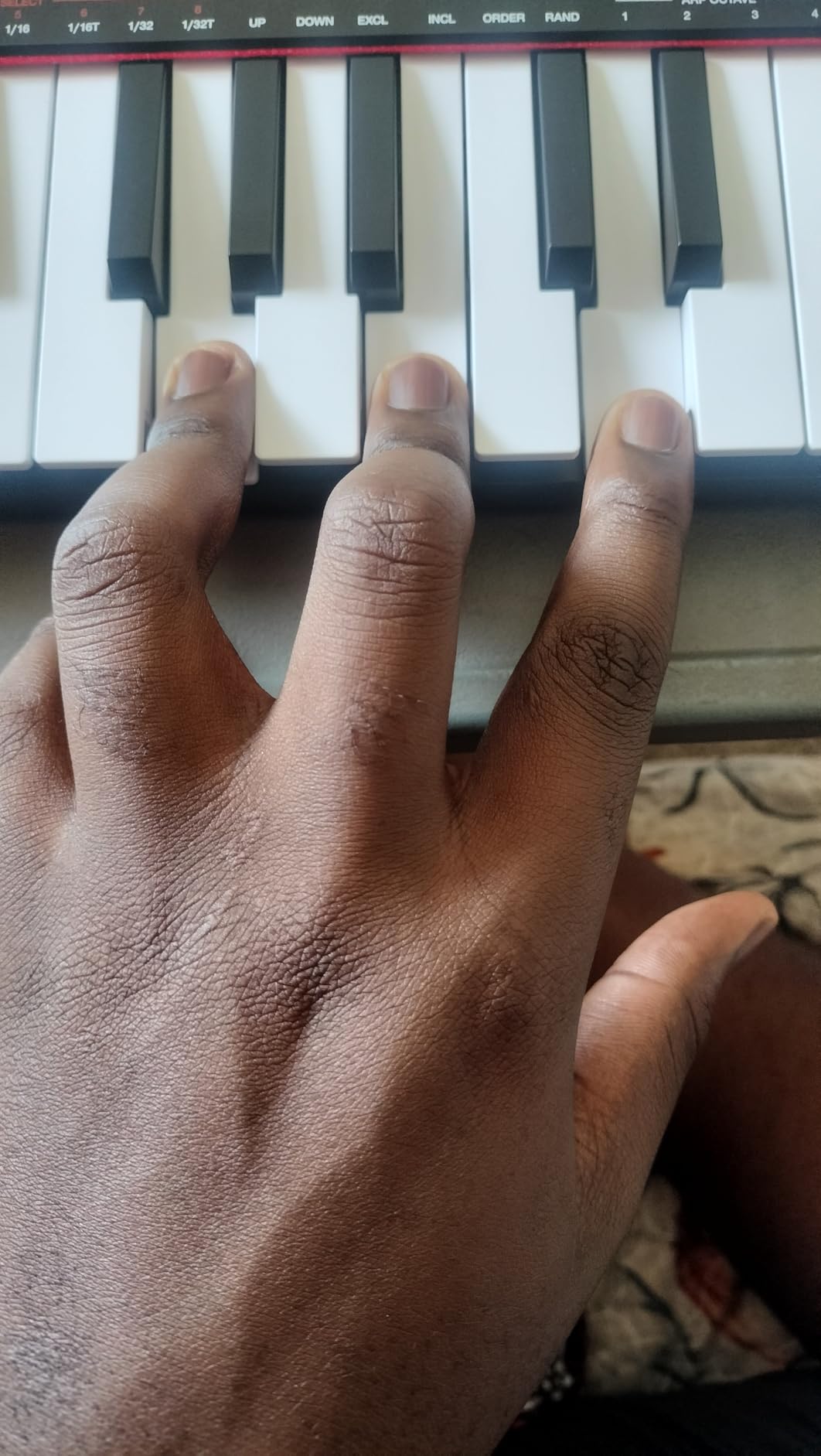
The LPK25 is one of the most direct routes to velocity-sensitive keys for someone who has never played a controller, and at 0.48 kg and 13.68 by 3.96 by 1.44 inches it is the most portable board in this roundup. You can balance it on a laptop and sketch on the move.
Eight programmable preset slots are the underrated feature. You save a mapping for your DAW and one for a virtual instrument, recall it with a single button, and skip the setup ritual every session.
The bundled software genuinely works. It includes the Hype synth, BFD Player drums and Melodics lessons, which is enough to build a loop before you spend anything else. Compatibility is listed across GarageBand, Logic, Studio One, Cubase, Ableton Live, Pro Tools, FL Studio and Reason.
At 4.7 with 1111 reviews, 79 percent 5-star and 14 percent 4-star, owners consistently describe it as the cheapest board they were happy with for practising and sketching. A built-in arpeggiator and clock add musical motion without a computer in the loop.
It is also 25 mini keys with no pads and no knobs, so it is a melody and chord tool rather than a drum controller. That limitation is fine for a first board and frustrating for a second.
The box contains the controller, a USB cable, a quickstart guide, a safety and warranty manual and a software download card, with a one-year manufacturer warranty. The eight preset slots are the feature that makes it feel more capable than the spec sheet suggests: store a mapping per project and switch between them in one press.
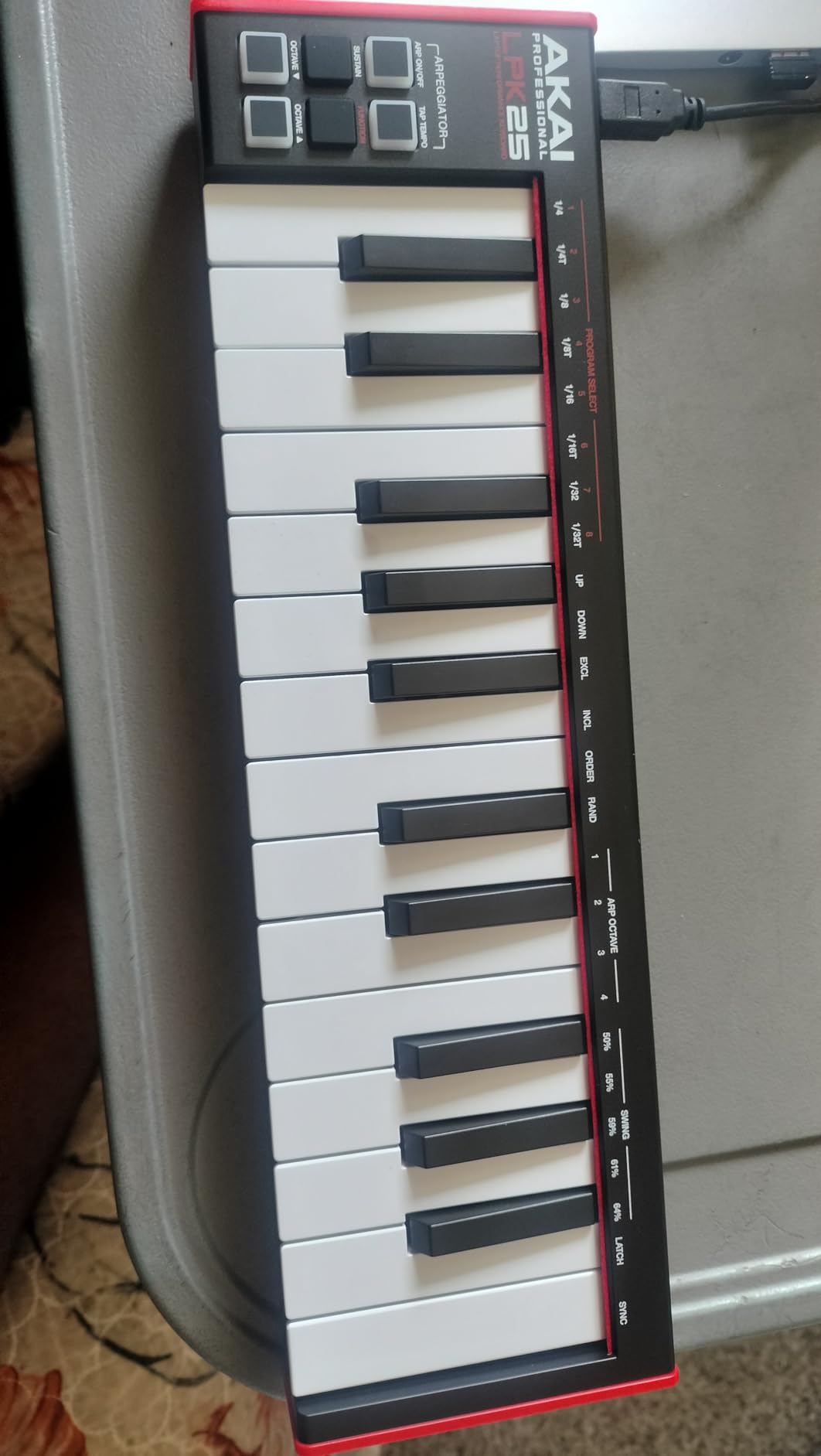
Is this a reasonable first MIDI keyboard?
Yes. It teaches the same fundamentals as a board several times the cost: that velocity changes how a sound feels, that octave buttons matter, and that a controller is just a hand interface into a DAW. The skills transfer to whatever you buy next.
For a child learning piano, a student practising on a small desk, or anyone who wants a controller in a bag, the size and weight are the deciding factors and it wins both.
Where the light build shows up
Two review themes repeat. The mini keys can feel muddy and twist under pressure, and the black keys feel less solid than the white ones, which is normal for this price class but noticeable if you play a lot of chord inversions.
The USB socket also has some give in the connector, which is exactly the part that fails first on a board carried in a bag. For fixed desktop use it is not an issue; for daily transport it is.
8. M-Audio Oxygen Pro Mini – best for pad-heavy beat programming
M-AUDIO Oxygen Pro Mini 32 USB MIDI Keyboard Controller
32 mini keys
8 RGB beat pads
4 knobs and 4 faders
OLED screen
Pros
- Eight RGB backlit velocity-sensitive pads with Note Repeat for beat production and clip launching
- Four assignable knobs plus four faders for tactile control of plugins and DAW parameters OLED screen makes DAW auto-mapping straightforward to select
- Smart Chord Smart Scale modes and a built-in arpeggiator Includes MPC Beats
- Ableton Live Lite AIR Music Tech instruments and NKS integration
Cons
- Mini keys feel light and thin and reviewers find them the weakest of the controllers they compared
- The always-on OLED display has no off switch and is vulnerable to burn-in over time
- The knob under the screen can block the view of it
- MIDI Out requires a separately sold dongle
The Oxygen Pro Mini is the most control-dense board per square inch here, at 15.72 by 7.44 by 2.52 inches. You get 32 velocity-sensitive mini keys, 8 RGB backlit velocity-sensitive drum pads with Note Repeat, 4 assignable knobs, 4 faders and an OLED screen, all on a 32-key body.
Note Repeat is the feature that matters most for beat programming. Set a rate and the pad retriggers for you, which is how you build fast hats, rolls and repeating percussion without hand timing. Combined with RGB feedback you can see which pad is loaded without looking away from your hands.
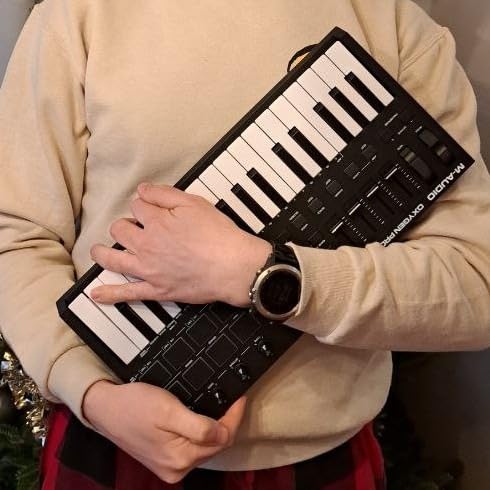
The OLED screen handles auto-mapping well. You select the map for MPC Beats, Ableton Live, Cubase, Logic or others from the display rather than from a menu, and NKS integration means you can browse Native Instruments presets from the board.
It carries the lowest rating in the group at 4.4, though the spread explains it: 72 percent 5-star against 5 percent 1-star. Owners value the control surface and pads for the money, while key feel and the screen design draw the criticism.
Smart Chord, Smart Scale and an arpeggiator are built in, and the bundle covers MPC Beats, Ableton Live Lite and AIR Music Tech instruments.
NKS integration goes further than on most boards at this level, with a choice of three Komplete 15 Select bundles, and the package adds Akai Professional MPC Expansion packs. The chassis has a rubberized outer finish, a one-year warranty, and MIDI Out as a 1/8 inch jack, which needs the separate dongle the reviews mention.
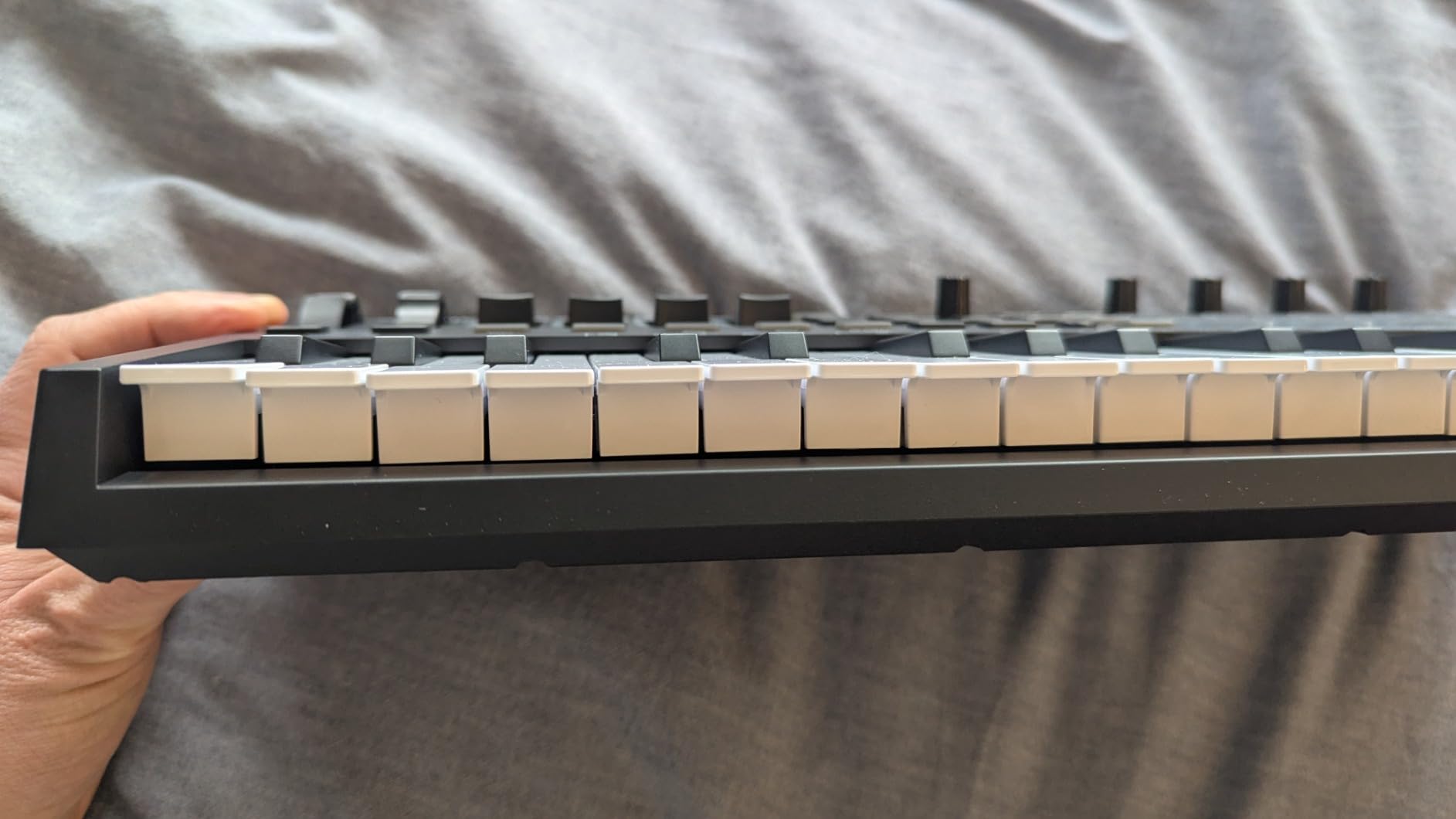
Is this the right board for finger drumming?
Yes, alongside the MPK Mini IV. Eight backlit velocity-sensitive pads with Note Repeat is the correct toolkit for finger drumming and clip launching, and the faders let you ride a filter or a send while your other hand stays on the pads.
Where it differs from the MPK is the screen. The OLED lets you see mapped controls directly, which is a real advantage once you are running a template rather than a single instrument.
What to look at before buying
The mini keys are the weak point. Reviewers describe them as light and thin, and they are the least convincing part of an otherwise capable board. If you write melodies rather than drum patterns, this is the wrong emphasis.
Also note the OLED has no off switch, so it stays lit during long sessions, and the knob positioned under the screen can block your view of it. If you plan to drive MIDI hardware from the board, MIDI Out needs a separately sold dongle.
9. Korg nanoKEY2 – best ultra-portable board
Korg, 25-Key Midi Controller (NANOKEY2BK),Black
25 velocity keys
Slim low-profile body
16 ounces
Sustain button
Pros
- Ultra-thin low-profile body that fits between a laptop and a desk without taking up space Very light at 16 ounces easy to carry between sessions Korg-designed keys with ample width and spacing to reduce accidental notes
- Sustain button makes it easy to enter piano parts
- Reliable USB plug-and-play with no setup required
Cons
- No pitch or modulation wheels pads knobs or display
- 25 keys give only just over two octaves
- so melodies run out of range quickly No bundled software or DAW
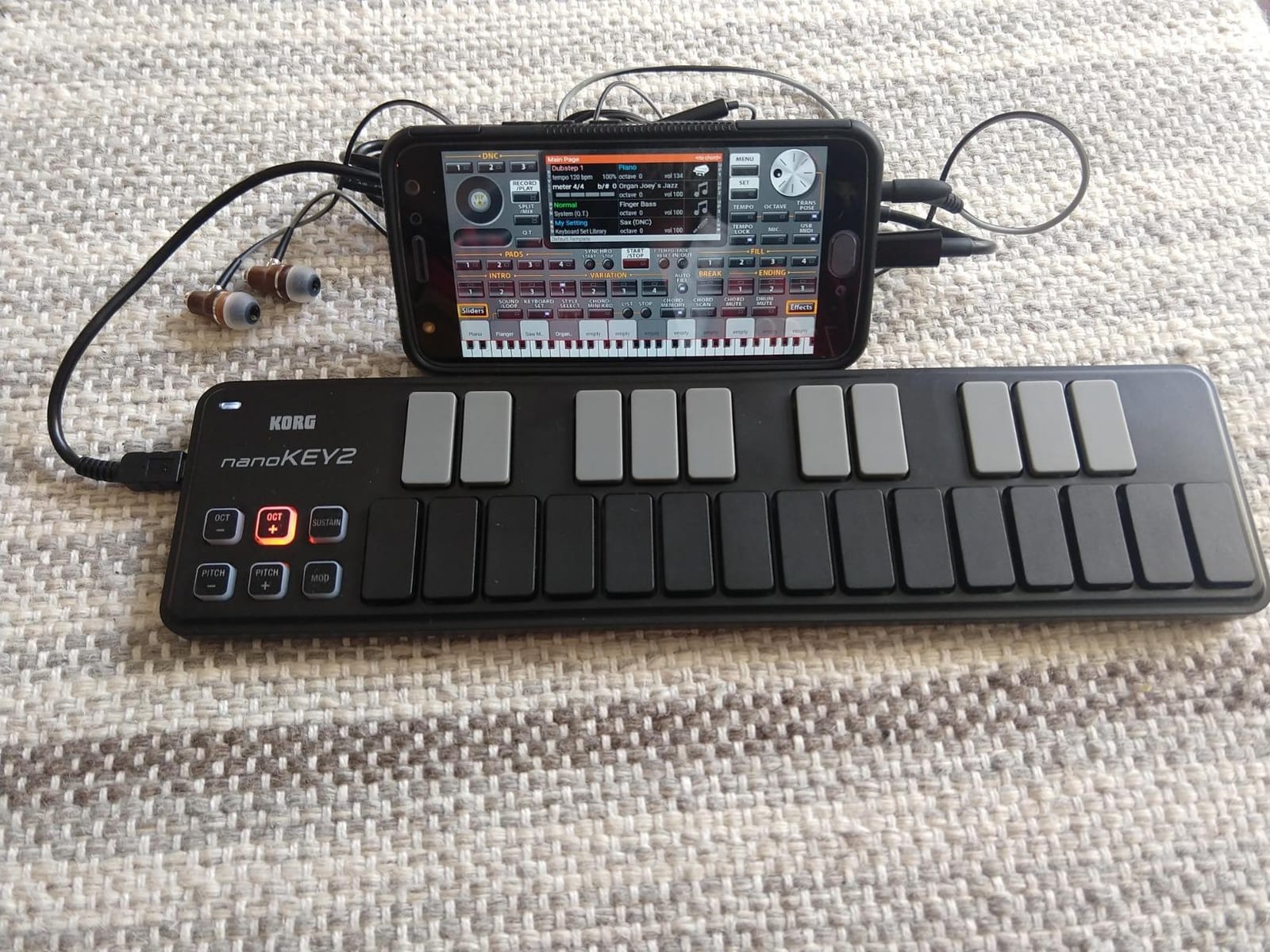
The nanoKEY2 is 3.7 by 14.6 by 1.6 inches and weighs 16 ounces. That is the whole argument: it is thin enough to slide between a laptop and a desk and light enough to forget in a bag, which no other board in this list manages.
Korg designed the keys with wider spacing than a typical mini board specifically to reduce wrong notes, and they are velocity-sensitive. A sustain button handles held piano parts without a pedal, which is more than most boards at this size offer.
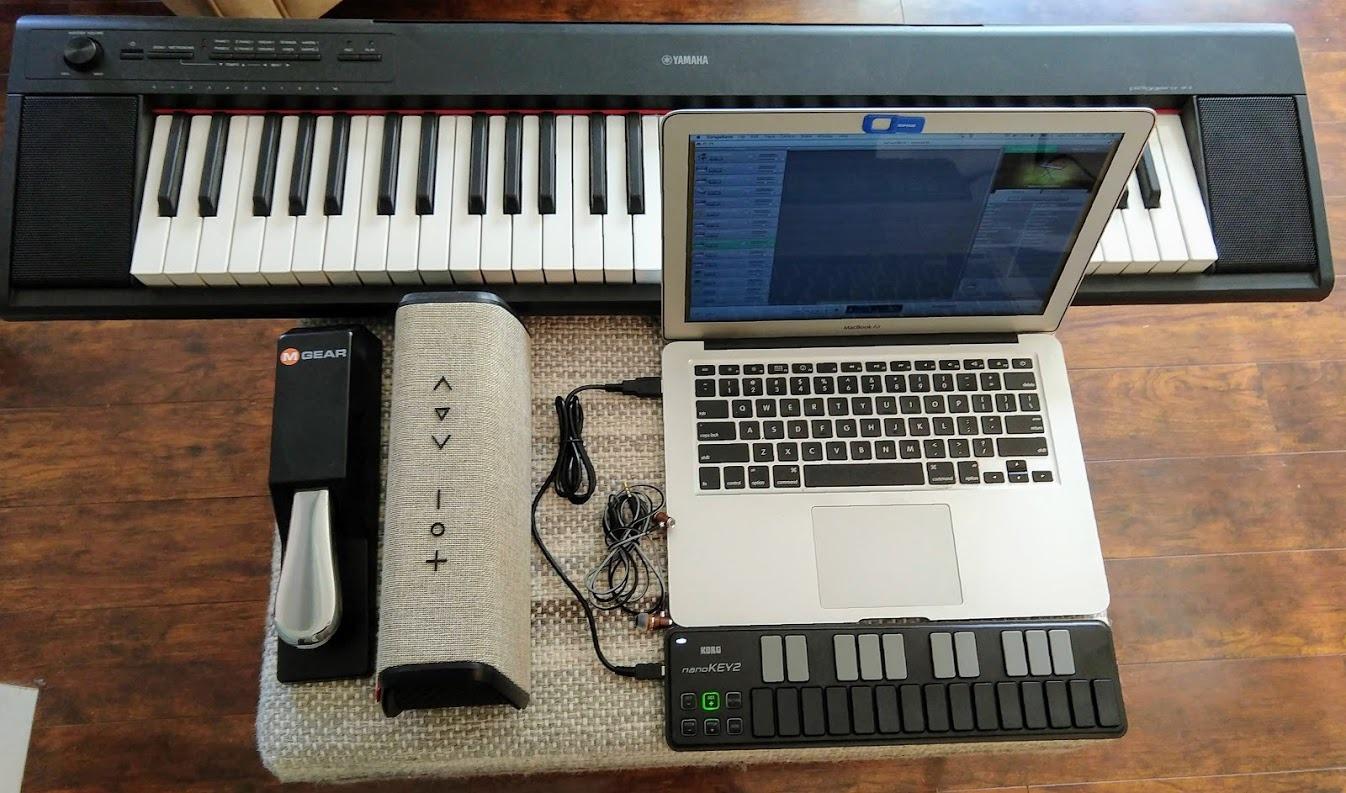
It has been a long-serving entry-level controller with 1277 reviews, and about 71 percent are 5-star. Reviews emphasise portability, quiet operation and plug-and-play reliability rather than features.
That is the correct way to read it. This is a writing and practising tool for a small space, not a performance surface, and it makes no attempt to pretend otherwise.
USB plug-and-play behaviour is the other consistent theme: it is recognised immediately, needs no drivers, and works with any DAW on Windows or macOS. Ableton Live is listed as supported software.
The listing describes the chassis material as stainless steel, and the board is backed by a one-year warranty. At 16 ounces it is the lightest controller here by a wide margin, which is why it remains a repeat recommendation for anyone working away from a fixed desk.
When is an ultra-thin board the right choice?
When desk space is the constraint. If you work on a laptop, at a shared studio desk or on a train table, a 2.68-inch-tall controller will not fit and a 1.6-inch one will. That is a real, practical reason to choose this over a board with a better keybed.
It is also a good practice board. Twenty-five velocity keys is enough to learn scales, intervals and chord shapes without a large footprint.
What you give up for that thinness
No pitch or modulation wheels, no pads, no knobs and no display. Anything beyond playing notes requires the computer keyboard or mouse, and expressive control is limited to velocity and the sustain button.
Twenty-five keys is just over two octaves, so melodies run out of range quickly and there is no octave shift listed. For writing full parts rather than sketching ideas, that is restrictive.
10. Arturia KeyLab Essential 49 MK3 – best full-keybed step-up
Arturia KeyLab Essential mk3 — 49 Key USB MIDI Keyboard Controller with Analog Lab V Software Included
49 Synth-Action keys
9 faders and 9 encoders
8 RGB pads
2.5 inch LCD
Pros
- Full-size 49-key Fatar Synth-Action keybed with velocity response and a springy realistic feel
- Nine faders nine encoders RGB-backlit velocity and pressure sensitive pads plus a bright 2.5 inch LCD
- Scale Mode Chord Mode and a multi-mode arpeggiator for faster composition and beat-making
- Custom DAW scripts for deeper control in Ableton Live Logic Pro and FL Studio
- Large software package with Analog Lab V and 2000+ presets
- two pianos Loopcloud and Melodics subscriptions
Cons
- Software installation and configuration can be a demanding first step
- No polyphonic aftertouch Cheaper build aesthetic on the side panels than the keybed and controls
- Knobs may feel slightly tight out of the box
The KeyLab Essential 49 MK3 is the most serious instrument in this list and the natural second purchase for someone who started on a 25-key board. It measures 31.1 by 9.45 by 2.76 inches and weighs 6.1 pounds, and the keybed is a full-size 49-key Fatar Synth-Action with velocity response.
Synth-action keys are heavier and more springy than the slim and mini keybeds above. Reviewers describe the feel as realistic, and for a producer moving up from plastic mini keys the difference is immediately obvious.
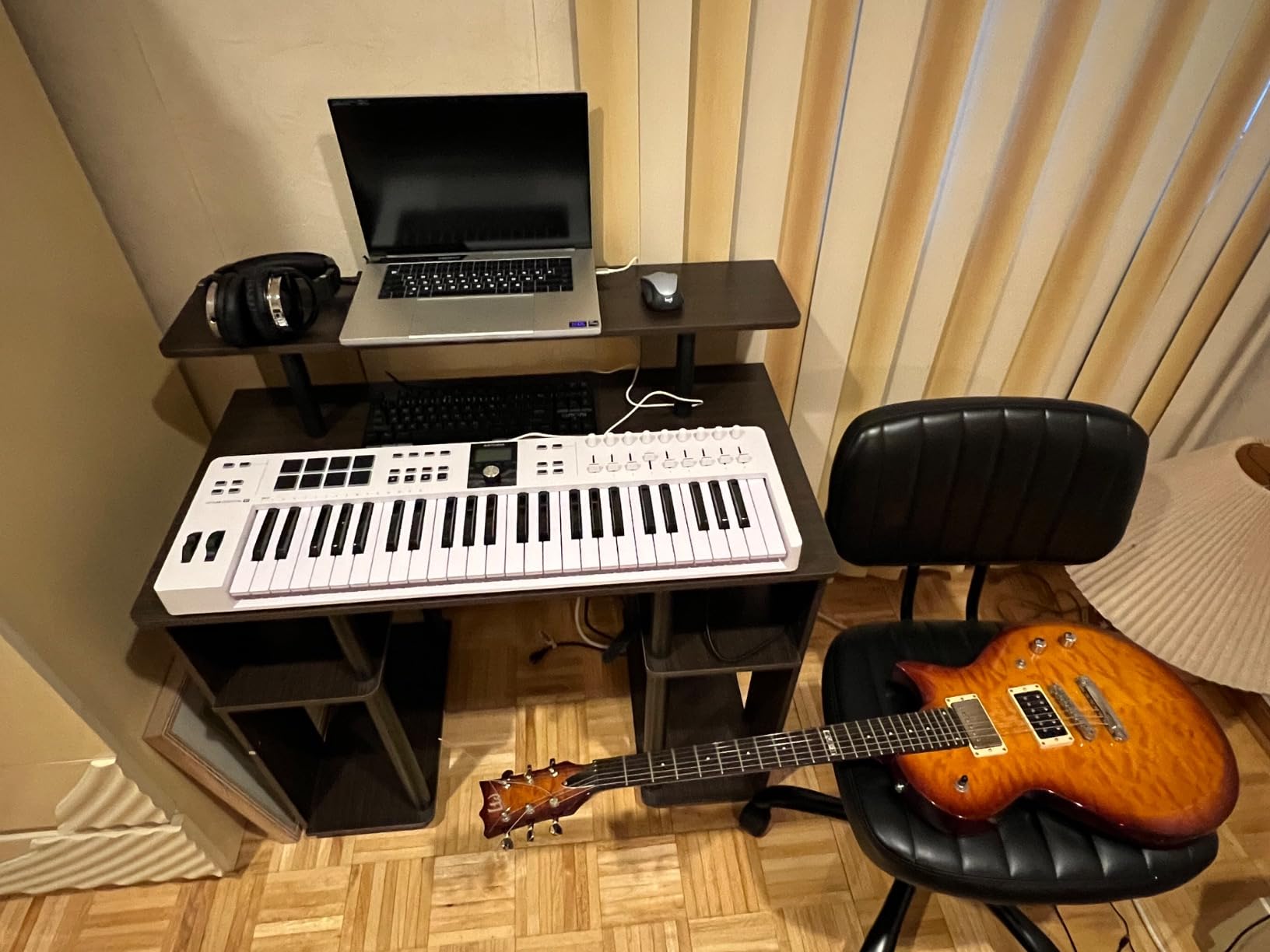
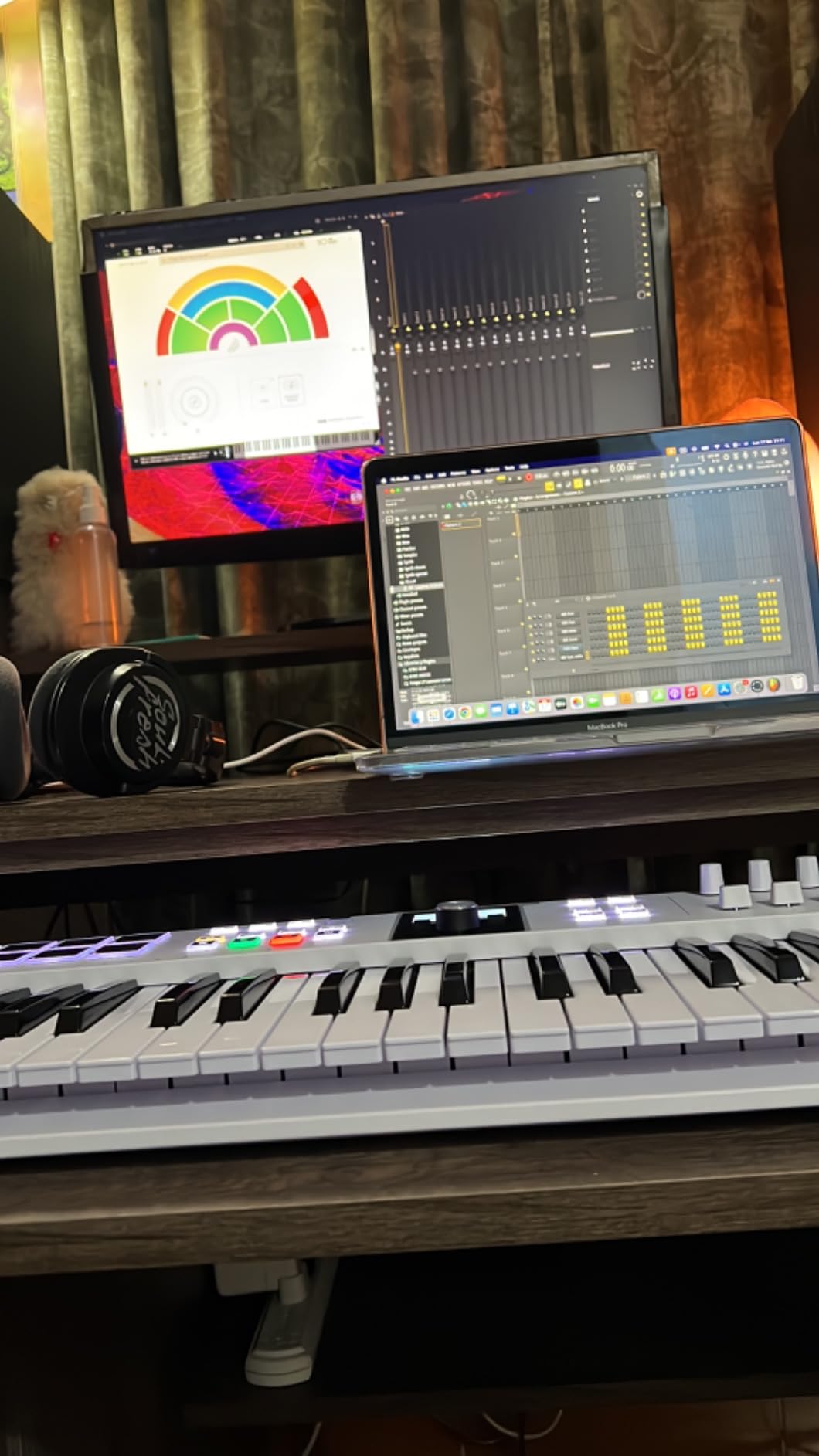
The control surface is the most complete here: 9 faders, 9 encoders, 8 velocity and pressure sensitive RGB-backlit pads, and a bright 2.5 inch LCD for browsing. Scale Mode, Chord Mode and a multi-mode arpeggiator handle the musical shortcuts onboard.
Custom DAW scripts go deeper than generic mapping in Ableton Live, Logic Pro and FL Studio, and the listed support covers Cubase and Bitwig Studio as well. MIDI Learn integration is reported as strong when driving Akai MPC and Roland hardware grooveboxes.
The software package is the largest in this roundup: Analog Lab V with more than 2000 presets, two pianos, plus Loopcloud and Melodics subscriptions. The warranty is two years.
It is a substantial object at 6.1 pounds and 31.1 by 9.45 by 2.76 inches, so it needs a stable desk or a proper stand rather than a folding table. The heavy case is a fair trade for the keybed, and it is the only board here that reads as a small instrument rather than a control surface.
When should you step up to this tier?
When you have outgrown a mini keybed and want a keybed that will last a decade, and when you are controlling a large instrument rack rather than a single plugin. Nine faders and nine encoders is the point at which template-based workflow becomes practical.
The 626-review base is smaller than the rest of this list, but 81 percent of ratings are 5-star, and the recurring themes are strong keybed feel, generous software and pads that respond properly.
What to expect on the first day
Setup friction is the most common complaint. Software installation and configuration can be demanding, and some buyers needed support to get past the first setup. Budget an afternoon rather than an hour for the initial configuration.
There is no polyphonic aftertouch, so the keys cannot respond to pressure after you press them. The side panels also feel cheaper than the keybed and controls, and the knobs can be tight out of the box. None of this affects day-to-day beat making.
Mini Keys vs Full-Size Keys: Who Should Skip Mini Keys
Skip mini keys if you plan to learn chord progressions. Mini keys are fine for triggering samples, playing one-handed bass lines and finger drumming, but they are too small and too short for multi-note chord shapes. That is the most repeated complaint in producer forums, and the most common reason someone upgrades a year after buying.
The physical problem is that adjacent notes sit closer together and the keys are shorter, so your fingers cannot spread into a seventh chord or a triad without sliding. A beginner practising scales on mini keys is practising the wrong muscle memory, then relearning it later.
Skip mini keys if you already play a real instrument. Switching from weighted or full-size keys to a 25-key mini board feels like a downgrade no matter how good the pads are. The Arturia MiniLab 37 and the M-Audio Keystation 49 MK3 are the two options here that keep a compact footprint without full-size-compromised spacing.
Do not skip them if your workflow is pads and samples. The Akai MPK Mini IV and the Novation FLkey Mini are built for exactly that, and neither loses meaningful function to the key size. The length of the key is the part that matters most for pads, and mini boards are frequently better laid out for finger drumming because the whole surface sits closer to your hand.
25 vs 49 Keys: Which Should You Buy?
Buy 25 keys if you only trigger samples, play chords under one finger and perform live. Buy 49 keys if you write two-handed parts or want to drop the octave without reaching for a button. That is the whole decision, and the rest is budget.
The trade-off is range versus desk space. A 25-key board gives you a bit over two octaves, which is enough for a loop but not for a full arrangement. A 49-key board gives you four octaves and a third, which covers most writing without octave switching, at the cost of roughly 32 inches of desk width.
A practical middle ground is 32 or 37 keys. The midiplus AKM320 and the M-Audio Oxygen Pro Mini sit at 32, and the Arturia MiniLab 37 gives you three octaves in a desktop-sized body. For many beat makers that is the correct answer rather than either extreme.
Which Brands Make the Best MIDI Keyboards?
Akai Professional, Arturia, Novation, M-Audio and Korg are the five names worth shopping, and each earns its place for a different reason. Akai Professional leads on pad design and bundled software, and holds two of the picks here. Arturia builds the highest-rated keybeds and the deepest software bundles. Novation writes the tightest DAW integrations. M-Audio covers the widest range of key counts and prices. Korg makes the most portable entry board.
Brands outside that list are not automatically bad, but buyer complaints in the forums cluster around no-name boards: missing drivers, no velocity response worth using, and no support. If a board has no published key action spec or no clear velocity rating, that is the signal to move on.
One more freshness note. Several roundups still recommend superseded models such as the Arturia KeyLab MKii, the Akai Fire, the Alesis V61, the Korg MicroKey 25 and the Novation FL Keys 37. Check the generation before you buy, because the current line includes the KeyLab Essential MK3, the MPK Mini IV and the Novation Launchkey MK4.
Best MIDI Keyboard by DAW
The boards below are not locked to one DAW, but each has a board where the mapping pays off immediately. Check the DAW you actually run before buying, because a DAW-locked controller is only a bargain if you stay in that DAW.
For Ableton Live, the Novation Launchkey 25 MK3 is the strongest pick, with device macro control, Capture MIDI and clip and scene launch handled on the hardware. For FL Studio, the Novation FLkey Mini maps the Channel Rack and mixer on power-up and adds a hardware step sequencer with Note Repeat.
For Logic Pro and Cubase, the Arturia KeyLab Essential 49 MK3 and the M-Audio Keystation 49 MK3 both work well, with custom scripts or standard HUI control respectively. For Studio One and MPC Software, the AKAI MPK Mini IV and the M-Audio Oxygen Pro Mini map cleanly to both, and the Oxygen’s OLED screen makes choosing a map quick.
For Reaper and Bitwig, any class-compliant board in this list works, and the boards with an OLED screen save the most time because mapping is a selection rather than a manual assignment. For FL Studio users, the Ableton Live board and the Novation board both behave sensibly in that DAW through HUI.
How to Set Up Your MIDI Keyboard in 15 Minutes
Do these steps in order and any board in this list will be playable before your coffee goes cold. The order matters because each step assumes the previous one is done.
1. Plug the board in over USB and install the driver only if your operating system asks. Class-compliant boards are recognised immediately; if a board needs an extra driver step, that is worth knowing before you commit to it.
2. Open your DAW, create a new project, and add a software instrument track. Load a drum kit first rather than a synth, because drum kits respond visibly to velocity and you can confirm the keybed is working at a glance.
3. Set the DAW MIDI input to your controller in preferences. If nothing arrives when you play, the track is not armed or record is off; those two settings cause most first-session problems.
4. Turn on velocity response on the instrument and play loud and soft on the same note. If the two sound identical, the keybed is sending fixed velocity and you should check the DAW velocity curve setting before assuming the board is faulty.
5. Map one knob to one plugin parameter using MIDI Learn, then save it as a template. One working knob teaches you the whole process, and ten saved mappings are where a control surface starts paying for itself.
6. Map your pads to eight samples or eight drum sounds and save that as a second template. Pad banks are what convert a keyboard into a beat-making instrument.
7. Save both templates as your default startup template. From then on, opening the project gives you a playable board with no setup, which is the difference between making beats and configuring a controller.
Latency is worth checking at this stage. On USB-C boards, a few milliseconds of delay when driving a drum rack is normal. If pads feel laggy, close other USB audio software and check your buffer size, which fixes most of it.
MIDI Keyboard Buying Guide: 9 Things to Check Before You Buy
A MIDI keyboard is a controller: it sends note on and note off messages, velocity, continuous controller data, pitch bend and aftertouch to your computer or to hardware. It does not make sound by itself. Standalone grooveboxes and MPC-style units are the exception, and they are a different shortlist with a different workflow.
1. Key count. 25 keys for samples and pads, 32 or 37 for a compact two-handed setup, 49 for writing parts, 61 and above for full-range composing. There is a deeper look at 49-key options in our 49-key controller guide.
2. Key size. Mini keys save desk space and cost you chord accuracy. Full-size keys are the right call if you are learning chord shapes or coming from a piano.
3. Key action. Synth-action keys are springy and semi-weighted, which suits a beat maker who plays parts. Slim and mini keybeds are lighter and cheaper. Fully weighted keys are for piano replacement, not for triggering samples.
4. Velocity sensitivity. This is the one feature to refuse to compromise on. Without velocity, every note plays at the same level and your beats sound flat. A board with no published velocity spec is a board to skip.
5. Pad velocity and pressure response. If you finger drum, at least 8 velocity-sensitive pads with visual feedback is the target. Note Repeat is worth more than the ninth and tenth pad.
6. Control surface. Encoders, faders and a screen determine how much time you spend in plugin menus. Eight knobs is the useful minimum; a screen that shows mappings is a genuine upgrade over blind knobs.
7. Musical helpers. An arpeggiator, Chord mode and scale or Chord mode let you keep playing without stopping to fix notes. On the Launchkey and MiniLab these are genuinely deep rather than a single on/off.
8. Connectivity. USB class-compliant means driverless and works immediately. MIDI DIN is only needed if you are driving hardware synths or grooveboxes, and on several boards that output needs a separate dongle.
9. Bundled software. Judge it as a beat-making tool, not a feature bullet. The AKAI MPK Mini IV and the M-Audio Keystation 49 MK3 give you a DAW and instruments you can use on day one; the Korg nanoKEY2 and the midiplus AKM320 give you nothing, which is a fair trade only at the very bottom of the range.
Two non-spec factors deserve a mention. First, the extras: a keyboard arrives with no stand, no sustain pedal and no expression pedal, and those add up. Second, the used market, where several forum users buy their boards. A used board is worth considering if you can test every key and confirm velocity response before you pay.
Frequently Asked Questions
Do I need a MIDI keyboard to make beats?
No. You can produce a complete beat with a mouse and your computer keyboard. A controller with velocity-sensitive keys and pads makes chord progressions and finger drumming faster and more expressive, because velocity gives every note a dynamic level instead of one fixed level.
Which MIDI keyboard is best for music production?
For beat making overall, the Akai Professional MPK Mini IV is the strongest single choice, with 25 mini keys, 8 RGB MPC pads, 8 assignable knobs and a large bundled instrument suite. If you want full-size keys for chords, the M-Audio Keystation 49 MK3 is the value pick, and the Arturia MiniLab 37 sits between them for compact two-handed playing.
Should I get a 25 or 49 key MIDI keyboard?
Get 25 keys if you only trigger samples, play chords under one finger and perform live. Get 49 keys if you write two-handed parts or want four octaves without reaching for an octave button. A 32 or 37-key board is the practical middle ground for most beat makers.
Are mini key MIDI keyboards hard to play?
Mini keys are fine for triggering samples and pads but too small for multi-note chord shapes, because the keys are short and closely spaced. If you plan to learn chord progressions or you already play a full-size instrument, buy full-size keys from the start to avoid relearning later.
Do MIDI keyboards produce sound on their own?
No. A MIDI keyboard is a controller that sends note and control data to a computer running a DAW or to a hardware synthesizer. Standalone grooveboxes and MPC-style units are the exception that generate sound themselves, and every board in this roundup requires a computer.
Who makes the best MIDI keyboards?
Akai Professional, Arturia, Novation, M-Audio and Korg cover this roundup. Akai leads on pad design and bundled software, Arturia on keybed feel and software depth, Novation on DAW integration, M-Audio on range across key counts, and Korg on ultra-portable entry boards.
Conclusion: Which MIDI Keyboard Should You Buy?
The Akai Professional MPK Mini IV is the best MIDI keyboard for beat making in 2026 for a reason that is hard to argue with: velocity-sensitive keys, eight properly responsive MPC pads, eight assignable knobs, a screen, and a bundled suite large enough to make a beat on day one.
Pick a different one only for a specific reason. Choose the M-Audio Keystation 49 MK3 if full-size keys are non-negotiable. Choose the Arturia MiniLab 37 if you want two-handed play in a compact body. Choose the Novation Launchkey 25 MK3 for Ableton Live, the FLkey Mini for FL Studio, and the KeyLab Essential 49 MK3 when you want a keybed that will outlast your current tier.
Whatever you choose, run the 15-minute setup above before you judge it. A controller that is mapped to your DAW is a musical instrument, and the same hardware unmapped is a box of buttons. Check the current price on each board, then start on pads if you finger drum or on keys if you write chords.