
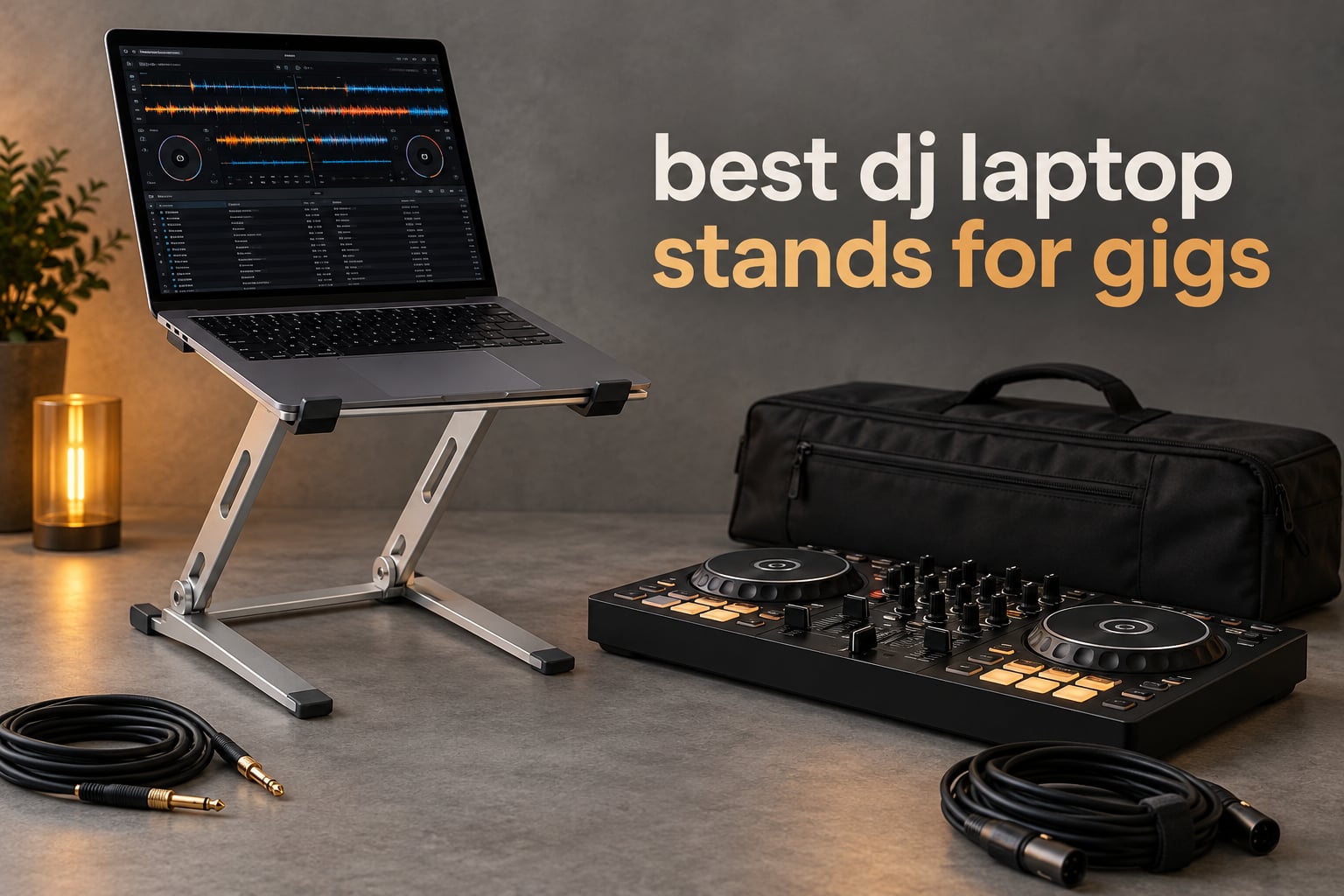
A DJ laptop stand does one job better than anything else on the booth table: it gets your laptop off the surface, tilts it toward your eyes, and holds it there while you work the mixer. Every laptop-only DJ has felt the alternative — head down, neck bent, cables stretched across a controller, and a machine that vents badly because its intake is pressed flat against a table.
So what is the best laptop stand for DJing? For most working DJs the answer is a height- and angle-adjustable steel riser with a carry bag, because venue table heights vary wildly and you need to correct for that every night. Our top pick, the Hercules DG400BB, sets up in seconds, holds up to 22 lbs, and folds into a bag between sets.
This roundup covers ten stands, from cheap desktop risers to a premium aluminium folding rig with a built-in USB-C hub. We weighed every one on the criteria that actually matter in a booth: load path, pack-down size, tray retention, ventilation and finish wear on the laptop body. If you are still building out a rig, our beginner DJ controller guide and Serato controller picks cover the other half of the setup.
Table of Contents
Top 3 DJ Laptop Stands for Gigs

Hercules DG400BB Laptop Stand
- 22 lb load rating
- Height and angle adjustment
- Carry bag included

All 10 DJ Laptop Stands at a Glance
| Product | Specifications | Action |
|---|---|---|
| Hercules DG400BB Laptop Stand |
|
Check Latest Price |
| Pyle PLPTS55 Folding Stand |
|
Check Latest Price |
 AXA AXCESSABLES Foldable Aluminium Stand AXA AXCESSABLES Foldable Aluminium Stand |
|
Check Latest Price |
 RockJam RJLP1 Adjustable Riser RockJam RJLP1 Adjustable Riser |
|
Check Latest Price |
 Crane Stand Plus Universal Stand Crane Stand Plus Universal Stand |
|
Check Latest Price |
 Gravity GLTS01B Adjustable Stand Gravity GLTS01B Adjustable Stand |
|
Check Latest Price |
 Reloop Advanced Stand with USB-C Hub Reloop Advanced Stand with USB-C Hub |
|
Check Latest Price |
 Headliner Covina Controller Stand Headliner Covina Controller Stand |
|
Check Latest Price |
 Rockville Rock2D2 Dual Shelf Stand Rockville Rock2D2 Dual Shelf Stand |
|
Check Latest Price |
 Pyle PLPTS38 Dual Laptop Stand Pyle PLPTS38 Dual Laptop Stand |
|
Check Latest Price |
How We Evaluated These Stands
Every stand here was judged on four tests that mirror a real load-in. First, static load with the laptop plus a controller where the design allows it, checking for flex in the platform and any wobble at the tray edge. Second, a lateral shove test, because a sub-bass system nearby will push air at the stand and a loose joint shows up immediately. Third, a pack-down test: how long the stand takes to fold or break down and whether it fits a standard laptop bag. Fourth, a finish check, looking at what touches the laptop body over a full night of use.
One honest caveat. Rating counts in this category are unevenly spread: a handful of general-purpose risers carry thousands of reviews, while specialist stands sit in the low hundreds. Several items here are general risers with DJ applications listed rather than purpose-built booth tools. Where that matters I have said so rather than dressing up an office product. Our full standalone controller guide covers the other hardware in the rig.
1. Hercules DG400BB Laptop Stand
Hercules DG400BB Laptop Stand with Bag
Load rating 10 kg (22 lb)
Three height levels
Item weight 3.1 lb
Folded 6.89 x 14.17 x 2.6 in
Bag included
Pros
- Height and angle adjust in seconds
- Extra rear legs spread the load
- Single-piece setup
- Carry bag in the box
Cons
- Only three set height levels
- Fewer ratings than budget risers
- Fixed geometry limits very tall booths
This is the stand I recommend to a working DJ who moves between venues and cannot afford to think about geometry at load-in. The DG400BB adjusts both height and angle, and it does it with one hand while the other hand is holding a mixer case.
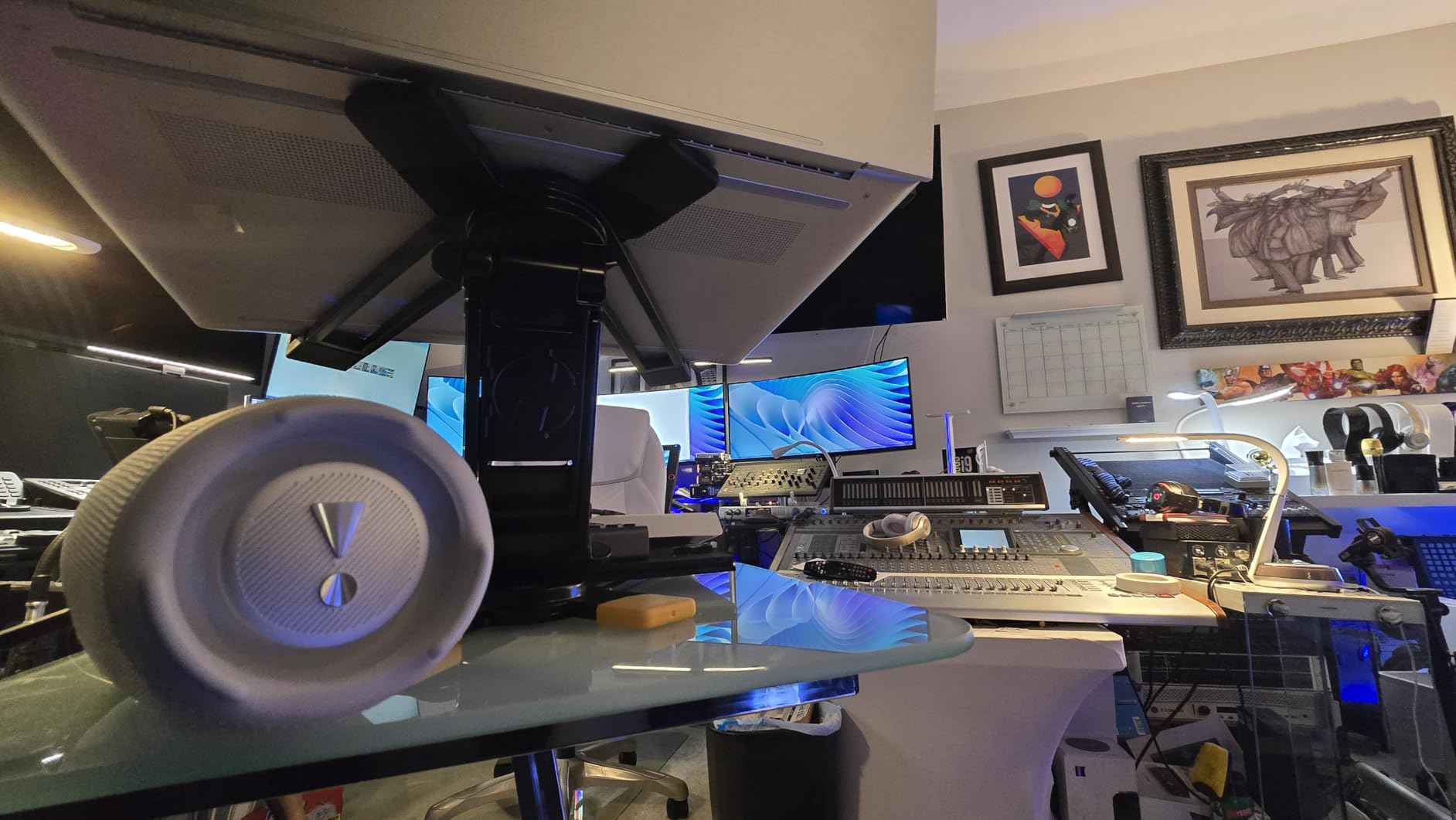
The structural decision that matters here is the pair of extra rear legs. Weight from the laptop goes down the main post and out across a four-point footprint rather than a two-point hinge, which is why it stays planted when the room is loud. Rated to 10 kg, it has room for a laptop plus a compact controller or interface on the same load.
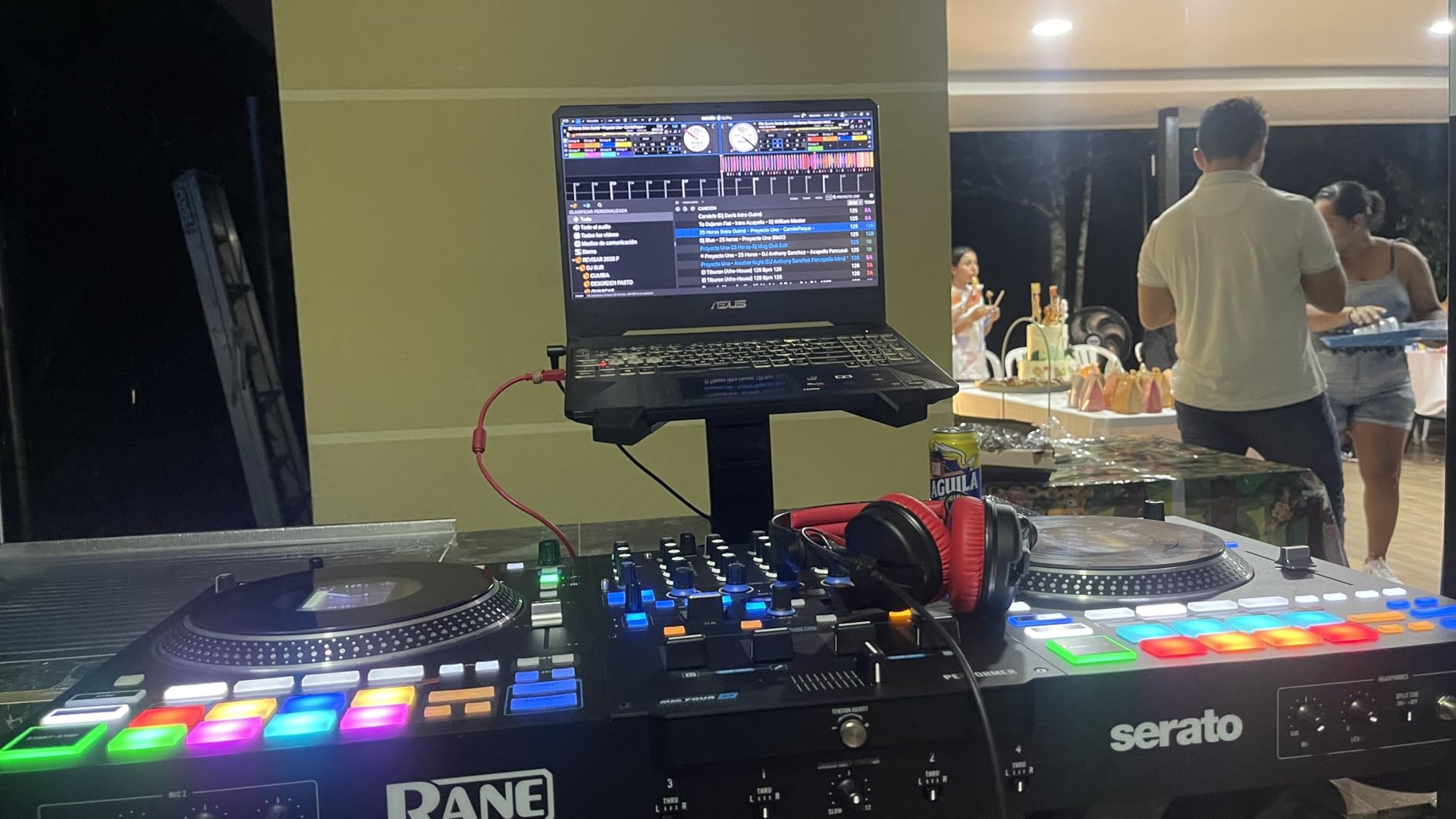
Pack-down is the part many stands get wrong. At 3.1 lb and 2.6 inches thick folded, this one goes into the bag with the cables and does not dictate what else fits in the van. The included bag has a zipper and survives the repeated open-close cycle that kills cheap nylon sleeves.
Reviewers consistently describe it as solid rather than clever. That is the compliment. Nothing here is a gimmick, and nothing in the feedback suggests a recurring mechanical fault.
When the Hercules DG400BB is the right buy
Buy it if you play club and bar residencies where the booth table is fixed but your eye line changes through the night, or if you travel and need a stand that is genuinely one piece. The two-year warranty is longer than most stands in this roundup, which matters when a knob is the only part likely to wear.
It also suits hybrid laptop-plus-controller work, because 22 lb is generous for a machine and a compact controller combined.
When it is the wrong buy
Skip it if you need a very tall lift for a high booth with no riser, because three fixed levels will not cover every angle. It is also not a two-tier stand — if your plan is to stack a controller above the laptop, look at the dual-shelf options further down.
2. Pyle PLPTS55 Folding Stand
Pyle Portable Folding Laptop Stand – Standing Table with Adjustable Angle, Foldable Height and Four Prong Anti-Slip Tray for iPad, Tablet, DJ Mixer, Workstation, Gaming and Home Use – PLPTS55
Height 12.6 to 16.7 in
Folds to 10.6 x 12.6 x 1 in
Item weight 2 lb
Shelf 8.6 x 9 in
Pros
- Telescoping height over four inches
- Four-prong tray grips the chassis
- Collapses to one inch thick
- Single-column footprint
Cons
- Tilt is fixed despite the listing claim
- Rubber feet can slip off
- Some bounce under typing on a heavy laptop
If you carry your rig up stairs and load into a hatchback after every set, pack-down size is the first filter and this stand wins it. Folded, it is 10.6 by 12.6 by 1 inch and weighs 2 lb — it slides into a backpack beside the laptop.
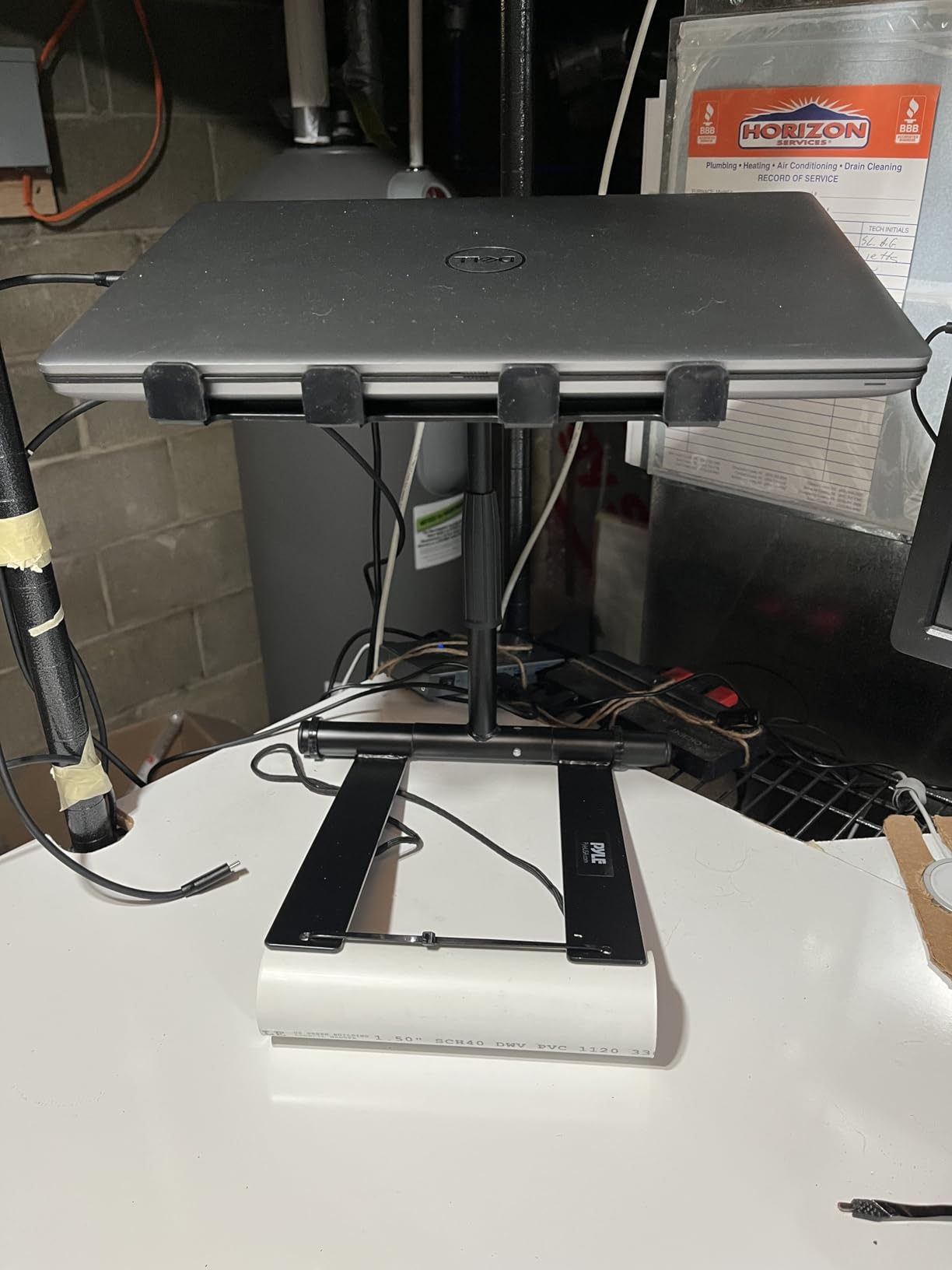
The four-prong tray is the detail I trust. Prongs grip the laptop body rather than a bare shelf surface, so pulling a USB cable or brushing the deck does not walk the machine off the platform. The telescoping column runs from 12.6 to 16.7 inches with a microphone-stand style lock, which is a genuinely useful range across low tables and taller bars.
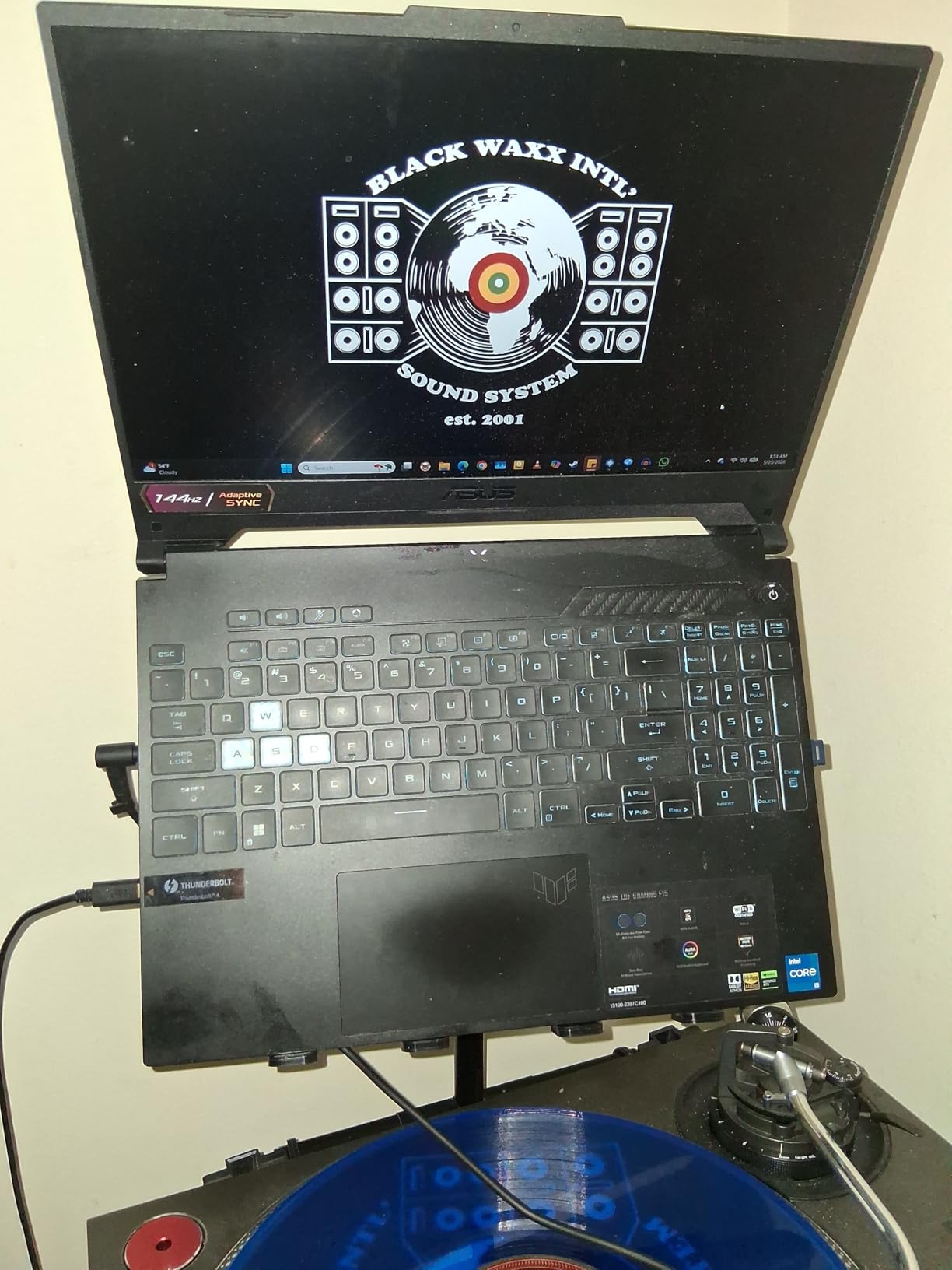
Here is the honest flaw. The listing advertises adjustable angle, and reviewers repeatedly report that the tilt does not actually move beyond the folded and open positions. Treat it as a fixed-angle riser with height adjustment. In practice that suits most DJ work, where the laptop screen wants to sit at one repeatable angle.
The single-column design also keeps the stage looking clean, with no second shelf or wide frame breaking the sightline.
Check the fit before you buy
The engineered shelf measures 8.6 by 9 inches. That comfortably takes a 13 to 15 inch laptop, and a 16 inch machine will overhang the sides slightly — check your width if you play with the larger body. The height range starts at 12.6 inches, so on a very tall booth you would need something underneath.
Because the legs are single pieces with no loose hardware, setup at a dark booth is a genuine advantage.
Where it falls short
Reviewers note the rubber feet can come off easily in a bag, and that heavier laptops produce some flex when you type on them during a mix. Neither is a dealbreaker for performance use, but both argue against leaning on the keyboard mid-set.
3. AXA AXCESSABLES Foldable Aluminium Stand
AXA AXCESSABLES DJ Laptop Stand with Travel Bag | Portable Foldable Aluminum Laptop Stand for Laptops up to 15 inches and 20lbs | No Assembly Required, Includes Carrying Bag
Fits laptops to 15 in and 20 lb
Item weight 3 lb
Folded 10 x 7 x 2 in
Item type: foldable
Pros
- No assembly opens in seconds
- Machined aluminium stays rigid
- Accessory shelf for interface or keyboard
- Protective carry bag included
Cons
- Fixed top-shelf angle
- Small open-bottom accessory shelf
- Nylon bag lining wears with use
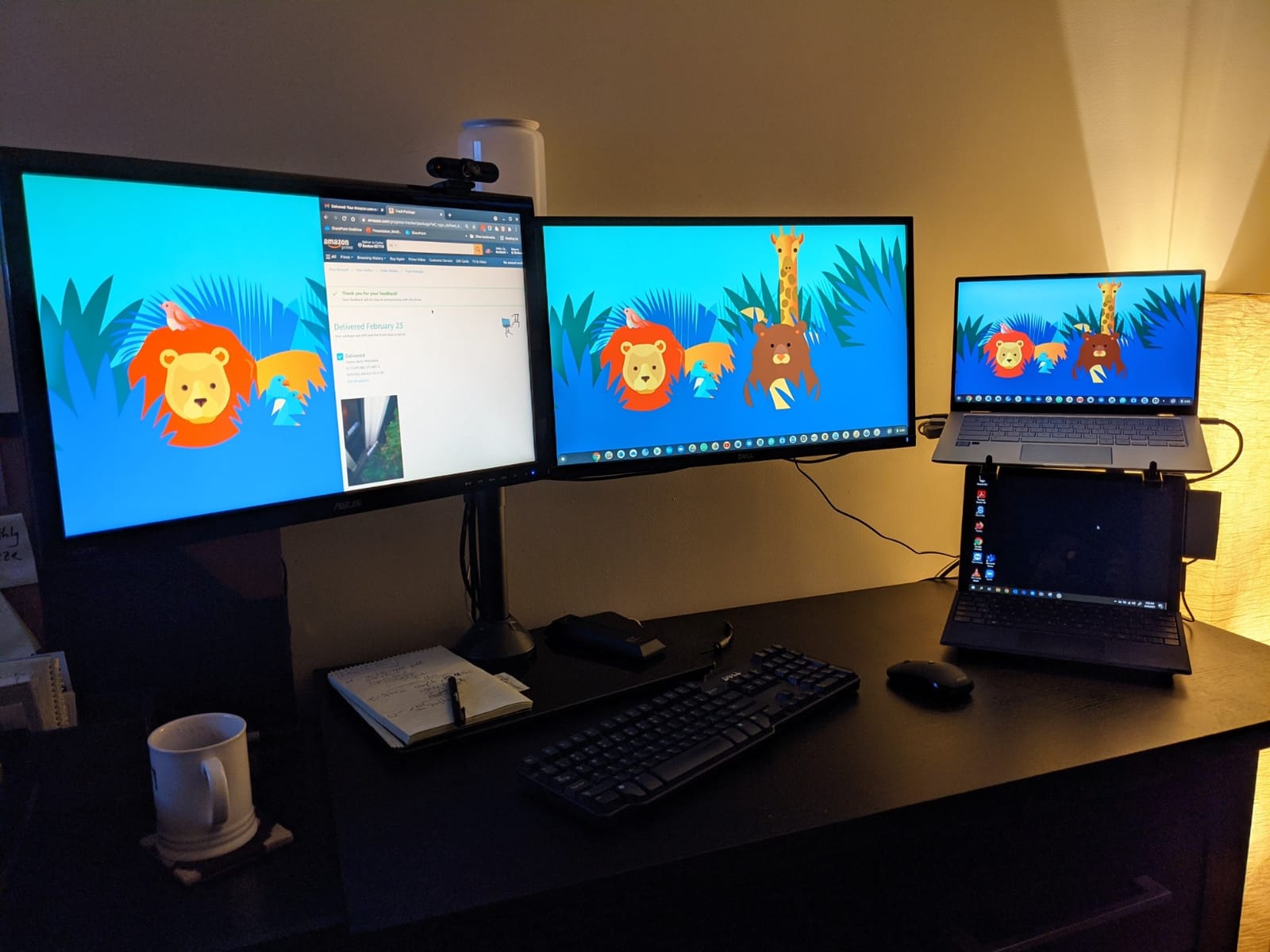
This is the stand owners describe as still going after years of regular gigs, and the reason is material rather than clever engineering. Machined aircraft-grade aluminium does not flex the way folded sheet steel does, and that stiffness is why it does not sink under keyboard pressure.
It comes out of the box ready to use. No assembly, no rods to thread, no instructions to argue with at midnight — you unfold it and set it. That single decision removes the most common complaint we see on other stands in this roundup.
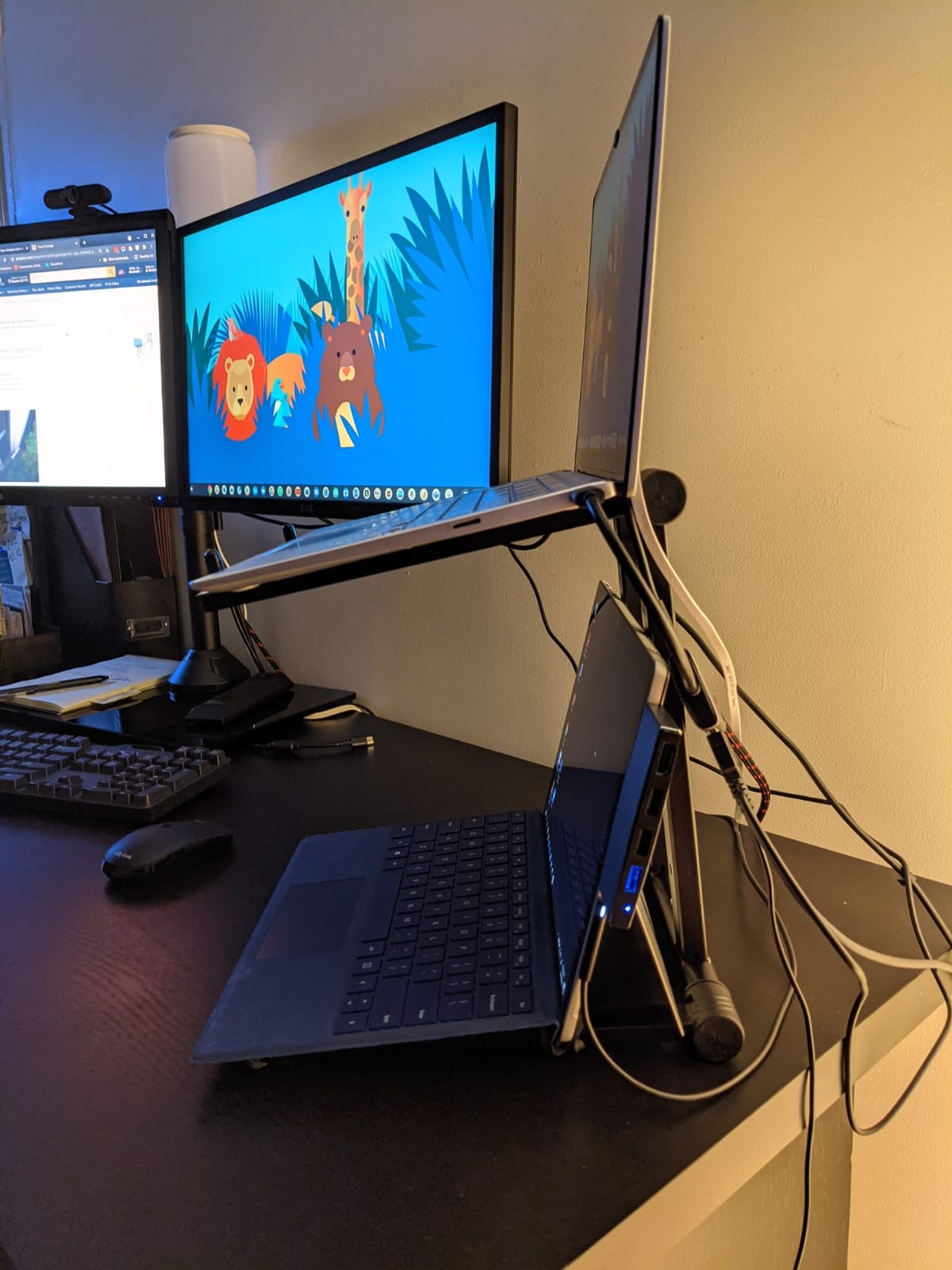
The accessory shelf is the reason many buyers stretch to this one. It takes an audio interface, a small keyboard or a launchpad beneath the laptop, which turns a two-piece rig into a single elevated stack and clears table space in front of you.
At 3 lb and 10 by 7 by 2 inches folded, with a bag in the box, it packs into a standard laptop bag without arguments.
Who this suits
It suits DJs who want a laptop plus interface on one stand, and anyone who values opening speed over fine height control. The 20 lb rating and 15 inch laptop ceiling cover the large majority of rigs, including a 15 inch MacBook Pro class machine.
It is also a strong home-studio and practice-room stand, where a fixed angle costs nothing because the furniture never changes.
Two limitations worth knowing
The top shelf angle is fixed, so this is not the stand for someone who alternates between seated practice and standing club sets with one piece of gear. And the accessory shelf has an open bottom, so small drives or adapters can slide through — a strap solves it in seconds.
4. RockJam RJLP1 Adjustable Riser
RockJam RJLP1 Adjustable DJ Laptop Stand, Anti Slip Desktop Riser
Holds up to 8 lb
Powder-coated alloy steel
Item weight 1.5 kg
Item size 11.5 x 8.5 x 2 in
Pros
- Very high rating volume for the category
- Adjustable steel height
- Anti-slip tray surface
- Fast portable setup
Cons
- 8 lb limit is modest for a heavy rig
- Tower footprint takes table depth
- Riser geometry offers no angle choice
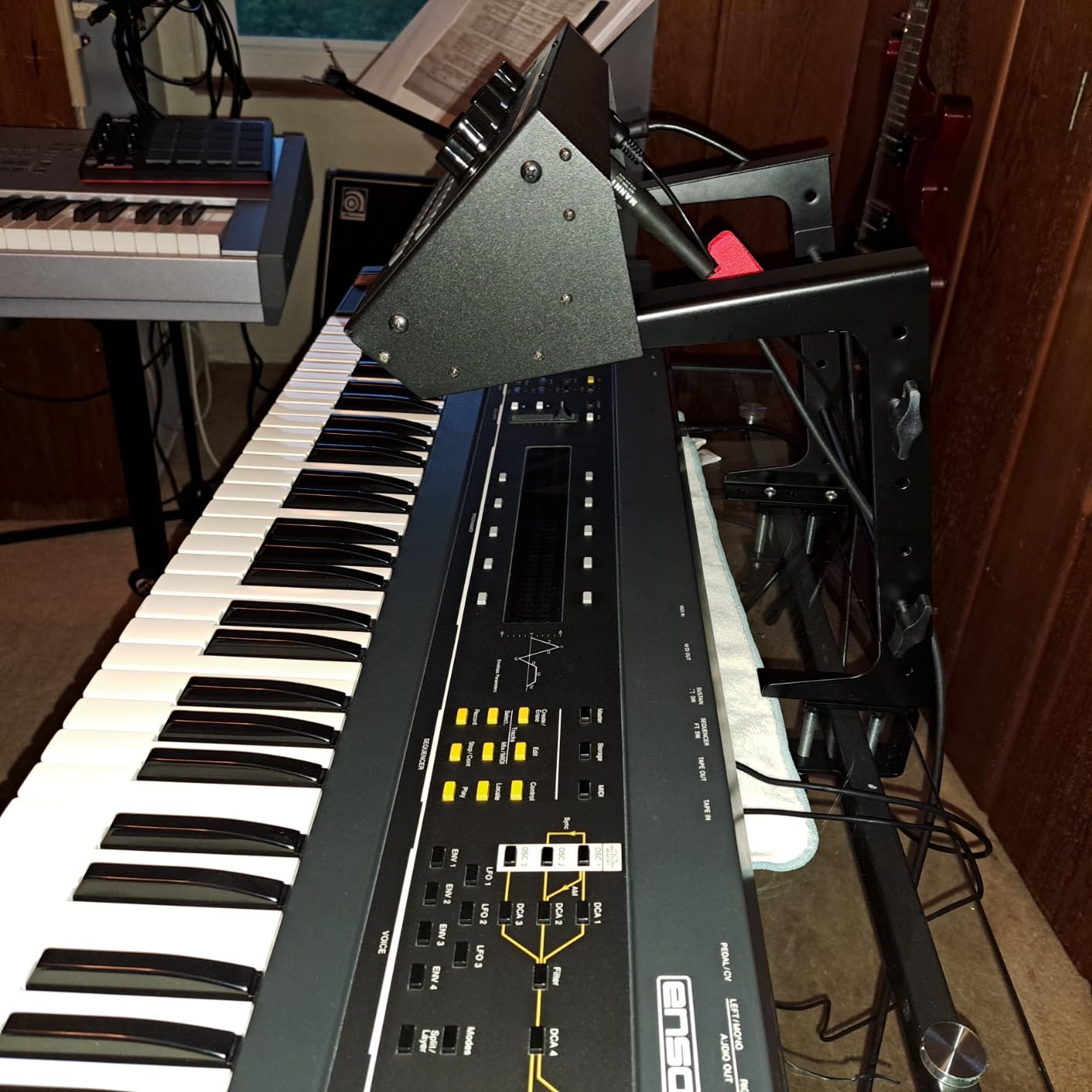
This is the most widely reviewed stand in the roundup by a wide margin, and for a simple reason: it does one thing cheaply and predictably. It lifts a laptop or a compact controller off the table surface onto an adjustable steel frame with an anti-slip tray.
It is a general-purpose riser with DJ applications listed, not a specialist booth tool. That framing matters — reviewers use it for home studios, mixing desks and office setups as often as for performances.
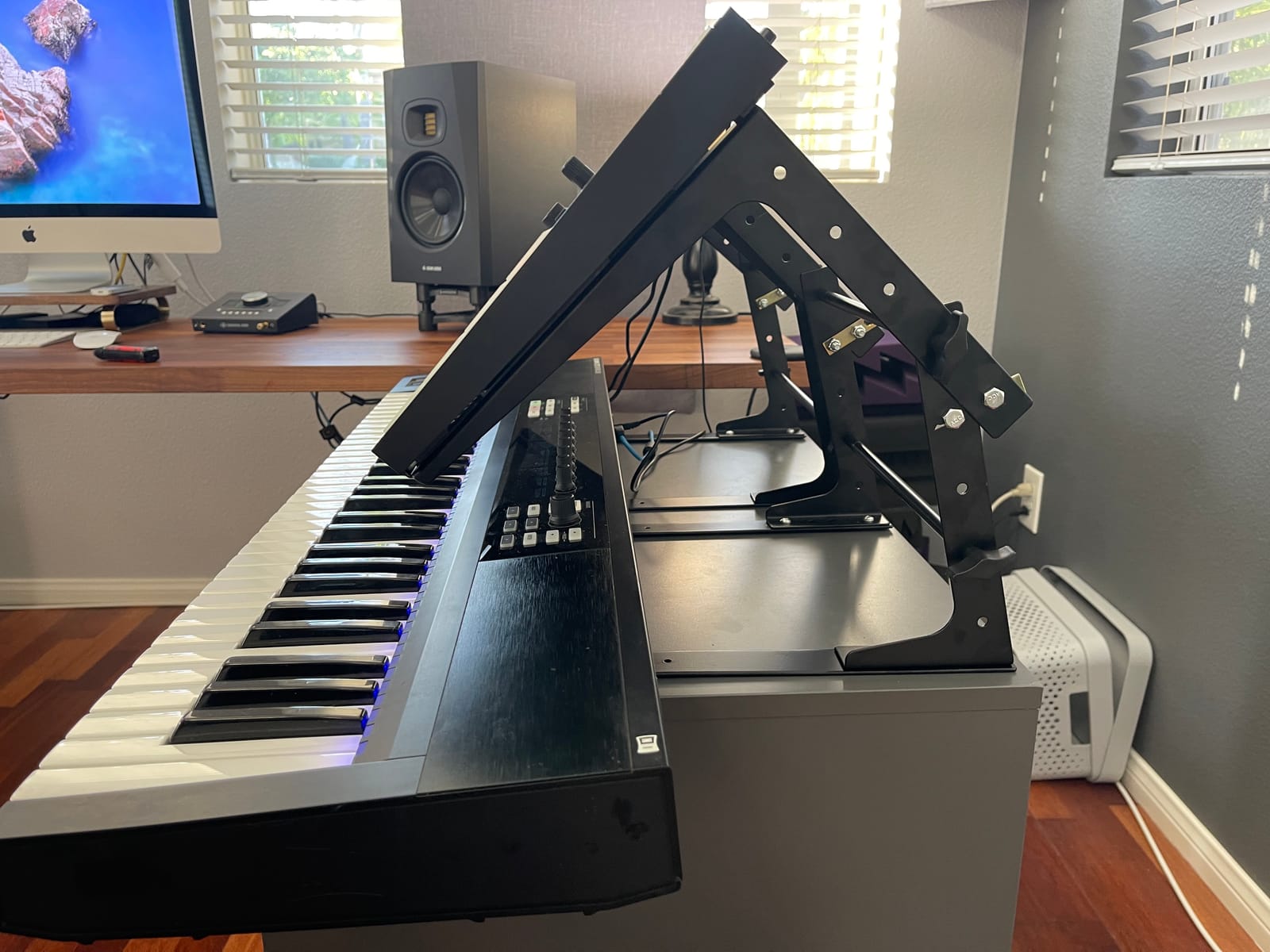
The 8 lb limit is the number to weigh against your rig. A 15 inch laptop is around 4 to 5 lb, so a laptop alone is fine. Add a full-size controller or an interface and you are close to the ceiling, with no margin for a stray cable.
Against that, the powder-coated alloy steel frame is genuinely stiff for its class, and the anti-slip surface is what keeps the machine from creeping when you touchpad-scrub a cue.
Where it fits into a rig
Pick this for a laptop-only setup, a bar-top slot where depth is at a premium, or a practice room. The tower form factor uses table depth rather than table height, which is the wrong axis in a shallow booth but fine in a home setup.
A one-year manufacturer warranty is included with the stand.
Where it does not
It will not carry a controller on the same platform, it offers no real angle choice, and the 8 lb rating rules out a heavy 16 inch workstation. If any of those describe your rig, spend a little more and step up a category.
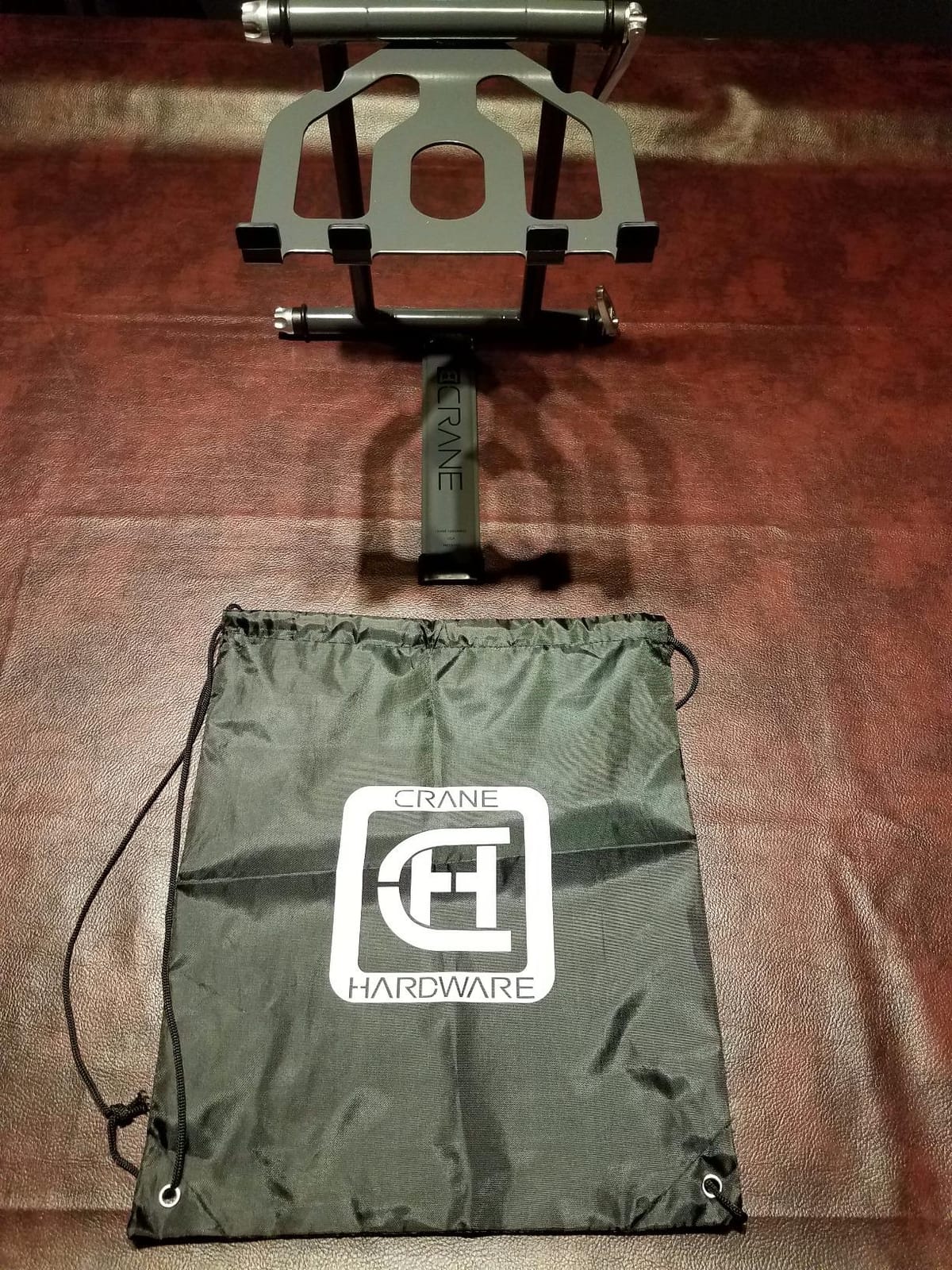
5. Crane Stand Plus Universal Stand
CRANE Stand Plus Universal DJ Stand for Laptops, Tablets and Controllers with Nylon Carry Bag, White
Z or C configuration
Cam levers plus tension knob
Item weight 3.5 lb
Folded 14 x 14 x 2 in
Bag included
Pros
- Cam locks hold their setting
- Steel with welded joints
- Two configurations for different booth depths
- Bags flat for transport
Cons
- Fixed height overall
- Retention lips press on thin laptops
- Bag fabric wears with use
The Crane Stand Plus is a long-running booth fixture, and the reason is the cam lever hardware. Cam levers lock a position and hold it, so the stand does not creep downward over a four-hour set the way friction-only adjustment does.
The Z and C configuration choice is the underrated feature. Z gives a wider base and better stability for a fixed booth; C trades base width for extra height when the booth table is low or the laptop needs a steeper screen angle.
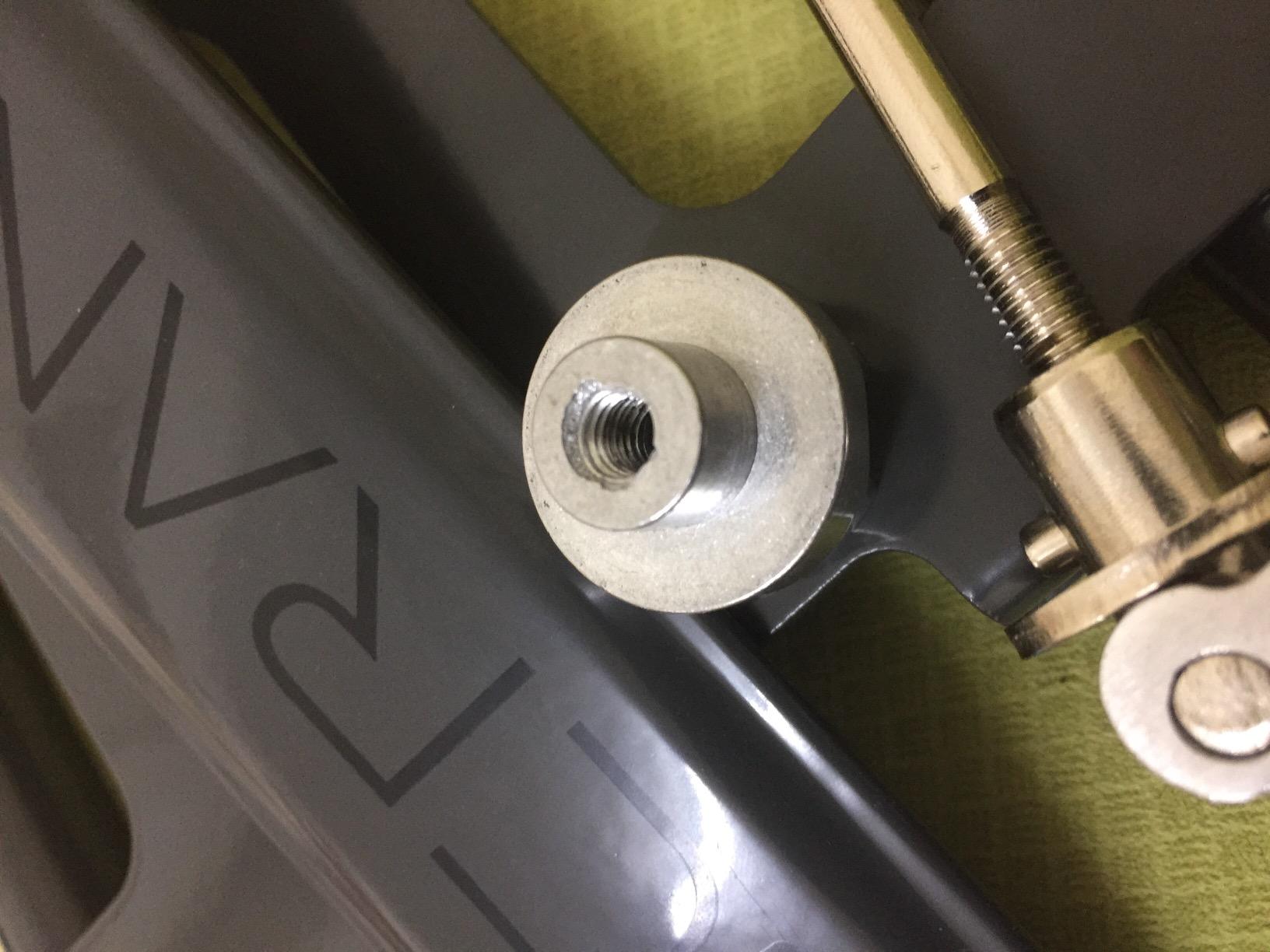
Steel construction with welded joints makes this one of the most rigid stands here, and it matters in a room with a sub-bass system pumping air at the booth. Reviewers with years of DJ use describe it as worry-free rather than merely adequate.
It needs no assembly and no loose parts, and at 3.5 lb it folds flat into the supplied nylon bag.
Getting the geometry right
Because the geometry is fixed rather than continuously adjustable, test it against your usual booth before committing. Bring it to a venue with a low table and confirm the laptop screen clears your controller at the angle you need.
A DJ TechTools thread pairs a Crane Stand with exactly this kind of complaint, that some booths simply do not give you room for a freestanding structure at the front. Measure booth depth first.
The finish wear question
Reviewers flag that the rubber-tipped retention lips can press against a thin modern laptop body, which is the one real complaint about this design. A slim protective sleeve under the machine removes the issue entirely.
6. Gravity GLTS01B Adjustable Stand
Gravity GLTS01B Adjustable Laptop & Controller Stand, Black
Fits 12 to 17 in devices
Item weight 3.5 lb
Aluminium with rubber
Optional clamp bracket
Pros
- Aluminium build with a precise feel
- Quick-release unfold in seconds
- Adjustable top bracket rake
- Shelf fits an interface plus a hub
Cons
- Fixed working height
- Angle tension knob needs practice
- Needs about 8 mm clearance under desktop gear
The Gravity is the stand to buy when the booth is a fixed install rather than a touring problem. Aluminium, a raked top bracket and a tool-free quick-release mean you can set it once and leave it for the season.
It handles laptops and controllers from 12 to 17 inches, and it is aimed squarely at controllers like a Launchpad, Maschine or Push style unit. The top bracket rake is adjustable, so you can set the screen angle rather than accepting whatever the frame gives you.
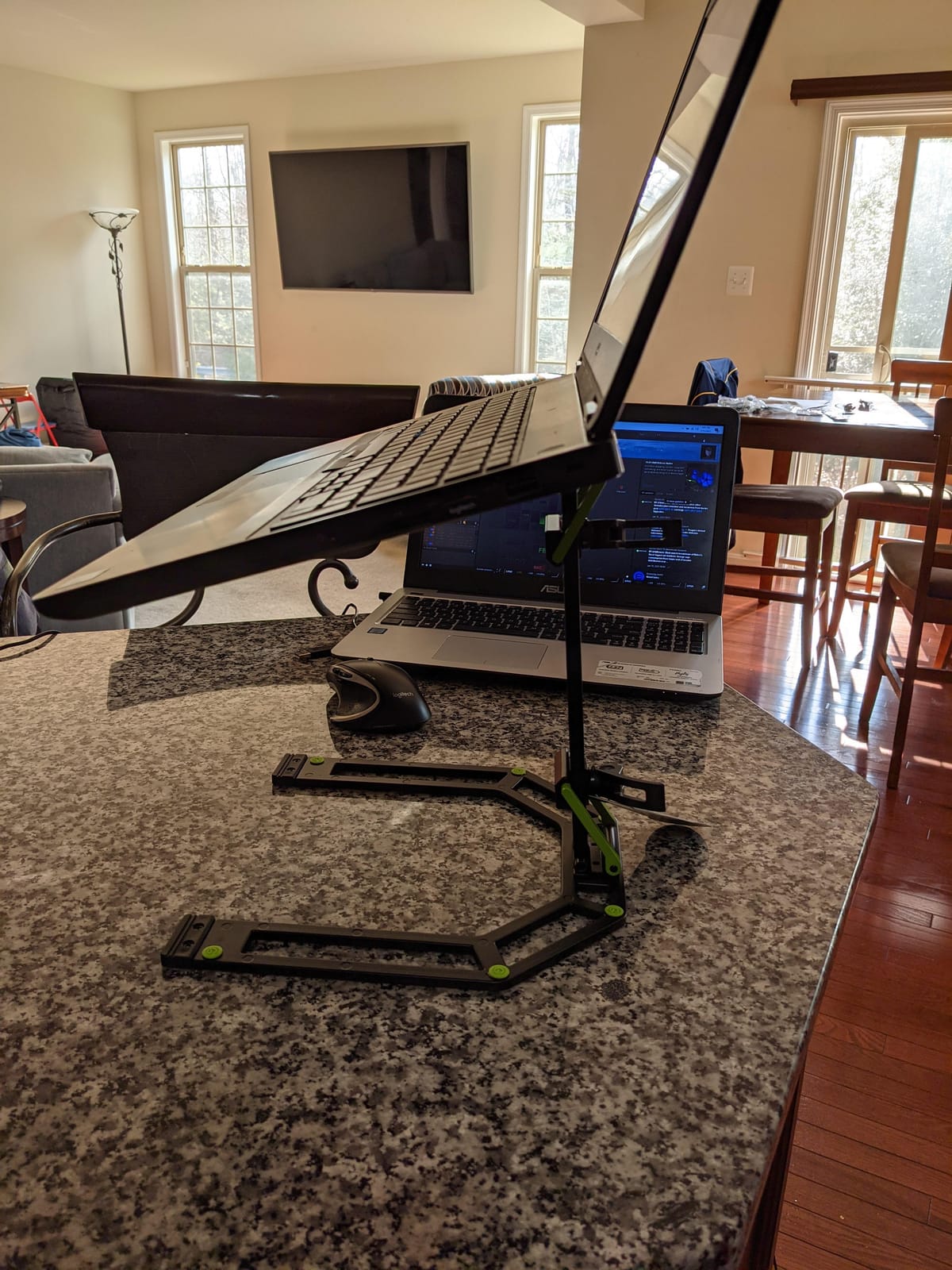
The optional clamp bracket is the sleeper feature. Bolting to a desk removes the riser footprint from the surface entirely and frees the space beneath, which is what solves a cramped booth without a bigger table.
The lower shelf is sized for an audio interface plus a small USB hub, so a one-cable rig can live entirely on the stand.
Why pros pay more for it
Reviewers consistently single out build quality, rigidity and fast setup as the reason to spend more here. At 3.5 lb it is still one of the lighter aluminium options, and the quick-release handles let the whole unit unfold without tools.
If your venue has a standing-height work surface, the geometry suits you directly.
The practical caveats
Height is fixed, which is a poor match for a low seated practice desk. The angle tension can be fiddly, going from too tight to too loose, and you want roughly 8 mm of clearance under any gear already sitting on the table.
7. Reloop Advanced Stand with USB-C Hub
Reloop Advanced Laptop Stand with USB-C PD Hub (AMS, black (AMS-STAND-HUB)
USB-C PD hub built in
Fits 11 to 18 in devices
Item weight 1.4 kg
Six assembly positions
Cables and bag included
Pros
- Charges USB-C laptops through the stand
- Six assembly positions
- Collapses to about an inch
- One less dongle to carry
Cons
- Play in the bottom leg
- Bottom leg ends can mark a desktop
- Occasional hub reliability complaints
This is the pick for anyone running a port-limited MacBook who wants a one-cable booth. The stand houses a USB-C hub with power delivery, so the laptop charges through the stand and the cables for your interface and controller route back through the same box.
It fits devices from 11 to 18 inches, so it covers iPads, compact laptops and large notebooks without a swap. Six assembly positions let you change the geometry for a club booth versus a low table.
Travel is handled well. It collapses to almost an inch and the zippered transport bag is well made. The box also includes three cables — USB-C to C, USB-A to C at two lengths — so you are not hunting for spares on a dark stage.
For a one-cable rig, this removes a genuine pain point rather than being a novelty.
When the hub earns its place
It makes sense if your laptop has minimal ports, if you travel with a minimal cable bag, or if you have ever lost time in a dark booth re-patching a hub behind the booth drape. The power delivery means one cable from the wall and one to the laptop.
It also makes sense for hybrid rigs where a controller and an interface both need USB.
Where to be cautious
Reviewers report noticeable play in the bottom leg and front-to-back wiggle, and some note USB disconnects or added audio latency. If you are timing-critical on timecode, test the hub with your setup before relying on it for a gig. The leg ends also lack rubber covers and can mark a desktop.
8. Headliner Covina Controller Stand
Headliner Covina DJ Controller Stand (HL20003), Rubber
Two device tiers
Adjustable height and width
Item weight 6.4 lb
Two-year warranty
Pros
- Controller above laptop in one frame
- Wide controller compatibility
- Multiple height and width settings
- Rubber padding at contact points
Cons
- Plastic knobs and poles can crack
- Balance-sensitive wobble
- Laptop tray orientation is fixed
- Slower breakdown between shows
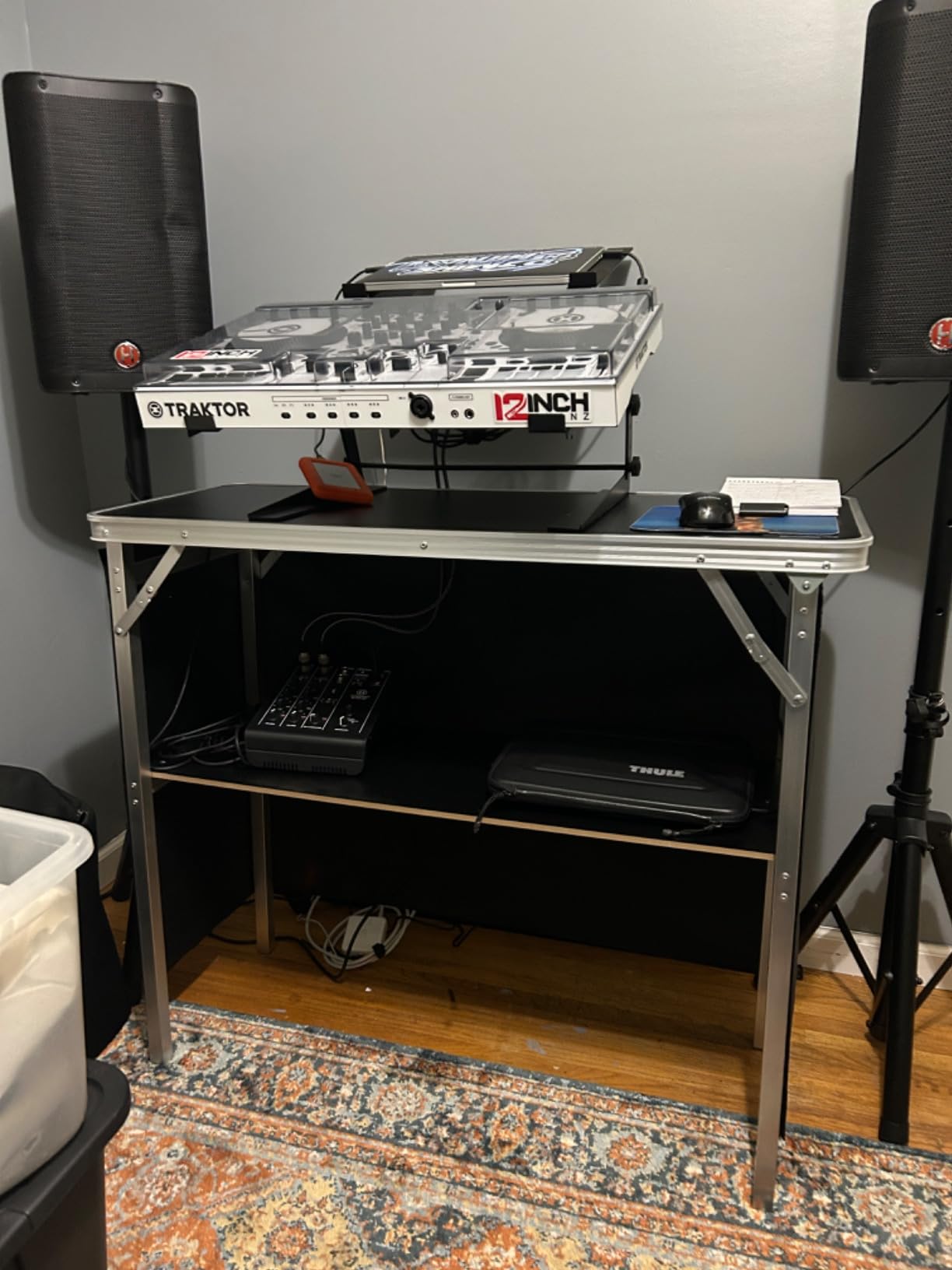
The Covina solves a problem the risers do not: a controller-and-laptop rig where both need to be visible. One frame holds the controller up top and the laptop below, which is the geometry most bedroom and small-stage DJ setups actually want.
Compatibility is the headline. The published list covers Pioneer DDJ-FLX6, FLX4, REV1, 1000SRT, 800, 400 and SX3, Denon DJ Prime, Numark Mixstream, Hercules Inpulse, Roland DJ-505, Ableton Push, NI Maschine and Akai MPC and MPK lines. Height and width both adjust, so it survives a gear change.
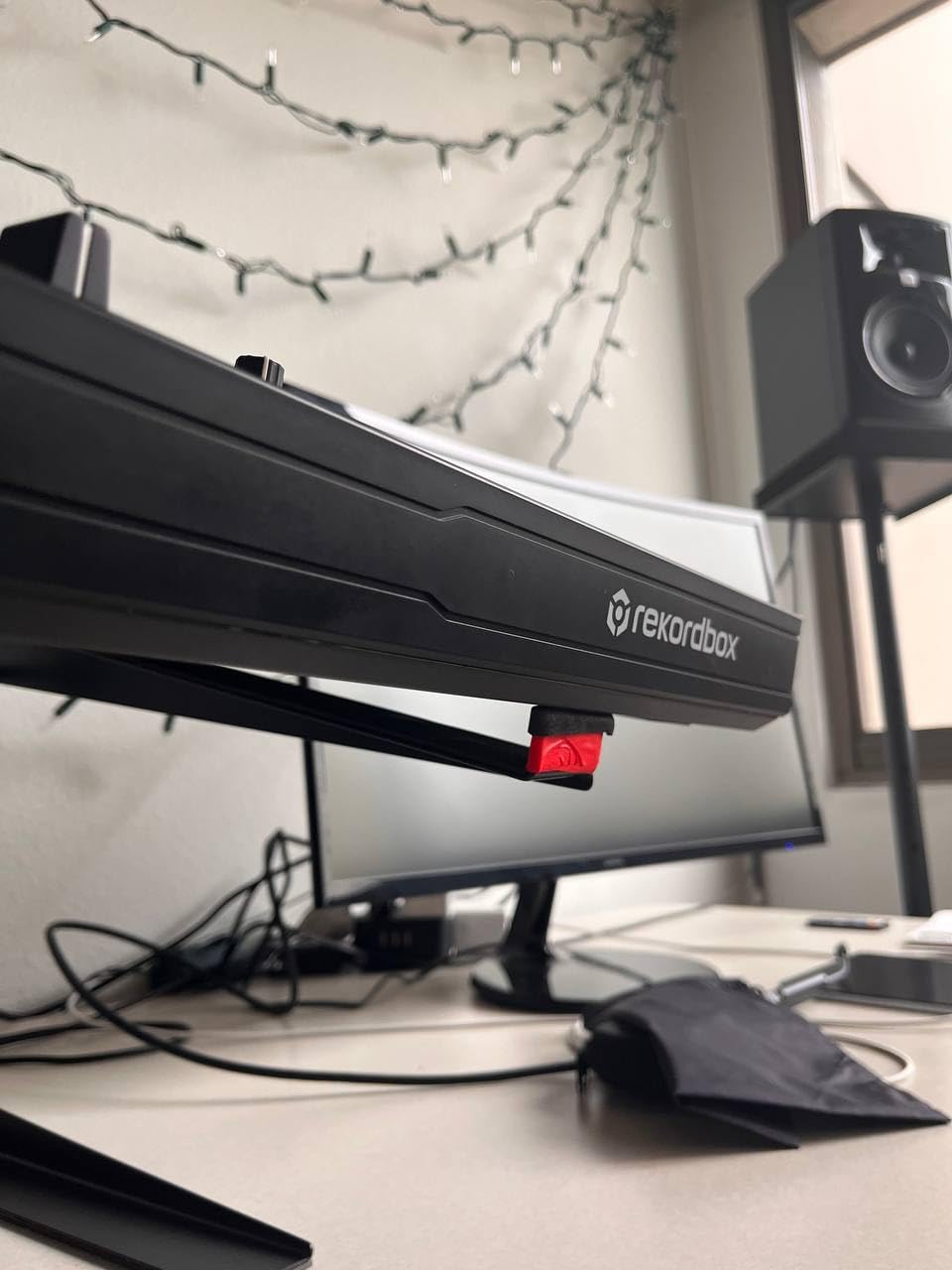
Rubber padding at the contact points is the quiet win. It grips a controller that weighs several pounds and it softens the contact with the laptop body, which partly answers the finish-wear question.
At 6.4 lb this is a heavy stand, and it ships with a two-year manufacturer warranty.
Check your rig pairing
Before buying, confirm your exact controller is on that list and that the laptop tier clears it at your preferred height. A two-tier frame is only useful if the upper tier sits above the mixer rather than in front of it.
This also suits hybrid and streaming setups where a keyboard or small pad controller shares the table.
Where the hardware shows
The most common complaints are mechanical: plastic knobs and screw poles can bend or crack, and the frame feels wonky when weight is not balanced between the two tiers. The laptop tray also cannot be reversed, so the screen ends up set further back than some players would like.
9. Rockville Rock2D2 Dual Shelf Stand
Rockville Rock2D2 Adjustable Dual Shelf DJ Controller Laptop Stand
Two adjustable shelves
Top platform 8.86 to 12.8 in wide
Bottom shelf up to 17.32 in wide
Item weight 7 lb
Pros
- Holds laptop plus controller plus keyboard
- Width height and depth adjustable
- Steel frame with rubber feet and padding
- Assembles in about five minutes
Cons
- Not collapsible between shows
- Confusing instruction video
- Some boxes missing washers or foam pads
This is the most adjustable rig in the roundup, with width, height and depth all moving on both shelves. The lower platform has enough span to take a wide keyboard controller alongside a laptop and a mixer.
Reviewers rate the steel build highly and specifically mention setups with a DDJ-REV7 or a DDJ-FLX4, where the top platform at 8.86 to 12.8 inches wide takes the controller and the lower shelf takes everything else.
Rubber feet and thick rubber arm padding are standard here, which matters when you are cranking a controller and the laptop is one bad knock from the table.
The unit carries a one-year warranty and assembles in roughly five minutes once you understand the rod layout.
When a three-piece rig justifies it
If your setup is a laptop, a DJ controller and a keyboard controller or pad unit, this is the only stand here designed around all three. A production or rehearsal room rig benefits from the same thing, since nothing has to be unpacked and rebuilt between sessions.
At 7 lb it is a fixed-room stand rather than a travel one.
The honest drawbacks
It is not collapsible and reviewers describe it as awkward to disassemble between shows. The linked instruction video does not match the actual part layout, and some boxes arrive missing washers or foam pads. Inspect the hardware before you leave the house.
10. Pyle PLPTS38 Dual Laptop Stand
Pyle Portable Dual Laptop Stand – Standing Table with Adjustable Height, Ergonomic Design & Anti-Slip Prongs for DJ Mixer, Sound Equipment, Workstation, Gaming & Home Use – PLPTS38, Black
33 lb load rating
Two prong device trays
Top bracket 9.4 to 11.4 in
Item weight 5.6 lb
Pros
- Dual-tier laptop plus device layout
- Highest rated capacity here
- Adjustable rod and hole positions
- Relieves neck strain in long practice sessions
Cons
- Two-person assembly
- Can rock with a heavy top load
- Bulky to carry with a full controller
- Hardware can squeak
The PLPTS38 is the practical home and practice-room pick. It stacks a laptop above a second device on adjustable anti-slip prongs, and at a 33 lb rating it has more than enough headroom for a laptop plus a controller.
The prongs are the useful detail. Top bracket width adjusts from 9.4 to 11.4 inches and the bottom from 11.4 to 13.4 inches, so the same stand handles a small notebook and a large workstation. Height changes by moving the rods between holes, which is coarse but never slips mid-set.
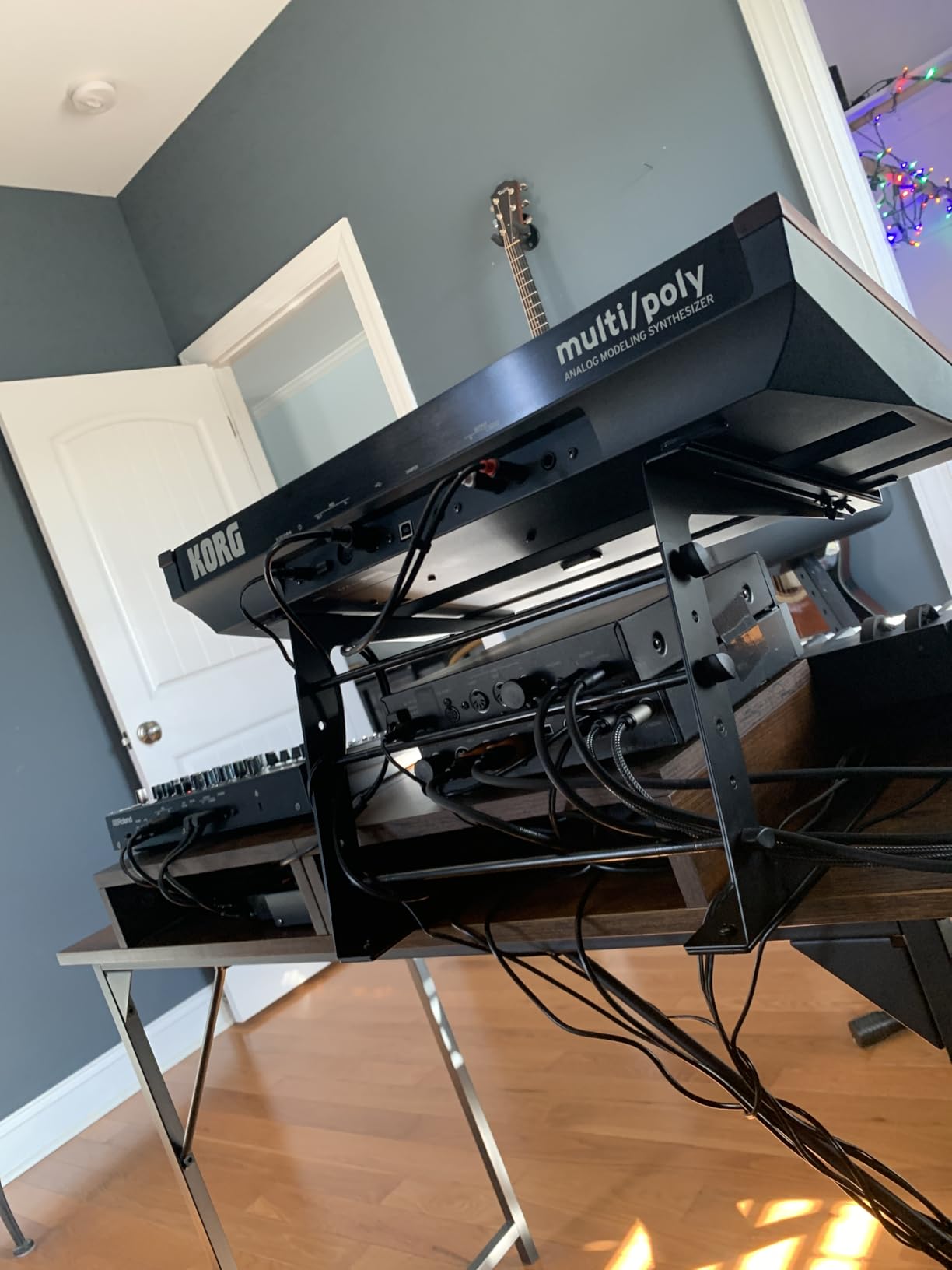
What it genuinely fixes is neck strain. Lift the screen to a forward-looking angle and you stop looking down through your controller for the length of a practice session, which is the whole point of a riser.
It assembles and disassembles for transport, which is better than a welded frame even if the process takes two people.
Best used where
This belongs in a home studio, a rehearsal room or a permanent backstage space rather than a touring van. At 5.6 lb and with a 26.4 inch assembled depth, it is bulky when you already have to carry a full controller.
Give it a stability check with your real rig before relying on it in front of people.
Where it disappoints
Assembly is genuinely a two-person job and the instructions are unclear, with some boxes missing hardware. Reviewers also report rocking or a forward lean under a heavy top load with a light bottom load, and loose parts that squeak during use.
How to Choose a DJ Laptop Stand
Six criteria decide this purchase, and only one of them is the one most people shop on. Work through them in order and the right answer usually falls out on its own.
Weight capacity. Most 13 to 15 inch laptops weigh 4 to 5 lb. A stand rated below 10 lb is a laptop-only stand and will flex if you rest anything else on it. If you plan to put a controller or an interface on the same platform, look for 20 lb or more. Anything at 33 lb covers a full rig with room to spare.
Height and tilt adjustment. Venue table heights are wildly inconsistent, which is the single most common complaint in DJ forums. A stand that cannot change height forces you to work around the room instead of the other way round. Tilt matters for the same reason: a flat laptop screen forces your head down.
Portability. An r/DJs thread put it plainly: the four things gigging DJs want are a stand that is height-adjustable, collapsible or take-apart, light enough to carry between venues, and reasonably priced. Check folded thickness and stand weight before anything else if you travel. Anything under about one inch thick and under 3 lb disappears into a backpack.
Stability and the load path. Weight should travel straight down a rigid column into a wide base, not sideways through long offset arms. Look for welded steel or machined aluminium, and hardware with real locking — cam levers or threaded collars — rather than friction-only adjustment. The quickest field test is to push the top of the stand sideways with the laptop loaded; any play at the joint is what you will feel through your fingertips at 2 am.
Ventilation. A laptop sat flat on a table sits in the booth’s airflow path and can throttle during a long set. A raised platform with a perforated or open shelf keeps the intake clear and adds real headroom under the chassis.
Finish and cable protection. Bare metal and hard plastic can mark an aluminium laptop body over months of contact, so rubber or felt pads and a front edge lip are worth paying for. Run cables through a rear notch rather than off the side of the tray, and never yank a cable plugged into a laptop that is standing on a platform — that is the most common way laptops end up on the floor mid-set.
Stand Styles Explained
Five styles cover almost every DJ laptop stand, and they differ less in price than in how they behave in a booth.
Desktop riser. A low platform that sits on the existing booth table and simply lifts the laptop a few inches. Cheap, fast, stable, and the right answer when table depth is tight and the laptop is the only device on the table. It offers almost no height correction.
Folding Z-frame and telescoping stands. Collapsible steel or aluminium structures with cam levers or a locking collar. These are the touring choice because they fold to roughly an inch and set up without loose hardware. Their weakness is flex under a heavy top load, which is why cast or machined aluminium beats folded sheet steel here.
Freestanding tripod. A floor-standing unit independent of the table. It gives the largest height range and keeps the table completely clear, but it needs booth floor space, and short booths do not have it. A DJ TechTools thread makes the same point from the other direction: some booths simply do not give you room for a freestanding structure.
Multi-tier and two-tier stands. These hold a laptop above a controller, interface or keyboard. They maximise what fits in one footprint, but they are balance-sensitive and heavier to carry, and the low tier is where your knees end up if you are seated.
USB-hub stands. A riser with an integrated hub and power delivery. On a laptop with two ports, this converts the booth into a one-cable setup and removes a dongle from the bag. Test it with your software before you depend on it for timecode.
Short Booths, Low Tables and Touring Rigs
The most common real-world complaint about DJ laptop stands is not quality — it is space and geometry. Some booths are barely a laptop wide, some tables are too low to give you a usable angle, and short booths leave no room at the front for a freestanding stand.
Three habits handle it. Measure the booth depth and table height before you pick a style, and choose between a Z or C configuration, or an adjustable riser, so you have one variable to change on arrival. Run cables down the back of the stand rather than across the table, so the space in front stays clear for the controller. And when the table is too low, raise the laptop rather than the controller — a steeper screen angle costs you far less than a mixer at an uncomfortable height.
For touring, pack the stand in its own bag every time. A folded stand sharing space with cables picks up the knocks that crack knobs, and a stand bag takes almost no room next to a laptop bag.
Frequently Asked Questions
What is the best laptop stand for DJing?
The best laptop stand for DJing is a height- and angle-adjustable steel riser that folds flat and includes a carry bag. Adjustability matters most, because venue table heights vary widely between gigs. Our pick for most working DJs is the Hercules DG400BB, which holds up to 22 lb, adjusts both height and angle, and packs to about 2.6 inches. Mobile DJs who prioritise pack-down should choose a stand that folds to roughly one inch instead.
Which laptop stand is better, metal or plastic?
Metal wins, and stiffness is the reason. Powder-coated steel or machined aluminium keeps the platform rigid under load and stops vibration from a sub-bass system travelling up through the frame into the laptop chassis. Plastic racks, including dual-tier designs, flex under a heavy top load and can rock forward when the weight is uneven between tiers. The exception is a plastic-knob stand with a solid steel frame, where the frame does the structural work.
Do DJ laptop stands scratch laptops?
They can, over time, if the contact points are bare metal or hard plastic. Aluminium laptop bodies pick up visible marks from repeated contact with an uncoated tray, and some retention lips press against a thin chassis. Look for rubber or felt pads, a front edge lip, and a powder-coated finish, and put a slim protective sleeve under the machine. Padding alone will not fix it, so swap the sleeve when it wears through.
What height should a DJ laptop stand be?
Aim for the laptop screen sitting near eye level when you are standing in playing position, which usually means the top of the screen is roughly level with your eyes rather than below them. As a practical range, a stand that adjusts between about 12 and 17 inches covers most bar and club tables. If your table is unusually low, raise the laptop rather than the controller, and check that the screen clears your mixer at the angle you need.
What is the best way to transport DJ equipment safely?
Use a padded flight case with a foam insert for the laptop, and put the laptop in its own sleeve inside it. Bag cables separately so they cannot chafe ports in transit. Collapse the stand flat, put it in its own bag, and keep it away from the case walls. Do not place the laptop directly on top of the controller. Label every case so you are not unpacking by feel at the venue.
Final Verdict
The Hercules DG400BB is the best DJ laptop stand for most gigs in 2026, because it adjusts in one hand, holds a laptop plus a compact controller, and folds into its bag between sets. For touring, the Pyle PLPTS55 wins on pack-down at one inch thick, and the AXA AXCESSABLES stand is the strongest build for the money if you carry an interface as well.
Buy the Gravity GLTS01B if the booth is a fixed install, the Reloop hub stand if you run a one-cable MacBook rig, and one of the dual-tier options only if you genuinely need a controller and a laptop stacked in one frame. Start with the geometry of your regular venue and the rest follows.