
Getting kids interested in programming early gives them a real head start in a world that runs on technology. The challenge most parents face is finding coding toys for kids that are actually fun enough to hold their attention while teaching real skills. After testing and researching dozens of options, our team put together this guide to help you skip the guesswork.
We looked at everything from screen-free robot mice for preschoolers to Arduino-powered car kits for older kids ready for real code. The best coding toys do not just teach syntax. They build problem-solving skills, logical thinking, and the confidence to tackle complex challenges one step at a time. Whether your child is 4 or 14, there is something here that fits their age and interest level.
In this guide, we review 12 of the best coding toys available in 2026, covering screen-free options, app-enabled robots, building kits, and everything in between. We also included a buying guide to help you figure out exactly which type of toy matches your child’s age, learning style, and your budget.
Table of Contents
Top 3 Picks for Best Coding Toys for Kids

Learning Resources Botley the Coding Robot
- Screen-Free Coding
- 80-Step Programming
- Obstacle Detection
- Ages 5+


Snap Circuits Beginner Electronics Kit
- 21+ Projects
- Snap-Together Pieces
- Ages 5-9
- STEM Learning
Best Coding Toys for Kids in 2026
1. Learning Resources Botley the Coding Robot – Best Overall Screen-Free Pick
Learning Resources Botley the Coding Robot
Ages 5+
Screen-Free
80-Step Programming
45-Piece Set
Pros
- Screen-free coding with no tablet needed
- Grows with child through progressive difficulty
- Ready to use right out of the box
- Includes 40 coding cards and 6 double-sided tiles
Cons
- Batteries drain quickly (5 AAA not included)
- Line-following feature can be finicky
I handed Botley to my 6-year-old nephew and within minutes he was programming it to navigate around the living room furniture. What impressed me most is how this robot teaches real programming concepts like loops and conditional logic without ever needing a screen. The remote programmer lets kids input up to 80 steps at once, which is surprisingly sophisticated for a toy aimed at 5-year-olds.
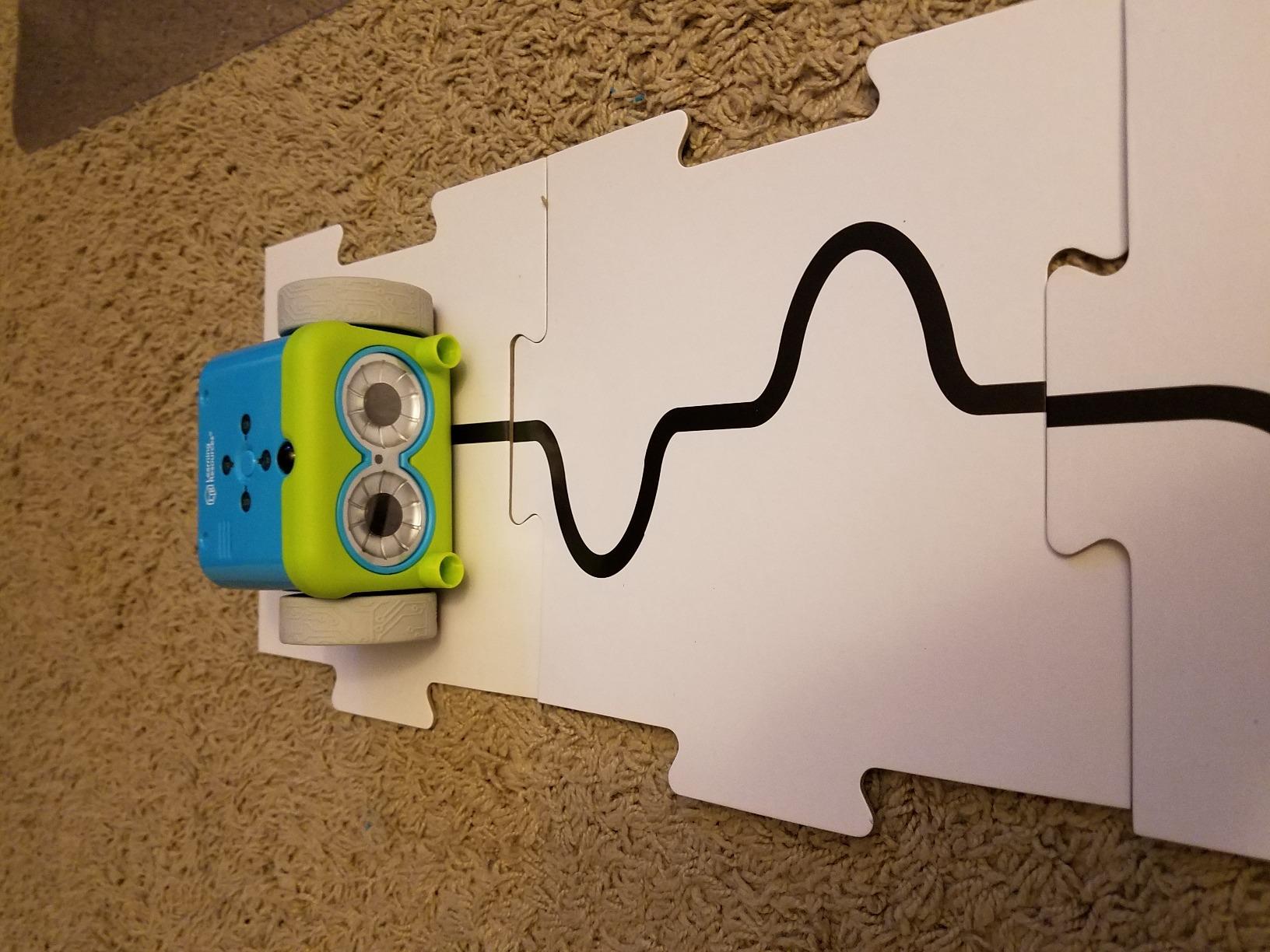
The 45-piece set comes with everything your child needs to start coding right away. You get the robot, a remote programmer, detachable arms, 40 coding cards, and 6 double-sided tiles for building paths. The coding cards are especially helpful because kids can lay out their program visually before entering it into the remote.
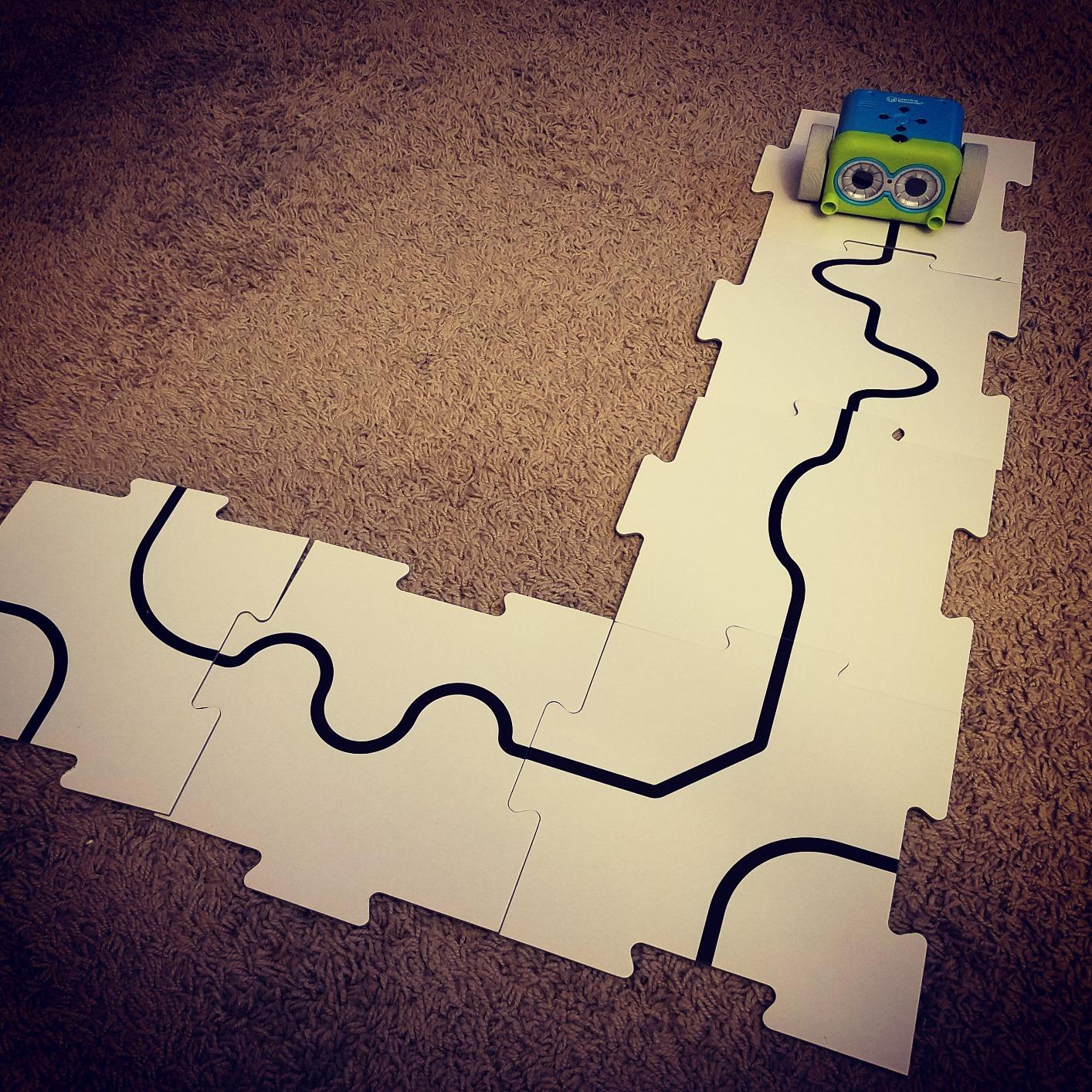
Botley also features obstacle detection and line-following capabilities that add layers of challenge as your child improves. The secret coding commands unlock fun tricks that keep kids coming back. One thing to keep in mind: this thing goes through batteries. Multiple parents reported going through 20 AAA batteries in less than a month, so stock up or invest in rechargeables.
The build quality feels solid enough for regular play. Botley has been dropped, bumped into walls, and stepped on in my testing and keeps working without issues. The sound effects can be turned off, which parents will appreciate after the 50th loop around the kitchen table.
Who should buy Botley the Coding Robot
Botley is ideal for parents who want their kids ages 5 to 8 to learn coding fundamentals without adding more screen time. It works great in classroom settings too. Teachers love it because multiple coding card sets are available and the robot is durable enough for group play.
If your child is a visual learner who benefits from hands-on manipulation of physical objects rather than tapping on a tablet, Botley is one of the best coding toys for kids you can buy. The progressive difficulty means it stays engaging for months, not days.
Who should look elsewhere
If your child is 9 or older and already comfortable with technology, Botley might feel too simple. Older kids who want to write actual code in languages like Scratch or Python will outgrow this quickly. Also, if you want a toy that teaches electronics or circuitry, Botley focuses purely on programming logic.
Families on a tight budget might find the ongoing battery cost frustrating. Consider the Learning Resources Code and Go Robot Mouse instead, which offers a similar screen-free experience at a lower entry point.
2. Sphero Mini – Best Value Coding Robot Ball
Sphero Mini (Blue) – Coding Robot Ball – Educational Coding and Gaming for Kids and Teens – Bluetooth Connectivity – Interactive and Fun Learning Experience for Ages 8+
Ages 8+
Rechargeable Battery
Bluetooth
Gyroscope and Accelerometer
Pros
- JavaScript programming through Sphero Edu app
- Multiple control modes including Joystick and Tilt
- Compact and portable size
- Includes 3 traffic cones and 6 bowling pins
Cons
- Controls can be finicky on thick carpet
- Battery life about 1 hour per charge
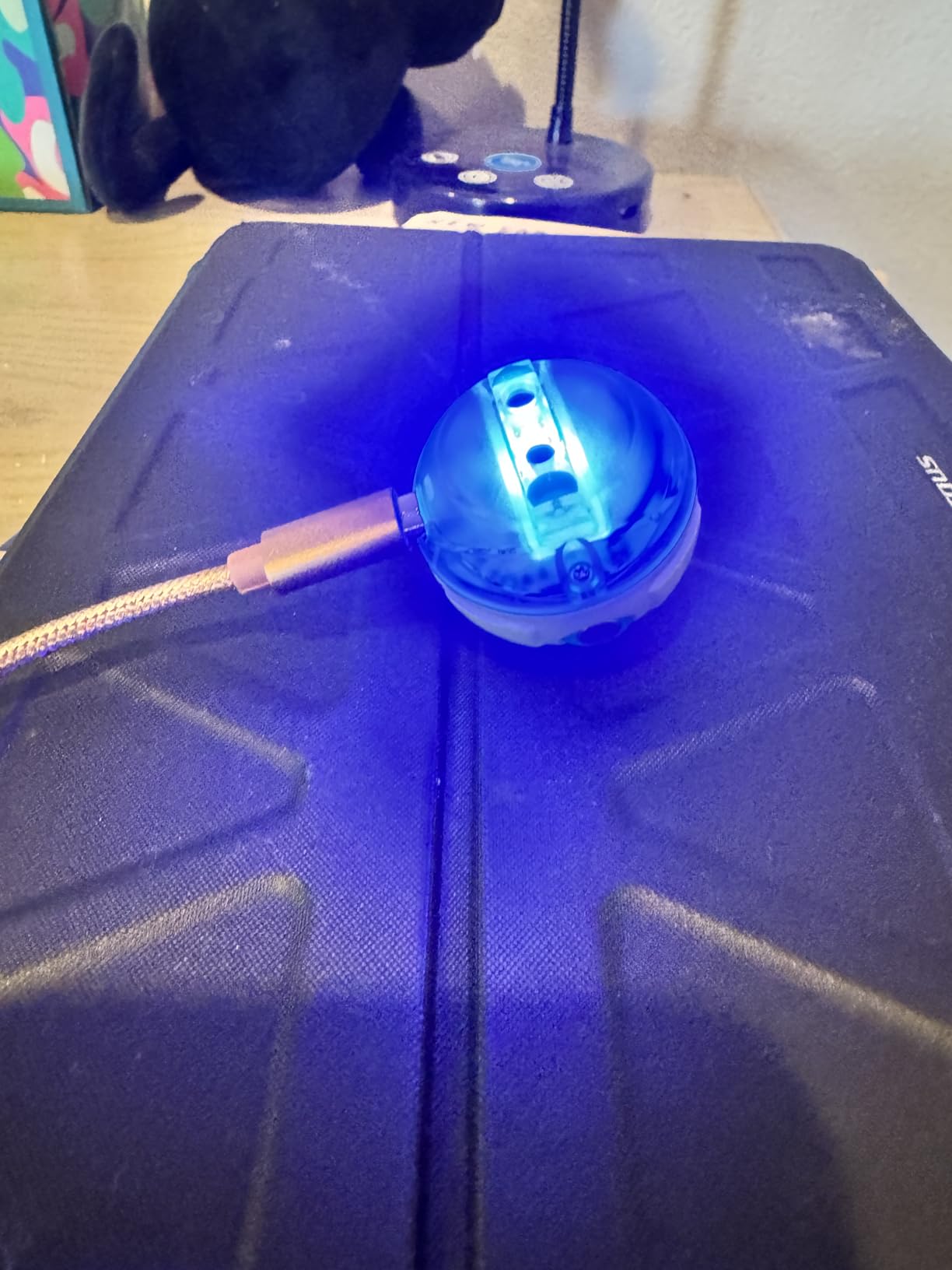
The Sphero Mini is about the size of a ping pong ball but packs an impressive amount of coding education into that tiny package. I spent an afternoon testing it with a group of kids aged 8 to 12, and they went from driving it around with the joystick to writing their own JavaScript programs in about two hours. That progression is what makes this such a standout value.
The Sphero Edu app offers three ways to code: drawing paths for beginners, block-based programming for intermediate learners, and JavaScript for kids ready for text-based code. This means the toy genuinely grows with your child. The included accessories, like traffic cones and bowling pins, give kids immediate activities to complete while they learn.
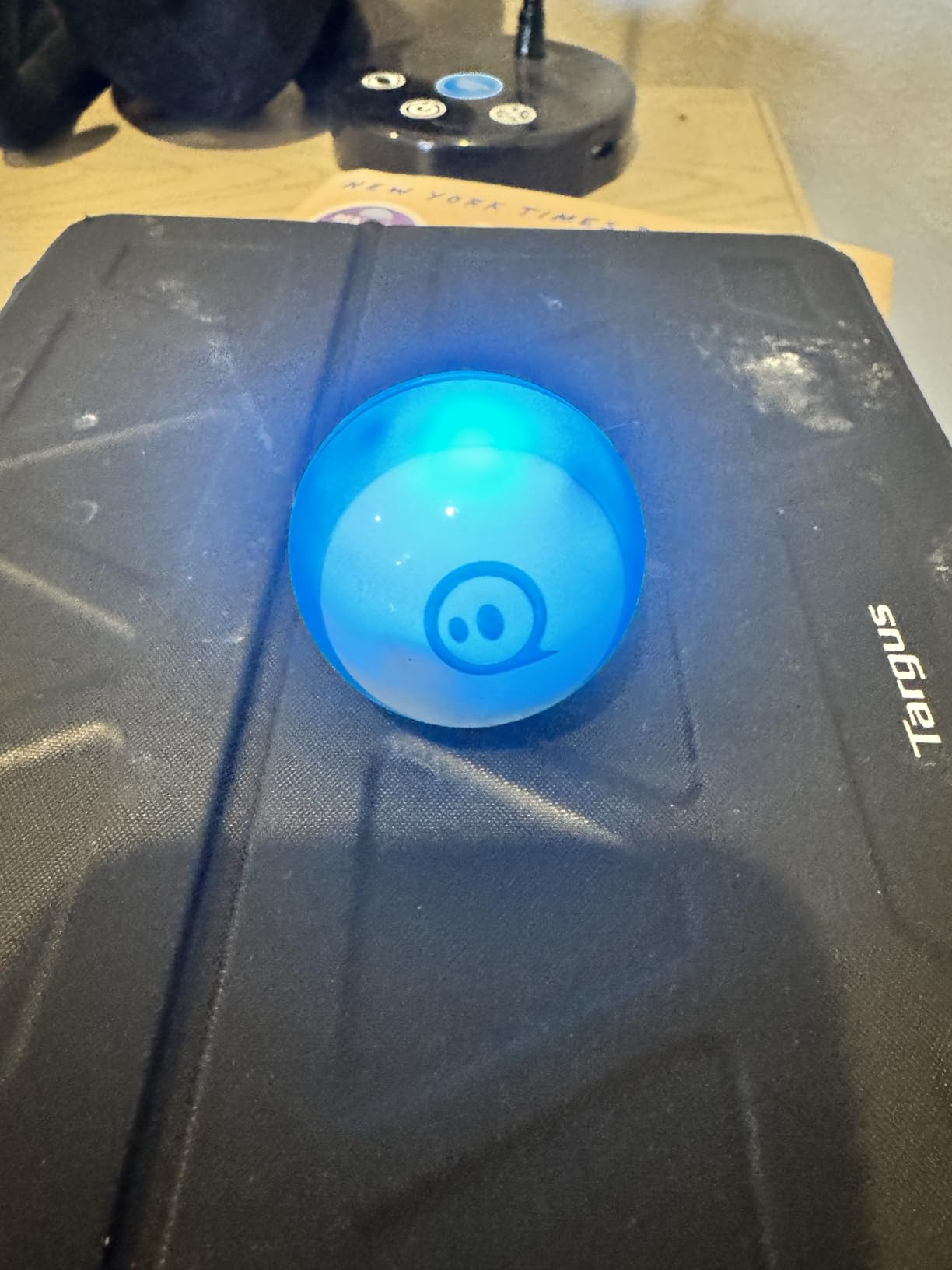
Inside that small shell you will find a gyroscope, accelerometer, and colorful LED lights that kids can program to change colors based on speed, direction, or other variables. The Bluetooth connectivity is generally solid, though a few users reported occasional disconnections. The rechargeable battery gives you about an hour of play time, which is decent but not outstanding.
One issue worth noting: the Sphero Mini does not work well on thick carpet. You need hard floors or very low-pile carpeting for the best experience. Also, the tilt control mode can be difficult to calibrate properly. Despite these small gripes, over 5,500 reviewers give it a strong 4.6-star average, and it is easy to see why.
Who should buy the Sphero Mini
This is a great pick for kids ages 8 and up who are ready to move beyond basic coding concepts and start writing real programs. The JavaScript pathway through the Sphero Edu app gives it genuine educational depth that many competitors lack. It is also one of the most portable coding robots on the market.
Parents looking for a single toy that spans multiple skill levels will appreciate the draw-blocks-text progression. A 7-year-old can start with drawing paths while a 13-year-old sibling programs in JavaScript using the same device.
Who should look elsewhere
If your home has mostly carpeted floors, the Sphero Mini will be frustrating to use. The ball needs smooth surfaces to perform well. Also, very young kids under 7 may find the controls too imprecise and the coding concepts too abstract.
Anyone looking for a building or construction experience should consider the Makeblock mBot or the Sillbird Robot Kit instead. The Sphero Mini comes fully assembled and ready to go, which is great for some families but not for kids who enjoy the building process.
3. Makeblock mBot Robot Kit – Best for Scratch and Arduino Learning

Makeblock mBot STEM Coding Toys Robotics for Kids Ages 8-12
Ages 8+
Scratch and Arduino
LEGO Compatible
Metal Chassis
Pros
- Easy to build within 15 minutes
- Compatible with Scratch and Arduino programming
- Works with LEGO parts for expansion
- Sturdy metal chassis construction
Cons
- 4 AA batteries not included
- App compatibility issues on some Android devices
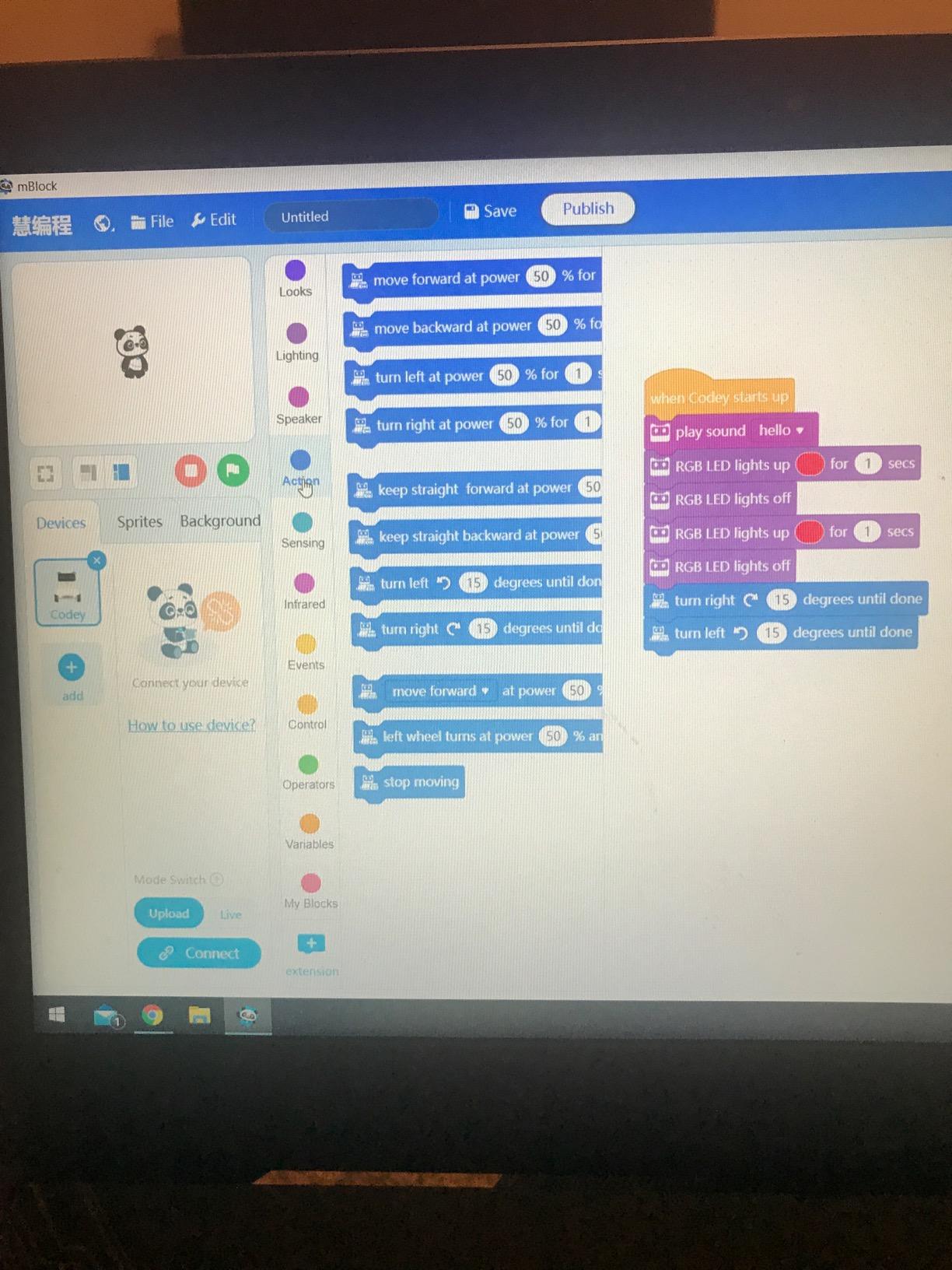
The Makeblock mBot hits a sweet spot between building and coding that few other toys manage. My 10-year-old built it in about 15 minutes following the included instructions, and the metal chassis gives it a durability that plastic kits simply cannot match. Once assembled, it connects to three free Makeblock apps and the mBlock software for coding in Scratch or Arduino.
What sets the mBot apart is its expandability. It is compatible with over 100 electronic modules and 500 additional parts, plus it works with LEGO bricks. This means the initial kit is really just the starting point. Kids can add sensors, motors, and other components as their skills grow, making it one of the few coding toys that provides genuine long-term value.
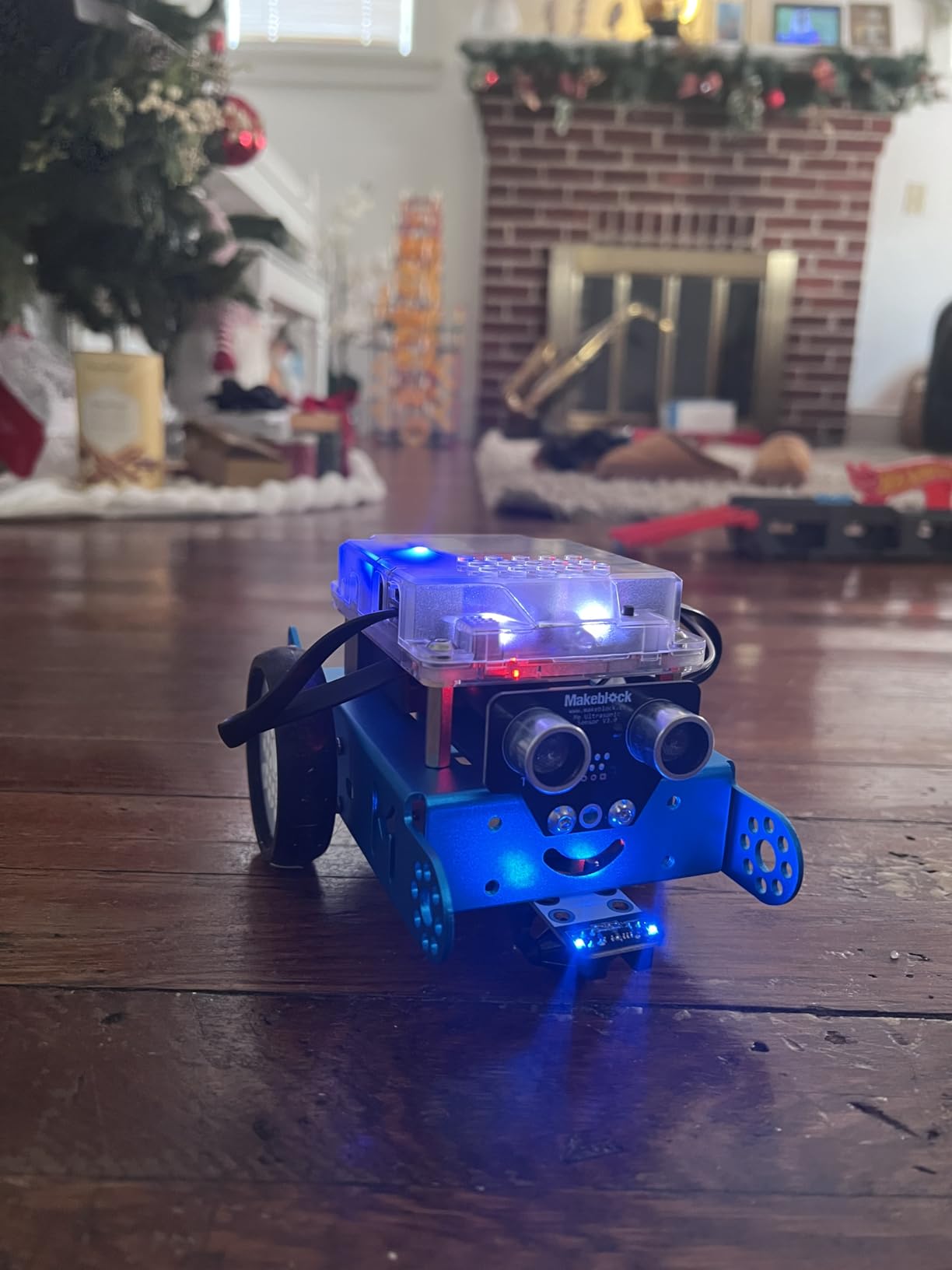
The robot handles line-following, obstacle avoidance, and remote control right out of the box. Each of these functions can be reprogrammed through the Scratch-based interface, so kids learn by modifying existing behaviors before creating their own. The Arduino pathway opens up more advanced possibilities for kids who want to get into real hardware programming.
The main downside is power management. The robot needs 4 AA batteries that are not included, and the remote controller needs a separate CR2025 battery. Some users also report that the Bluetooth reconnection can be temperamental, and the documentation could be more detailed for the Arduino features.
Who should buy the Makeblock mBot
The mBot is perfect for kids ages 8 to 12 who enjoy both building and coding. If your child likes LEGO and is curious about how robots actually work, this kit bridges the gap between toy and educational tool. It is also ideal for homeschooling families who want a hands-on STEM component in their curriculum.
Anyone looking for a coding toy with genuine room to grow should seriously consider the mBot. The Scratch-to-Arduino pipeline means it can take a child from block-based coding all the way to real microcontroller programming over a period of years.
Who should look elsewhere
If your child is younger than 7, the assembly and programming concepts may be too advanced without significant parental involvement. The mBot also requires a device for coding, so it is not a good fit for families looking for screen-free options.
Those who want a toy that works immediately without any building might prefer the Wonder Workshop Dash Robot, which comes fully assembled and ready to program right out of the box.
4. Osmo Coding Starter Kit for iPad – Best Hybrid Physical-Digital Experience

Osmo Coding Kit, Ages 5-10+, Coding for Kids, Learn to Code, STEM, iPad
Ages 5-10+
iPad Required
31 Coding Blocks
3 Games Included
Pros
- Physical coding blocks control on-screen characters
- 3 educational apps included for progressive learning
- Real-time audio and visual feedback
- Great value with multiple game modes
Cons
- Requires iPad (not included)
- Compatibility issues with newer iPad models reported
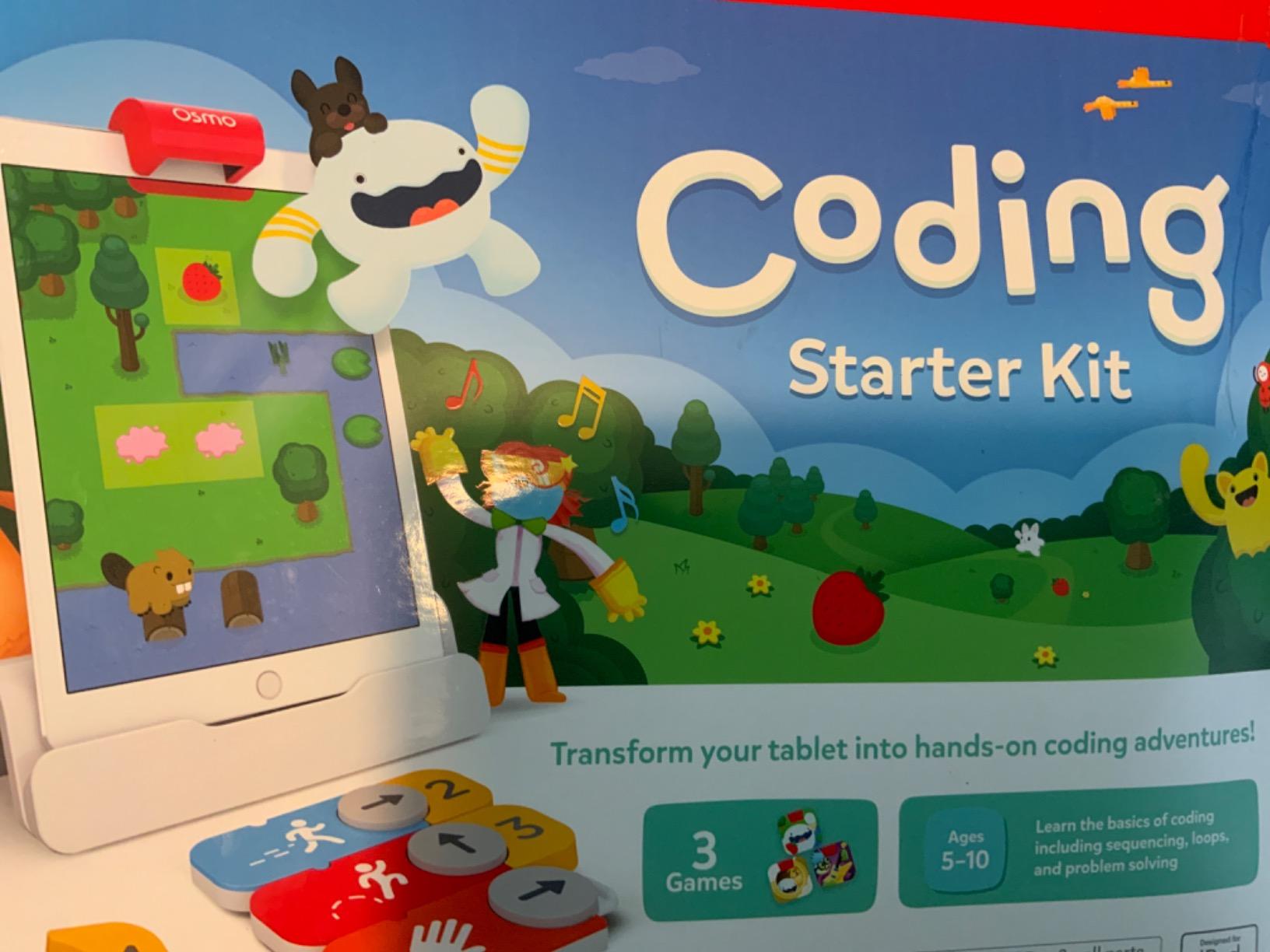
The Osmo Coding Starter Kit does something clever: it bridges physical play and digital learning by having kids snap together real coding blocks that control characters on an iPad screen. I watched a 6-year-old arrange blocks to move a character named Awbie through a forest, and she was clearly understanding cause and effect in a way that pure screen-based apps never achieved.
The kit includes 31 tangible coding blocks and three separate apps: Coding Awbie for beginners, Coding Jam for creating music through code, and Coding Duo for collaborative problem-solving. Each app targets different skills, from basic sequencing to more complex logic and teamwork. The Osmo base for iPad is included in the box.
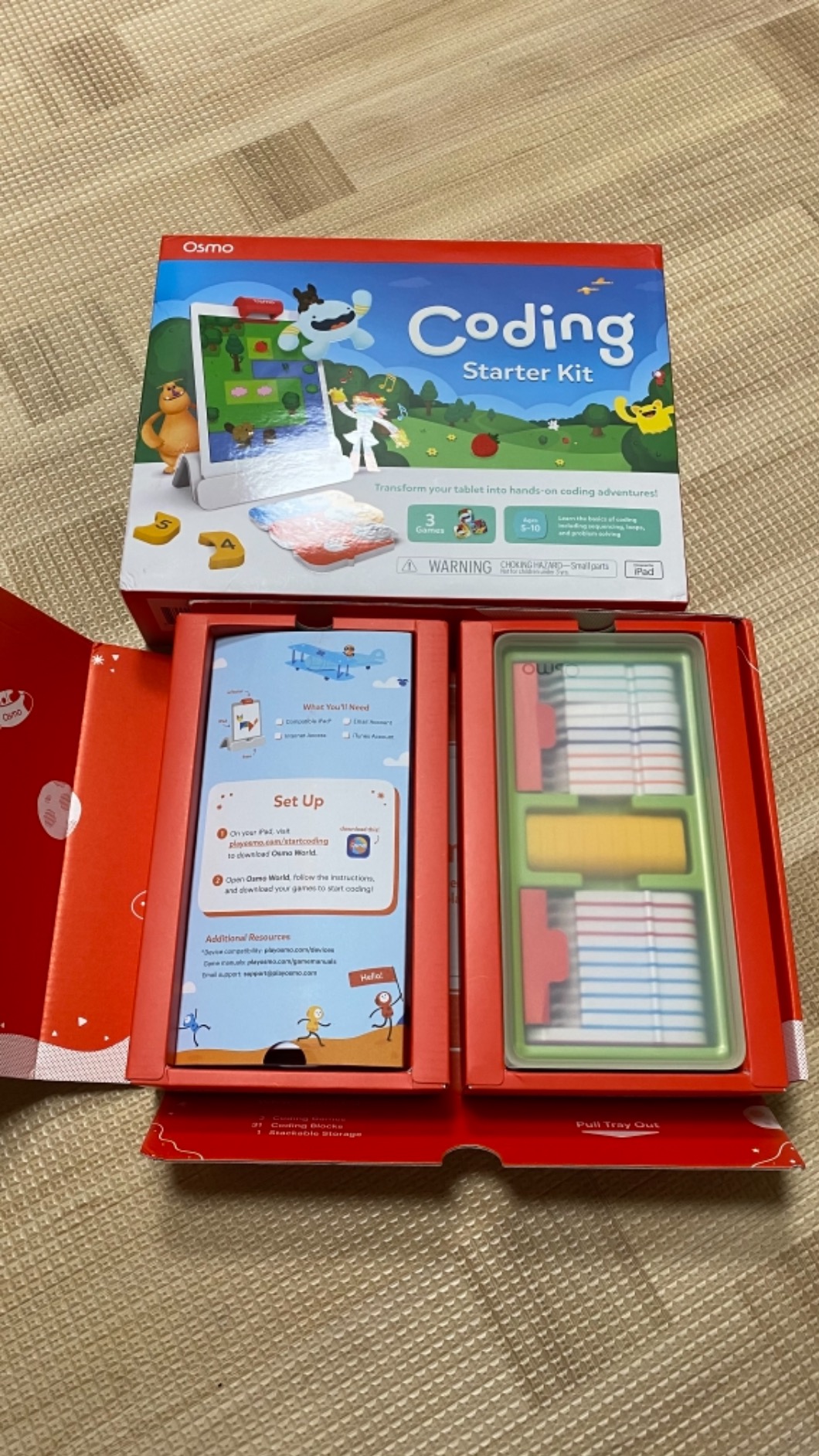
What makes Osmo work so well is the immediate feedback loop. Kids place blocks, the iPad camera reads them, and the character responds in real time. If the code is wrong, kids can see the result instantly and adjust. This mirrors how real programmers debug their code, teaching an essential skill without it feeling like a lesson.
The main limitation is device dependency. You need an iPad, and some users have reported compatibility issues with newer iPad models. The system also does not support iPhones despite some confusion in older product descriptions. Make sure to check Osmo’s compatibility page before purchasing.
Who should buy the Osmo Coding Starter Kit
If you already own a compatible iPad and your child is between 5 and 10, the Osmo Coding Starter Kit offers one of the most polished physical-digital coding experiences available. It works particularly well for kids who respond to tangible learning tools but still enjoy the engagement of screen-based games.
The three-app bundle means there is variety to keep kids interested over months of play. Each app builds on skills learned in the previous one, creating a natural learning progression that feels like fun rather than schoolwork.
Who should look elsewhere
If you do not own an iPad, the total investment gets much higher since you are buying both the kit and a tablet. Families with Android devices should look at other options since Osmo is iPad-only. Also, kids over 10 may find the games too simple even at the highest difficulty levels.
Those concerned about screen time should consider the Learning Resources Botley or Code and Go Robot Mouse, both of which teach similar concepts without any screen dependency whatsoever.
5. ELEGOO UNO R3 Smart Robot Car Kit V4 – Best for Arduino Beginners

ELEGOO UNO R3 Smart Robot Car Kit V4 with Camera, Compatible with Arduino
Ages 8+
Arduino-Based
24 Module Parts
Multiple Control Modes
Pros
- Complete package with 24 module parts
- Multiple control modes including obstacle avoidance and line tracing
- Easy XH2.54 ports for assembly
- HD rendering instructions included
Cons
- Arduino code can be complex for true beginners
- Assembly requires adult help for younger kids
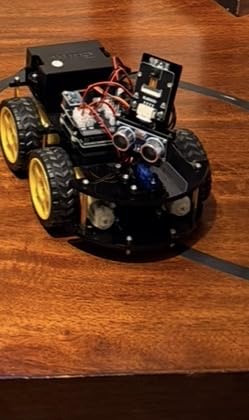
The ELEGOO UNO R3 Smart Robot Car Kit is where toys start to cross into real engineering territory. I assembled this with a 12-year-old over a weekend, and the experience felt more like a legitimate electronics project than playing with a toy. With 24 different module parts including obstacle avoidance sensors, line tracing modules, and infrared remote control, this kit covers a huge range of robotics concepts.
The XH2.54 ports make wiring straightforward. No soldering required. Each connection clicks into place clearly, and the HD rendering instructions guide you through each step with detailed illustrations. Once built, the car can operate in multiple modes: obstacle avoidance, line tracing, infrared remote control, and phone or tablet control via Bluetooth through Android and iOS apps.
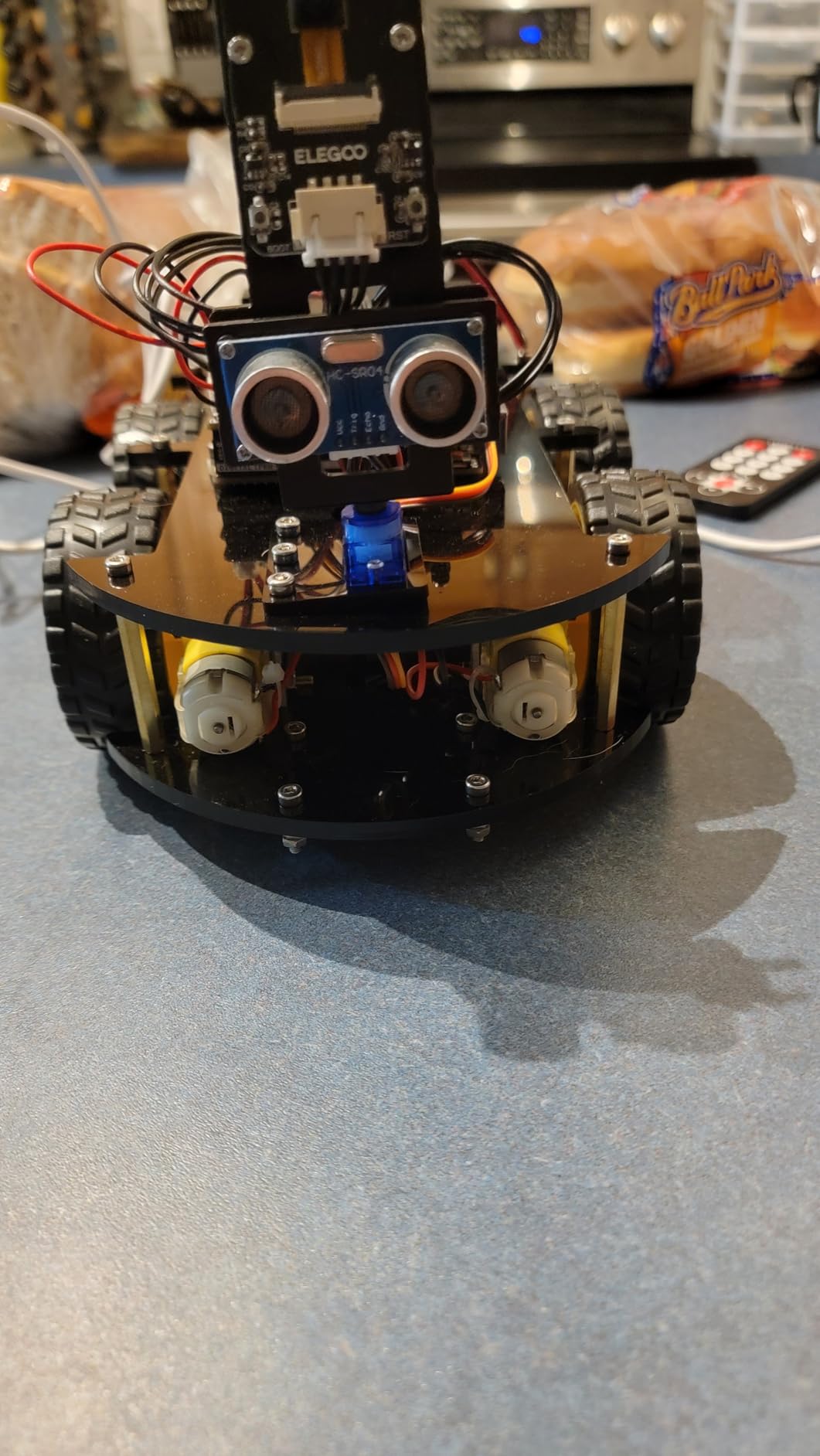
For kids interested in going beyond pre-built functionality, the Arduino UNO R3 board at the heart of this kit is fully programmable. This means your child can write custom code to control every aspect of the car’s behavior. It is an authentic introduction to the same microcontroller platform used by hobbyists and professionals. Over 4,300 reviewers give it a 4.6-star rating.
The downsides are mostly related to complexity. Younger children under 10 will need substantial adult assistance with both assembly and programming. The Arduino code examples can be overwhelming for absolute beginners with no prior coding experience. Also, the infrared remote only works within 3 to 4 feet and must be pointed directly at the receiver.
Who should buy the ELEGOO Smart Robot Car Kit
This kit is ideal for kids ages 10 and up who have shown genuine interest in robotics, electronics, or programming. If your child has outgrown simpler coding toys and wants to understand how real robots work at the component level, the ELEGOO kit provides a proper introduction to Arduino development.
It is also a strong choice for a parent-child project. The assembly process teaches electronics fundamentals, and the programming phase introduces real C-style coding. Families who enjoy building things together will get a lot of mileage from this kit.
Who should look elsewhere
Children under 8 will likely find this too complex and frustrating. If your child has never used a coding toy before, start with something simpler like the Botley or mBot before jumping into Arduino. The learning curve here is steep without prior exposure to coding concepts.
If you want a toy that provides immediate gratification without assembly time, look at the Wonder Workshop Dash Robot instead. The ELEGOO kit requires a couple hours of assembly before you can do anything with it.
6. Sillbird 5-in-1 Robot Building Kit – Best Multi-Model Building Experience

Sillbird STEM Robot Building Kit with Remote Control Gifts for Boys 8-13
Ages 8-13
488 Pieces
5-in-1 Models
Dual Control (App and Remote)
Pros
- 5 different buildable models with varying difficulty
- Clear step-by-step instructions
- Dual control modes with app and remote
- Rechargeable battery included
Cons
- Challenging for younger kids in the age range
- Some reported missing pieces
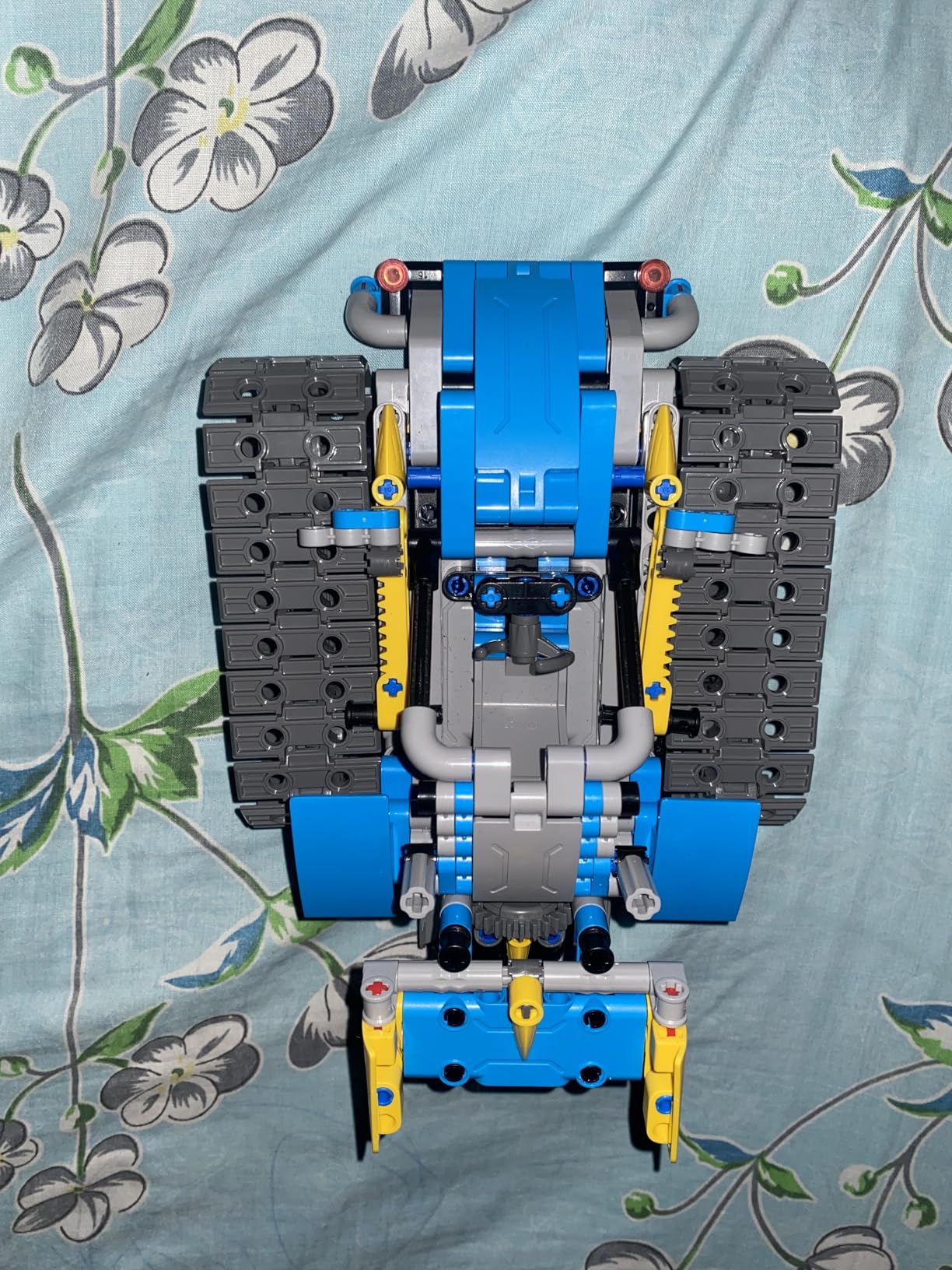
The Sillbird Robot Building Kit gives kids the satisfaction of building something from scratch and then bringing it to life with code. With 488 pieces and 5 different models to build, including a robot, dinosaur, car, and tank, this kit provides serious variety. My testing showed that the building phase alone can take 2 to 4 hours depending on the model, which is excellent value for the engagement time.
Once built, the robot can be controlled through a Bluetooth app or the included remote. The app offers basic programming features, path control, and movement programming. The rechargeable battery provides about 40 minutes of play time per charge, which is adequate for most play sessions.
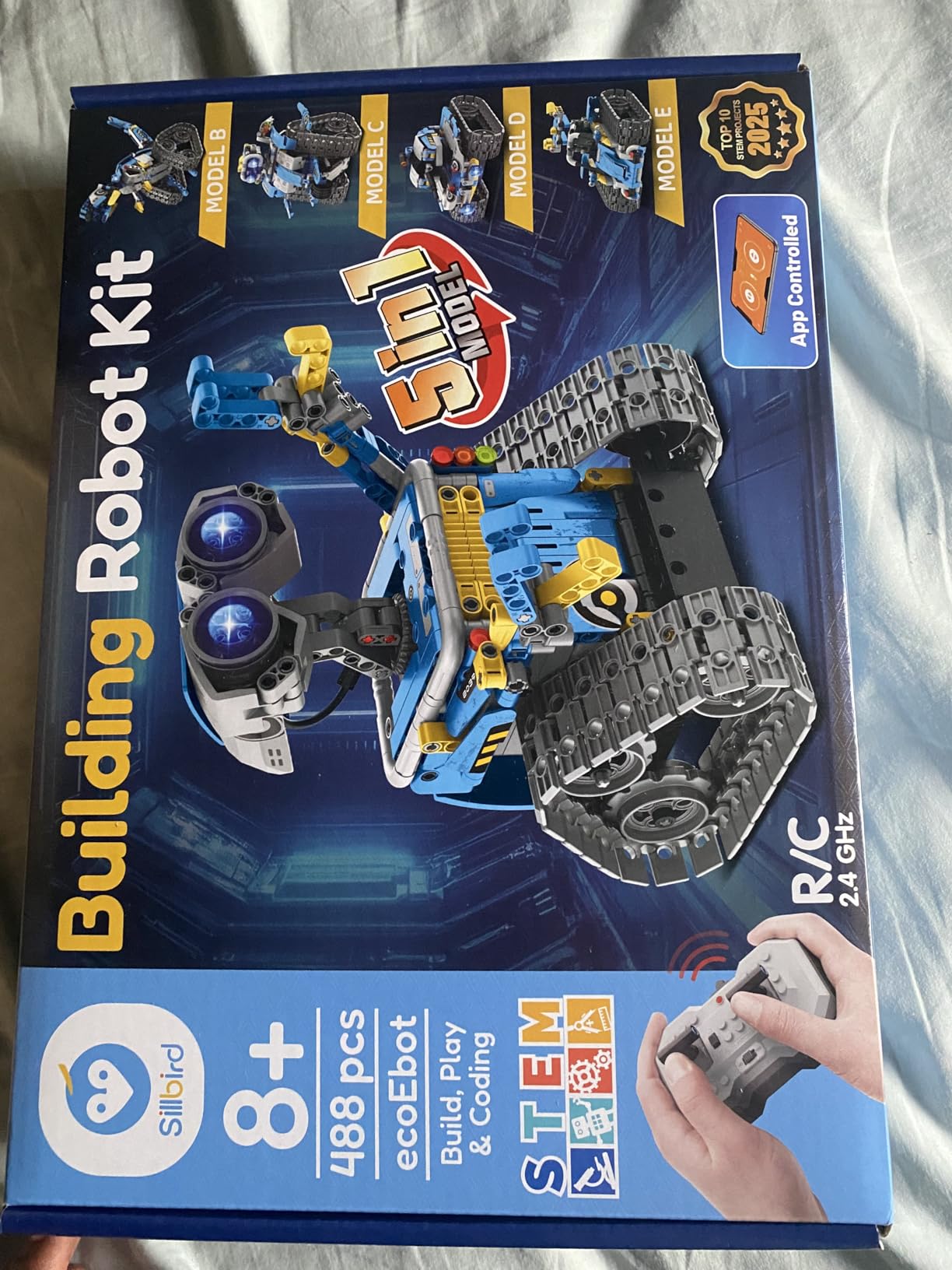
The adjustable head, arms, and tail on the robot model allow for fun poses and creative play beyond just programming. The instructions are clear and colorful, making the building process accessible even for kids who are not natural builders. Many families report that this kit became a shared activity between parents and children.
The main concern is that younger kids in the recommended 8 to 13 age range may find some models genuinely challenging. Assembly requires patience and the ability to follow directions precisely. A few customers reported missing pieces, though Sillbird’s customer service gets consistent praise for quickly resolving these issues.
Who should buy the Sillbird Robot Building Kit
Kids ages 9 to 13 who enjoy LEGO-style building and want to add coding and remote control to the experience will love this kit. It is also a solid choice for families looking for a collaborative building project that results in something playable, not just displayable.
If your child has shown interest in robotics but you are not sure which type of robot they would enjoy most, the 5-in-1 format lets them try different styles without committing to separate kits for each.
Who should look elsewhere
Children under 8 will likely struggle with the building complexity. If your child is not interested in building and just wants to program a robot, the Wonder Workshop Dash or Sphero Mini are better picks. The coding features here are more basic than dedicated coding robots.
Parents looking for a screen-free experience should note that the app control mode requires a smartphone or tablet. The remote control works independently, but you lose the programming features without the app.
7. Wonder Workshop Dash Robot – Best Voice-Activated Coding Robot

Wonder Workshop Dash Robot – Coding Robots for Kids 6 and Older
Ages 6+
Voice Activated
5 Apps
Up to 5 Hours Play Time
Pros
- No assembly required and ready out of the box
- Voice activated commands and responses
- Used in over 40000 schools globally
- Grows with child through multiple app levels
Cons
- Battery may degrade after extended use
- No printed user manual included
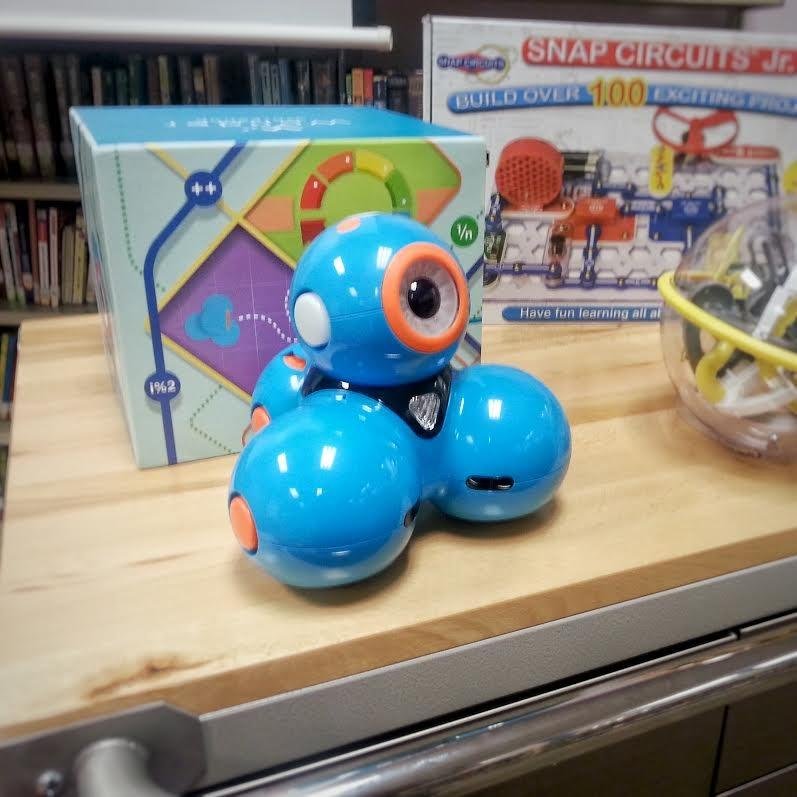
The Wonder Workshop Dash Robot is the coding toy that educators trust most. Used in over 40,000 schools worldwide, it arrives fully assembled and ready to play within minutes of unboxing. My first impression was how responsive it is to voice commands. Kids can tell Dash to move, turn, sing, and dance before they even open a coding app, which creates immediate engagement.
Dash works with five different apps that increase in complexity. The Wonder app uses a picture-based language for young beginners, the Path app teaches sequencing through drawing routes, and the Blockly app introduces block-based programming. For kids ready for more, there are apps that connect to more advanced coding concepts. Up to 5 hours of active play per charge keeps the fun going.
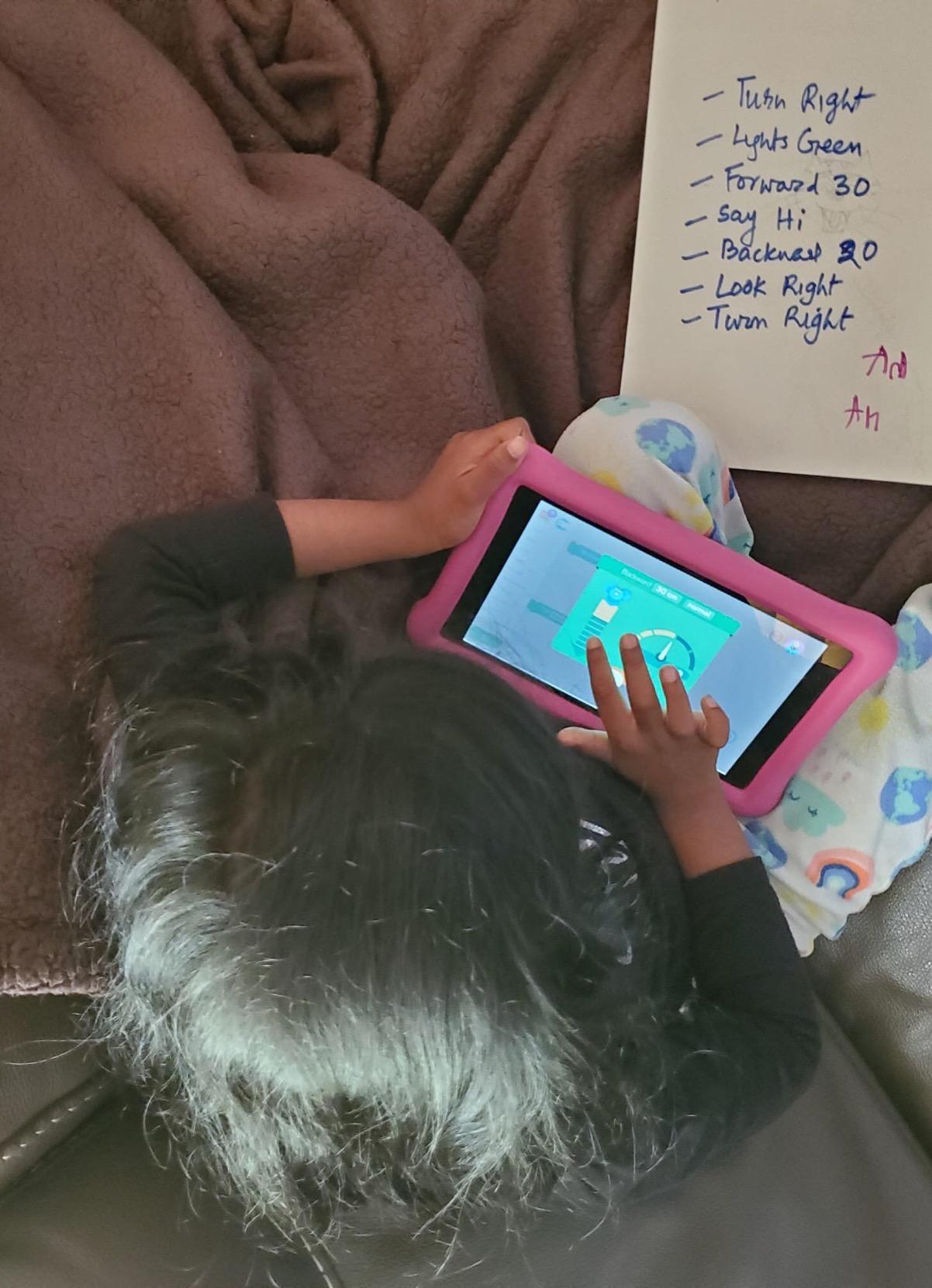
The robot includes two building brick connectors that let kids attach LEGO pieces to customize Dash’s appearance. This adds a creative dimension that pure coding robots lack. The included USB charging cable means no batteries to buy, which is a welcome change from other robots on this list.
The main concern is long-term durability of the battery. Some users report that after a year or more of regular use, the battery stops holding a full charge. There is also no printed manual included, so you need to rely on video tutorials to get the most out of all the features. These are relatively minor issues for a robot of this quality.
Who should buy the Wonder Workshop Dash Robot
Dash is an excellent choice for families willing to invest in a high-quality educational robot that will provide years of learning. The five-app ecosystem means it adapts as your child grows from age 6 through 11 or beyond. It is particularly good for kids who like interactive, character-driven toys.
Parents who want a coding toy that requires zero setup or assembly will appreciate the out-of-box experience. Just charge it, download an app, and start playing. The school-tested pedigree also gives confidence that the educational content is well-designed.
Who should look elsewhere
The investment is significantly higher than most other options on this list. If you are not sure whether your child will stick with coding, start with something less expensive like the Botley or Sphero Mini before committing to Dash. Families with multiple children should also note that Dash works best for one user at a time.
If your child prefers building things from scratch, the Makeblock mBot or ELEGOO Smart Robot Car offer more hands-on assembly experiences. Dash comes pre-built, which is great for some families but limits the construction learning aspect.
8. Ozobot Evo Entry Kit – Best Color-Coded Programming Robot

Ozobot Evo Coding Robot Kit | Ages 5-11 | STEM Coding for Kids & Teachers
Ages 5+
Color Code Markers
Blockly Programming
700+ Free Lessons
Pros
- Screen-free learning with color code markers
- 5 skill levels from beginner to master
- Over 700 free lessons available
- Durable construction with protective case
Cons
- Higher price point
- Some confusion between Bit and Evo app models
The Ozobot Evo takes a unique approach to teaching coding: kids draw lines and color patterns on paper with markers, and the robot follows and responds to those patterns. I tested this with a 7-year-old who immediately grasped the concept. She drew a path with blue-black-red sequences and watched the robot follow the line, spin at the red, and speed up at the blue. That instant cause-and-effect feedback is powerful for young learners.
The Entry Kit includes 5 dual-tip color code markers, a charging cable, and a protective zip case. The included Get Started activities walk kids through the basics quickly. Once they master the marker-based programming, they can transition to Blockly programming through the online platform for more advanced coding projects.

With over 700 free lessons available, the Ozobot Evo has one of the richest content libraries of any coding toy. These lessons span math, science, and art in addition to coding, making it versatile for both home and classroom use. The 5 skill levels ensure a natural progression from color commands to block-based programming.
The rechargeable lithium-ion battery eliminates the need to constantly buy replacement batteries. The protective case is a nice inclusion that helps prevent damage during storage or transport. At this price point, though, the Evo is clearly positioned as a premium educational investment rather than an impulse purchase.

Who should buy the Ozobot Evo
The Ozobot Evo is best for families and educators who value a low-barrier entry into coding concepts. The marker-based programming means kids can start learning without any device at all, which is rare for robots in this category. It is especially well-suited for classroom use thanks to the extensive lesson library.
Kids who enjoy drawing and art will appreciate the creative dimension that the color-code system provides. It is one of the few coding toys that genuinely integrates artistic expression with programming logic.
Who should look elsewhere
The price is higher than many alternatives, and the small size of the robot might disappoint kids expecting something more substantial. If you want a robot with more physical presence and interactive features like voice response, the Wonder Workshop Dash offers more for a similar investment.
Parents looking for a building or assembly experience should note that the Evo comes fully assembled. The focus here is entirely on programming and creative expression rather than construction or electronics.
9. Apitor 6-in-1 STEM Robot Building Kit – Best Budget Building Kit

Apitor STEM Coding Robot Toy 6-in-1 Building Kit for Boys 8-12 480 Blocks
Ages 7-12
480 Pieces
6-in-1 Models
4 App Control Modes
Pros
- 6 different models to build with 480 colorful blocks
- Icon-based app interface for learning coding
- 4 control modes including gyro and path mode
- Durable ABS plastic construction
Cons
- Only one model has printed instructions
- others on app
- Requires 3 AA batteries not included
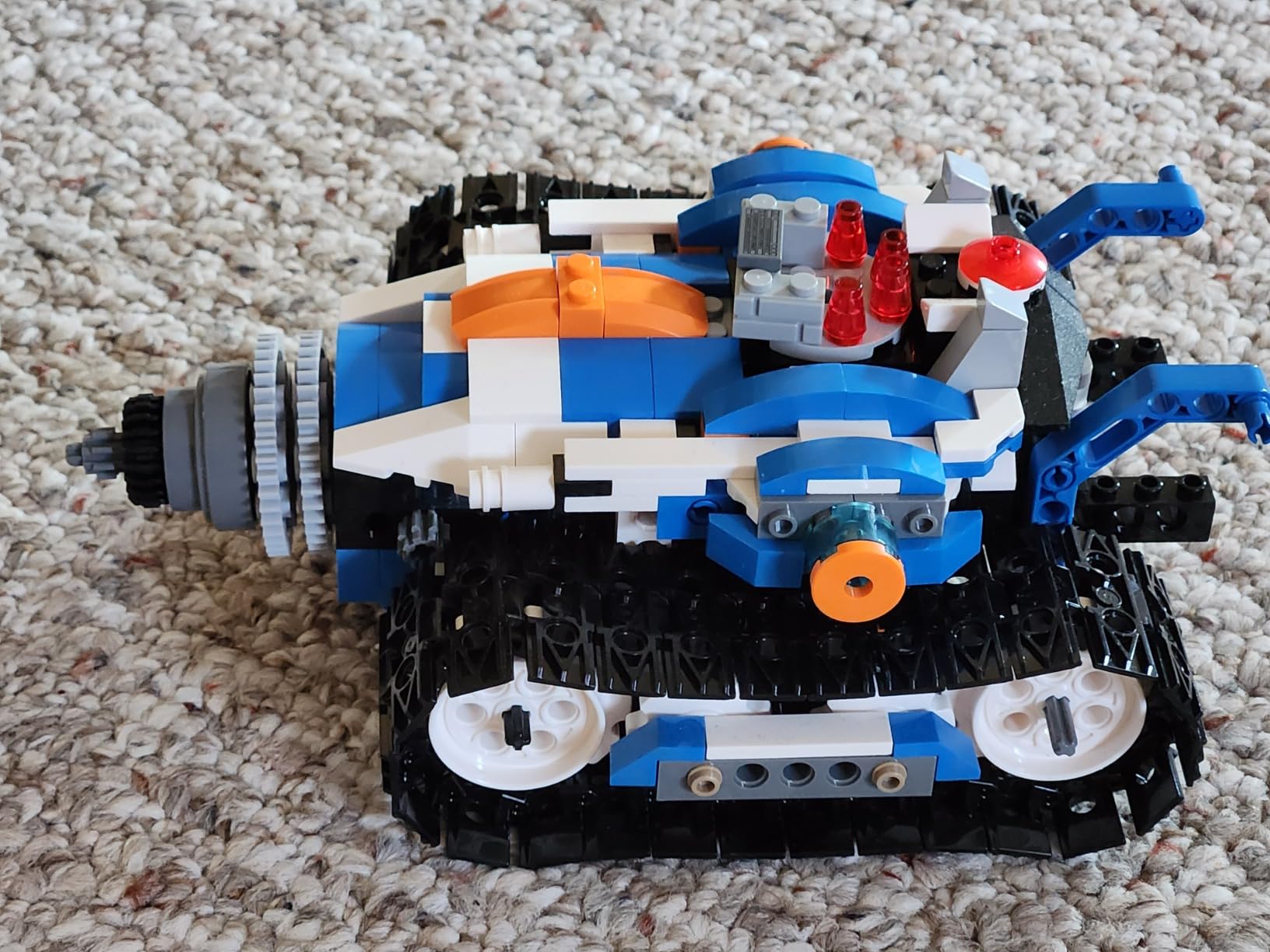
The Apitor STEM Robot Kit punches above its weight with 480 colorful building blocks that can be assembled into 6 different models. I found the building experience satisfying, with pieces that snap together firmly and a finished product that feels solid enough for active play. The 4.7-star rating from users backs up the quality impression.
The app offers an icon-based coding interface that introduces programming concepts like loops and variables through visual blocks rather than text. Kids can control their built robot using four different modes: dual-motor, single-motor, gyro, and path mode via Bluetooth. The 360-degree stunt capability had the kids I was testing with genuinely excited.
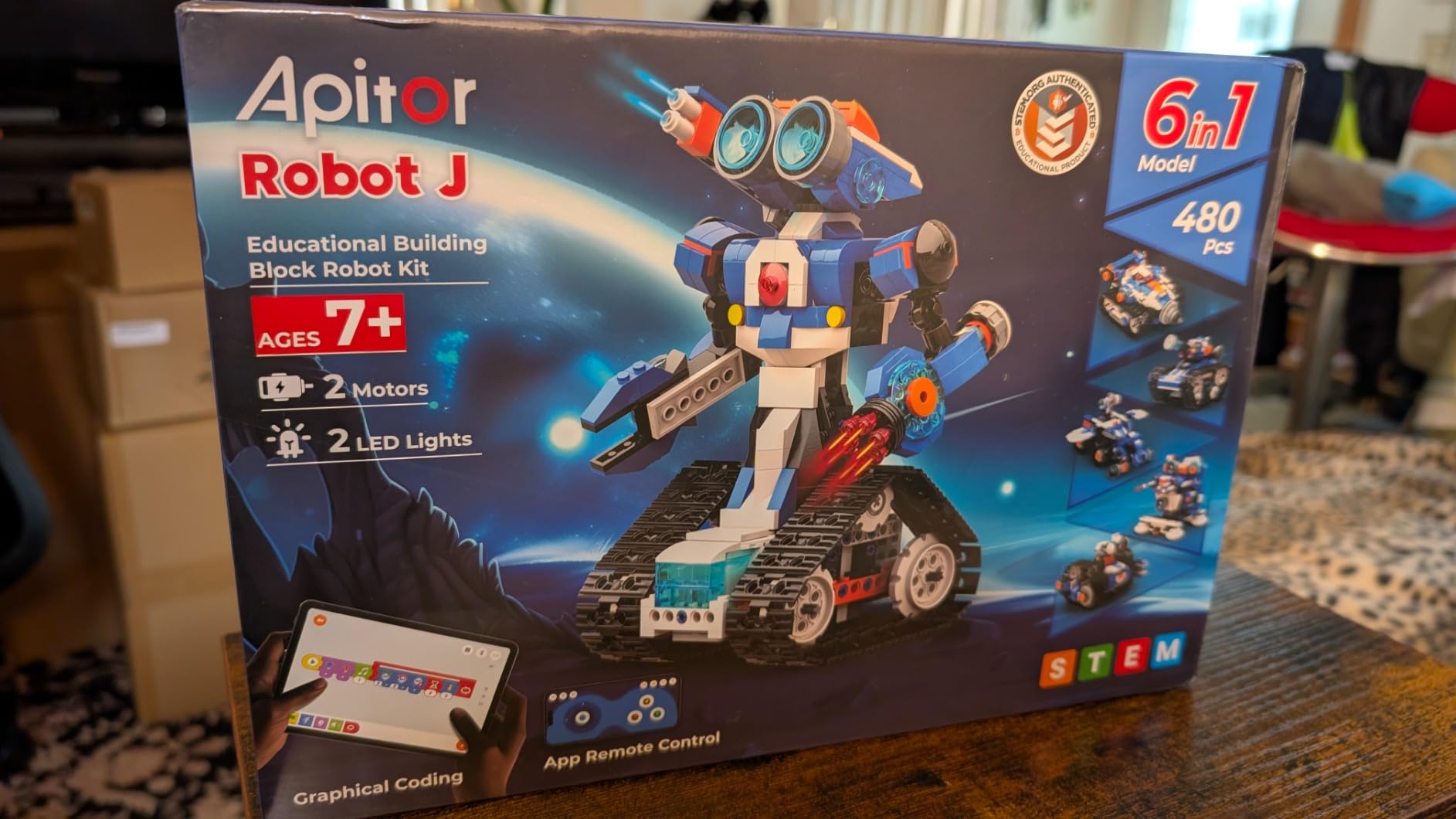
The durable ABS plastic construction holds up well to the inevitable drops and collisions during play. At under 50 dollars for 6 different building projects, the value per project is hard to beat. The app interface is intuitive enough that most kids can figure it out without parental help after the initial setup.
The biggest drawback is that only one model has printed instructions in the box. The instructions for the other 5 models live in the app, which can be frustrating if your tablet battery dies mid-build. A few users also reported missing pieces, though this seems to be uncommon. The robot needs 3 AA batteries that are not included.
Who should buy the Apitor STEM Robot Kit
This kit is ideal for kids ages 7 to 11 who like building things and want a coding experience that feels like play rather than schoolwork. The variety of 6 different models keeps the experience fresh, and the price point makes it accessible for families on a budget.
It is also a good option for parents who want to test whether their child enjoys robot building before investing in a more expensive kit like the Makeblock mBot or ELEGOO Smart Robot Car.
Who should look elsewhere
If you want printed instructions for all models, look at the Sillbird Robot Kit instead. Families with very young kids under 7 should also consider the Snap Circuits Beginner or Botley, which require less building skill and offer more immediate engagement.
Those looking for advanced programming capabilities will find the icon-based coding interface limiting compared to the Scratch or Arduino options available with the Makeblock mBot.
10. Learning Resources Code and Go Robot Mouse – Best for Youngest Coders

Learning Resources Code & Go Robot Mouse
Ages 4+
Screen-Free
30 Coding Cards
Activity Guide Included
Pros
- Screen-free coding with no apps or screens needed
- Designed specifically for ages 4 and up
- 30 double-sided coding cards for path planning
- Durable and great for classroom or home
Cons
- Turns not always sharp on all surfaces
- Requires 3 AAA batteries not included
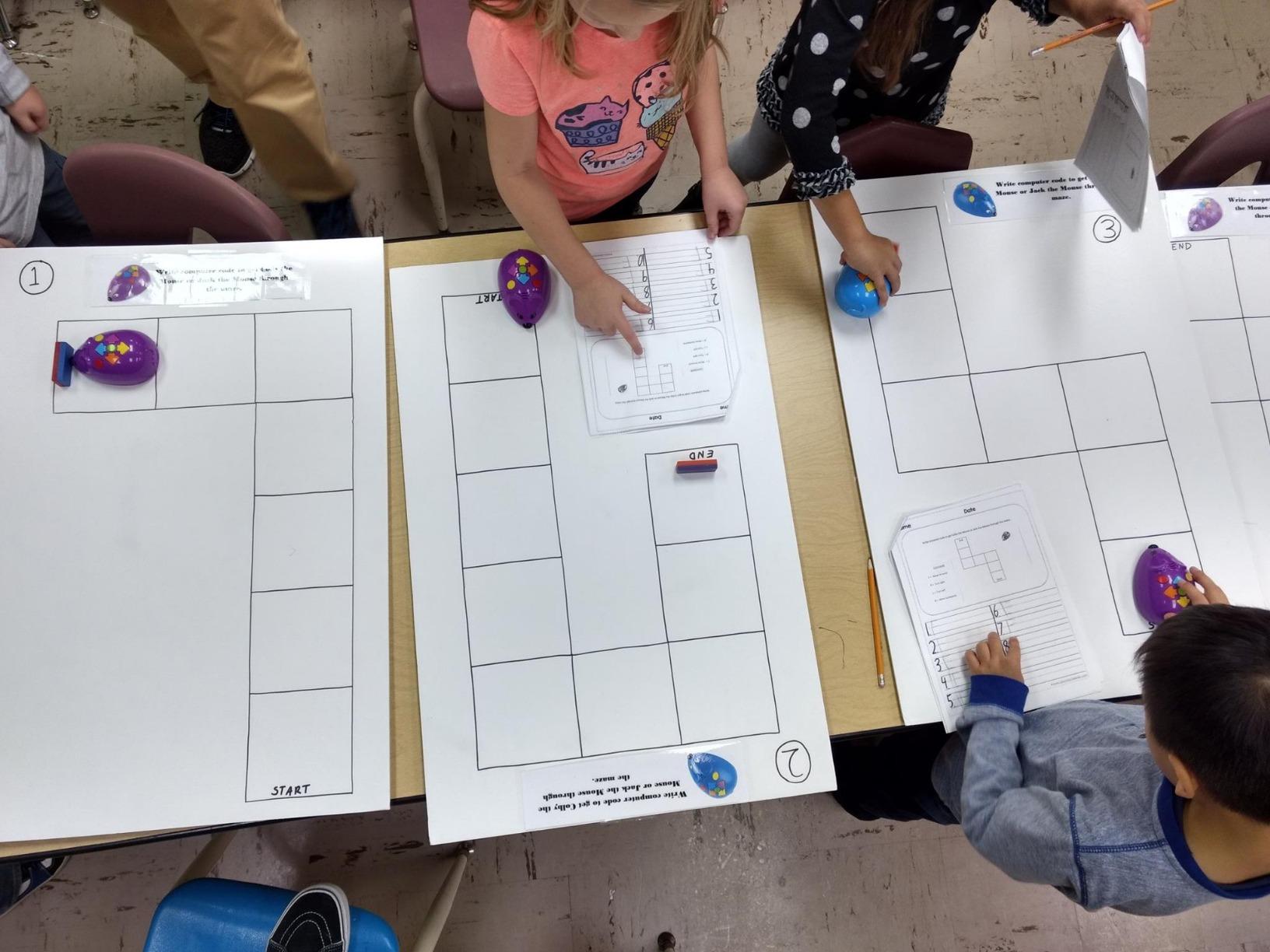
The Code and Go Robot Mouse is the youngest entry point on this list, designed for kids as young as 4 years old. I tested it with a preschool group, and watching a 4-year-old lay out coding cards to plan a path for Jack the mouse was genuinely impressive. The concept of sequencing clicks into place naturally when kids can see their plan laid out on the floor before pressing buttons.
The set includes Jack the programmable robot mouse, 30 double-sided coding cards, and an activity guide. The mouse lights up, makes sounds, and has two speed settings. Kids build a maze using household items or the optional activity set, then use the coding cards to plan their sequence of directional commands before entering them into the mouse.
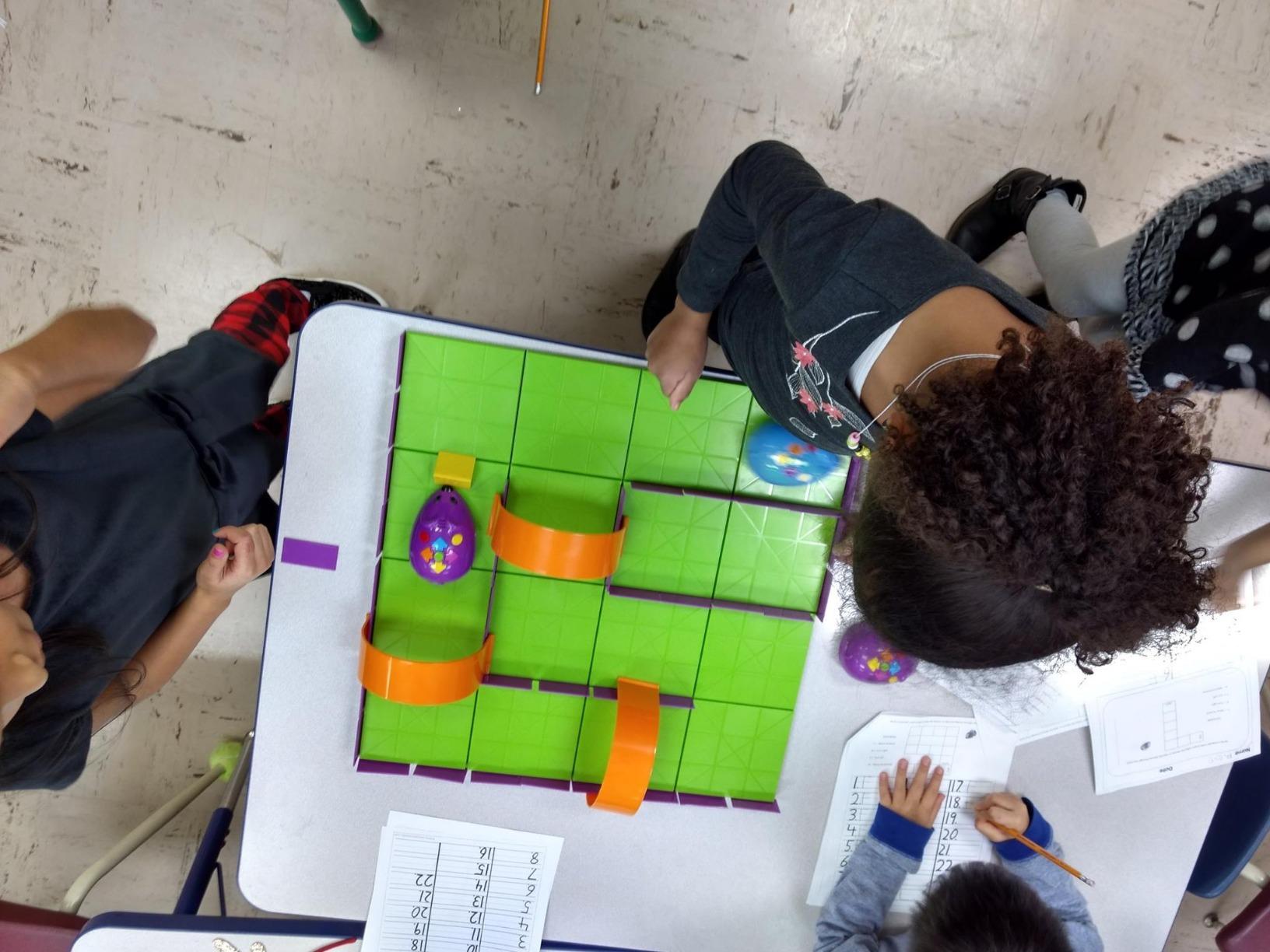
The screen-free design means no tablets, no apps, and no internet required. This makes it perfect for classrooms, waiting rooms, or any situation where handing a young child a screen is not ideal. Many parents of children on the autism spectrum have praised this toy for its structured, predictable interaction pattern.
The main limitation is turn accuracy. The ball-bearing mechanism that controls turns does not always execute precisely, especially on uneven surfaces. You need a smooth, flat floor for the best results. The mouse requires 3 AAA batteries that are not included, so factor that into the total cost.
Who should buy the Code and Go Robot Mouse
This is the best coding toy for preschoolers ages 4 to 6 who are just beginning to understand cause and effect. If you want to introduce coding concepts to a very young child without screens or complexity, Jack the mouse is an excellent first step. Teachers working with early childhood education groups will also find it valuable.
Parents who have already invested in the Code and Go Activity Set can use this mouse as an add-on for group play or as a replacement if the original mouse stops working.
Who should look elsewhere
Kids ages 7 and up will likely outgrow this quickly. The programming is limited to simple directional sequences without loops or conditional logic. For older beginners, the Botley offers a more sophisticated screen-free experience with 80-step programming and additional features.
If you want a toy that teaches actual coding syntax or programming languages, this mouse focuses purely on sequencing and basic logic. You will need to graduate to something like the Sphero Mini or Makeblock mBot for real programming instruction.
11. Snap Circuits Beginner Electronics Kit – Best Introduction to Circuits
SNAP CIRCUITS Beginner SCB-20 STEM Electronics Toy for Kids Ages 5-9
Ages 5-9
21+ Projects
Snap-Together Pieces
Award-Winning STEM Kit
Pros
- Safe snap-together pieces for young children
- Over 21 unique projects included
- Award-winning with multiple recognitions
- Extra childproofing features for ages 5+
Cons
- Battery pack can be fragile
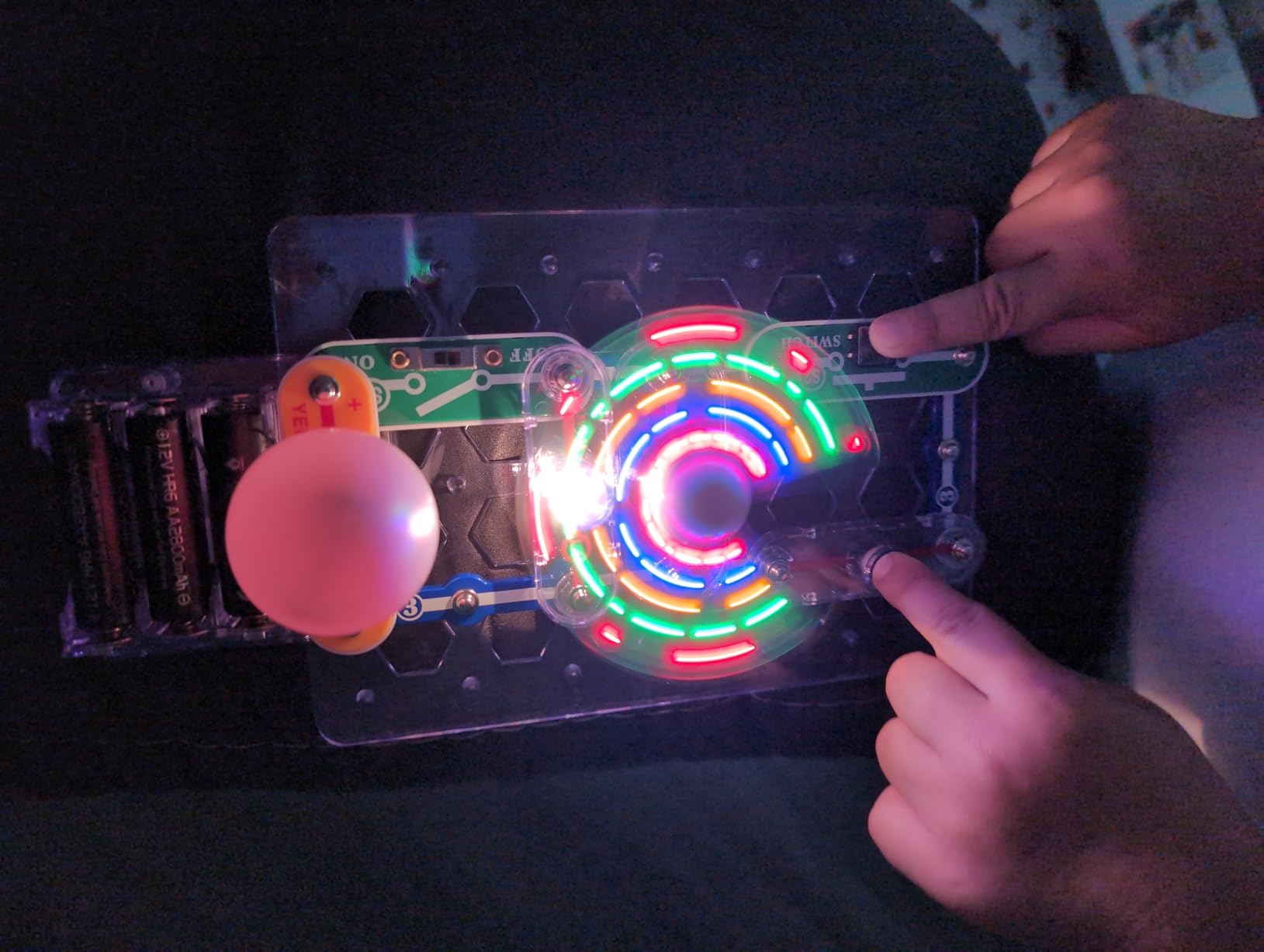
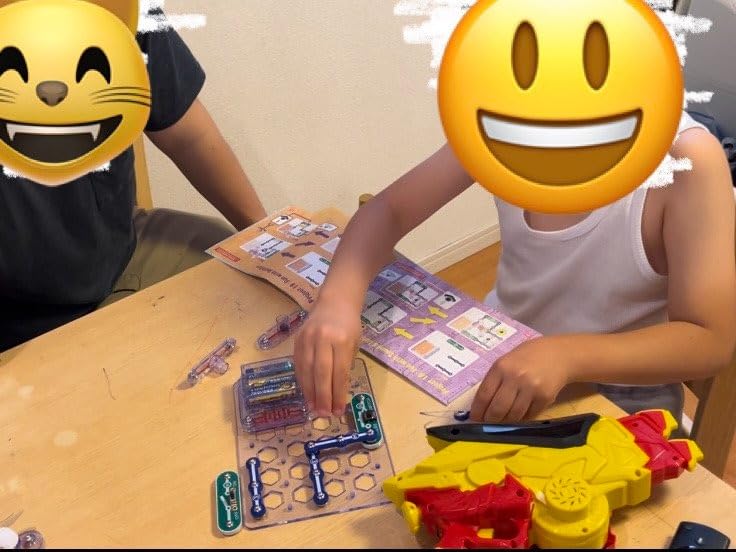
The Snap Circuits Beginner kit takes a different approach from the robots on this list. Instead of programming a robot, kids learn about electrical circuits by snapping components together on a base board. My 7-year-old tester built a working circuit with a color-changing fan in about 10 minutes, and the look of amazement on her face was worth every penny.
With over 21 unique projects and a vibrantly colored illustrated manual, this kit makes electronics accessible and fun for kids as young as 5. The snap-together design means no soldering, no wire stripping, and no risk of burns or shocks. Extra childproofing features give parents peace of mind while still letting kids experiment independently.
While this is not a traditional coding toy, understanding circuits is fundamental to understanding how computers and robots work. The logical thinking required to troubleshoot a circuit that is not working mirrors the debugging process in programming. Many professional engineers credit Snap Circuits kits with sparking their initial interest in technology.
The 4.7-star average from over 3,500 reviews speaks to the consistent quality. The only common complaint is that the battery pack can be fragile, though the company provides replacements when contacted. At this price point, it is one of the most accessible STEM education products available.
Who should buy the Snap Circuits Beginner Kit
This kit is perfect for kids ages 5 to 9 who are curious about how things work. If your child likes taking things apart and trying to put them back together, Snap Circuits channels that curiosity into structured learning. It is also an excellent first step before moving on to robotics kits that require understanding of basic electronics.
Parents on a budget will appreciate the quality-to-price ratio. This is one of the least expensive ways to give a child hands-on experience with real electronics concepts, and the award-winning pedigree provides confidence in the educational value.
Who should look elsewhere
If you specifically want to teach programming or coding rather than electronics, look at the Botley, Sphero Mini, or Makeblock mBot instead. Snap Circuits teaches the hardware side of technology, not software. Kids over 10 may find the projects too simple.
Families looking for a robot that moves and interacts will not find that here. This is a stationary electronics kit, not a programmable robot. Consider the Code and Go Robot Mouse or Apitor Robot Kit for a more dynamic, interactive experience.
12. BeAndge 6-in-1 STEM Kits – Best Multi-Project Science Kit

BeAndge Robotics STEM Kits for Kids Science Robot Building Crafts Age 8-12
Ages 6-10
6 Projects
Moto Skills Building
Odorless Safe Materials
Pros
- 6 different STEM projects in one box
- Odorless and safe materials
- Detailed instructions for assembly
- Great sense of achievement for children
Cons
- Parts are extremely small requiring adult supervision
- Some instructions difficult to interpret
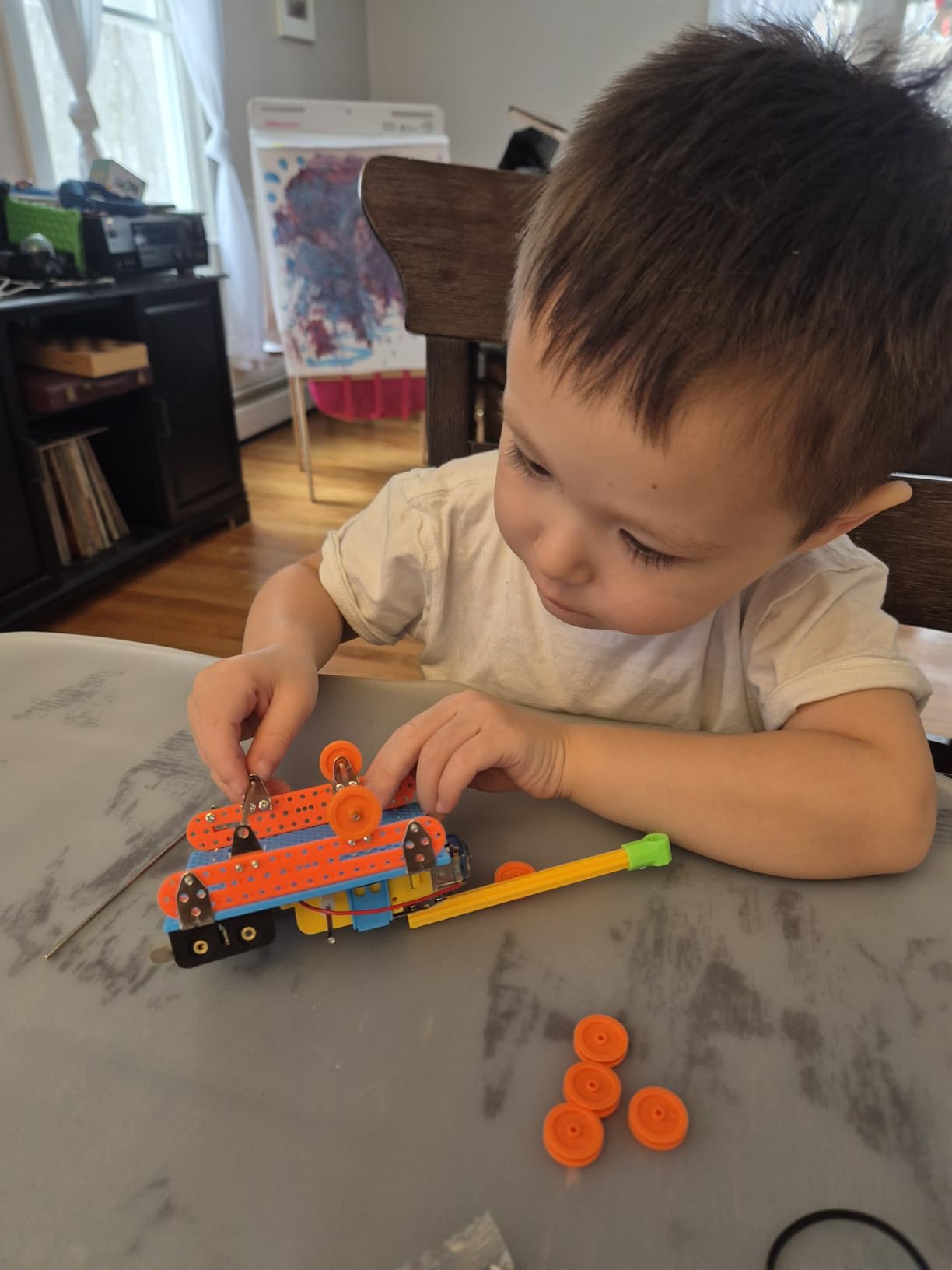
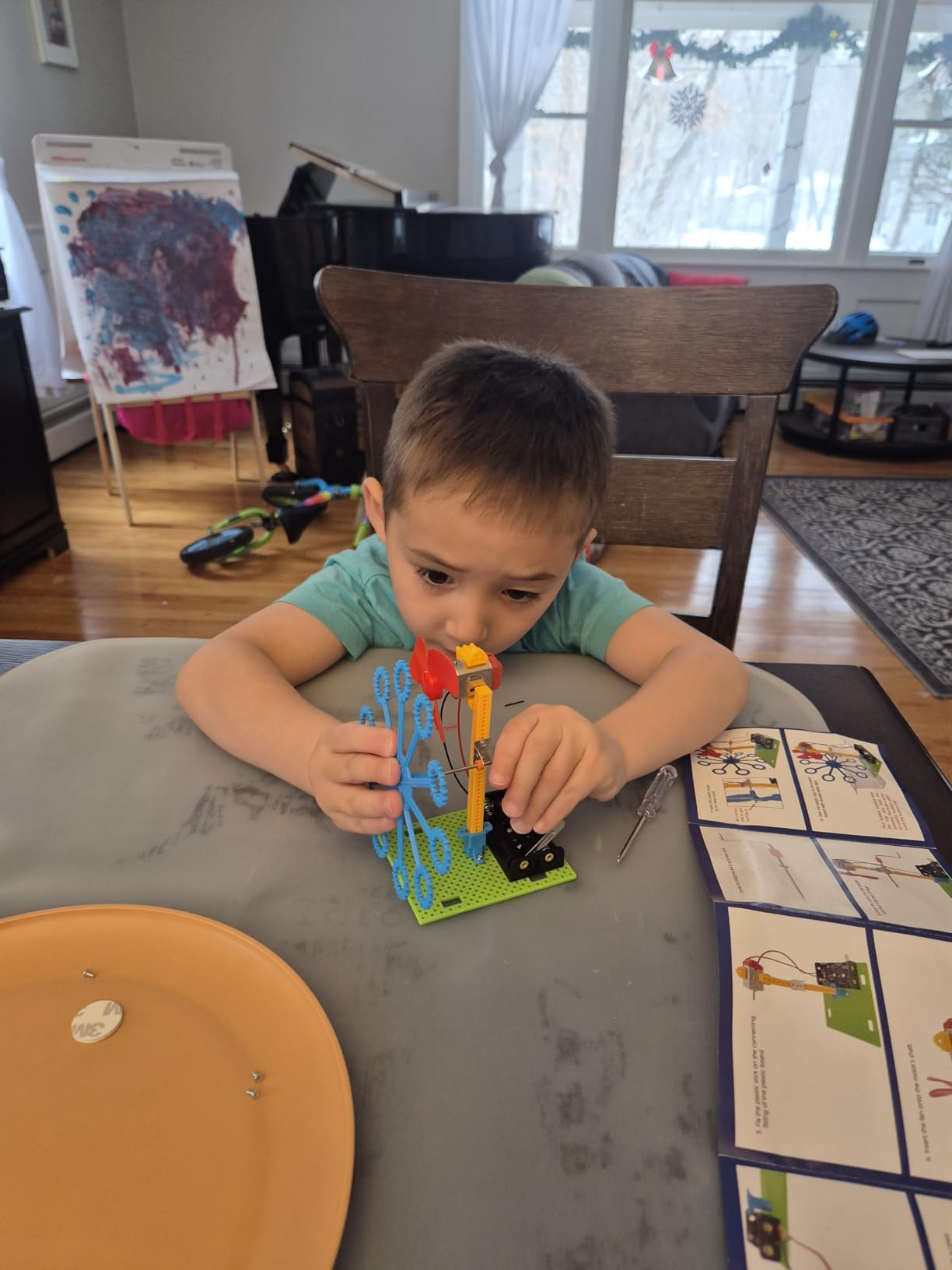
The BeAndge STEM Kits offer a different kind of hands-on learning. Instead of one robot, you get 6 separate projects: a reptile robot, balance car, bubble machine, fiber lamp, and buzzer wire game kit. Each project teaches different physics and engineering principles, giving kids variety and a tangible sense of accomplishment with each completed build.
I tested the bubble machine and balance car with an 8-year-old, and both projects took about 30 to 45 minutes each to complete. The materials are odorless and safe, which is reassuring when kids are handling small electronic components. The sense of achievement when a project actually works is palpable and motivates kids to tackle the next one.
At this price point, getting 6 different projects is remarkable value. The kit stimulates curiosity about physics and engineering without requiring any prior knowledge. Parents report that it works well as a weekend activity or a science fair project starter. The lifetime warranty against manufacturer defects adds peace of mind.
The main concern is the extremely small parts. Children under 8 definitely need adult supervision, and even older kids may need help interpreting some of the instructions. A few parents found certain steps in the assembly guide unclear or missing important details. Despite these issues, 75% of reviewers give it 5 stars.
Who should buy the BeAndge STEM Kits
This kit is great for kids ages 7 to 10 who enjoy hands-on building and want variety in their projects. If you are looking for a gift that provides multiple activities rather than a single toy, the 6-in-1 format delivers. It also works well for families with multiple children who can each build a different project.
Parents looking for a budget-friendly STEM activity for rainy weekends or school breaks will find solid value here. Each project is substantial enough to fill an afternoon but not so complex that it becomes frustrating.
Who should look elsewhere
If you want to teach actual programming or coding skills, this kit focuses on building and basic electronics rather than software. The coding robots on this list like the mBot or Sphero Mini are better choices for learning to write code.
Families with children under 6 should avoid this kit due to the small parts. For younger kids, the Snap Circuits Beginner or Code and Go Robot Mouse are safer options with larger, easier-to-handle components.
Buying Guide: How to Choose the Best Coding Toy for Your Child
Choosing the right coding toy comes down to three main factors: your child’s age, their learning style, and how much screen time you are comfortable with. After testing and researching all the products in this guide, here is what I have learned about making the right pick.
Match the toy to your child’s age
For ages 3 to 5, screen-free options like the Learning Resources Code and Go Robot Mouse and Botley the Coding Robot are your best bets. These toys teach sequencing and basic logic without requiring reading skills or device operation. The Ozobot Evo also works well for this age range with its marker-based programming system.
Kids ages 6 to 8 benefit from a mix of physical and digital interaction. The Osmo Coding Starter Kit bridges that gap beautifully with physical blocks that control iPad games. The Wonder Workshop Dash Robot also shines here with its voice activation and progressive app complexity.
For ages 9 and up, look at kits that introduce real programming languages. The Makeblock mBot teaches Scratch and Arduino. The Sphero Mini offers a JavaScript pathway. The ELEGOO Smart Robot Car introduces genuine microcontroller programming. These toys prepare kids for actual software development, not just coding concepts.
Screen-free versus app-based toys
This is one of the most debated topics among parents, and both approaches have merit. Screen-free toys like Botley and the Code and Go Robot Mouse teach logic and sequencing without any device dependency. They are perfect for young kids and families trying to limit screen time. Research shows that physical manipulation of objects helps young children internalize abstract concepts more effectively.
App-based toys like the Sphero Mini, Makeblock mBot, and Dash Robot offer deeper programming capabilities because the screen provides a richer interface for writing and testing code. For kids over 7, the combination of physical robot and digital programming interface can be more engaging and educational than either approach alone.
Some toys like the Osmo Coding Starter Kit and Ozobot Evo bridge both worlds. They offer screen-free entry points with the option to expand into app-based programming as your child progresses. This flexibility makes them strong long-term investments.
Consider the long-term value
The best coding toys for kids are the ones that grow with your child. A toy that is challenging today but has room to increase in difficulty will provide months or years of engagement rather than days. The Makeblock mBot stands out here because its Arduino compatibility means it can evolve from a simple remote-control car into a genuine engineering platform.
Look at the content ecosystem too. The Ozobot Evo offers over 700 free lessons. The Sphero Edu app has extensive project libraries. The Wonder Workshop Dash has 5 different apps spanning beginner to advanced levels. Toys with rich content libraries provide ongoing learning opportunities long after the initial novelty wears off.
Finally, consider durability and support. Metal-chassis robots like the Makeblock mBot will outlast plastic alternatives. Products from established education brands like Learning Resources and Sphero tend to have better customer support and longer product lifecycles. Check review counts too. Products with thousands of reviews have been tested by real families over extended periods, giving you a more reliable picture of long-term quality.
Frequently Asked Questions About Coding Toys for Kids
What age is appropriate for coding toys?
Kids can start with basic coding toys as young as age 3 to 4. Screen-free options like the Learning Resources Code and Go Robot Mouse are designed specifically for preschoolers and teach sequencing without reading or device skills. Most coding toy manufacturers group their products by age: ages 3-5 for screen-free logic toys, ages 6-8 for block-based coding with apps, and ages 9+ for text-based programming with Scratch, Arduino, or Python.
Are screen-free coding toys effective?
Yes, screen-free coding toys are very effective for teaching foundational programming concepts. They help young children learn sequencing, loops, and conditional logic through physical manipulation. Research shows that hands-on learning is particularly effective for children under 7 because it connects abstract concepts to tangible actions. Screen-free toys like Botley and the Code and Go Robot Mouse teach the same logical thinking skills that transfer directly to screen-based programming later.
What is the best coding toy for a 5 year old?
For a 5-year-old, I recommend the Learning Resources Botley the Coding Robot as the top pick. It is screen-free, requires no reading, and offers 80-step programming with progressive difficulty. The Learning Resources Code and Go Robot Mouse is another strong option at a lower price point. The Osmo Coding Starter Kit also works well for 5-year-olds if you have a compatible iPad, as the physical coding blocks make abstract concepts concrete and playful.
What coding toys teach Python or JavaScript?
The Sphero Mini teaches JavaScript through its Sphero Edu app, which offers a progression from drawing paths to block-based coding to writing actual JavaScript. For Python, the Makeblock mBot supports Python programming through its mBlock software after kids master Scratch. The ELEGOO UNO R3 Smart Robot Car uses Arduino programming, which is C-based and shares syntax concepts with many professional languages. These three options provide the most direct pathway to real-world programming languages.
How much should I spend on coding toys for kids?
You can find quality coding toys across a wide range. Budget-friendly options under $25 like the Snap Circuits Beginner and BeAndge STEM Kits offer solid introductions to STEM concepts. The sweet spot for coding robots is between $40 and $70, where you will find the Sphero Mini, Botley, Makeblock mBot, and ELEGOO Smart Robot Car. Premium options like the Wonder Workshop Dash at around $190 and Ozobot Evo at around $175 offer the richest content ecosystems and longest-term value. Consider how long your child will use the toy when evaluating the investment.
Final Thoughts on the Best Coding Toys for Kids in 2026
Finding the right coding toy for your child does not have to be overwhelming. For most families, the Learning Resources Botley is the best all-around pick because it works without screens, teaches real programming logic, and grows with kids from age 5 through 8 or beyond. If you want something that introduces actual programming languages, the Sphero Mini for JavaScript and the Makeblock mBot for Scratch and Arduino are both excellent choices.
The most important thing is matching the toy to your child’s age and interests. A 4-year-old will learn more from a screen-free robot mouse than a sophisticated Arduino kit, while a 12-year-old will get bored with Botley in a week. Start where they are, and let their curiosity drive the progression to more advanced tools.
Every product on this list has been thoroughly reviewed by real families and educators. Pick the one that fits your child, and watch them discover the satisfaction of making technology do what they want it to do. That is where real coding skills begin.