
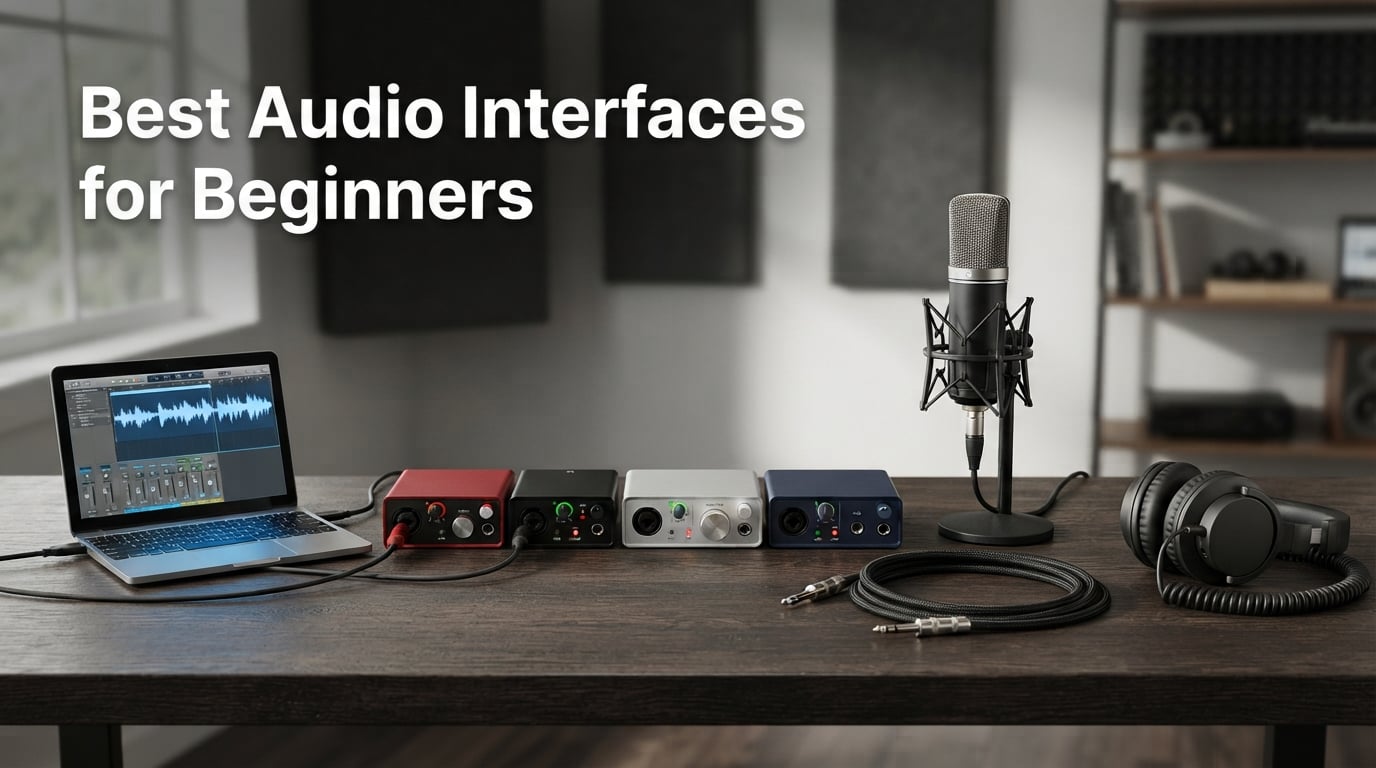
The best audio interfaces for beginners make the first recording session simple: connect a microphone or guitar, set gain, hear yourself without a distracting delay, and record. A good starter unit also supplies the right kind of input, a headphone output, and 48V phantom power when a condenser microphone needs it.
An audio interface converts a microphone or instrument’s analog signal into digital audio for your computer, then sends the computer’s audio back to headphones or speakers. Compared with a computer’s built-in audio, it adds proper mic preamps, physical gain control, lower-latency monitoring, and connections made for recording.
I would start by matching the interface to the session you will actually make, not to a long feature list. One person recording voice, guitar, or a podcast alone can work well with one input; two people, or a singer playing guitar at the same time, need two independent inputs.
For most new home-studio users, the Arturia MiniFuse 1 is the clearest all-around first choice here because it combines USB-C, 24-bit/192 kHz recording, 48V phantom power, loopback, MIDI, balanced outputs, and a five-year warranty in a compact unit. The PreSonus AudioBox 96 is the sensible choice when two simultaneous sources and MIDI matter more, while the MAONO PS22 Lite suits a basic vocal, guitar, podcast, or streaming desk.
These recommendations are based only on the published product specifications, product-page review summaries, ratings, and documented customer feedback supplied for this guide. I have not represented manufacturer specifications as a personal bench test, and I would check current operating-system requirements before connecting any interface to a new computer.
Table of Contents
The top 3 picks answer most beginner recording needs
Pick the MiniFuse 1 for a compact single-source setup with broad creative connections, the AudioBox 96 for two microphones or instruments, and the PS22 Lite when direct monitoring and loopback are central to a simple desk workflow. The cards below give the short version before the full five-product comparison.
These five beginner audio interfaces cover solo recording through two-input sessions in 2026
Every model below records at 24-bit resolution. Four list a maximum 192 kHz sample rate, while the AudioBox 96 lists 96 kHz; for a first vocal, guitar, podcast, or voice-over session, input count, gain control, headphone monitoring, and a trouble-free connection generally matter more than chasing the largest number on the box.
The quick overview is meant to prevent a common purchase mistake: buying a one-input device when you need to capture two sources at once. It also shows where MIDI, loopback, Auto Gain, a vintage-flavored preamp mode, and a longer warranty change the day-to-day experience.
| Product | Specifications | Action |
|---|---|---|
 Arturia MiniFuse 1 Arturia MiniFuse 1 |
|
Check Latest Price |
 Universal Audio Volt 2 Universal Audio Volt 2 |
|
Check Latest Price |
 PreSonus AudioBox 96 PreSonus AudioBox 96 |
|
Check Latest Price |
 MAONO PS22 Lite MAONO PS22 Lite |
|
Check Latest Price |
 PreSonus Quantum ES 2 PreSonus Quantum ES 2 |
|
Check Latest Price |
1. Arturia MiniFuse 1 is the best compact all-rounder for one-person recording
Arturia MiniFuse USB Audio & MIDI Interface, MiniFuse 1
USB-C
24-bit/192 kHz
48V
MIDI
110 dB
Pros
- 110 dB dynamic range
- Five-year warranty
- USB-C and MIDI
- Loopback included
- Large software bundle
Cons
- One input channel
- USB-A hub may need an adapter
The Arturia MiniFuse 1 is the model I would put in front of a beginner who records one source at a time but wants room to learn. Its single combo microphone/instrument/line input, 48V phantom power, headphone control, and balanced line outputs cover a vocal microphone, electric guitar, and small desktop-monitor setup without turning the front panel into a puzzle.
It is a USB-C audio interface with 24-bit/192 kHz capability and a stated 110 dB dynamic range. Those are useful foundations, but the practical appeal is that the interface also includes loopback for capturing app or game audio and five-pin MIDI input and output for a keyboard or controller.
Arturia lists Ableton Live Lite, Analog Lab Intro, Arturia effects, NI Guitar Rig 6 LE, Auto-Tune Unlimited, and a Splice Creator Plan among the supported bundled software. Software should not be the only reason to pick an interface, yet a beginner who has no DAW or instrument sounds can begin exploring rather than immediately searching for separate tools.
The published customer summary praises the build quality, audio quality, and plug-and-play workflow, and the product holds a 4.6 rating from more than 1,000 reviews. I would still treat a fresh computer setup as its own small task: connect directly to the computer first, update the DAW and system as needed, then add a hub only after the direct connection is stable.
The MiniFuse 1 is right when you record one source at a time
Choose it for a singer-songwriter tracking vocal and guitar in separate passes, a voice-over artist, a solo podcaster, or a producer working with one microphone. Its one input channel is not a defect in those situations; it keeps the signal path and gain-setting process simple.
The extra MIDI ports make this pick more flexible than a basic mic-only box. If you want to play a MIDI keyboard while recording one vocal or instrument track, the connections are already present rather than requiring a separate MIDI interface.
The MiniFuse 1 is limiting when simultaneous sources are non-negotiable
Do not select this model for two microphones at once, a stereo pair of microphones, or live vocal-and-guitar recording on separate channels. Those situations need two preamps and two independently controlled inputs, which is why the Volt 2, AudioBox 96, and Quantum ES 2 sit elsewhere on this list.
Its USB Type-A hub may also call for an adapter with newer computers. That is manageable, but I prefer treating the hub as a convenience after the core microphone-to-computer path is working.
2. Universal Audio Volt 2 is the best choice for two-source sessions with character
Universal Audio Volt 2 USB Audio Interface
2-in/2-out
24-bit/192 kHz
Vintage mode
LUNA DAW
Pros
- Two-input layout
- Vintage 610 mode
- Clear converters
- LUNA included
- Mac Windows and iPad support
Cons
- External power needed for iOS
- One-year warranty
The Universal Audio Volt 2 makes sense when your beginner setup needs two inputs from the beginning. A two-in/two-out configuration lets a vocalist and guitarist record together, lets two podcast guests have separate microphones, or lets you put two sources into a session without committing them to one shared track.
It records up to 24-bit/192 kHz and adds a Vintage mode described as providing a classic 610 preamp sound. That feature is an artistic option, not a requirement for a clean recording, but it gives a newcomer an accessible way to hear how a different front-end character can affect a voice or instrument.
The manufacturer lists Ableton, Melodyne, Virtual Drummer, Marshall, Ampeg, and the LUNA DAW among its supported software. LUNA can be a useful starting point for someone who wants a supplied recording environment, while the wider list means the interface can fit a workflow that changes later.
The available product feedback highlights build quality, the Vintage mode, and customer satisfaction; it has a 4.6 rating across more than 700 reviews. I like that it can serve a first setup without forcing an immediate change when a collaborator or second microphone enters the picture.
The Volt 2 is right when you record two people or two instruments together
Two inputs matter more than many beginner spec lists admit. Separate channels let you adjust a singer’s mic level independently from guitar, keep editing options open, and avoid a compromise where one source is too loud because both were recorded as one signal.
It is also a strong fit for a podcast with two XLR microphones, provided you have the right microphones and cables. Begin with conservative gain settings, listen through headphones, and make a short test recording before starting the full conversation.
The Volt 2 needs planning when iPhone or iPad recording is the goal
The supplied specifications say iOS recording requires an external power supply and adapter. That does not rule it out for mobile work, but it means the interface is less of a grab-and-go choice if your complete setup must run from an iPhone or iPad.
The listed manufacturer warranty is one year, shorter than the MiniFuse 1’s five-year coverage. For a stationary desktop setup, the two inputs and Vintage mode may carry more weight; for someone who values longer stated coverage, that difference deserves attention.
3. PreSonus AudioBox 96 is the practical two-input starter for musicians who need MIDI
PreSonus AudioBox 96 25th Anniversary USB Audio Interface
2 Class-A preamps
24-bit/96 kHz
48V
MIDI
bus-powered
Pros
- Two Class-A preamps
- USB bus power
- MIDI I/O
- Direct monitoring
- DAW and plug-in bundle
Cons
- 96 kHz maximum
- Global phantom power
The PreSonus AudioBox 96 is a straightforward answer for a beginner who needs two mic preamps, MIDI I/O, and USB bus power in one box. It has two Class-A mic preamps, two high-headroom instrument inputs, balanced quarter-inch TRS outputs, and a high-powered headphone output.
Its 24-bit/96 kHz maximum sample rate is lower than the 192 kHz listings elsewhere in this roundup. That difference should be put in context: 24-bit/96 kHz is still a serious recording format, and a well-placed microphone, sensible gain, and solid performance matter more to an early recording than an unused maximum sample rate.
PreSonus lists Studio One Artist, Ableton Live Lite, and the Studio Magic Plug-In Suite as supported included software. For a beginner who wants a path from plugging in to arranging and mixing, having both a DAW option and plug-ins can remove some early friction.
This model has a 4.4 rating from more than 3,000 reviews, the largest review count in this group. The product summary describes it as a best-selling value-oriented interface and calls out zero-latency monitoring through its mixer control, which is useful when a singer needs to hear their own performance without computer delay.
The AudioBox 96 is right when two preamps and MIDI are the checklist
Pick this interface when you want to track two microphones, two instruments, or a vocal plus an instrument while retaining independent channels. Its MIDI I/O also supports direct connection to compatible MIDI gear, which can tidy up a keyboard-based writing desk.
USB bus power means no separate power supply is needed for its normal computer connection. That can make a small home-studio desk less cluttered, but forums repeatedly flag USB power and hub behavior as real beginner pain points, so a direct computer port remains the best first connection.
The AudioBox 96 needs care when using condenser and dynamic mics together
The AudioBox 96 has global +48V phantom power, meaning the supplied specification says all channels receive it when it is engaged. Phantom power is normally used for condenser microphones; a dynamic microphone does not normally need it, so check the microphone maker’s instructions before enabling it in a mixed-mic session.
Balanced TRS outputs are useful for compatible monitor speakers and can help reject noise over a balanced connection. If your speakers accept only an unbalanced input, confirm the cable type before buying rather than assuming every quarter-inch connector performs the same job.
4. MAONO PS22 Lite is the entry-level choice for streaming, podcasts, and guitar practice
MAONO PS22 Lite USB Audio Interface for PC for Guitar & Vocals Streaming
24-bit/192 kHz
48V
56 dB gain
Loopback
ASIO
Pros
- 192 kHz recording
- Loopback routing
- ASIO driver
- Direct monitoring
- Works with many DAWs
Cons
- Windows driver setup can be difficult
- Lower brand recognition
The MAONO PS22 Lite focuses on the tasks many new creators actually perform: put an XLR microphone into a computer, plug in guitar or bass, monitor on headphones, and route computer audio for a stream or podcast. It lists an XLR input and an instrument input, 48V phantom power, a headphone output, and a speaker output.
On paper, it offers 24-bit/192 kHz recording, a stated 106 dB dynamic range, up to 56 dB of preamp gain, an ASIO driver for low-latency output, and a direct-monitoring switch. Its light ring is also described as showing sound-input status, a small visual aid that can help a new user notice whether an input is receiving signal.
Loopback and the ProStudio Routing Software distinguish it from a bare-bones recording interface. Loopback can bring computer audio into the recording or streaming workflow, though I would make a test call or private recording first because routing audio to the wrong destination is a common early mistake.
The PS22 Lite has a 4.4 rating from 475 reviews, with the product summary describing it as versatile across devices and useful for beginners and streamers. It lists compatibility with many DAWs, including Pro Tools, Ableton Live, Cubase, Studio One, Logic Pro, Reaper, Audacity, and Adobe Audition.
The PS22 Lite is right when your first setup includes streaming or loopback
Choose this model when you need to combine a microphone with computer audio for a stream, online lesson, game-related content, or remote podcast workflow. The routing software and loopback are relevant tools for that job rather than decorative extras.
It can also suit a solo guitarist or bassist who wants an instrument input and direct monitoring. Direct monitoring sends the live input to headphones without waiting for the computer to process it, which is the simplest response to the distracting echo people call latency.
The PS22 Lite needs a patient Windows driver installation
The supplied customer information notes that some users report driver-installation challenges on Windows. That is worth taking seriously because stable drivers and a reliable connection beat headline specifications for a beginner who simply wants to make a recording.
Download the current official driver, follow the maker’s installation order, restart if requested, and test the interface directly connected to the computer. If a device is attached through a third-party USB hub and behaves inconsistently, remove the hub from the equation before blaming the microphone or DAW.
5. PreSonus Quantum ES 2 is the guided option for beginners who want Auto Gain
PreSonus Quantum ES 2 USB-C Audio Interface with Fender Studio Pro Software
USB-C
2 preamps
75 dB gain
Auto Gain
192 kHz
Pros
- 75 dB MAX-HD preamps
- Auto Gain
- USB-C
- LED metering
- Studio One Pro license
Cons
- External power for mobile use
- Some reliability concerns
- Two-input limit
The PreSonus Quantum ES 2 is aimed at the beginner who wants assistance setting a healthy recording level while still getting a two-input USB-C interface. Its Auto Gain button is designed to set levels automatically, and its bright LED metering gives immediate visual feedback while someone speaks, sings, or plays.
The unit lists two MAX-HD mic preamps with up to +75 dB of gain, 24-bit/192 kHz recording, two balanced quarter-inch TRS main outputs, and a high-power headphone output. The instrument input was co-developed with Fender, making this a particularly relevant candidate for someone building a guitar or bass recording setup.
It also includes loopback audio for monitoring and streaming, a custom low-latency driver, and Universal Control for mobile or desktop control. Studio One Pro is listed as a perpetual license, so the product is positioned as a recording system rather than only a physical converter.
Its 4.2 rating comes from more than 200 reviews, a smaller pool than the AudioBox 96. The supplied product data also shows a notable share of one-star reviews and mentions reliability concerns, so I would balance the appealing Auto Gain and high-gain preamps against that feedback rather than treating the feature list as the whole story.
The Quantum ES 2 is right when setting input levels feels intimidating
Auto Gain can help a new recorder get started when they do not yet know where to place a gain knob. It is still wise to watch the LED meter and make a short recording, since a quiet speaking voice, a loud singer, and a guitar amplifier all create different real-world input levels.
The +75 dB gain figure is relevant to quieter microphones and sources, while the Fender-linked instrument input speaks directly to guitar and bass players. Its two inputs also leave room for a second microphone or collaborator without moving to a larger interface.
The Quantum ES 2 needs extra caution for mobile work and reliability priorities
The supplied listing says that mobile use requires external power. If your recording plan depends on using a phone or tablet away from a powered desk, account for that additional connection requirement before making this your main interface.
Review distribution is not a diagnosis of any individual unit, but the 14 percent one-star share in the available data should not be ignored. Keep the packaging until you confirm stable operation with your microphone, headphones, DAW, and computer during the return period.
A beginner should choose an interface by inputs, microphone power, monitoring, and connection stability
The most useful buying guide starts with the recording session, then works backward to the hardware. A starter interface does not need every feature, but it does need to accept your source, communicate reliably with your computer, and let you hear what you are doing.
One input is enough for solo overdubs, while two inputs are needed for simultaneous tracks
Choose one input if you record a single vocal, one voice-over, one guitar, or one instrument at a time. This is a normal way to build songs: record guitar first, then record a vocal on its own track, with each source getting its own gain setting.
Choose two inputs if two people will speak at once, if a performer sings and plays guitar live, or if you want to record two microphones at the same time. Two inputs preserve separate tracks, which gives you control over balance, edits, and processing later.
Do not confuse physical connectors with independent recording channels. Read the stated channel count and input description, then picture the exact cables and sources you will plug in on recording day.
48V phantom power is for microphones that require it, not a sound-quality switch
Most condenser microphones need 48V phantom power to operate, while dynamic microphones generally do not need it. The interface supplies that voltage through the XLR connection, so look for a 48V control if a condenser microphone is part of your plan.
Check the microphone documentation before enabling phantom power. With an interface that uses global phantom power, such as the AudioBox 96, understand that it applies the power to all relevant channels when switched on.
Phantom power does not make a weak recording magically professional. Microphone placement, room noise, distance from the source, and sensible gain remain the bigger decisions for a first home studio.
Direct monitoring is the simplest way to avoid distracting vocal and guitar delay
Latency is the delay between making sound and hearing it through software. A low buffer setting and an appropriate driver can reduce it, but direct monitoring is often easier for a beginner because it routes the live input to headphones before the computer has time to delay it.
On the products here, the AudioBox 96 has monitoring via mixer control and the MAONO has a direct-monitoring switch. When you need to hear software effects while performing, you may need software monitoring instead, which makes computer performance, driver setup, and DAW buffer settings more important.
Record a ten-second test before a full take. Listen for delay, clipping, hum, and whether the vocal is being recorded twice through both direct and software monitoring; if it sounds doubled, turn off one monitoring path.
USB-C describes a connector, while stable drivers and direct ports shape the actual experience
USB-C can be convenient, but the connector name alone does not guarantee an identical recording experience. The MiniFuse 1 and Quantum ES 2 list USB-C connectivity, whereas the AudioBox 96 lists USB 2.0 and the Volt 2 and PS22 Lite list USB; all should be checked against the computer and cable you own.
Forum discussions repeatedly point to third-party USB hubs, power delivery, and driver installation as trouble spots, particularly for Mac users and older systems. Start with the maker’s current official software, a direct computer connection, and the supplied or recommended cable.
If the interface works directly but fails through a hub, the hub or its power arrangement is the likely variable to investigate. This simple isolation step can save a beginner from changing microphones, cables, and DAW settings all at once.
24-bit recording matters more than recording every first project at 192 kHz
All five interfaces support 24-bit audio, which offers useful recording headroom for a home-studio workflow. Four list 192 kHz maximum sample rates; the AudioBox 96 lists 96 kHz, which is still more than adequate for many beginner projects.
Start at the rate recommended by your DAW or project requirements and keep every device in the session aligned. A higher sample rate can increase computer workload and storage use, so it is not automatically the right choice for a laptop that already struggles with a low-latency session.
Keep gain conservative instead of recording as close to full scale as possible. Digital clipping is unpleasant and cannot be repaired by changing sample rate after the fact.
A first setup should follow a short repeatable sequence
First, install the official driver or control software if the manufacturer specifies one. Second, connect the interface directly to the computer, choose it as the input and output in the operating system and DAW, then plug in headphones before recording.
Third, select the correct input in the DAW, turn on 48V only if the microphone requires it, and raise gain while making sound at performance level. Fourth, record a short test, confirm that the waveform is not clipped, and listen for room noise or hum.
For GarageBand, Logic Pro, Ableton Live, FL Studio, Studio One, Reaper, Audacity, or another DAW, the menu names differ but the sequence is the same: select the interface, select the input channel, arm a track, set monitoring deliberately, and test. If a DAW does not see the interface, close it, verify the system audio settings, reconnect directly, and reopen the program.
An upgrade is justified when your sessions outgrow channels or workflow, not when a new spec appears
Move beyond a starter interface when you need more simultaneous microphones, more independent headphone mixes, dedicated line inputs for external gear, or stable operation in a workload the current device cannot handle. A second singer, acoustic drum recording, or a multi-person podcast are common reasons.
Do not upgrade solely because someone online calls another interface “best in class.” Community discussions show that people value a unit that just works, and a stable interface you understand will help you finish more recordings than a feature-packed replacement you have not learned to configure.
The answers below resolve the most common beginner audio-interface questions
What is a good starter audio interface?
A good starter audio interface has the right number of inputs for your recording, a microphone preamp, headphone monitoring, and 48V phantom power if you use a condenser mic. The Arturia MiniFuse 1 is a strong solo-recording pick because it combines USB-C, 24-bit/192 kHz recording, 48V power, MIDI, loopback, and balanced outputs.
Which interface is best for beginners?
The best choice depends on your sources. Choose the Arturia MiniFuse 1 for one-source recording and MIDI, the PreSonus AudioBox 96 for two inputs and MIDI, the Universal Audio Volt 2 for two-source sessions with Vintage mode, the MAONO PS22 Lite for loopback-focused streaming, or the PreSonus Quantum ES 2 for Auto Gain guidance.
Which audio interface has the best sound quality?
Sound quality depends on the microphone, room, source, gain setting, and interface together. Among these products, the MiniFuse 1 lists a 110 dB dynamic range, while the Volt 2 emphasizes clear converters and a Vintage mode. Record a short test in your own room rather than choosing only from a headline specification.
Is there a better audio interface than Focusrite?
There is no single interface that is better for every beginner. A different model can be a better fit when you need features such as MIDI I/O, loopback, Auto Gain, a two-input layout, or a particular software workflow. Choose by your microphone, instrument, simultaneous-input needs, and computer connection rather than brand alone.
The best audio interfaces for beginners are the ones that fit the first session you plan to record
For a compact solo home studio in 2026, I would choose the Arturia MiniFuse 1. Choose the PreSonus AudioBox 96 or Universal Audio Volt 2 when two live sources are part of the plan, the MAONO PS22 Lite when loopback is central to content creation, and the Quantum ES 2 when Auto Gain and its high-gain preamps are the priority.
Before placing an order, write down your microphone type, whether you need one or two simultaneous inputs, the computer port you will use, and whether you need direct monitoring or loopback. That short checklist will make the best audio interfaces for beginners far easier to compare than a specification sheet alone.