
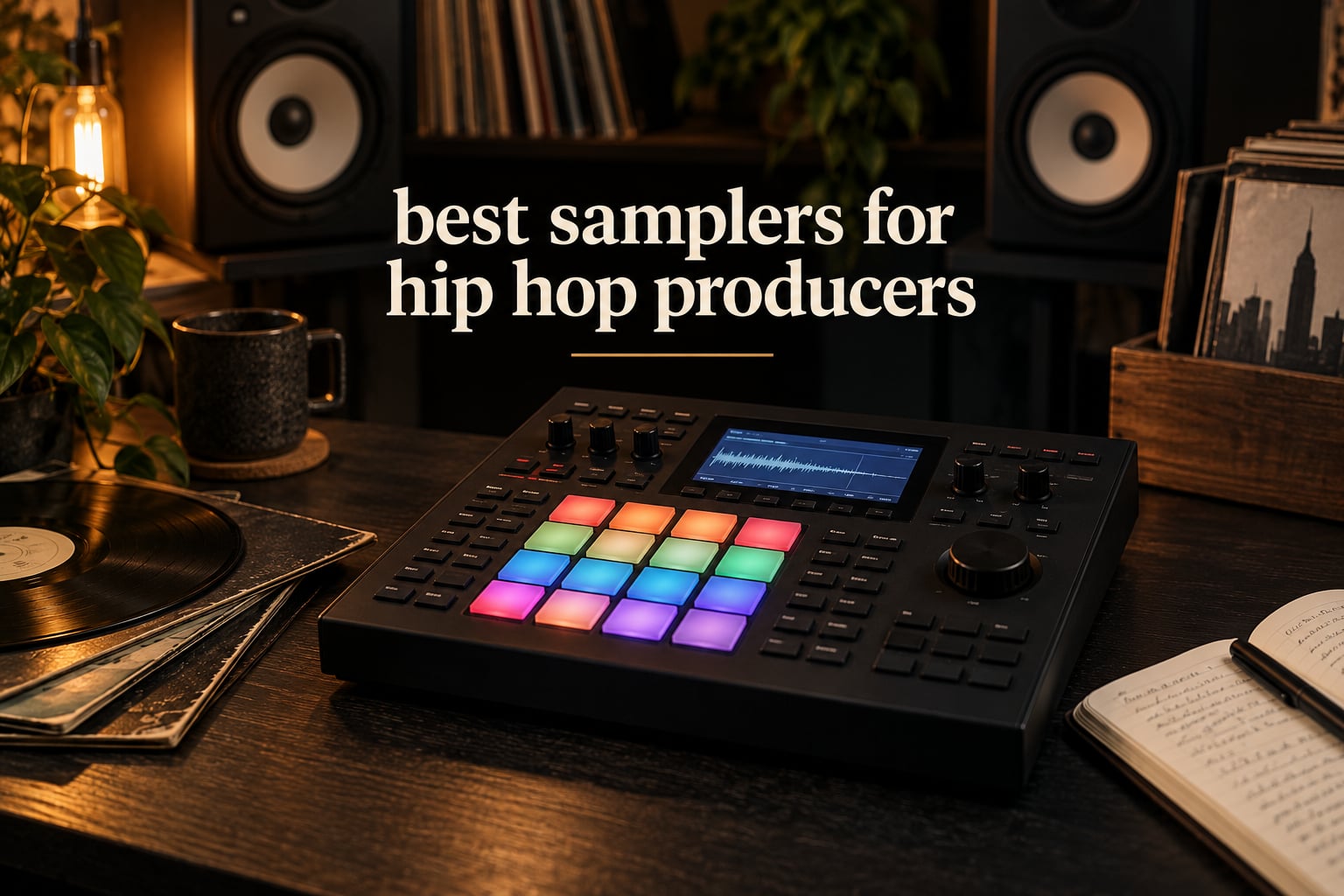
The best samplers for hip hop producers are the Akai MPC Sample, the Roland SP-404MK2, and the teenage engineering PO-33 K.O.! The MPC Sample wins for a complete portable MPC workflow, the SP-404MK2 wins for chopping and resampling, and the PO-33 wins for anyone starting out for almost nothing. We tested all ten machines in this guide against the same three jobs: chopping records, sequencing drums, and finishing a track without a computer.
A sampler is a machine that records audio, chops it into slices, and plays those slices from pads so you can build patterns by hand. That pad-based chop-and-flip workflow is where hip hop came from, and it is still the fastest way to turn a soul record, a funk break, or a single note into a loop.
Over six weeks of studio and portable sessions with these ten units, this is the machine we kept reaching for.
If you are still setting up the rest of your room, our guide to studio desks for producers covers where the machine ends up, and how much desk space a sampler needs before you commit to one.
Top 3 Picks: the Best Samplers for Hip Hop Producers in 2026

Akai MPC Sample
- 16 MPC pads
- 2.4 inch display
- Battery
- mic and built-in speaker
- 100+ factory kits
- Instant Sample Chop Mode

Roland SP-404MK2
- 17 velocity-sensitive RGB pads
- 16 GB storage
- 32-voice polyphony
- 144 recorded samples included

teenage engineering PO-33 K.O.!
- 4-voice sampler
- 40 second memory
- Built-in microphone
- 16 onboard effects
The MPC Sample takes our Editor’s Choice because it packs the complete MPC workflow, a built-in microphone, a built-in speaker, and a rechargeable battery into a 0.9 kg body you can carry anywhere. It is the sampler we would hand a producer who wants to make boom bap beats without a laptop open.
The SP-404MK2 comes second because its chop and resample engine is the sharpest in this group and its effects do more of the dirty work for you. The PO-33 takes third and earns the Budget Pick slot with 2287 reviews behind it, the largest base of owner feedback of any machine here.
Quick Overview: All 10 Samplers Side by Side
| Product | Specifications | Action |
|---|---|---|
| Akai MPC Sample |
|
Check Latest Price |
| Roland SP-404MK2 |
|
Check Latest Price |
| teenage engineering PO-33 K.O.! |
|
Check Latest Price |
 KORG Volca Sample 2 KORG Volca Sample 2 |
|
Check Latest Price |
 Roland AIRA P-6 Roland AIRA P-6 |
|
Check Latest Price |
 Novation Circuit Rhythm Novation Circuit Rhythm |
|
Check Latest Price |
 Elektron Model:Samples Elektron Model:Samples |
|
Check Latest Price |
 Elektron Digitakt II Elektron Digitakt II |
|
Check Latest Price |
 Akai MPC Live III Akai MPC Live III |
|
Check Latest Price |
 teenage engineering EP-133 K.O. II teenage engineering EP-133 K.O. II |
|
Check Latest Price |
What Is a Sampler, and Why Does Hip Hop Run on Them?
A sampler loads recorded audio, lets you mark chop or slice points on the waveform, and assigns each slice to a pad. You then play those pads or sequence them, and you can pitch-shift, time-stretch, loop, filter, and resample the result.
That last part matters more than people expect. Resampling means recording the sampler’s own output back into a new sample on the machine, which is how a clean chop turns into a layered, degrading flip that sounds like it came out of a different decade.
Hip hop’s entire rhythm section runs through this idea. The E-mu SP-1200 gave the genre its crunchy 12-bit crunch and swung 16-step patterns, and the Akai MPC 60 and 2000XL turned the same concept into the pad performance that producers still imitate. Buying a sampler today is less about adding a new instrument and more about getting closer to the way those machines made you play.
1. Akai Professional MPC Sample: Best Overall Sampler for Hip Hop Producers
Akai Professional MPC Sample Portable Sampler
16 MPC pads, 2.4 inch display
Rechargeable battery, mic and speaker
4 FX processors, 60 effect types
Over 100 factory kits
Pros
- Battery powered with a built-in speaker and microphone
- Instant Sample Chop Mode with real-time timestretch and repitch
- Over 100 factory kits usable out of the box
- 4 FX processors with 60 effect types
- Compact 0.9 kg body for beatmaking anywhere
Cons
- Only 16 pads
- which limits finger drumming
- 2.4 inch display is small for visual editing
- No bundled MIDI DIN adapter
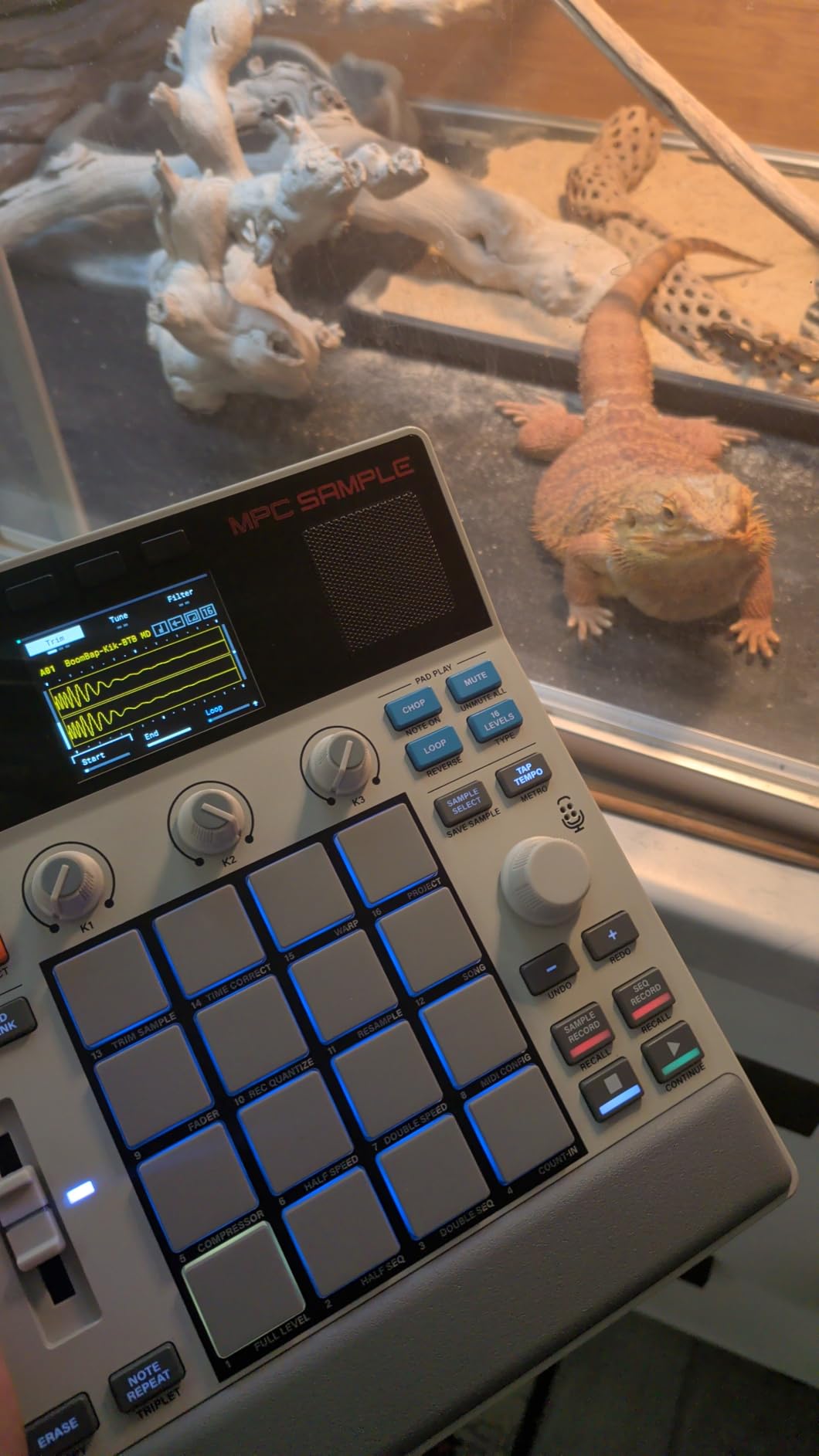
This is the machine we kept reaching for. At 9.29 x 7.64 x 1.97 inches and 0.9 kg it fits in a backpack, and the rechargeable lithium-ion battery means a full beat can be made on a park bench if the mood takes you there. The built-in microphone and speaker mean you can sample your own voice and hear the beat back without a single cable.
Instant Sample Chop Mode is the feature that made this our first choice. You drop in a chopped file, hit the chop control, and the machine lays slices across the sixteen pads with real-time timestretch and repitch available on each one. For a hip hop producer who wants the MPC sound without committing to a full-size MPC, that is the whole deal in one control.
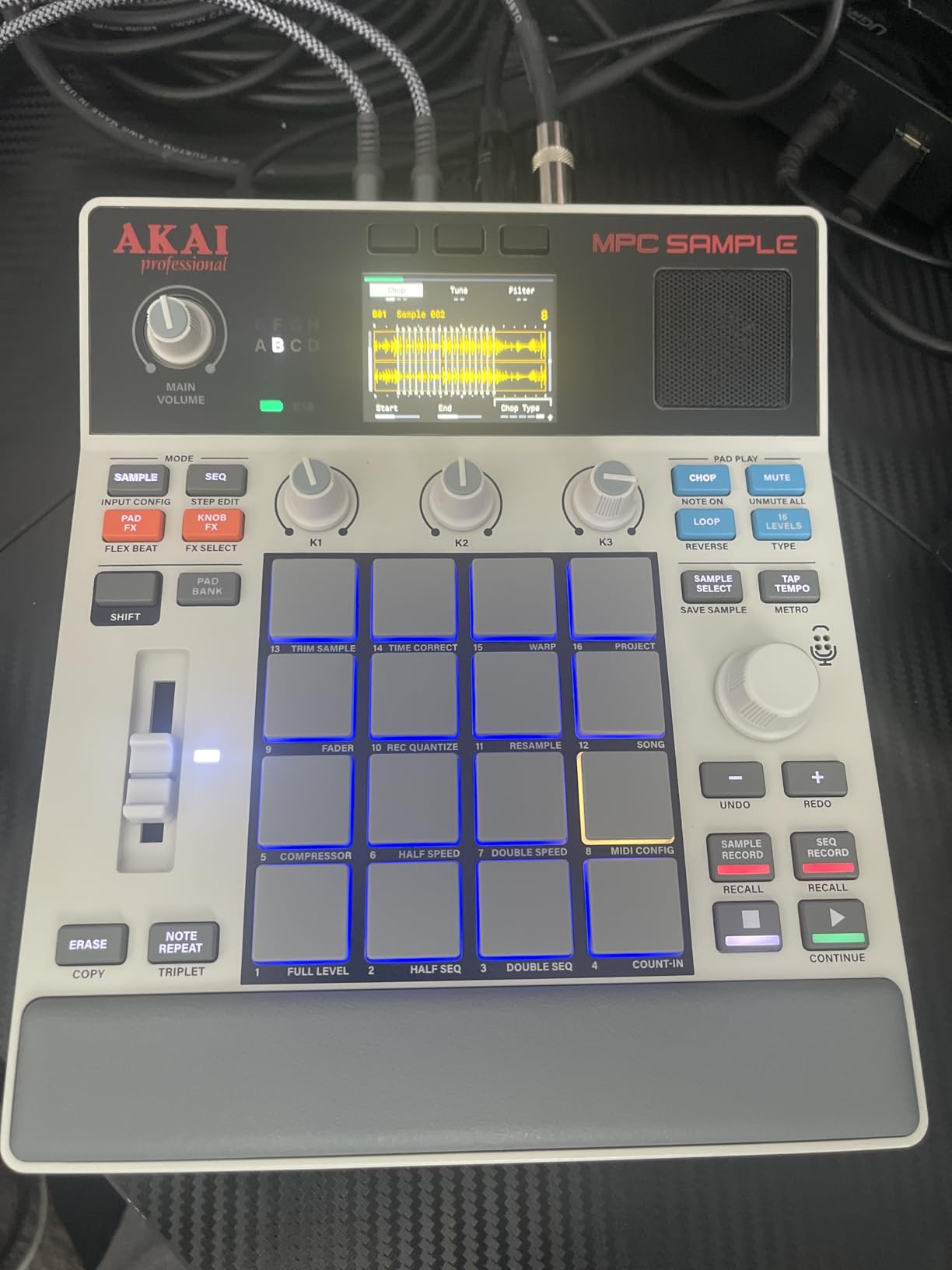
It runs MPC OS 3.8, which means the same MPC Sample integration carries across standalone and desktop. Sample on the road, open it on the computer later, and keep working. Storage is microSD plus an internal disk-streaming engine, and connectivity is USB-C audio and MIDI with smart device sampling, so an iPhone or a laptop interface is a direct input rather than a workaround.
Real-time resampling with FX is on board too, and with 100-plus factory kits you can make something on day one before you have loaded a single file of your own. Four internal FX processors with dedicated knob control and 60 effect types include vinyl and tape emulations, which is exactly the lo-fi texture most people chasing this machine want.
Why this one works for a first MPC-style beat
The MPC pad feel is the selling point, and sixteen velocity-responsive pads with a 2.4 inch full-colour display give you the familiar layout at a fraction of the desk space a full MPC takes. Chopping a soul record into a boom bap pattern takes minutes rather than an evening of menu diving.
There are also 60 interactive Melodics lessons covering rhythms, beats, and samples, bundled in. For a beginner that removes the most common reason a hardware sampler gets abandoned in a drawer, which is not knowing what to do with it after the first hour.
Where it frustrates you
Sixteen pads is genuinely limiting for finger drumming and two-handed layering, and the 2.4 inch display makes visual waveform work cramped compared with the SP-404MK2’s OLED screen. If your beat needs six simultaneous layers across the pads while you play, this is not the body for it.
The bundled MIDI DIN adapter is not included either, so if you plan to sync the unit to an external drum machine or an Elektron box, budget for that cable separately. Stereo 1/4 inch TRS line in and out, 1/8 inch headphones out, MIDI in and out, and sync out are all present, so the only gap is the adapter itself.
2. Roland SP-404MK2: Best Sampler for Chopping and Resampling
Roland SP-404MKII Creative Sampler and Effector
17 velocity-sensitive RGB pads, OLED display
16 GB storage, 32-voice polyphony
144 recorded samples included
Pros
- Sharpest chop and resample workflow in this group
- 17 velocity-sensitive RGB pads with a no-click design
- 16 GB internal storage for large projects
- 144 professionally recorded samples and patterns
- Runs on six AA batteries or USB-C power
Cons
- Menu-driven editing has a real learning curve
- 160 samples per project ceiling
- Battery use needs planning around spare cells
If chopping is the job, this is the one. Real-time chop mode and auto-chop with auto BPM detect let you drop a full break in and get to playable slices fast, and the resample engine is the reason producers on r/SP404 and r/makinghiphop describe the SP-404 as having the best resampling mode in this class. Layer the same chopped horn section over itself three times and the low end starts to fold, which is exactly the behaviour a flip depends on.
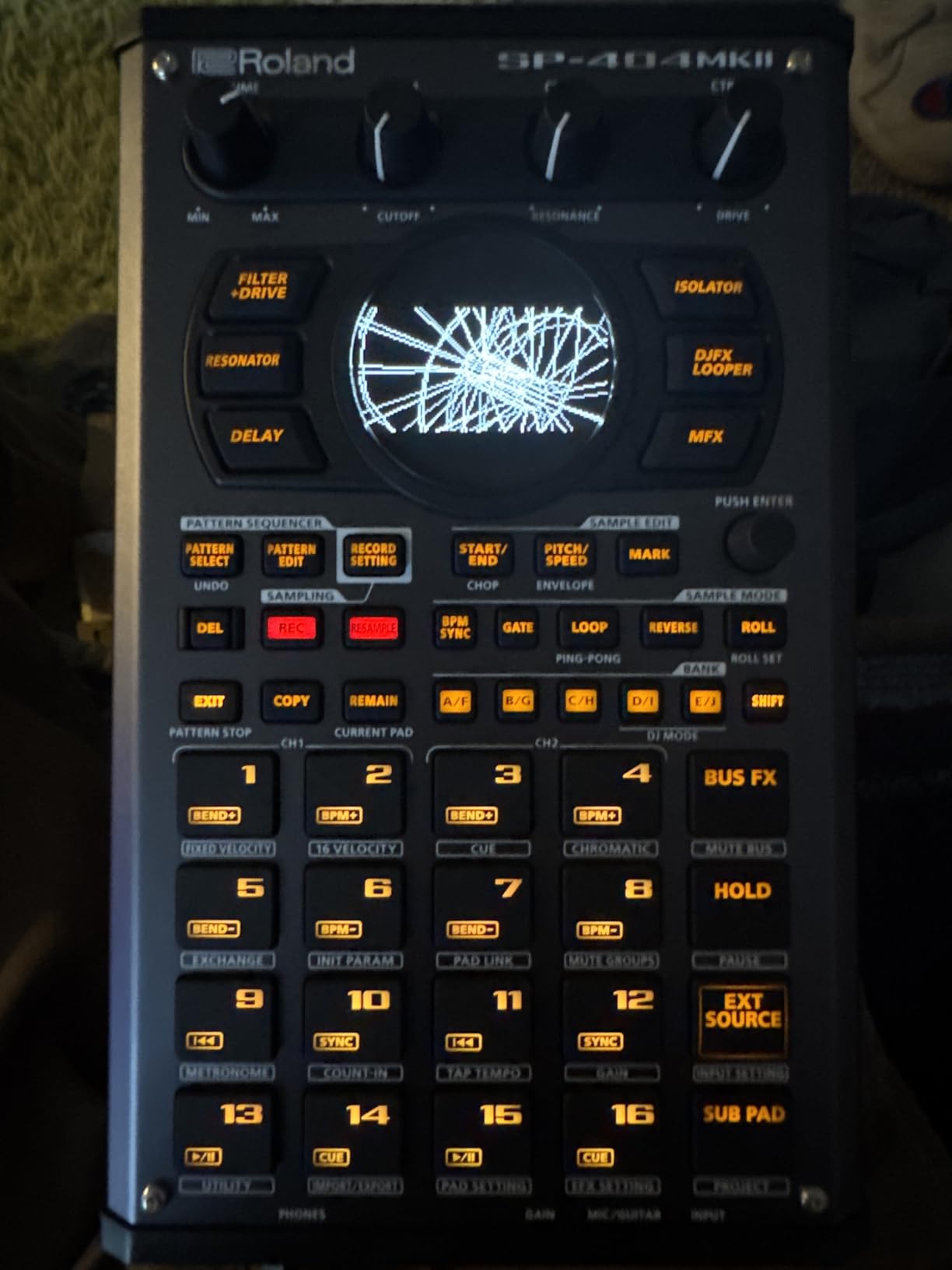
It comes with 144 professionally recorded samples and patterns, so you are not starting from silence even if you never load a record. The OLED display shows a real waveform, which makes trimming and slice placement far more precise than the tiny screens on most competitors, and 17 velocity-sensitive RGB pads with a no-click design feel great under two hands.
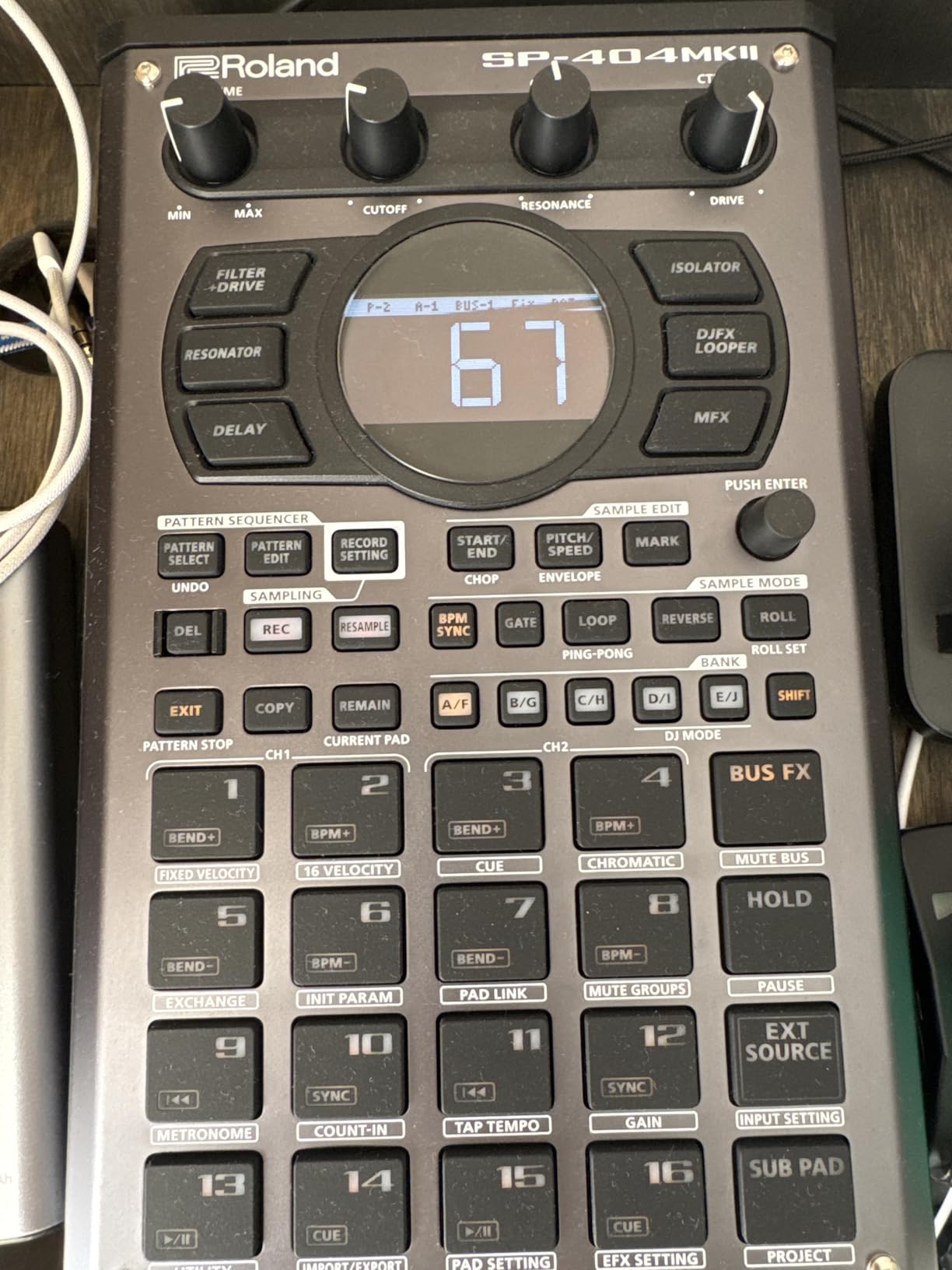
Power comes from USB-C, a mobile battery, six AA batteries, or the AC adaptor, so it works on a plane, in a van, or plugged into a studio. Startup and load times are fast and 16 GB of internal storage means you are not constantly clearing space between sessions, with 32-voice polyphony and 16 internal projects holding up to 160 samples each.
The onboard effects are the quiet hero. Vinyl Simulator, Cassette Simulator, Lo-fi, Resonator, Vocoder, Auto Pitch, DJFX Looper, and Guitar Amp Simulator cover a lot of ground, and for a producer chasing dusty boom bap texture they replace a chain of plugins you would otherwise run in software.
Why it beats the competition on a chop
Two things make it the best hardware sampler for hip hop chopping: real-time chop mode that does not interrupt playback while you set slice points, and a resample workflow that captures the unit’s own output into a new sample instantly. That combination turns a two-minute idea into a layered loop in about a minute.
Auto BPM detect handles the boring half of the job. Load a record, let it find the tempo, chop, and the pads are already sitting on the right grid, which is where the community consensus in r/SP404 and r/makinghiphop keeps landing when people ask what to buy for flipping.
Where the friction is
The menu-driven workflow is less immediate than a pad-based groovebox, and it is the reason some people bounce. It takes an evening to stop reaching for a pad when you actually need a menu option, and if you only make beats in short sessions that is a real cost.
The 160 samples per project ceiling is the other limit. For layered flips where you keep every variation that worked, that fills up faster than you expect, and swapping in AA cells mid-session needs planning rather than doing.
3. teenage engineering PO-33 K.O.!: Best Budget Sampler for Your First Beats
teenage engineering pocket operator PO-33 K.O.! micro sampler and drum machine with built-in microphone, sequencer and effects
4-voice sampler, 40 second memory
8 melodic and 8 drum slots
Built-in microphone, 16 effects
Pros
- Most reviewed sampler here with 2287 owner reviews
- 40 seconds of memory across 16 slots
- Built-in microphone for instant recording
- 16 onboard effects add character with no setup
- Pocket sized and battery powered
Cons
- 40 second memory is short for chopping full breaks
- 4-voice polyphony limits arrangement depth
- Uses AAA batteries rather than USB-C power
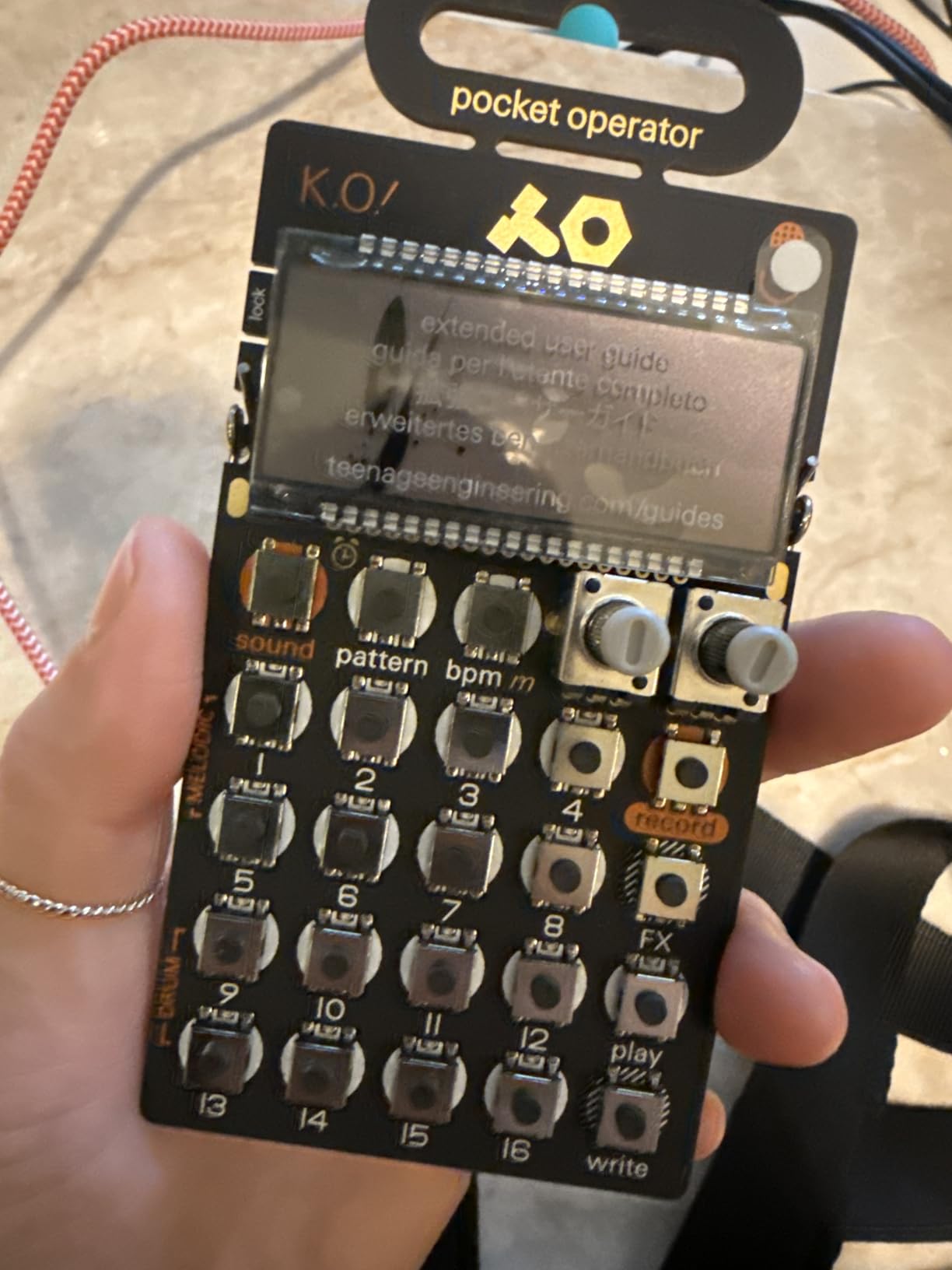
The PO-33 is the cheapest genuine sampler in the group, and with 2287 reviews at 4.6 stars it has the longest proven track record of anything we tested. For someone who wants to know whether sampling is for them before spending real money, there is no better first step in this whole roundup.
You sample through the 3.5 mm line in or the built-in microphone, then drop the result into one of 8 melodic slots or 8 drum slots. It plays melodic mode chromatically and drum mode one-shot, with a 16-step sequencer and 16 built-in effects already loaded, which is a complete tiny beat machine the day it arrives.
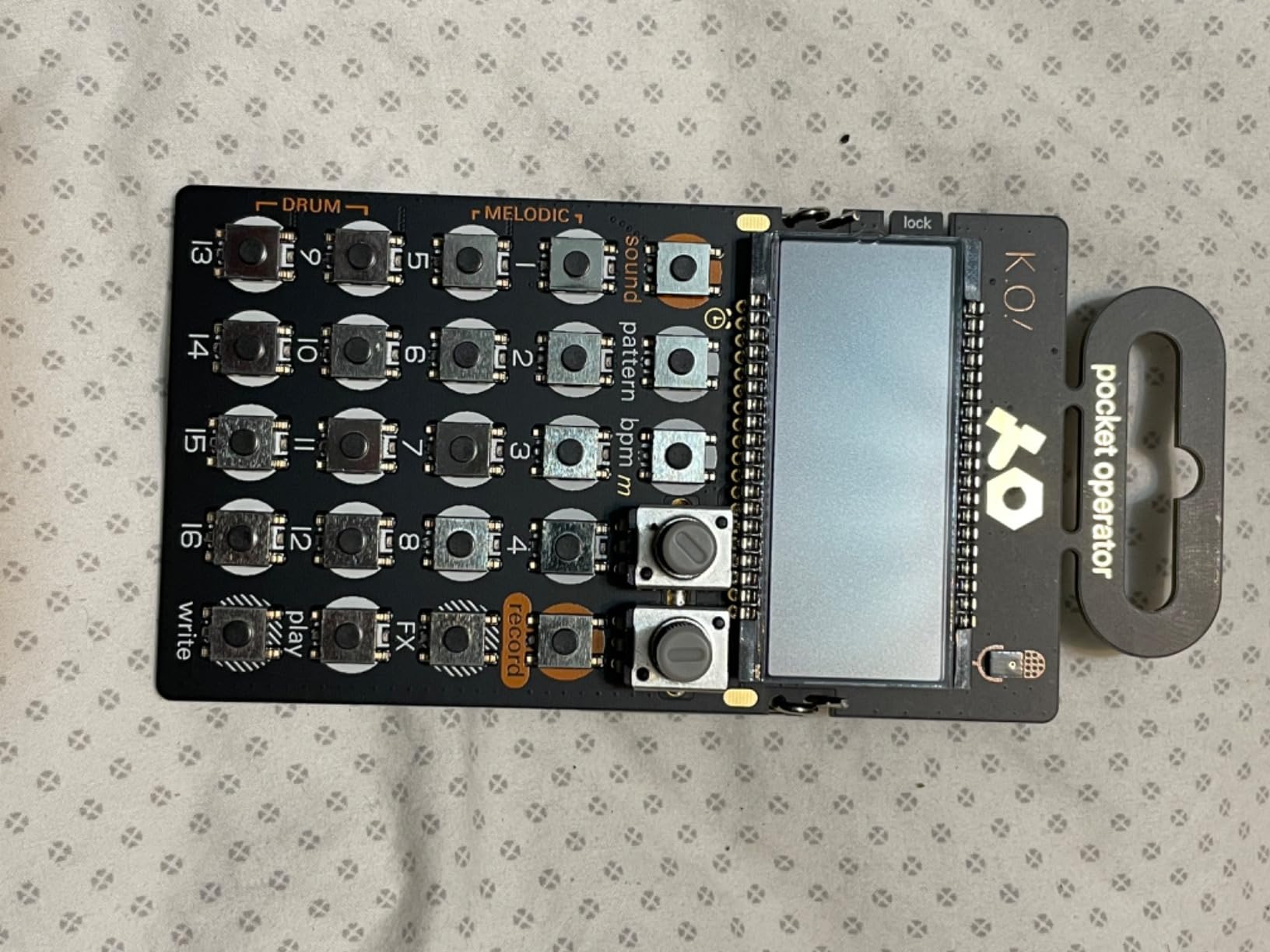
The built-in speaker and 3.5 mm line out give full stereo playback, so it works as a self-contained unit on a table or as another voice inside a pocket operator setup. Battery life is roughly one month on 2xAAA with about 2 years of standby, which removes power management from the list of things to think about.
What surprised us most is how often it ends up as a permanent second device. We kept the PO-33 next to a larger sampler as a scratchpad for catching phrases and drum ideas, and the fact that it is a completely separate machine with its own character made it useful rather than redundant.
Why it is the right first sampler
The learning curve is close to flat. Sample something, pitch it, add one of 16 effects, punch a pattern into the 16-step sequencer, and you have a beat. Nothing in the interface asks you to make a decision before you understand what the decision does.
That matters more than the spec sheet. A lot of capable machines lose beginners in week two, and the fix is rarely a better machine, it is a machine that rewards you quickly enough to keep going.
Where 40 seconds stops being enough
Forty seconds of sample memory across eight melodic and eight drum slots is the ceiling, and it is a real one when you are trying to chop a full two-minute soul break into sixteen playable pieces. You will be trimming aggressively and re-importing constantly.
Four-voice polyphony also caps how many layers you can trigger at once, which rules out the kind of dense stacked chop that needs six or eight simultaneous slices. It also runs on AAA batteries rather than USB-C, so there is no way to power it from a power bank.
4. KORG Volca Sample 2: Best Budget Sampler for Lo-Fi and Trap Sketches
Korg Volca Sample 2 Digital Sample Sequencer Drum Machine w/Pattern Chain Mode and 16-step Sequencer
8-voice polyphony sample drum machine
16-step sequencer with pattern chain
8 MB sample memory
Pros
- Pattern chain and start delay build evolving arrangements
- 8-voice polyphony allows layered samples
- Librarian software downsamples audio into Korg format
- Runs on 6 AA batteries and weighs 372 g
- Strong value for trap and lo-fi hip hop
Cons
- 8 MB memory and 16 steps are tight for chopping
- Librarian software has reported compatibility issues
- Mini USB port instead of USB-C
- Cannot play samples chromatically across a keyboard
The Volca Sample 2 is not a sampler in the pad-chopping sense, it is a sample-based drum machine, and that is the point. Eight-voice polyphony means you can layer a chopped kick under a chopped snare under a chopped vocal, all triggered from the same pattern, which is a very efficient way to build lo-fi and trap drums fast.
The 16-step sequencer adds pattern chain and start delay, so instead of a loop that repeats identically you can chain variations that arrive late. On a dusty beat that little bit of movement is what stops eight bars from sounding like eight bars.
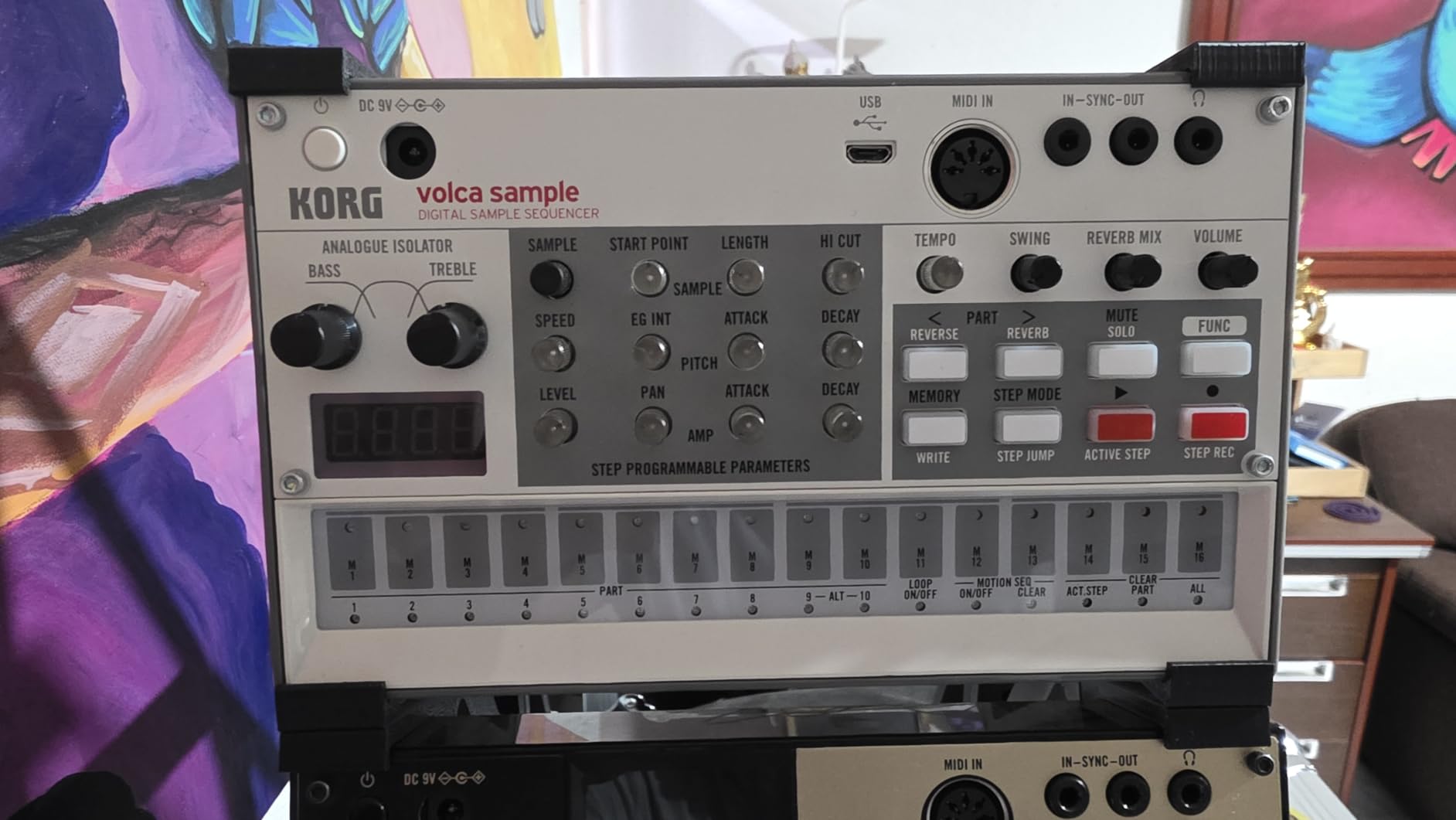
At 372 g and 7.6 x 4.49 x 1.69 inches it is smaller than a paperback and runs on 6 AA batteries or the AC adaptor, with an integrated speaker and headphone output for standalone use. Digital reverb and a rich double filter shape the output, and the memory doubled from the previous model to 8 MB.
The Librarian software for Mac and PC manages samples and patterns and will auto-downsample any audio into the Korg format, which removes most of the conversion work. Korg positions this machine squarely at future bass, trap, and lo-fi hip hop, it sits at the budget end of this list and does a surprising amount of that job.
Why it beats other cheap boxes
Polyphony is the differentiator. Most machines at this level are one-shot players that cut off the moment a second sample starts, and eight voices means real layering instead of a single chopped loop playing alone. The pattern chain and start delay are proper arrangement tools, not decoration.
It is also a good fit for a beginner who wants to sketch beats away from a desk. Battery power, a built-in speaker, and a body you can throw in a bag mean idea capture does not depend on a room with mains power.
Why it will frustrate a chop-focused producer
Eight MB of sample memory and a 16-step ceiling are tight for serious chopping, and there is no chromatic keyboard playback, so pitched melodic chops are out. The pattern length also means arrangement thinking has to happen by chaining rather than by writing long patterns.
The Librarian software is the practical risk. Several owners report it failing to connect on recent Windows and macOS versions, and since that software is the normal path for getting your own audio in, budget a workaround if you are on a current machine. The micro USB port is also a step behind the USB-C ports on everything else here.
5. Roland AIRA Compact P-6: Best Portable Sampler for Chopping Anywhere
Roland AIRA Compact P-6 Creative Sampler
10.72 ounce body, onboard keyboard
Chop and Step Sampling, resampling
Granular sound design parameters
Pros
- Only 10.72 ounces with a keyboard for portable chopping
- Granular detuning
- head speed
- spread and grain controls
- Step Sampling turns one recording into a playable multi-note sound
- Per-sample filter and envelope control
- Sample Tool software for macOS and Windows
Cons
- Small 2.4 inch screen limits waveform editing
- No USB MIDI or hardware MIDI integration
- Smaller review base than the established workhorses
At 10.72 ounces and 7.44 x 3.19 x 1.44 inches, this is one of the smallest machines we tested and the only one with a real keyboard attached. That combination makes it a genuinely different tool rather than a smaller version of something else, because you can chop a sample and immediately play it chromatically across a keyboard in the same sitting.
Sample through the built-in microphone for anything in the room, then use the Chop function to slice it into segments playable from that keyboard. Step Sampling goes further and splits one recording into individual samples assigned to a single pad, so a single sound can become a playable multi-note phrase.
Where the granular engine earns its keep
The sound design section is deeper than the price suggests. Detuning, head position, head speed, spread, and grain count give you a granular approach to resampling that most hardware at this level does not offer, and with a dedicated filter and envelope per sample you can shape each slice rather than the whole output.
Resampling internal audio into new sounds and custom loops is on board, so the loop-and-degrade workflow works without a computer. The P-6 Sample Tool software for macOS and Windows handles editing and import and export, which is reassuring on a machine that ships with no MIDI integration.
Who should skip it
The 2.4 inch screen is the first thing you notice when you try to place chop points precisely, and it is much smaller than the SP-404MK2’s OLED panel. For detailed waveform editing that is a daily irritation rather than an occasional one.
There is also no USB MIDI and no hardware MIDI, so this cannot be sequenced from an external controller or used to drive other gear. With only 90 reviews behind it, long-term owner feedback is thinner than for the workhorses in this roundup, which matters if you want a proven machine rather than a promising one.
6. Novation Circuit Rhythm: Best Sampler for Writing Complete Tracks on Battery
Novation Circuit Rhythm Sampler and Groovebox
Eight sample tracks, 32-step patterns
Chainable to 256 steps per track
4 hour internal battery
Pros
- Eight sample tracks support real layering
- Patterns chain to 256 steps per track
- 4 hour internal battery for portable work
- Works as a DAW controller and external sequencer
- Fast pads and a good slice mode once learned
Cons
- No screen
- so slicing happens blind
- USB-C sample transfer is very slow
- MIDI implementation is limited
- especially CC messages
- Sample memory is mono only
This is the most polarised machine we tested, and the split comes down to one decision: the absence of a screen. Eight flexible sample tracks, each with its own 32-step pattern that chains to 256 steps, gives you more arrangement structure than most machines twice the size, and the 4 hour internal battery is long enough to finish a session away from a plug.
Every track has slice, reverse, loop, and resample, plus Grid FX including beat repeat, lo-fi tape stutter, reverb, delay, and sidechain. Recording happens from a phone, a turntable, or a synth directly into the machine over line input, so a vinyl rip is a two-minute job rather than a software project.
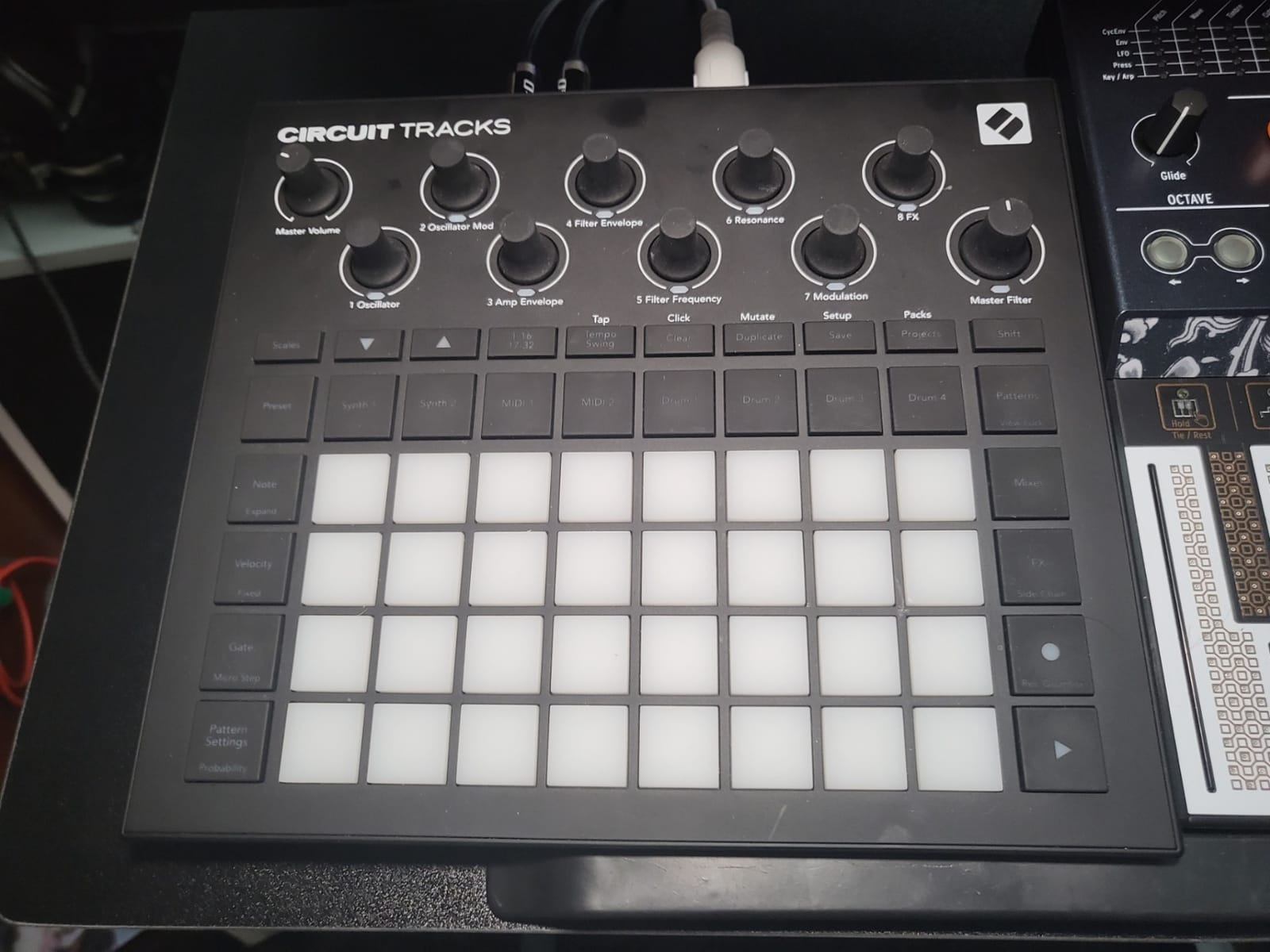
It also works as a basic sequencer for external devices and as a DAW controller, with microSD and USB-C connectivity alongside a 3 year warranty. We found the pads fast and the slice mode good once the colour-coded LED scheme made sense, which took about an hour.
That hour is the whole argument. There is no screen to show you a waveform, so slice points are placed by eye and by ear against the LED grid. Some producers find this a purer workflow, others find it genuinely difficult.
Why it suits track writing over beat sketching
Eight separate sample tracks beats any single-layer machine when you are trying to build an arrangement rather than a loop. You can give each track its own pattern, chain patterns to 256 steps, and add Grid FX per track so the beat repeat and tape stutter land where the arrangement needs them.
The 4 hour battery and 1.9 pound weight mean a whole beat can be written on location. For a producer who sketches on a sofa, in a car, or anywhere without a desk, that changes what a sampler can be used for.
Why buyers are divided
USB-C sample transfer is very slow for a roughly 10 MB pack, so loading your own library is a patience test rather than a workflow. Samples are mono only, which limits stereo chopping, and total sample length per project is capped.
MIDI implementation is limited, particularly for CC messages, and the documentation is more tutorial-style than a usable reference manual. Reviewers consistently note that you are expected to work through it in order from page one, so set aside an evening before you judge it.
7. Elektron Model:Samples: Best Groovebox for Parameter Lock Chopping
Elektron Model:Samples Six Track Sample Based Groovebox
Six tracks, 64 MB sample memory
1 GB of sound storage, single-cycle waveforms
Parameter locking on every trig
Pros
- Parameter locking gives each step its own pitch
- cutoff and decay
- 64 MB memory plus 1 GB storage with single-cycle waveforms
- Shortest learning curve in the Elektron lineup
- Solid build in a compact 1.8 pound body
- Sample locking fits many samples into one pattern
Cons
- Cannot record audio into the device
- Only six tracks
- Velocity-sensitive pads feel stiff
The Model:Samples is the machine we recommend to people who love Elektron sequencers but find the deeper units overwhelming. Six tracks, a per-track resonant multimode filter, an assignable LFO, and 96 projects holding 96 patterns each give you the Elektron sequencing feel in a box that is easier to learn and easier to carry.
Parameter locking is the reason to buy it. Each trig can carry its own pitch, cutoff, decay, delay, and reverb value, so a chopped loop plays with filter movement and pitch changes baked in on specific steps. On boom bap beats that is the difference between a static chop and something that breathes.
Why it holds up for sample-based producers
Sample locking lets you place a different sample on each step within a track, so one track alone can carry well over two dozen slices, and with 64 MB of sample memory plus 1 GB of sound storage and single-cycle waveform support there is room to work without constant cleanup. Real-time and grid recording modes make it a playable instrument as well as a pattern box.
It is also the cheapest way into Elektron thinking. Producers who start here and later step up usually describe the jump to a bigger Elektron unit as familiar rather than intimidating, because the parameter model already makes sense.
Why it is the wrong tool for some people
It cannot record or sample audio directly onto the device. That is the single most repeated caveat in owner feedback, and several reviewers describe eventually moving to an MPC One specifically to get recording capability they had been missing.
Six tracks is fewer than competing grooveboxes offer, and the velocity-sensitive pads feel stiff enough that the sensitivity is less useful in practice than the spec suggests. If you want to sample the world and capture audio, this is the wrong machine; if you want to play stored samples well, it is a very strong value.
8. Elektron Digitakt II: Best Sampler for Full Song Arrangements
Elektron Digitakt II 16-Track Drum Computer and Sampler
16 audio tracks for stereo or mono samples
128-step sequencer with song mode
Three assignable LFOs per track
Pros
- 16 tracks and a 128-step sequencer for deep arrangement
- Three assignable LFOs and six per-track effect types
- Euclidean sequence generator speeds up programming
- Cast aluminum chassis with a 3 year warranty
- Song mode for full multi-part compositions
Cons
- The second most expensive machine here
- Steep learning curve for anyone new to Elektron
- Smallest review base in the lineup at 30
Nothing else in this roundup arranges like the Digitakt II. Sixteen audio tracks ready for stereo or mono samples or MIDI, a 128-step Elektron sequencer, four trig modes, and song mode for building and playing full compositions put it in a different category from the grooveboxes above it in this list.
Every track carries three assignable LFOs and its own set of effects including delay, reverb, chorus, bit reduction, sample reduction, and overdrive. Bit reduction and sample reduction per track are the two that matter most for hip hop, because they are how you make a loop sound like it came off a dusty transfer.
Why serious producers land here
The arrangement engine is the reason. Sixteen tracks at 128 steps with song mode means a verse, chorus, and bridge can live inside the machine with their own parameter changes, rather than being exported and rebuilt in a DAW. The Euclidean sequence generator speeds up pattern programming for anyone who has ever spent an hour on a hi-hat pattern.
Build quality is a notch above the rest of the lineup. It is a cast aluminum body at 8.4 x 6.9 x 2.5 inches and 3.3 pounds, the filters are swappable with a base-width filter plus options for multi-mode, low pass 4, comb, EQ, and legacy LP/HP, and it carries a 3 year manufacturer warranty.
Why it is not a first sampler
It is the most expensive machine here after the MPC Live III, and a deep feature set carries a steep learning curve for anyone new to the Elektron environment. Producers who buy it as a first hardware sampler tend to be the same people who end up frustrated in month two.
It also has the smallest review base in the lineup at 30 reviews, which limits the volume of independent long-term feedback you can draw on. We would not fault the machine, but we would want more owner history before recommending it as a beginner purchase.
9. Akai Professional MPC Live III: Best Sampler for Finished Tracks Without a Computer
Akai Professional MPC Live III Retro Portable Music Production Center
8-core processor with 8GB RAM
MPCe pads with pressure and X/Y control
128GB storage, mic, monitors and battery
Pros
- Most complete standalone machine here
- MPCe pads add pressure and X/Y control for sample blending
- Integrated stereo monitors
- mic and rechargeable battery
- 128GB storage expandable via SD or SSD
- Runs up to 32 plugin instances and 16 tracks
Cons
- Most expensive unit by a wide margin
- Moving projects into a DAW is a difficult workflow
- 7-inch display is small for the parameter count
- Steep learning curve for MPC newcomers
This is the only machine here that behaves like a small studio rather than a beat box. An 8-core processor with 8GB RAM running MPC3 OS, up to 32 plugin instances, 16 tracks, Super Timestretch, Pro Stems, and an enhanced CV Playground means you can load instrument plugins, record audio, and finish an arrangement without opening a computer.
The MPCe pads add velocity, pressure, and X/Y control, which is the feature that changes how you play. X/Y lets you morph between two parameters on a single pad, so one hit can move from clean to crushed without any automation lane, and pressure sensitivity makes dynamics on a chopped loop feel played rather than programmed.
Everything a small studio needs is built in: an integrated microphone, stereo monitors, a rechargeable battery, and 128GB of internal storage expandable through SD or SSD. Connectivity is USB-C, CV and Gate outputs, MIDI I/O, 2 combo XLR and TRS inputs, and 6 TRS outputs, and the factory library runs past 1,000 MPC-ready kits and instruments.
The 7-inch multi-touch display, performance touch-strip, and next-generation clip launch matrix make it a live instrument too. If you are performing beats rather than just making them at a desk, the clip launching and touch-strip combination is the reason to step up to this class of machine.
Why it is worth the jump for a working producer
Owners with previous MPC, Force, or Maschine experience consistently describe this as the deepest standalone unit they have used, and the reason is the processor rather than the pad count. An 8-core chip with 8GB of RAM is what allows 32 plugin instances to stay responsive, which is the difference between a beatmaker and a production centre.
Sample handling is the other quiet strength. Super Timestretch for pitched chopping, Pro Stems for bouncing parts out, and a storage figure of 128GB expandable to SSD mean long sample libraries stop being the constraint.
Why it frustrates owners
Getting a project out of MPC3 and into a DAW is a difficult workflow, and several reviewers report stability complaints with the desktop software. If your final deliverable is stems in Ableton or FL Studio, test that round trip before you commit.
The 7-inch display is small relative to the number of on-screen parameters, which means real estate for the mouse-free editing the machine otherwise encourages. It is also the most expensive unit here by a wide margin and carries a steep learning curve for anyone new to the MPC environment.
10. teenage engineering EP-133 K.O. II: Best Pocket Sampler for Sketching Anywhere
teenage engineering EP–133 K.O. II 128MB sampler, drum machine and sequencer with built-in microphone and effects
128 MB memory, 999 sample slots
Four groups x 99 patterns, song mode
4xAAA batteries or USB-C power
Pros
- 128 MB memory and 999 slots remove the tiny memory limit
- Four groups of 99 patterns with instant per-group swapping
- Song mode handles arrangements up to 9801 bars
- Multifunctional fader controls filter
- pitch and 18 effects
- Samples from line in or the built-in microphone
Cons
- Small 2.4 inch class screen limits visual editing
- Uses 4xAAA batteries when untethered
- Effects and slots need menu navigation on a tiny display
- Much smaller review base than the PO-33
The EP-133 K.O. II is the PO-33’s older sibling with the main limitation removed. At 128 MB of memory and 999 sample slots, double the previous memory, you can hold real chopped material instead of forty-second snippets, which turns a sketchpad into an actual beat-making tool.
The sequencer is reworked into four groups of 99 patterns with instant per-group pattern swapping, plus a four track sequencer running 12 stereo voices or 16 mono. A commit button freezes a moment so you can add a verse or break in real time, and OS 2.0 adds resampling, chopping, a pumping sidechain, and song mode for arrangements up to 9801 bars.
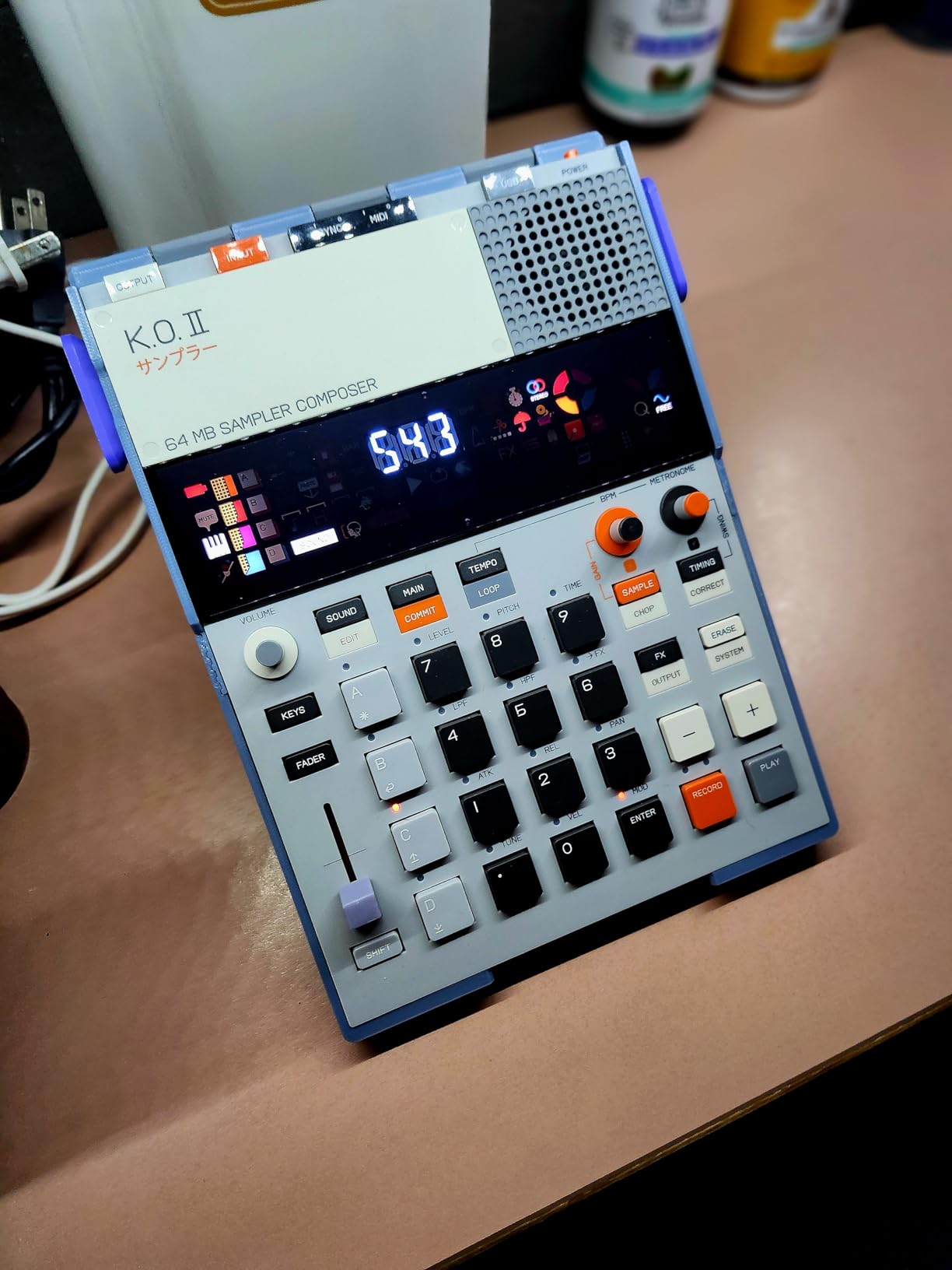
There is a multifunctional fader that controls filter, pitch, and 18 effects in total, split across 6 master FX and 12 punch-in FX. Sampling is through line in or the built-in microphone, and you monitor on the built-in speaker or through line out, with sync in and out plus MIDI in and out for external gear.
At 10.24 x 10.24 x 1.18 inches and 0.73 kg it is still genuinely portable, and it runs from 4xAAA batteries or USB-C. We used it as a travel companion to a larger sampler, and the fact that it can hold a chopped loop and swap patterns instantly made it far more useful than the PO-33 on longer trips.
Why it beats the PO-33 for real chopping
Memory is the whole answer. Forty seconds is a frustrating limit; 128 MB with 999 slots means a chopped break, a vocal, and a drum loop can all live on the device at the same time, and resampling plus chopping in OS 2.0 give it a flip workflow the smaller box cannot offer.
Song mode to 9801 bars is unusual at this size and genuinely changes what you can finish. Combined with 6 master FX and 12 punch-in FX under one fader, it is the closest thing here to a pocket arrangement tool.
What to know before you buy
The 2.4 inch class screen limits visual editing, so slice placement and sample management depend on menu navigation and audio cues. Effects and slot selection both work through that same compact display, which is the trade-off for the size.
It runs on 4xAAA batteries when untethered rather than USB-C power, and at 50 reviews it has a much smaller base of long-term owner feedback than the PO-33 it builds on. If you want a proven device with a large support community, the PO-33 is the safer first step; if you want to actually chop, this is the better machine.
Hardware or Software Sampler: Which One Should You Actually Buy?
For chopping specifically, hardware wins, and the reason is latency and focus rather than sound quality. A sampler gives you a pad under your finger and an immediate response, which changes how you play in a way no amount of screen real estate in a DAW reproduces. If you are asking which DAW is best for sampling, the honest answer is that Ableton Live, FL Studio, and MPC Software all handle warp markers and slice mapping well, and the choice between them matters less than most product pages claim.
That said, several free and low-cost software samplers cover a real portion of this roundup’s jobs. Koala Sampler is a free iOS and desktop recorder and slicer that chops, maps to pads, and sequences without a subscription. Decent Sampler offers a free tier and a very small paid one with high-quality stretch and filters. TX16Wx is a free sampler plugin with a familiar 16-step sequencer and genuine hardware-style workflow. Ableton’s Simpler is already inside Live and handles multisampling, slicing, and filters well for quick ideas.
What software cannot give you is the standalone experience. Every one of these runs on a computer that needs power, an operating system, and updates. A hardware sampler with a battery, a built-in speaker, and a microphone keeps working in ten years, which matters more for a producer’s creative life than the feature list suggests.
My own rule after testing all ten: use software to decide whether sampling is for you, then buy hardware once you know you want to chop with your hands. If you already own a DAW and a decent interface, start with Koala Sampler or TX16Wx this week and save your money for the machine you will actually use daily.
How to Choose a Sampler: 7 Criteria That Matter
1. Pads and feel
Pad count changes what you can physically play. Sixteen pads is enough for chopping into a pattern, seventeen gives you a bit of headroom for finger drumming, and anything above that only matters if you play live. MPC-style pads are the reference for hip hop, and velocity sensitivity is the feature that decides whether dynamics feel natural. The MPC Sample, SP-404MK2, and Circuit Rhythm all have velocity-responsive pads; the P-6 trades them for a keyboard.
2. Chop and slice workflow
Ask one question: how many steps from dropping in a file to holding playable slices in your hands? Real-time chop mode on the SP-404MK2 is the fastest here. Instant Sample Chop Mode on the MPC Sample is close behind. Auto-chop is convenient, manual slice markers are more precise, and some producers strongly prefer one over the other. Check whether the machine lets you adjust slice points after the fact.
3. Sequencer depth
Loops are easy. Arrangements are what separate machines. Look for pattern length, pattern chaining, and whether the device has a song mode for full compositions. The Digitakt II with a 128-step sequencer and song mode, the Circuit Rhythm with patterns chaining to 256 steps, and the EP-133 K.O. II with song mode to 9801 bars are all built for arrangements rather than single loops.
4. Polyphony and voices
Polyphony decides how many layers can sound at once. Four voices is scratchpad territory, eight covers lo-fi and trap drum layering, and sixteen or more is what you want for stacked chops. The PO-33 has 4 voices, the Volca Sample 2 has 8, the SP-404MK2 has 32, and the EP-133 K.O. II runs 12 stereo or 16 mono.
5. Resampling and effects
Resampling is what separates a sampler from a drum machine, because it lets you re-record the output and degrade it. Built-in effects decide how much of your chain you carry in hardware. Vinyl and cassette simulation, tape saturation, bit reduction, and sample reduction are the ones hip hop producers reach for most, and the SP-404MK2 covers that list almost completely.
6. Connectivity and power
Decide early whether the machine works without a computer, because that decides the buying category. For standalone work you want a rechargeable battery or widely available cells, a built-in speaker, and line input for a turntable or interface. For studio integration you want USB-C audio and MIDI, MIDI in and out, and a reliable path into your DAW. Check whether the adapter cable is included, because the MPC Sample does not include its MIDI DIN adapter.
7. Total cost, not unit cost
The unit is never the whole number. Add an SD card or microSD card, a padded case, an audio interface if you want to record external gear, and any adapter cables. Plan the furniture too, since a machine with a 7-inch display and 128GB of storage needs more desk than a pocket unit, and our studio desk guide covers sizing for that.
The beginner-first path
Start with the PO-33 K.O.! if you are not sure sampling is for you, because it is the least expensive entry here and it teaches the core idea. Move to the MPC Sample or the SP-404MK2 when you want to chop real records, and pick between them by workflow: instant chopping and a complete MPC ecosystem on one side, deeper manual slicing and more onboard character on the other.
Used or new is a genuine question at this budget. Most producers acquire an MPC or an SP that way, and the two things worth checking are the firmware version and the battery condition, since both affect resale value and daily use. Check that the screen and pads respond, that all inputs are clean, and that the machine has been updated to the current firmware before you commit.
Which Sampler Fits Which Style of Hip Hop?
Boom bap chopping wants the SP-404MK2, because real-time chop mode, auto BPM detect, and a resample engine built for degrading loops match the workflow exactly. Lo-fi and dusty texture also suit it, since the Vinyl Simulator, Cassette Simulator, and Lo-fi effects cover the character without a plugin chain. Drill and heavy 808 work lean toward layering and pattern variation, where the Volca Sample 2 and the Model:Samples are efficient, and the Model:Samples specifically gives you parameter locking on every trig for movement inside a loop.
Sample flipping is where the MPC Sample earns its place, since Instant Sample Chop Mode with real-time timestretch and repitch makes rapid layered flips fast. Live performance is a different shortlist: the SP-404MK2 for velocity-sensitive pad response, the Circuit Rhythm for eight sample tracks and clip-style arrangement on battery, and the MPC Live III if you are performing full tracks rather than loops.
Sample-based production as a culture has a long history worth reading about, and our piece on chess in hip hop covers the same lineage from a different angle. The point underneath it is that the machines changed the music, and the workflow they demand still shapes how beats get made.
Where to Find Samples You Can Actually Use
Copyright anxiety is the quiet reason many producers never finish flipping, and it is worth addressing directly. Record your own material whenever you can. Your own voice, your own knocks on a table, your own synth lines, and field recordings of your own environment carry no third-party rights at all, and a machine with a built-in microphone like the MPC Sample, the PO-33, the EP-133 K.O. II, or the P-6 makes that a two-minute job.
Royalty-free and cleared libraries exist for everything else, and paid sample packs come with licences that cover commercial release. When you use a sample lifted from a commercial recording, you are on the hook for both the master and the underlying composition, and clearing both is expensive. Know which side of that line a sound sits on before a beat goes public.
A practical rule we use: if the sample is the hook, it needs to be cleared. If it is a texture underneath drums, the risk and cost are different. Neither answer is legal advice, but the distinction saves a lot of expensive surprises later.
Frequently Asked Questions
What is the best sampler for hip hop music?
The Akai MPC Sample is our pick for hip hop music overall, because it gives you the MPC pad workflow, instant chop mode, a built-in microphone and speaker, and a rechargeable battery in one body. The Roland SP-404MK2 is the better choice if chopping and resampling are your main focus, and the teenage engineering PO-33 K.O.! is the cheapest genuine way to start.
What is the best sampler for a beginner?
The teenage engineering PO-33 K.O.! is the best sampler for a beginner because the learning curve is almost flat: sample something, pitch it, add one of 16 effects, and punch in a 16-step pattern. Its 40 second memory and 4-voice polyphony are limited, so plan to move up to the Akai MPC Sample or Roland SP-404MK2 once the habit is there.
What is the best hardware sampler for hip hop?
Our picks by job are the Roland SP-404MK2 for chopping and resampling, the Akai MPC Sample for an all-round portable MPC workflow, the Novation Circuit Rhythm for writing full tracks on battery, and the Elektron Digitakt II for full song arrangements. Which one is best depends on whether you chop, layer, arrange, or perform.
What is the best SP sampler?
The Roland SP-404MK2 is the best SP sampler by a wide margin. It has 17 velocity-sensitive RGB pads, a vivid OLED display, 16 GB of internal storage, 32-voice polyphony, 144 professionally recorded samples, and effects including Vinyl Simulator, Cassette Simulator, Lo-fi, Vocoder, and DJFX Looper. The main drawback is its menu-driven editing flow.
Should I buy a hardware sampler or use a DAW?
Buy hardware if you want to chop with your hands and work without a computer. Free software options such as Koala Sampler, TX16Wx, and Decent Sampler cover a lot of the same ground for zero cost, so start there if you already own a DAW and an interface. Most producers we tested use both: software for arrangement, hardware for ideas.
What is the best sampler for live performances?
The Roland SP-404MK2 leads for live work, with 17 velocity-sensitive RGB pads, low latency, and no-click pad design that survive a full set. The Novation Circuit Rhythm is strong if you perform arrangements on battery thanks to eight sample tracks and 4 hour of internal battery. The Akai MPC Live III is the choice if you perform finished tracks with clip launching.
What is considered the best sampler ever made?
The most-cited answer is the E-mu SP-1200, whose crunchy 12-bit output and swung patterns defined hip hop for decades. The Akai MPC 60 and MPC 2000XL followed and established the pad performance that producers still imitate. Today the SP-404MK2 and the modern MPC line are usually considered the closest equivalents you can actually buy.
Which DAW is best for sampling?
Ableton Live, FL Studio, and MPC Software all handle chop markers, slice mapping, and time-stretching well enough that the DAW matters less than your workflow. Ableton wins for clip-based sampling, FL Studio for fast marker work, and MPC Software if you want the MPC pad feel on screen. A sampler VST inside any of them closes the gap with hardware further.
The Verdict: Which Sampler Should You Buy?
Buy the Akai MPC Sample if you want one machine that covers chopping, recording, and portable beatmaking with the MPC workflow intact. It is our Editor’s Choice: a 4.8 average across 420 reviews, a rechargeable battery, a built-in microphone and speaker, and the shortest distance we found from a record file to a playable chop.
Buy the Roland SP-404MK2 if your beats are built from flips and texture. Its real-time chop mode, 16 GB of storage, 32-voice polyphony, and vinyl and cassette effects do more of the work for you than anything else in this roundup, and it remains the most-cited recommendation among hip hop communities when someone asks what to buy.
Buy the teenage engineering PO-33 K.O.! if you are starting out or want a scratchpad that costs little. Buy the EP-133 K.O. II if you want that same idea with enough memory to chop properly. Buy the Elektron Model:Samples for parameter lock, the Novation Circuit Rhythm for writing whole tracks away from a plug socket, the KORG Volca Sample 2 for cheap lo-fi drum layering, and the Digitakt II or MPC Live III only when you are ready for arrangements on the box itself.
Whichever you choose, check the used market before you buy new. That is where most producers find an MPC or an SP, and it is where the best deals on this list actually are.