
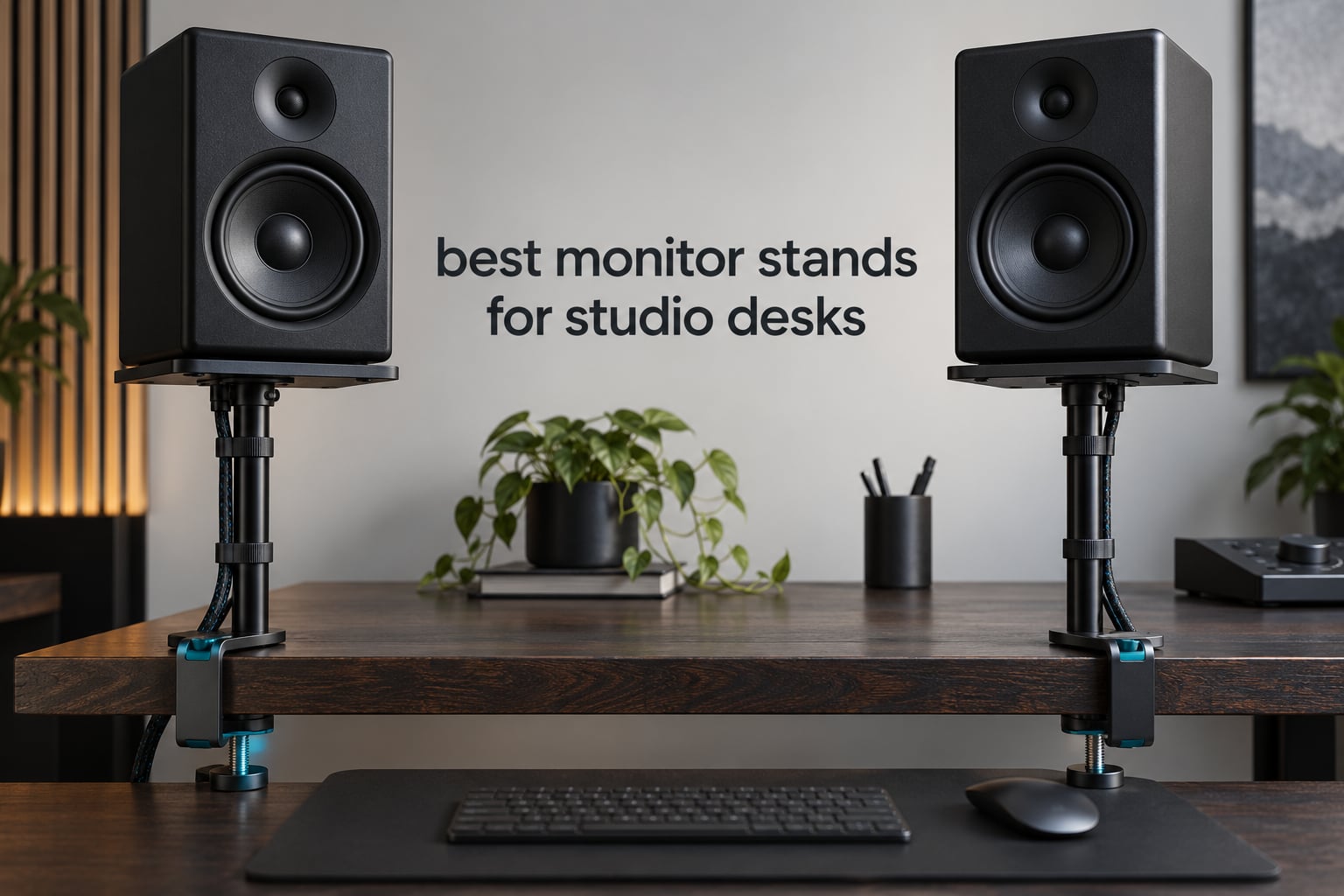
Yes – studio monitor stands are worth it, and for a reason most buyers do not expect. The real payoff is height and reclaimed desk space, not a magical tonal upgrade. Put your tweeters at your seated ear level, move the cabinets off a vibrating desk surface, and get the display, DAC, or controller back into the space your monitors were sitting on. We compared twelve stands across every sub-type to find the right one for a studio desk setup, and the winners below are the ones that held up.
That verdict matters because the marketing around monitor stands oversells the acoustics. Long-running threads on Audio Science Review are blunt about how little of the claimed sonic benefit is measurable, and the consensus there is closer to this: decoupling stops your desk from buzzing along with low-frequency content, and getting the tweeter up to ear level is the genuinely large change. Everything else is incremental.
Our team spent weeks going through specifications, load ratings, height ranges, and desk compatibility across twelve monitor stands for studio desks – clamp-on, floor, isolation, and plain riser. Each entry below carries an honest best-for verdict, the real constraints that show up in owner feedback, and a clear line on who should skip it. If you are still choosing the desk itself, start with our guide to studio desks for producers, because desk depth and clamp clearance decide which of these stands even fit.
Top 3 Picks for Studio Monitor Stands in 2026

Gator Frameworks Desktop Clamp-On Stand
- Clamps to a 2 inch thick desktop
- 10.13 to 13.5 inch height range
- 0 to 15 degree tilt
- EVA-padded top plate
Kanto SP9 Rising Desktop Stands
- 9 inch elevation for tweeter height
- Two top plate sizes with a mounting hole
- Rotate up to 15 degrees left or right
- Closed cell foam padding

Liquid Stands MS112 Stainless Steel Clamp
- 65 lb load capacity
- 9.5 to 13.5 inch height
- 0 to 20 degree tilt
- Vertical or horizontal orientation
Are Studio Monitor Stands Worth It?
Yes, studio monitor stands are worth it – but buy one for height and desk space first, and treat the isolation claims as a bonus. A stand raises your tweeters to seated ear level and gets the cabinets off a desk that may resonate, and those two changes do most of the work. Expect less desk buzz at high volume. Do not expect a wholesale change in the sound of your mixes.
One user on thegearforum.com put it plainly about their own setup: the biggest difference was height, getting the monitors well above the desk to avoid reflections. That matches what we see across thousands of owner reviews on the stands listed here. Height changes where the monitor radiates from relative to your ears and takes the baffle off a flat reflective surface, and both of those alter what you hear in a way you can measure and repeat.
The honest counterweight: on Audio Science Review, users have spent years arguing about whether isolation products deliver audible gains, and the sceptical position holds up. As one regular put it, the big issue with isolation feet is the marketing. The defensible claim is narrower – a rigid stand coupled straight to a desk lets that desk buzz along with bass-heavy playback, and decoupling it stops the buzz.
So here is how we rank the value. If your monitors do not physically fit your desk, a stand is not optional, it is the only solution. If they fit but sit below your ears, a cheap riser already captures most of the benefit. If your desk audibly buzzes on kick and bass content, spend more on a decoupled design. Everything past that is diminishing returns, and we say so in each entry.
The Four Types of Monitor Stand for a Studio Desk
Most confusion in this category comes from mixing four different products under one name. Isolation platforms, desk clamp and boom stands, floor stands, and desktop risers solve different problems, and picking the wrong one is the most common reason buyers end up with something that does not fit their desk.
Isolation platforms are the dedicated decoupling products. They use a constrained-layer or spring mechanism to absorb speaker energy so less of it reaches the surface underneath. The IsoAcoustics ISO-130 in this roundup is the clearest example, with fourteen height and tilt combinations and a 20 lb capacity that suits compact 5-inch and 6-inch monitors. A user on Audio Science Review described a r/ADAMAudio owner setup where the IsoAcoustics ISO stands worked well with heavier Emotiva Airmotiv 6s, which tells you the format handles weight better than the small plate suggests once the base is right.
Desk clamp and boom stands attach to the edge of your desktop and hold the monitors out over the work surface or behind it. Nothing touches the desk, so there is no footprint to lose and no floor space used. This is the answer to the r/musicproduction question of floor stands versus desk clamp stands when the goal is getting monitors up and behind the desk. The trade is compatibility: clamp thickness limits, no lip behind the desk, and a smaller working envelope.
Floor stands are full-height columns that reach from the carpet to ear level and beyond. They clear desk depth entirely, carry heavy monitors, and can be moved around the room as your nearfield position changes. They cost floor space and cable management effort, which is why a lot of project-studio owners skip them in favour of clamps.
Desktop risers are the simplest form: a base, a column, and a fixed or stepped top plate. They give you ear-level height and foam padding, and they cost little. They are the right call for compact 4-inch and 5-inch monitors on a desk with limited depth, and the wrong call the moment your monitors weigh 30 lb or more.
Best Monitor Stands for Studio Desks in 2026
| Product | Specifications | Action |
|---|---|---|
| Gator Frameworks Desktop Clamp-On Stand |
|
Check Latest Price |
 Vondynote Set of 2 Desktop Clamp Stands Vondynote Set of 2 Desktop Clamp Stands |
|
Check Latest Price |
 Rockville RHT8B 8 inch Desktop Stands Rockville RHT8B 8 inch Desktop Stands |
|
Check Latest Price |
 IsoAcoustics ISO-130 Isolation Stands IsoAcoustics ISO-130 Isolation Stands |
|
Check Latest Price |
| Liquid Stands MS112 Stainless Steel Clamp |
|
Check Latest Price |
 On-Stage SMS4500-P Clamp-On Stands On-Stage SMS4500-P Clamp-On Stands |
|
Check Latest Price |
 Tlingt Clamp-On Desktop Speaker Stands Tlingt Clamp-On Desktop Speaker Stands |
|
Check Latest Price |
 OUKMIC Clamp On Desktop Studio Monitor Stands OUKMIC Clamp On Desktop Studio Monitor Stands |
|
Check Latest Price |
 suptek 6.1 inch Desktop Speaker Stands suptek 6.1 inch Desktop Speaker Stands |
|
Check Latest Price |
| Kanto SP9 Rising Desktop Stands |
|
Check Latest Price |
 Vondynote Studio Monitor Stands with Cable Management Vondynote Studio Monitor Stands with Cable Management |
|
Check Latest Price |
 suptek Clamp-on Speaker Stand Desk Mount Set suptek Clamp-on Speaker Stand Desk Mount Set |
|
Check Latest Price |
Every stand below is rated against the same three questions: will it hold your monitors, will it reach your ear line, and will it physically fit your desk. The table above is the short version, and the entries that follow give you the detail behind each verdict.
1. Gator Frameworks Desktop Clamp-On Studio Monitor Stand – Best Overall Clamp
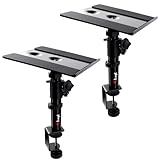
Gator Frameworks Desktop Clamp-On Studio Monitor and Speaker Stand with EVA Foam Padded Surface, Angle Adjustable from 0° to 15° – Set of 2 (GFWSPKSTMNDSKCMP)
Alloy steel clamp
EVA-padded platform
10.13 to 13.5 in height
0 to 15 degree tilt
Pros
- Clamps firmly to a 2 inch thick tabletop
- Machined alloy steel build resists flex
- Height and tilt both adjustable for ear-level aiming
- EVA top protects cabinets from scratches
- 1803 reviews averaging 4.6 stars
Cons
- No built-in cable routing
- No screw-mounting provision on the platform
- Tilt adjustment can reduce clearance on some cabinets
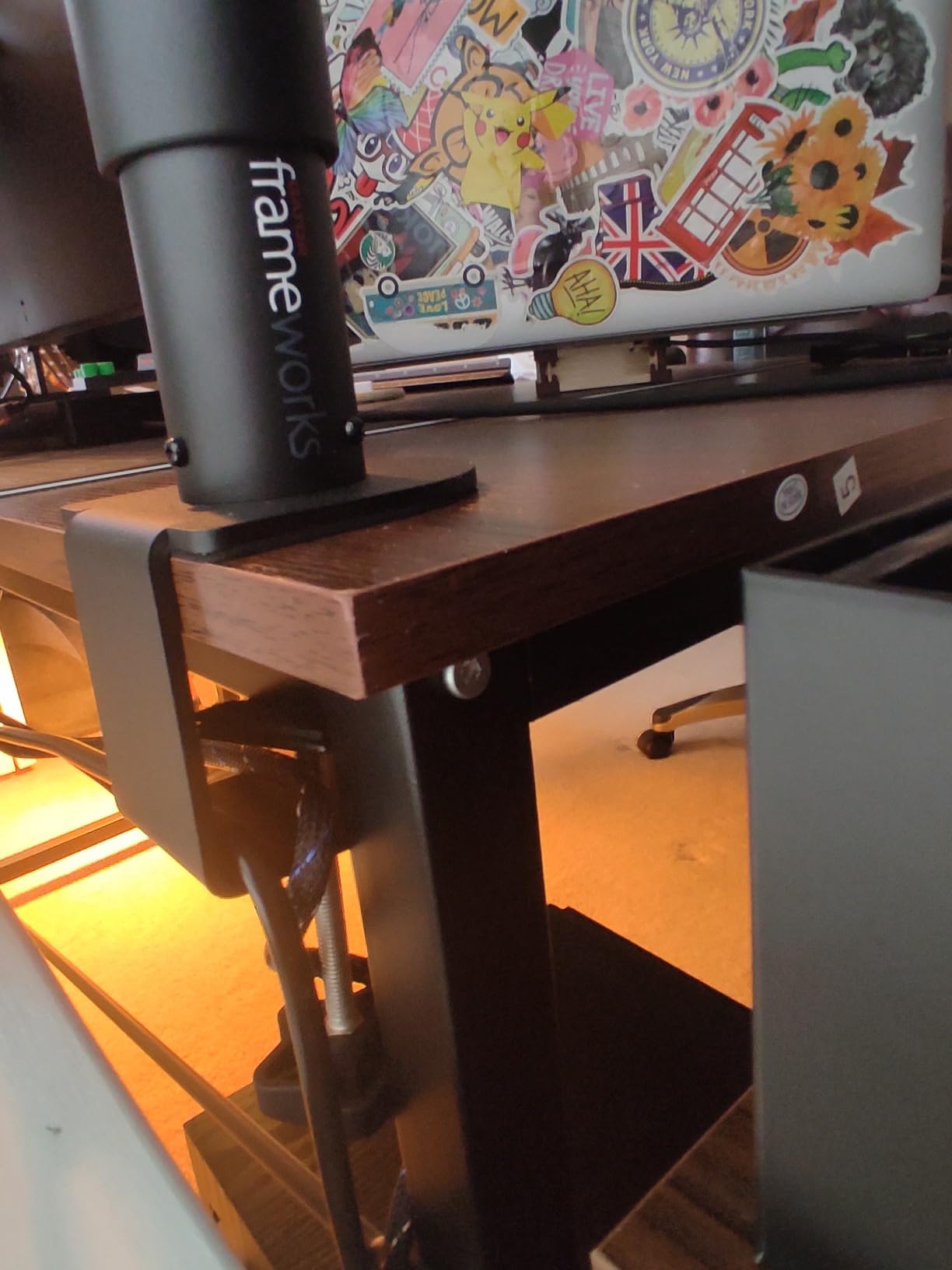
This is the stand we keep coming back to for a studio desk. It clamps to a tabletop up to 2 inches thick, and the vertical post adjusts from 10.13 in to 13.5 in, which is enough travel to land the tweeter exactly on your seated ear line without dragging the monitors across the desk every time you move.
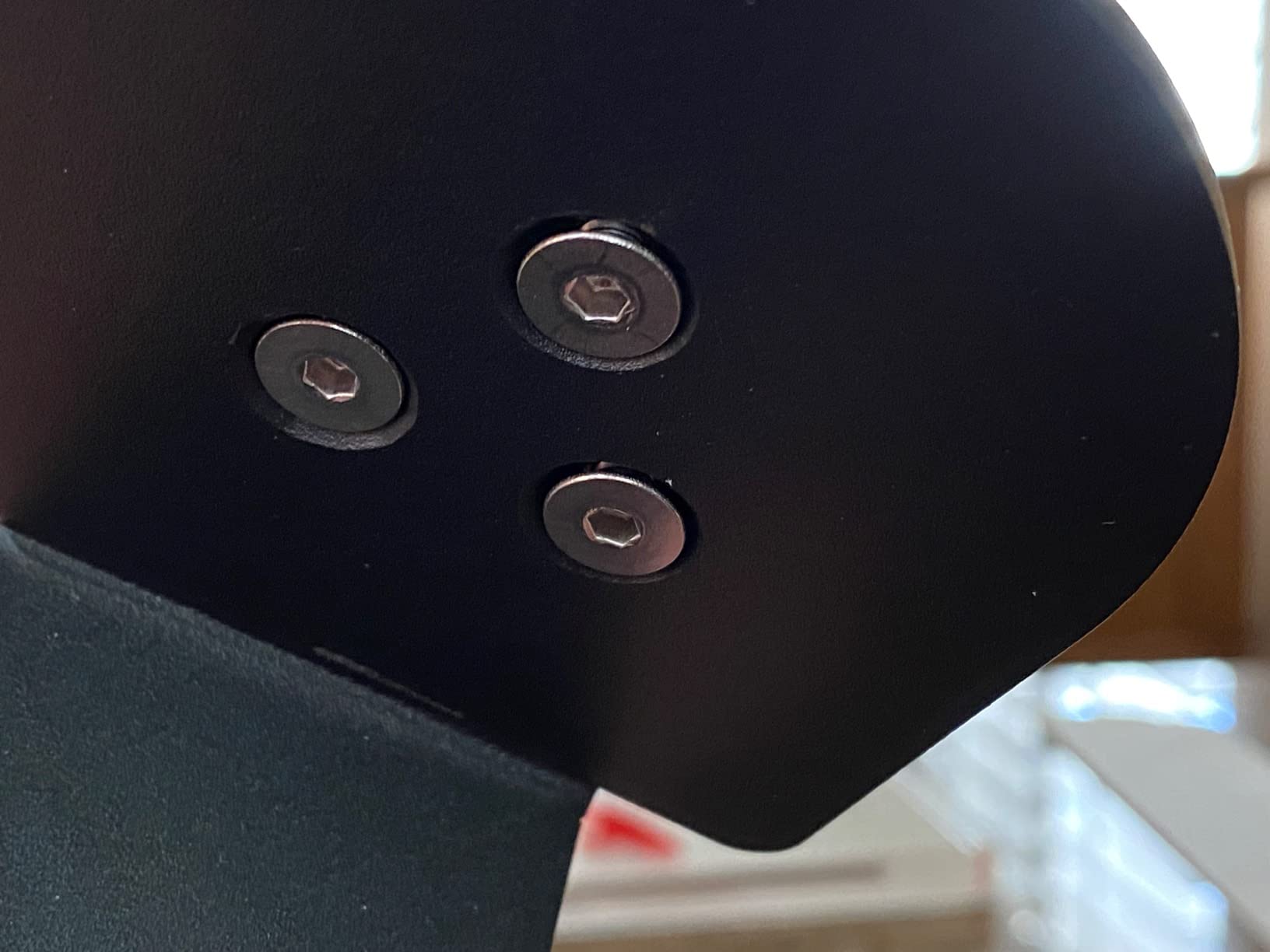
What sold us is the build. This is alloy steel with a powder-coated finish, not a folded plate, and owners consistently describe it as rigid enough that the monitor does not bounce when driven hard. The 60 lb load rating gives real headroom, and the whole pair weighs 9.5 lb, so it stays put without needing a heavy desk to bolt to.
The tilt is the quiet feature. Fifteen degrees of adjustment lets you aim the baffle down at your listening position instead of relying on the monitor’s own feet, which is what you want when the tweeter is well above ear height on a raised desk or on a tall chair.
What to check before you buy
Measure your desktop thickness first, including any edge trim. Anything over 2 inches and this clamp will not seat properly. Also look at what sits behind the desk – a cable tray, a wall, or a lip will all interfere with a clamp that needs to swing under the surface.
Check your monitor base. The platform is sized for typical 5-inch and 6-inch nearfields, and a wide 8-inch monitor will overhang. If your monitors are wider than the plate, look at the OUKMIC pair in entry 8, which has a larger 12.6 x 9.3 inch platform.
Where it falls short
Cable routing is the main gap. There is no channel or hole, so speaker cable and power run down the back of the post and onto the floor. If your desk is a clean cable-management setup, plan for that before you commit.
There is also no threaded hole to bolt the monitor down. For most nearfield monitoring that never comes up. If you push your monitors hard enough that you feel them move, consider the Kanto SP9 in entry 10, which includes a quarter inch 20 screw and a matching mounting hole in both top plates.
2. Vondynote Set of 2 Desktop Clamp Speaker Stands – Budget Pick Clamp
Vondynote Set of 2 Desktop Clamp Speaker Stands Short Studio Monitor Stands
Alloy steel clamp
9 to 14 in height
4 lock positions
9 x 9 in top plate
50 lb capacity
Pros
- Four lockable height positions from 9 to 14 inches
- Clamp footprint of only 32.5 sq cm
- Grade 8.8 steel screws hold firm
- EVA pads protect the desktop and grip the speaker
- Includes bolts and Allen key
Cons
- Short adjustment range for very tall cabinets
- No tilt adjustment listed in the features
- Fixed 9 x 9 inch plate size
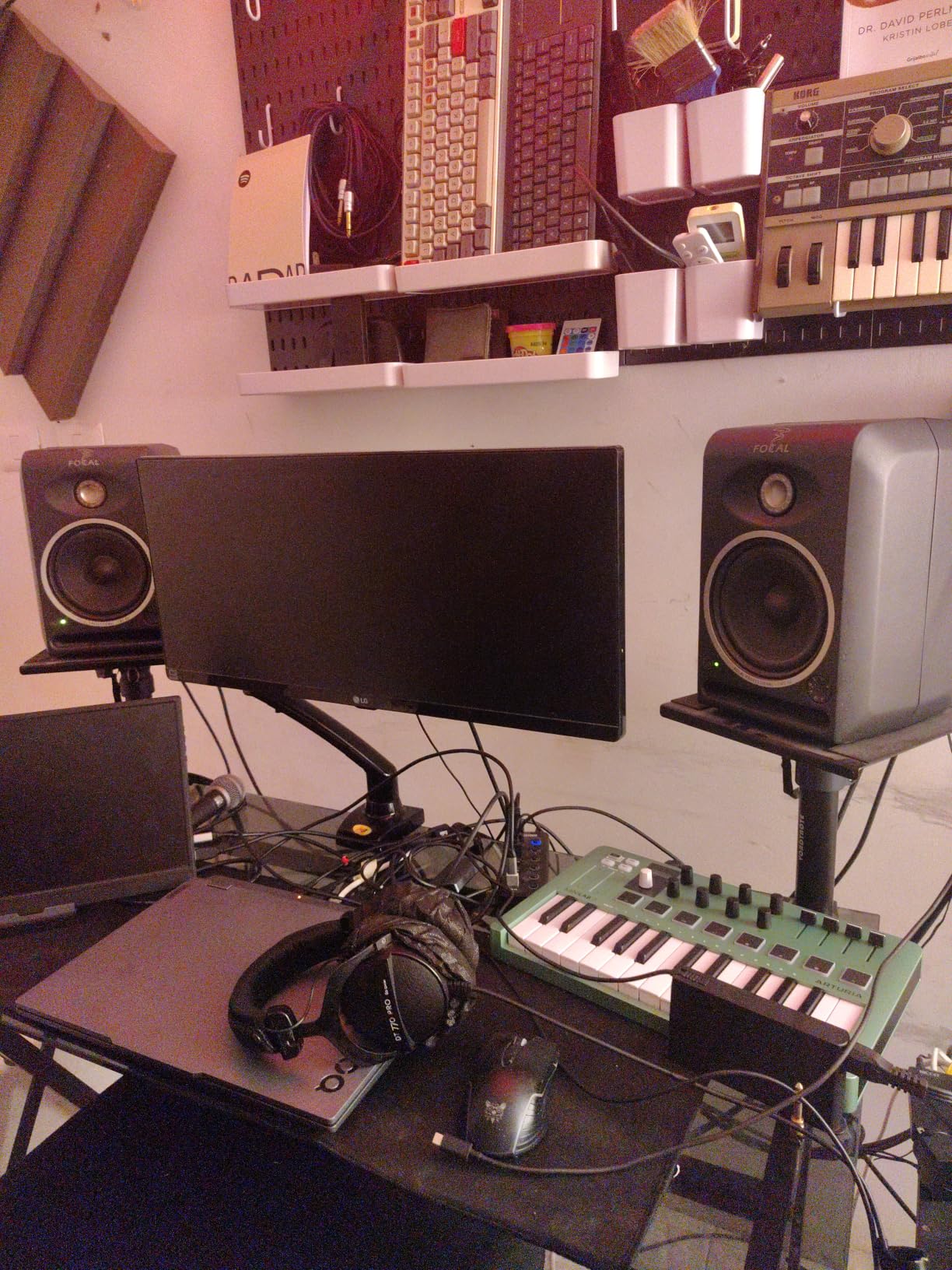
Vondynote makes two appearances in this roundup, and this short clamp is the budget-friendly one. It adjusts from 9 in to 14 in with lock positions at 9, 10.6, 12.3, and 14 inches, which covers the most common desktop monitoring heights without any complicated geometry.
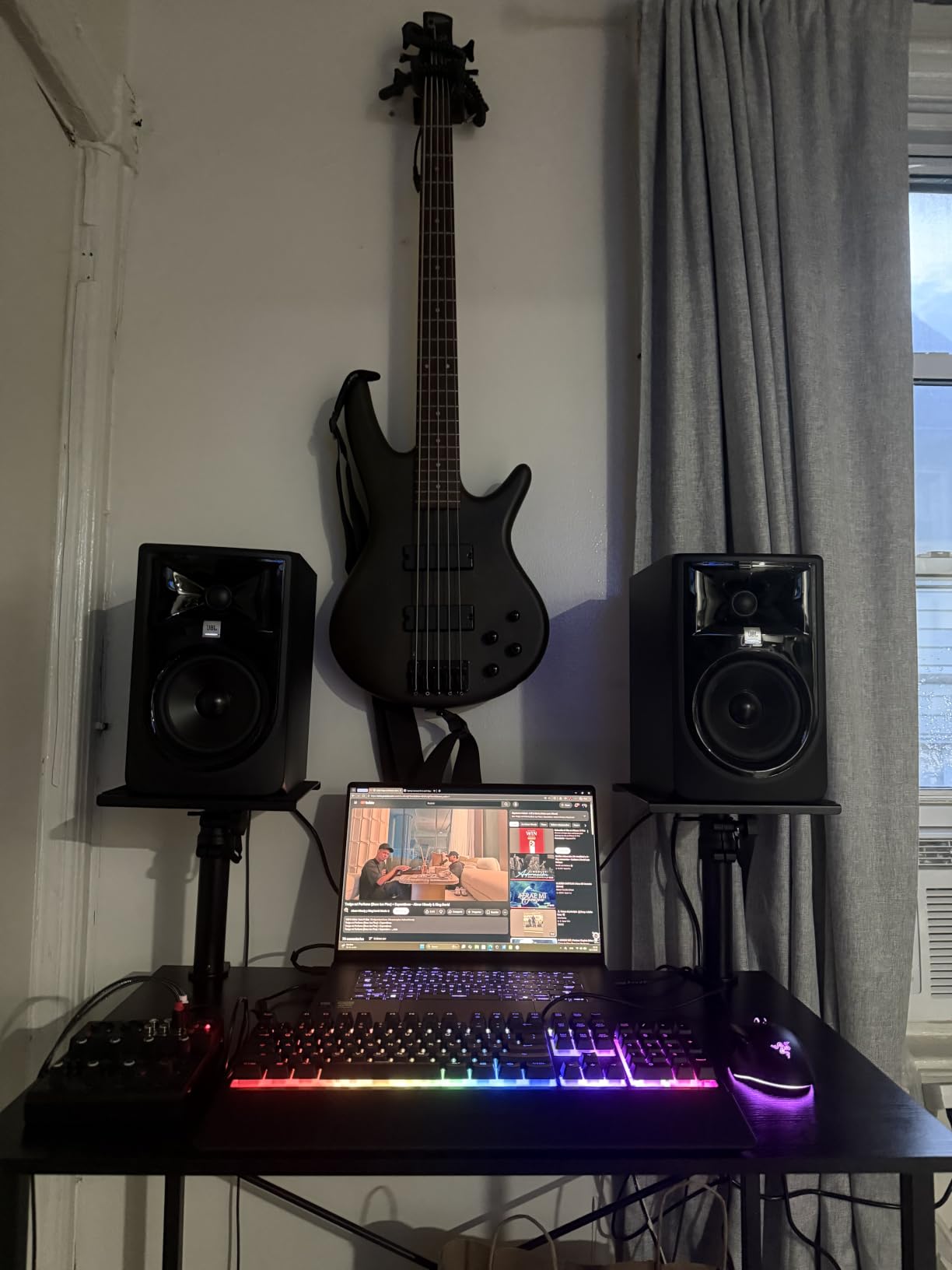
The clamp is the reason this holds up. A 3 mm EVA pad protects the desktop, the clamps themselves are 5 mm thickened, and the adjustment range covers desktops from 0 to 2.6 inches thick. That is wider than most of the clamp stands we tested, and it is why the pair earns a lifetime warranty rather than a one-year one.
Footprint matters more than people expect on a studio desk. This clamp occupies 32.5 sq cm, so you keep almost the whole surface free for a display, an interface, and a controller.
What to check before you buy
The 9 to 14 in range starts low. If your monitor is a tall cabinet and you sit at a high desk, you may need the taller clamp in entry 8. Measure from your desk surface to your ear when seated, and add the monitor cabinet height – that total has to land inside the 14 in ceiling.
There is no tilt adjustment listed. If your monitors end up well above ear level, the top plate will not let you aim them down, and you will need to angle them with the monitor’s own feet. That works for most 5-inch monitors on a shelf, less well on a wide baffle.
Where it falls short
The 50 lb rating is fine for compact and mid-size bookshelf monitors and less generous than the 60 lb and 66 lb options in this list. If you run 8-inch monitors, check the actual per-speaker weight before ordering.
This is a short stand by design. Users who wanted the extra reach went to a taller model. If you know your monitors are heavy, the clamp rating is the first number to compare, not the height.
3. Rockville RHT8B 8 inch Desktop Studio Monitor Stands – Best for Heavy Monitors
Rockville RHT8B Pair 8″ Black Desktop Speaker/Studio Monitor Stands
MDF core construction
66 lb capacity
Fixed 8 in height
9.25 x 7.28 in platform
Included cable clips
Pros
- Highest load capacity in the group at 66 lb per stand
- Includes four cable clips and ties
- EVA pads dampen vibration and add grip
- Pre-drilled holes make assembly simple
- Four finish options to match a desk
Cons
- Fixed 8 inch height with no adjustment
- Base stands occupy desk surface area
- Angled baffle tips can affect imaging
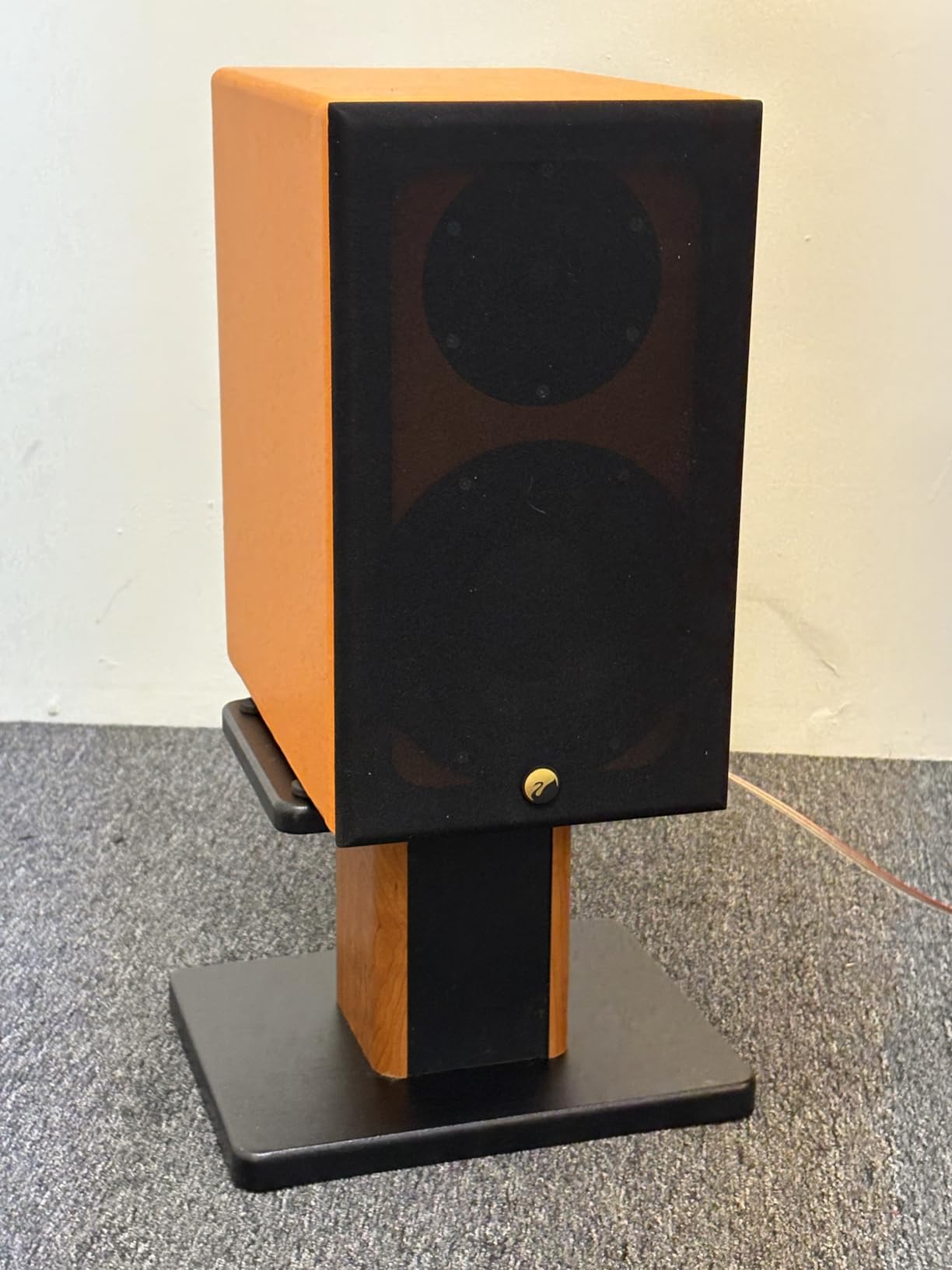
The Rockville RHT8B is the heaviest-duty stand here, rated to 66 lb per stand on a medium density fibre core. That rating is the reason it earns a place on this list at all – it comfortably handles large 8-inch monitors that would overwhelm the lighter isolation platforms and short risers.
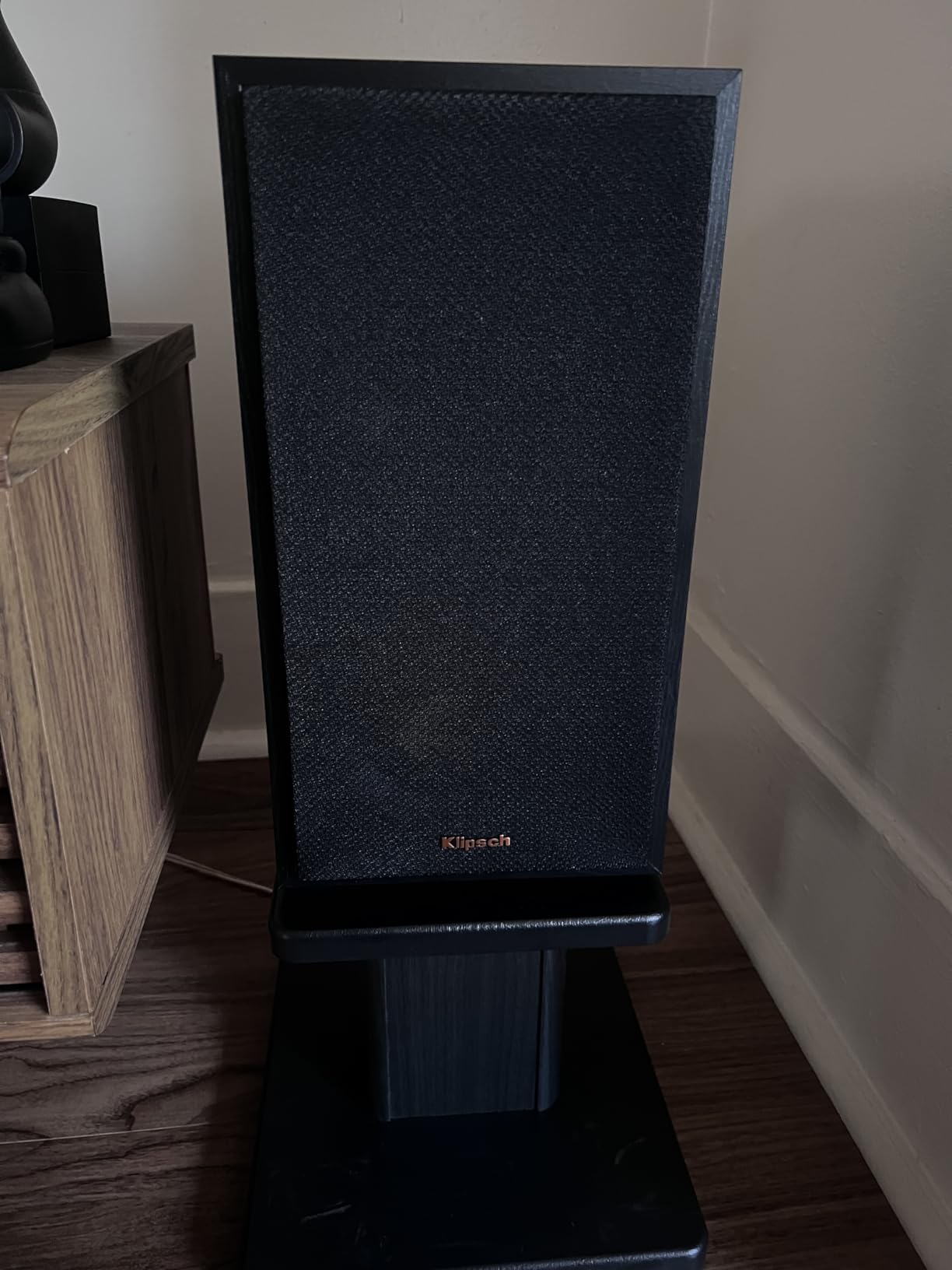
It is also one of the few stands here that ships with real cable management. Four cable clips and ties are included, which matters more than it sounds when a pair of monitors is 8 inches above the desk with signal and power cables hanging off the back. Owners single out that detail more than almost anything else.
The build is furniture-grade painted MDF rather than steel, and the finish is described as resisting cracking and chipping. The top platform measures 9.25 x 7.28 inches, with included EVA pads that reduce vibration and give the cabinet grip.
What to check before you buy
The height is fixed at 8 inches. That works well for nearfield listening at a standard desk with compact 5-inch monitors. It is wrong for a tall cabinet, a high desk, or a standing setup, and there is no adjustment to compensate. If you need range, this is not the stand.
These are base stands, not clamps, so they sit on the desk and take up surface area – 11.8 in by 9 in each. On a small desk that competes with your display stand and interface.
Where it falls short
The angled baffle is a genuine consideration. The wedge shape directs the speaker slightly upward, which can affect imaging at close listening distances. If you sit at a normal desk height it is not a problem, but on a high desk the monitors will fire above your head.
The fixed height also means no correction if your chair or desk height changes. Buyers who swapped desks ended up buying a different stand, and that is the most common regret we see with this style.
4. IsoAcoustics ISO-130 Isolation Stands – Best for Isolation
IsoAcoustics Iso-Stand Series Speaker Isolation Stands with Height & Tilt Adjustment: Iso-130 (5.1″ x 6”) Pair
Patented isolation design
2.8 to 8.25 in height
14 height and tilt settings
20 lb capacity
Pros
- Purpose-built isolation rather than foam padding
- Fourteen height and tilt combinations
- Reduces energy transferred into the desk
- Platform grips the cabinet without marking it
- Compact and quick to assemble
Cons
- Only 20 lb load capacity
- Small platform for compact 3 to 5 inch drivers
- Some buyers find isolation weak at low volumes
- No cable management
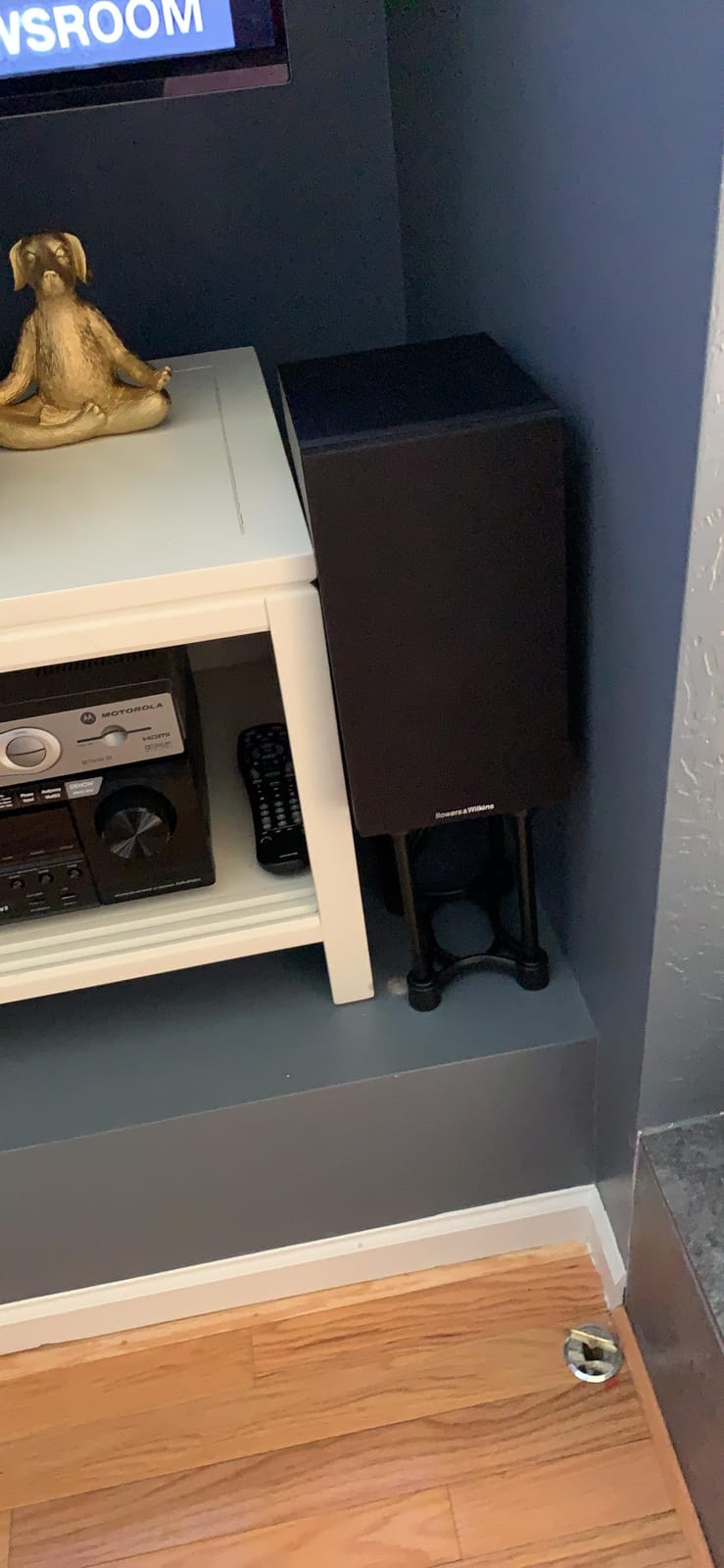
This is the only true isolation platform in the roundup, and the design is the reason it is here. Rather than sitting on foam, the IsoAcoustics ISO-130 uses a patented isolation mechanism developed to manage speaker energy so less of it resonates through the surface below. The brand states the design was tested at the National Research Council of Canada.
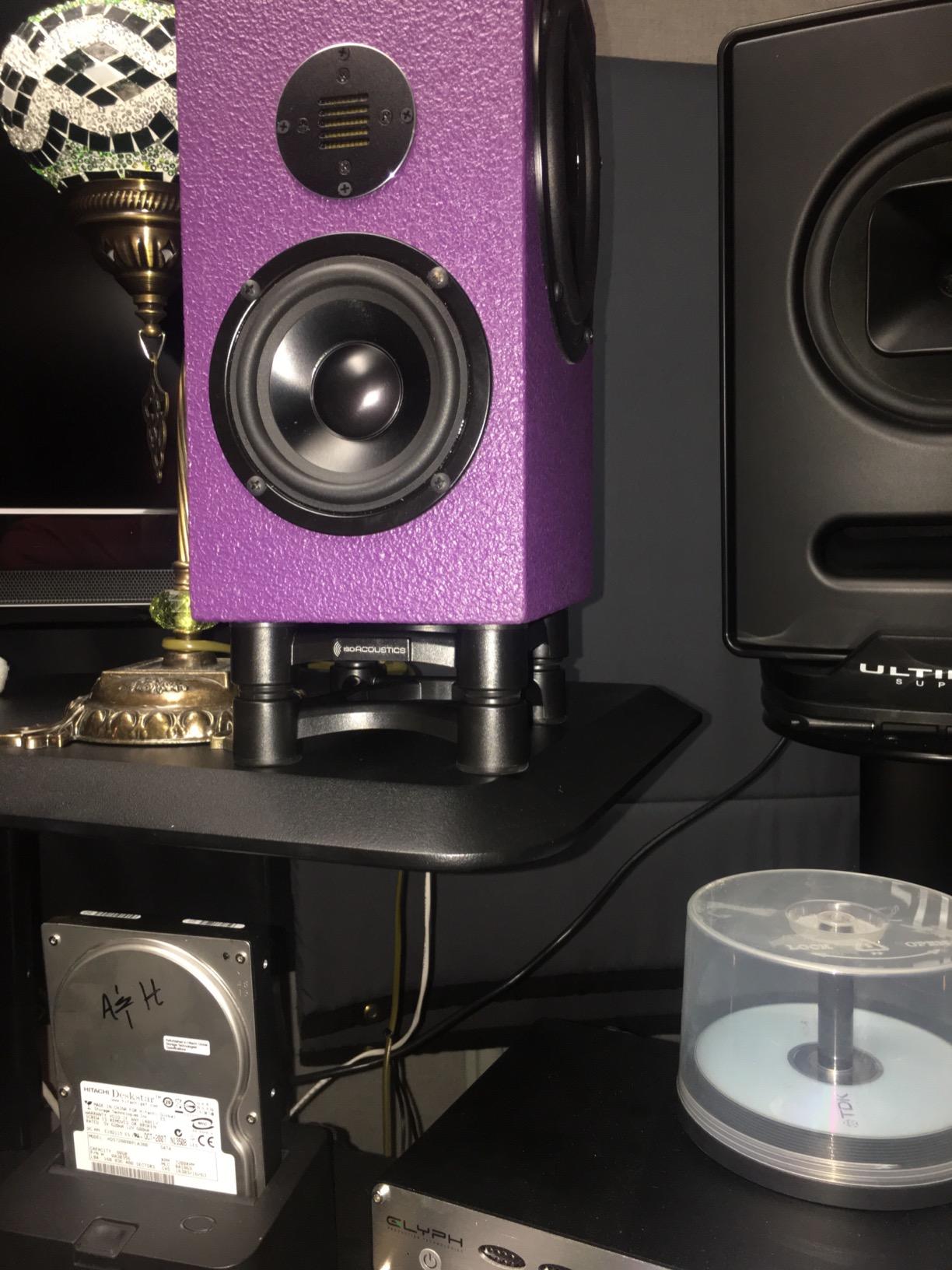
The adjustability is the underrated part. Fourteen combinations of height and tilt, with a platform measuring 5.1 in by 6 in and a range from 2.8 in in the low setting to 8.25 in in the tall setting, means you can get a genuine ear-line position on a desk where a fixed riser would not.
That is the honest version of the isolation case. Audio Science Review users have argued for years that part of the perceived gain is simply the extra height – one regular described the pucks as being more about raising the speakers an extra 25 mm to get the tweeters to ear height. The height adjustment here is real, and it is worth having on its own terms.
What to check before you buy
The 20 lb capacity is the hard limit, and it is the first thing to check. This platform is built for compact 3 to 5 inch drivers. Push past 20 lb and you are outside the design, and the isolation behaviour is not something to test with a heavy cabinet.
Platform size is the second check. At 5.1 x 6 in, a wider monitor will overhang the base. If you have 6-inch or larger monitors, look at one of the clamp stands in this list instead.
Where it falls short
Expect diminishing returns at low listening levels. Several owners report that the effect is less noticeable when they are mixing quietly, which fits with the broader view that isolation matters most when the desk would otherwise buzz under loud low-frequency playback.
There is no cable routing and the appearance is plain. If your desk is a display piece, this looks like studio equipment rather than furniture, and that can matter to some setups.
5. Liquid Stands MS112 Stainless Steel Clamp Stands – Top Rated
Liquid Stands Studio Monitor Stands – Music Studio Desktop Speaker Stand – 2 Pack 12×9 Clamp-on Adjustable Short or Tall Speaker Support for Music Booth Desk Audio Monitor Stand Mount with Tilt
Stainless steel construction
65 lb capacity
9.5 to 13.5 in height
0 to 20 degree tilt
Pros
- Highest rated in the group at 4.8 stars
- Heavy duty stainless steel with a 4 inch base
- Works in vertical or horizontal orientation
- 0 to 20 degree tilt with four included lips
- Needs under 2 inches of wall clearance
Cons
- Clamp only fits desktops up to 2 inches thick
- Heavier and pricier than entry clamp options
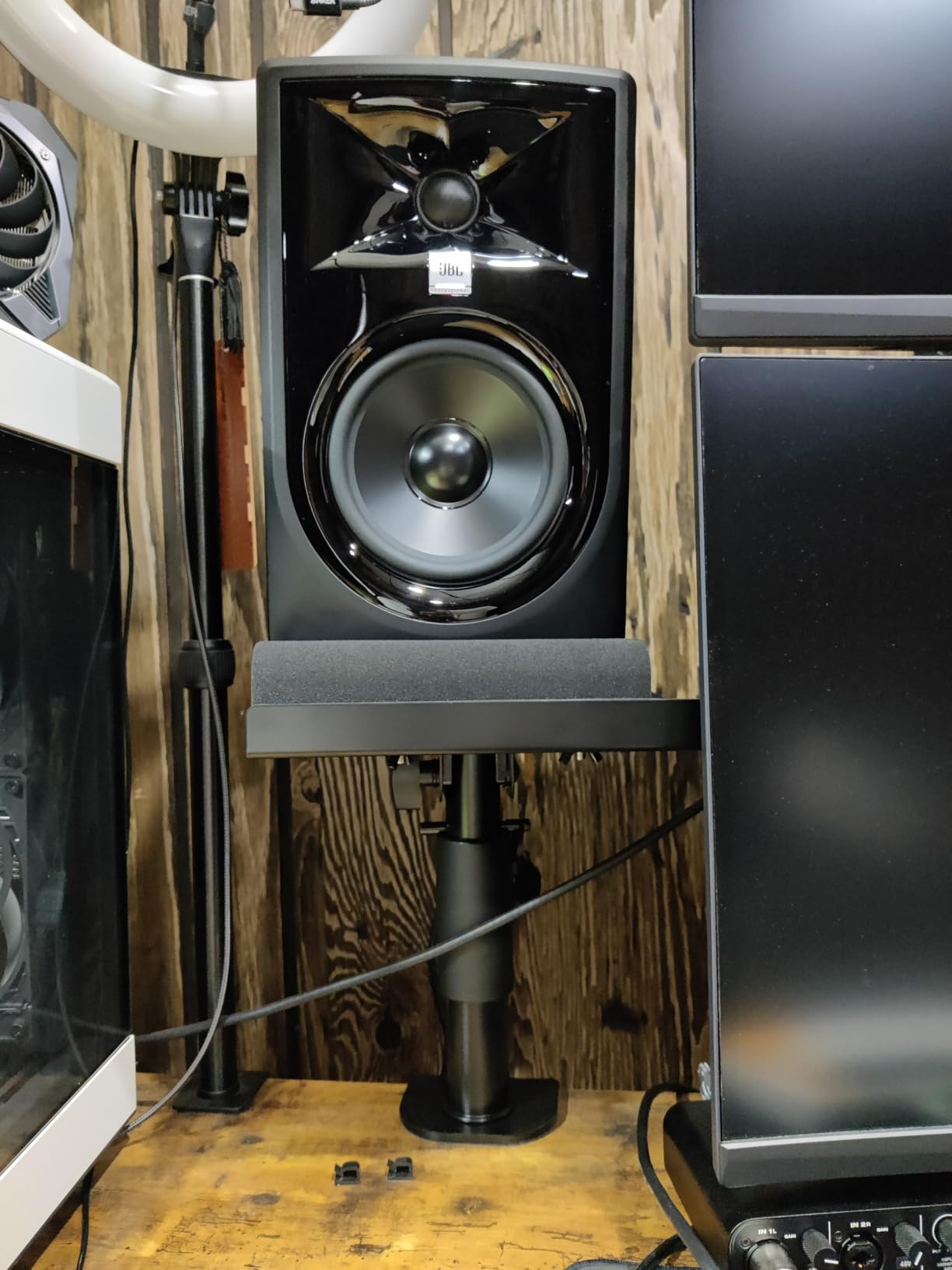
Liquid Stands rates highest of any product here, at 4.8 stars across 344 reviews, and the reason is adjustability. Height runs from 9.5 in to 13.5 in, tilt goes from 0 to 20 degrees, and the plates can be used horizontally or vertically with four removable lips to stop the cabinet sliding. Very few stands in this category let you change the orientation of the monitor itself.

That vertical-versus-horizontal option is more useful than it sounds. A wide monitor placed vertically on its side needs different baffle geometry and a different top plate, and having both options in one stand means you can reorient when you change speakers rather than buying again.
The construction is heavy duty stainless steel with a 4 inch wide base holding up to 65 lb, and the platform is 9 x 12.5 in with 6 mm anti-slip isolation padding. It also needs less than 2 inches of clearance from the wall behind the desk, which is what makes it work in a shallow booth.
What to check before you buy
Desktop thickness is the limit here: 0.5 in to 2 in. If your desk has a thick top or an edge trim, measure before you commit. This is the one constraint that generates the most returns in the reviews of this stand.
It is also the heaviest clamp set in the roundup at 6.73 kg. That weight is doing work – it is why the stand does not move when you push the monitors – but it does mean repositioning is a two-handed job.
Where it falls short
The 10 year warranty is the strongest in the group and the reviews describe the build as exceptional, so the trade-off is straightforward: you are paying more for steel that is heavier and a desktop that must be 2 inches or thinner.
Worth noting on value. If your desk is a typical thin laminate studio top, this is the stand we would put on a shortlist first. If the desk is thick, skip it and go to entry 12.
6. On-Stage SMS4500-P Clamp-On Studio Monitor Stands – Best for Flexible Mounting
On-Stage SMS4500-P Clamp-On Studio Monitor Speaker Stands: Height-Adjustable (9″-12.5″), Locking pin for Security, Steel Construction, Nonslip Rubber feet. Table/Desk use, Black Finish. Pair.
Steel construction
9 to 12.5 in height
15 degree angle adjustment
Clamp or flat base included
60 lb capacity
Pros
- Includes both clamp-on mounts and flat bases in the box
- Locking pin stops the height setting slipping
- Platform padding reduces vibration
- 60 lb capacity in steel
- Nonslip rubber feet decouple from the surface
Cons
- Narrowest tilt range among the adjustable clamps
- Heavy 16.3 lb shipping weight
- Bulky to reposition on a crowded desk
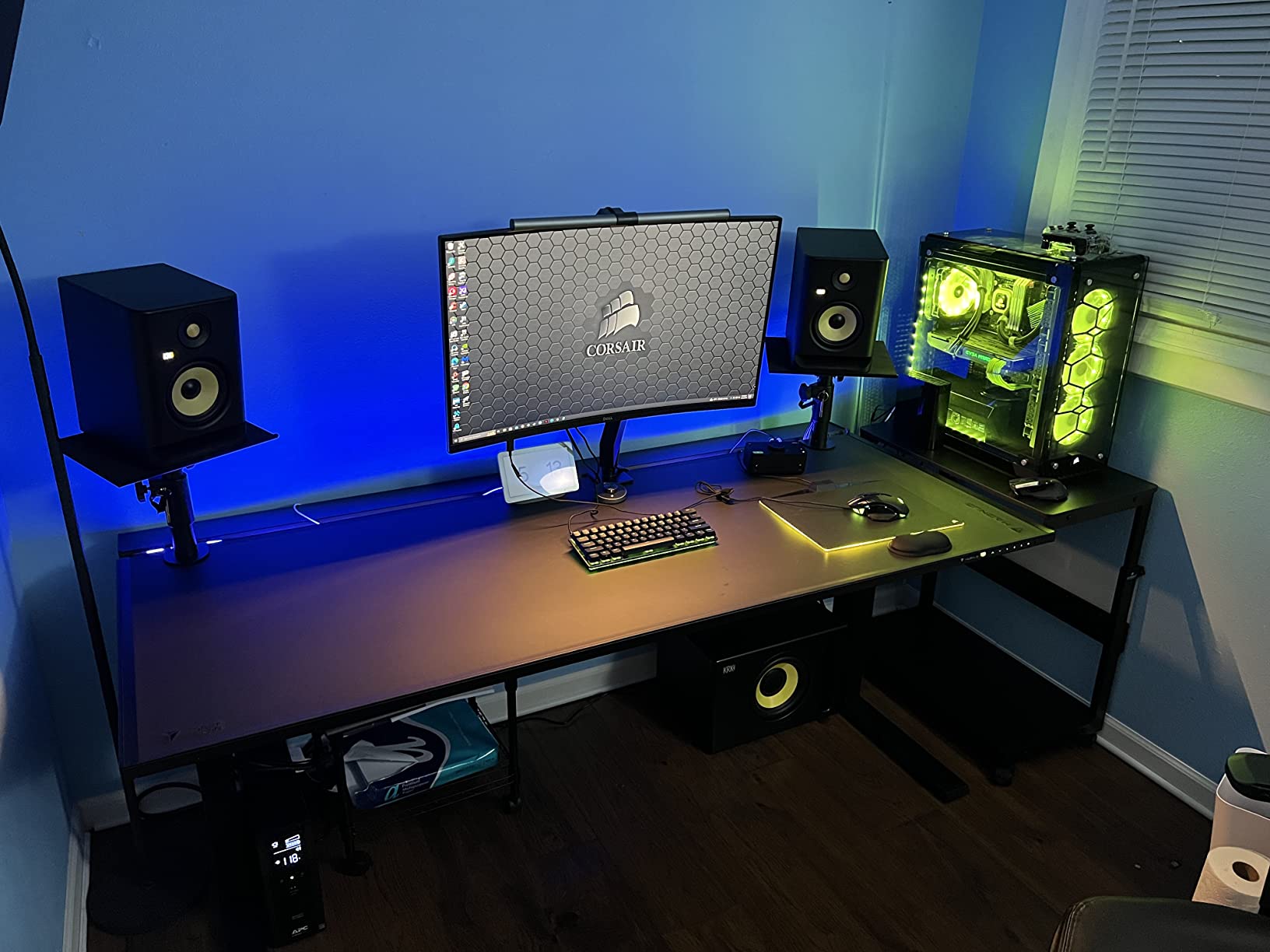
The On-Stage SMS4500-P solves a problem the other clamp stands do not: it ships with both clamp-on desk mounts and flat 10 x 10 in bases in the same box. You can start clamped to a studio desk and move to freestanding bases when you want to reposition for a different listening position, without buying a second product.
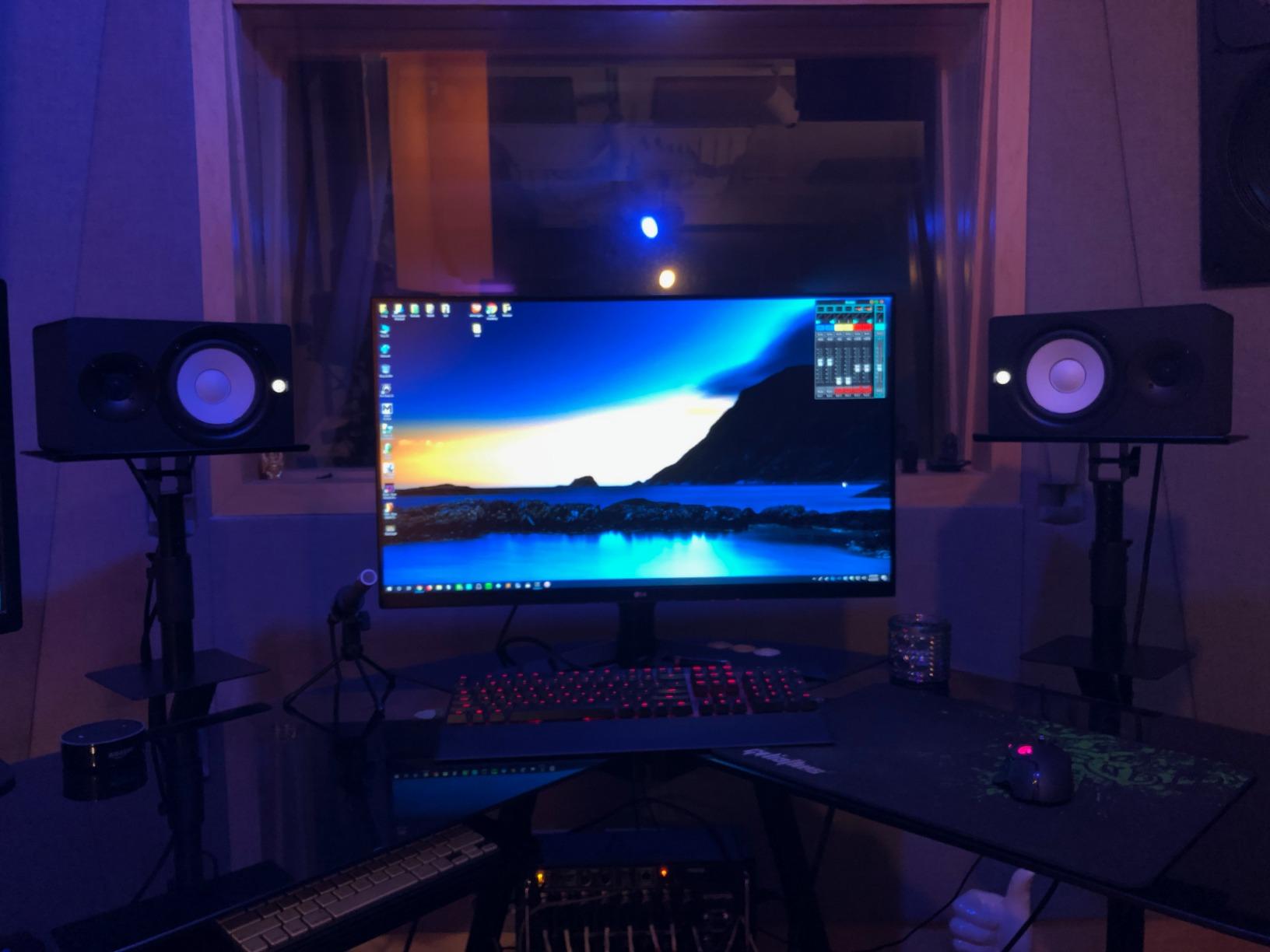
The locking pin is the detail owners rate most. A tightening knob sets the height, and the pin locks it so the post cannot creep downward over time – a genuine reliability improvement over stands that rely on friction alone.
Height runs from 9 in to 12.5 in, the platform angle adjusts 15 degrees, and the platform padding both reduces vibration and protects cabinet finishes. Steel construction carries a 60 lb rating, and nonslip rubber feet decouple the speaker from the worksurface on whichever mounting you choose.
What to check before you buy
The 4.4 star rating across 321 reviews is the lowest in this roundup, and the complaints are consistent rather than random. The 15 degree angle range is the narrowest among the adjustable clamp options here, so if you need to aim a high cabinet down at your ear line, this gives you the least help.
Weight is the other issue. At 16.3 lb for the pair, this is the heaviest item in the roundup, and users describe the feel as industrial. On a crowded desk that is a real cost in daily use.
Where it falls short
Choose this one for the dual mounting, not for the adjustability. If you are certain you will keep the monitors clamped to one desk, the Liquid Stands in entry 5 offer a wider tilt and a higher rating for a similar role.
It also suits a specific workflow: a studio desk that gets reconfigured, or a monitoring position you want to move between rooms. For a fixed setup, the extra base hardware is unused weight.
7. Tlingt Clamp-On Desktop Speaker Stands – Best for Compact Desks
Tlingt Clamp-on Desktop Speaker Stands, Desk Mount Set, Fits 5″-6″ Speakers
Metal platform
8.66 to 14.2 in heights
Minus 10 to plus 10 degree tilt
Clamps desks to 2.5 in
Pros
- Four lockable height positions
- Clamps desktops up to 2.5 inches thick
- Tilt range of minus 10 to plus 10 degrees
- Anti-skid isolation pads protect cabinets
- Compact clamp design saves desk space
Cons
- 33 lb per-stand capacity is among the lowest
- Fixed plate size needs a separate variant
- Modest 9.5 x 8.9 in platform
Tlingt is built around a specific monitor size. The 9.5 x 8.9 in metal platform is designed for 5 to 6 inch bookshelf and studio monitors, and the variant list confirms that – there is a separate version for 3 to 4 inch speakers. If you know your monitor size, this stand fits it properly rather than approximately.
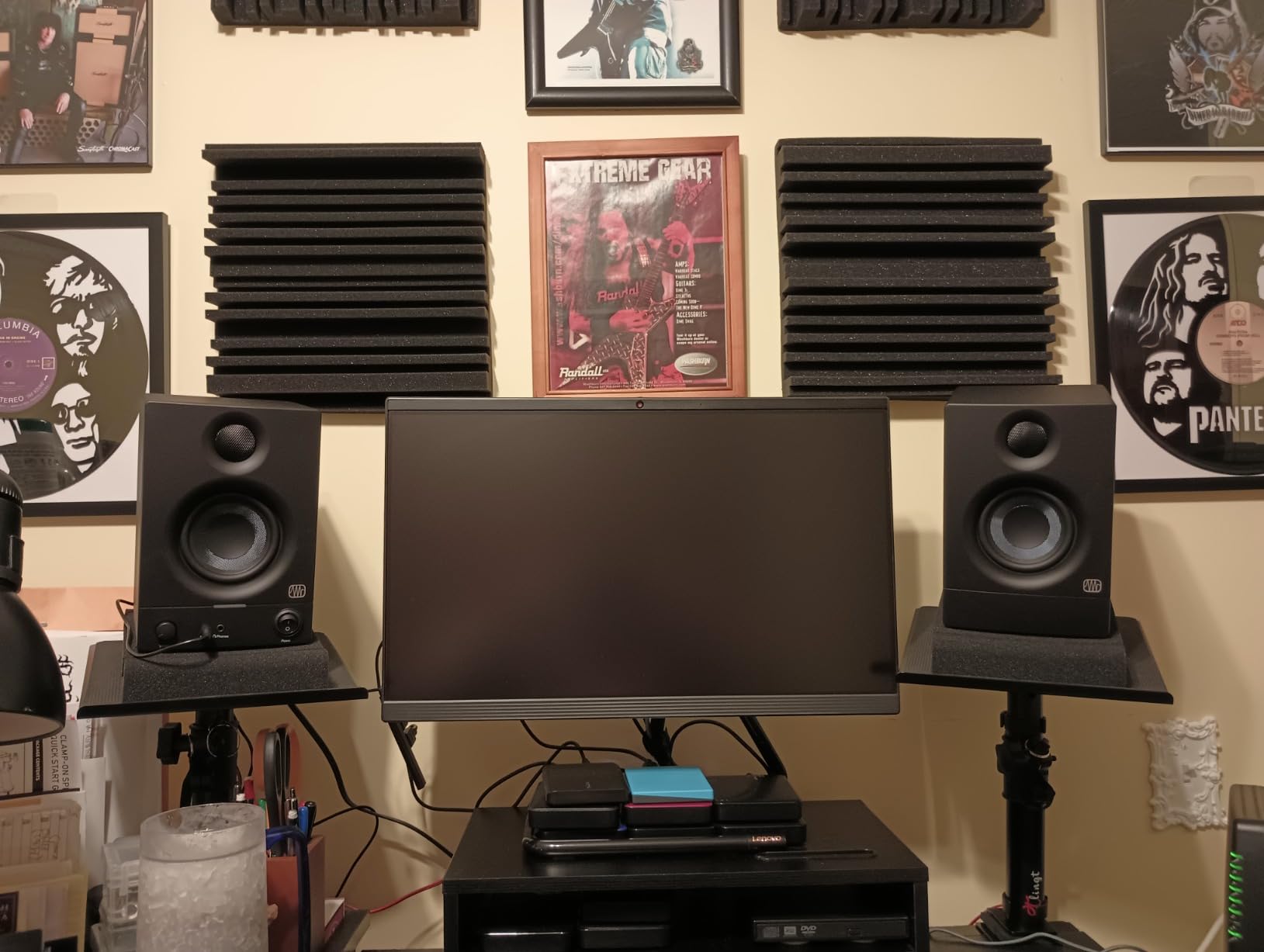
The height range is unusually wide for a compact clamp. Four lockable positions at 8.66, 11, 12.6, and 14.2 inches give roughly 5.5 inches of travel, and the tray tilts from minus 10 to plus 10 degrees. That is enough to move a monitor from a low seated position to a raised one as your desk or chair changes.
Desktop compatibility is the quiet strength. The clamps fit desktops up to 2.5 inches thick, which is wider than most of the clamp stands in this roundup, and the anti-skid isolation pads both protect the cabinet and absorb resonance.
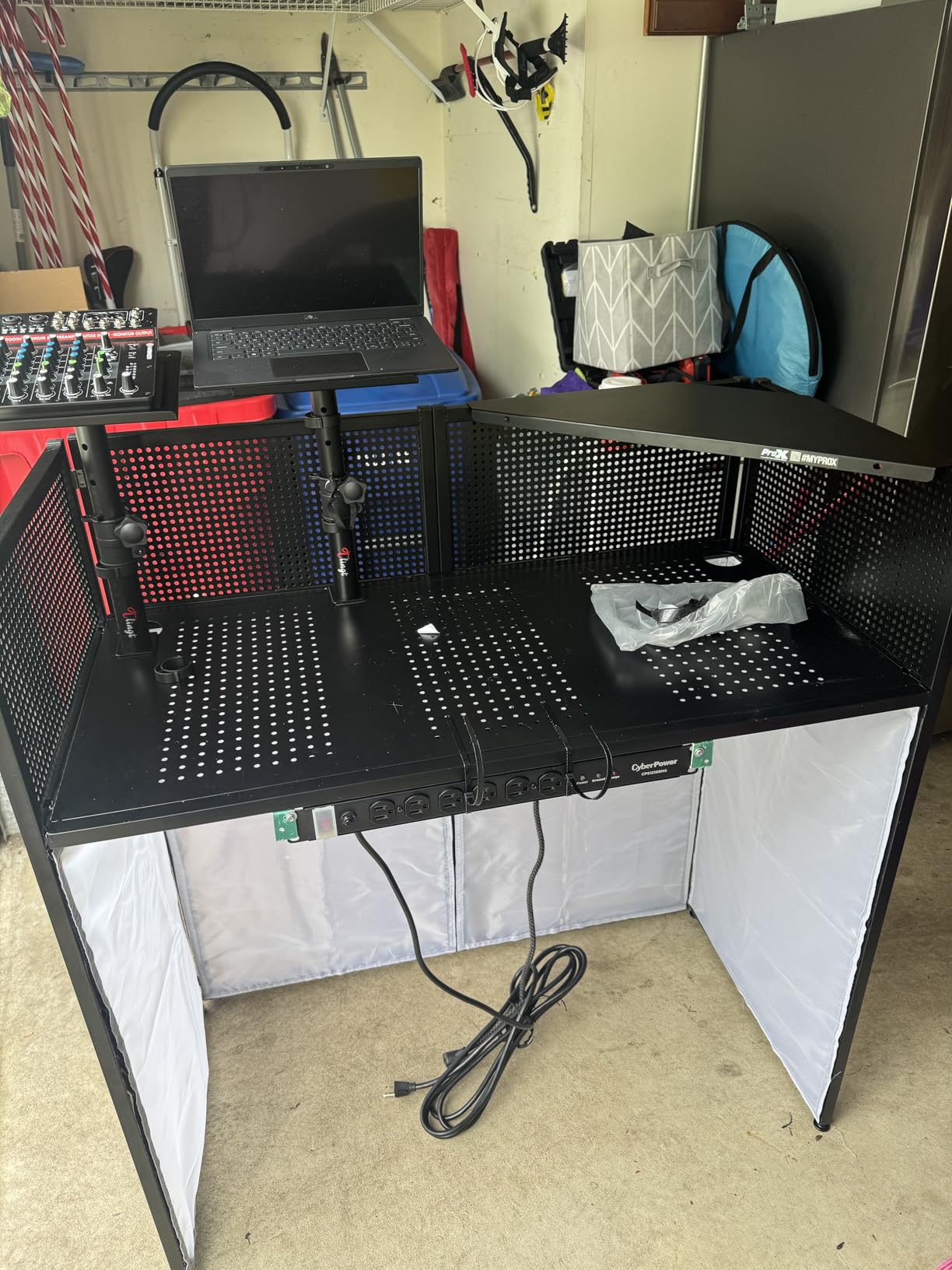
What to check before you buy
The 33 lb rating is the constraint. It is adequate for 5 to 6 inch monitors and light to marginal for 7 to 8 inch models. This is the single number to verify before ordering, and it is the reason we did not place this stand higher for heavy-monitor buyers.
Check the variant carefully. A 5 to 6 inch plate on a 3 to 4 inch monitor leaves the cabinet overhanging the base, which is unstable and defeats the isolation padding.
Where it falls short
This is a functional stand, not a furniture piece. Owners describe solid clamping and useful desk-space savings, but the finish and hardware are basic compared with the steel options in this list.
If your monitors are heavier than about 25 lb each, move up to entry 3 or entry 8, both of which carry 66 lb ratings. Better to have headroom you never use than to run a stand at its limit.
8. OUKMIC Clamp On Desktop Studio Monitor Speaker Stands – Best for Raised Positions
OUKMIC Clamp On Desktop Studio Monitor Speaker Stands Pair
Diecast aluminium
13.4 to 18.2 in height
0 to 15 degree tilt
360 degree rotation
66 lb capacity
Pros
- Tallest clamp height range here at 13.4 to 18.2 inches
- 360 degree rotation for accurate toe-in
- 66 lb capacity on a large 12.6 x 9.3 in platform
- Diecast aluminium gives genuine weight and stability
- Only 6.95 sq in of clamp footprint
Cons
- Generic branding with no stated manufacturer
- Finish and hardware feel basic to some buyers
- Shortest review history of the clamp options
The OUKMIC pair solves a problem none of the other clamp stands here address: height. It adjusts from 13.4 in to 18.2 in, which is the only clamp option in this roundup that puts tweeters at a genuinely raised listening position. That makes it the one to look at for an elevated desk, a tall chair, or a nearfield position that sits above standard seated ear level.
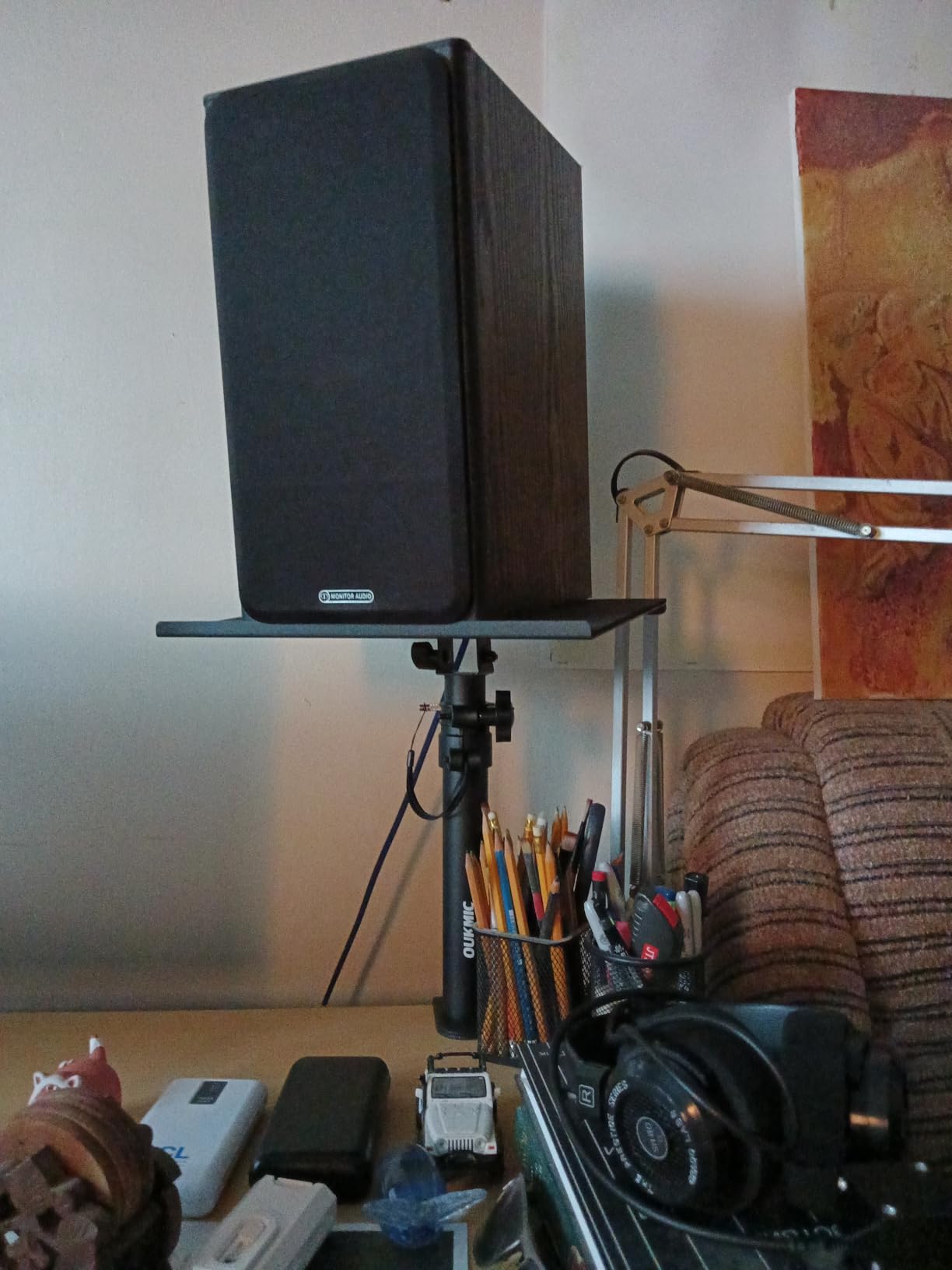
The 360 degree rotation is the feature that gets the most use in practice. Combined with 0 to 15 degrees of tray tilt, it lets you set proper toe-in – angling each monitor inward toward the listening position – which is the difference between a centred image and an accurate one.
Construction is diecast aluminium rather than folded steel, and the 66 lb rating sits on a 12.6 x 9.3 in platform. That platform is the largest in the roundup, so it handles wide 8-inch cabinets without overhang, and the clamp footprint is only 6.95 sq in.
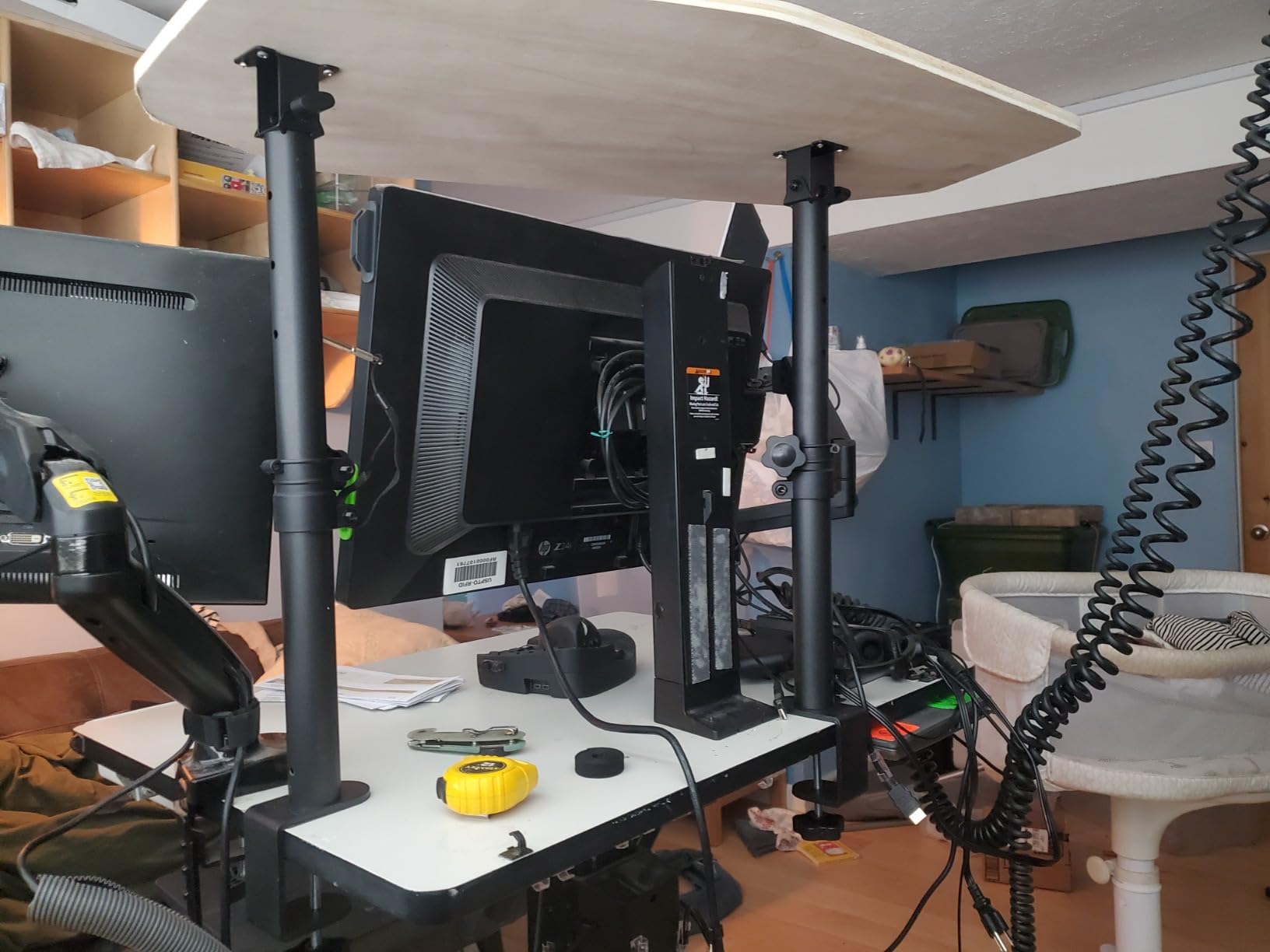
What to check before you buy
Confirm the top of the range is what you need, not just the bottom. At 13.4 in minimum, this stand will be too tall for a low desk, so measure your seated ear height above the desk surface first. If your number is under about 13 inches, this is the wrong stand.
Also weigh the aluminium against the height. A tall clamp stand needs a solid desk, and a lightweight or mobile desk can move as you adjust the monitors.
Where it falls short
The brand is generic and no manufacturer is specified, which is a reasonable thing to weigh when the same category has established names. Some buyers find the finish and hardware feel basic, and the 4.5 rating across 210 reviews is mid-table.
The shorter review history means less long-term data on this model than on picks like the Gator Frameworks clamp. If you want the height and can accept the trade, the spec sheet is genuinely the best in the clamp category.
9. suptek 6.1 inch Desktop Speaker Stands – Best Value
Suptek 7.9 x 6.5″ Desktop Speaker Stands – Pair for Bookshelf & Desktop Speakers – 6.1″ Height – Sturdy Base for Studio Monitors, PC, Gaming & Home Audio, White, SDM003MW
Aluminium and metal build
6.1 in elevation
44 lb capacity
7.9 x 6.5 in top plate
Lifetime warranty
Pros
- Compact 6.1 inch elevation suits nearfield desktop listening
- Rated to 44 lb per stand
- Full foam pads and counter-sunk base holes
- Quick four-screw assembly
- Lifetime warranty at this price point
Cons
- Thin top plates flex under heavier loads
- Compact plates are tight for larger cabinets
- Fixed height with no tilt adjustment
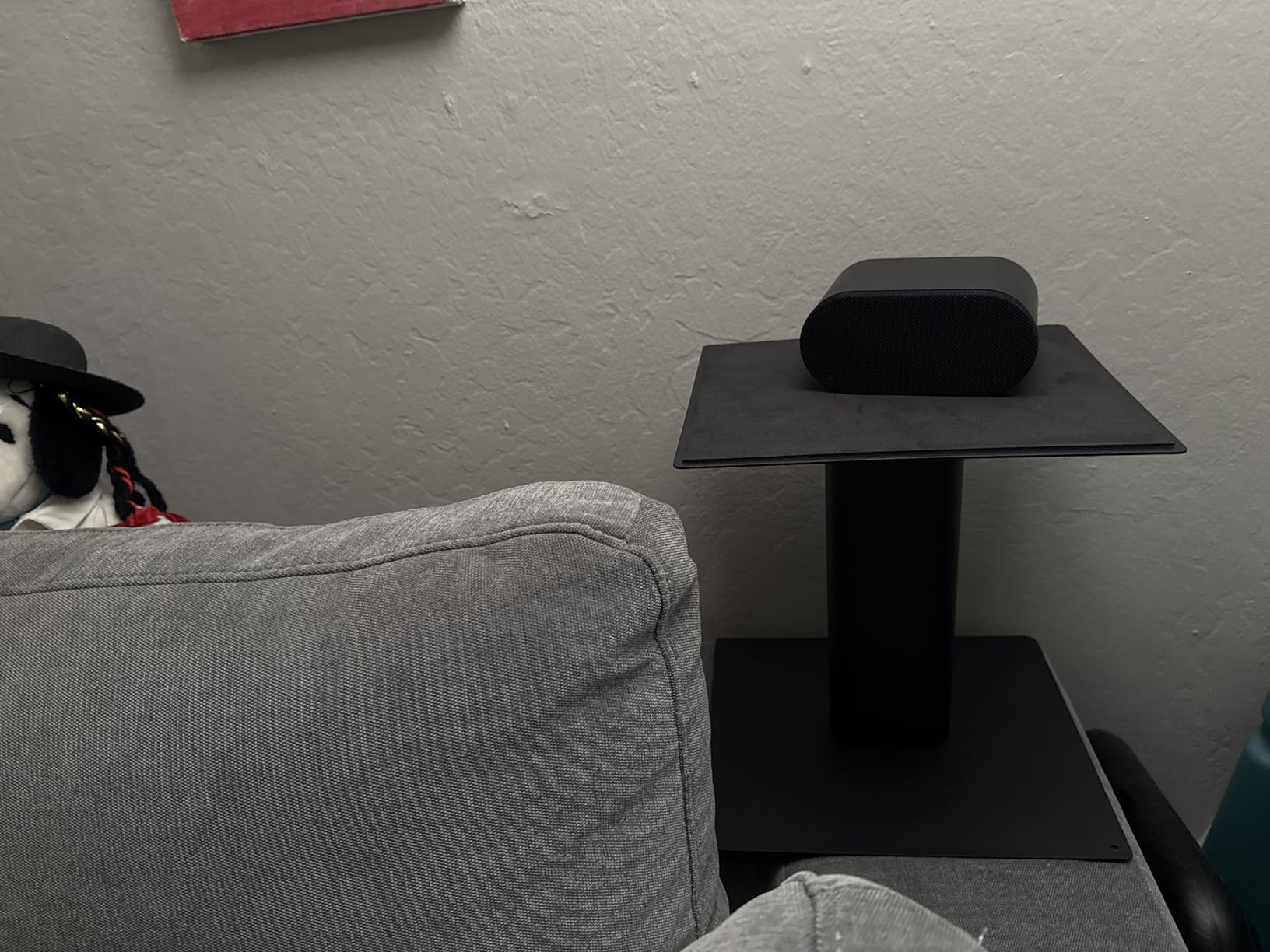
Six inches of elevation is a modest number, and it is exactly right for the case most people are actually in. If you mix on a small desk with compact 4-inch or 5-inch nearfield monitors, the tweeter starts below ear level and this brings it up without pushing the monitors to the back of the desk or into a wall.
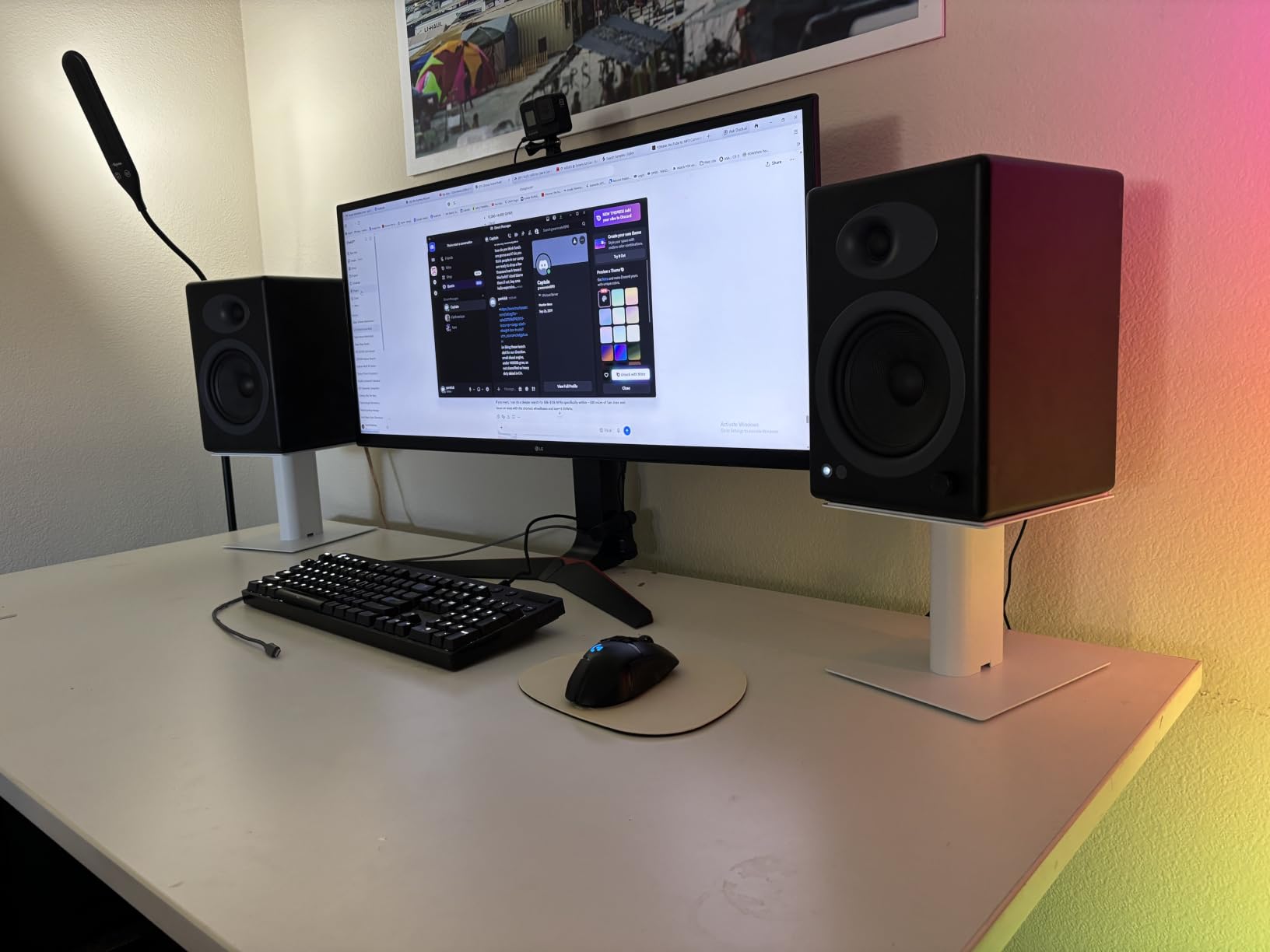
The 200 x 165 mm top plate is described as spacious for its class, and each stand holds up to 44 lb with an anti-slip mat. Assembly is four screws with step-by-step instructions, which owners say takes about ten minutes for the pair.
It is also the one riser here with a lifetime warranty behind a very low outlay, which changes the risk calculus. If it is not right for your setup, you have not made an expensive mistake.
What to check before you buy
Height is fixed, so measure before you order. If you sit at a high desk or use a tall chair, 6.1 inches may still leave the tweeter below your ear line. In that case the Kanto SP9 in entry 10 gives you 9 inches at a similar size.
There is no tilt adjustment. Like the Kanto, this works well when the elevation lands close to ear level, and less well when the monitors end up well above you.
Where it falls short
Plate rigidity is the recurring complaint. Owners report the thin aluminium top plates flexing under loads near the 44 lb rating, and the compact footprint is tight for larger cabinets. If your monitors are heavy, this is not the stand.
Think of it as a height fix for light monitors rather than a support structure for heavy ones. Used that way, it does the job at a cost that makes the decision easy.
10. Kanto SP9 Rising Desktop Speaker Stands – Most Versatile
Kanto SP9 Rising Desktop Speaker Stands for Small/Medium Bookshelf Speakers & Compact/Mid-Size 2”-4” Studio Monitors | 8.3″ Tall | Black | Pair
Powder coated steel
9 in elevation
Two top plate sizes
Rotate up to 15 degrees
30 lb capacity
Pros
- 4.7 rating across a large 1426 review base
- Two top plate sizes included for different widths
- Rotating top plates aim sound at the listener
- Mounting hole and screw for compatible speakers
- Hollow column routes cables internally
Cons
- 30 lb capacity is modest
- Fixed 9 inch height
- Best suited to 2 to 4 inch drivers
The Kanto SP9 has the best rating-to-review ratio in the roundup: 4.7 stars across 1426 reviews, with an 82 percent five-star share. It is also the stand most owners describe without being asked, which usually means the design simply avoids problems.
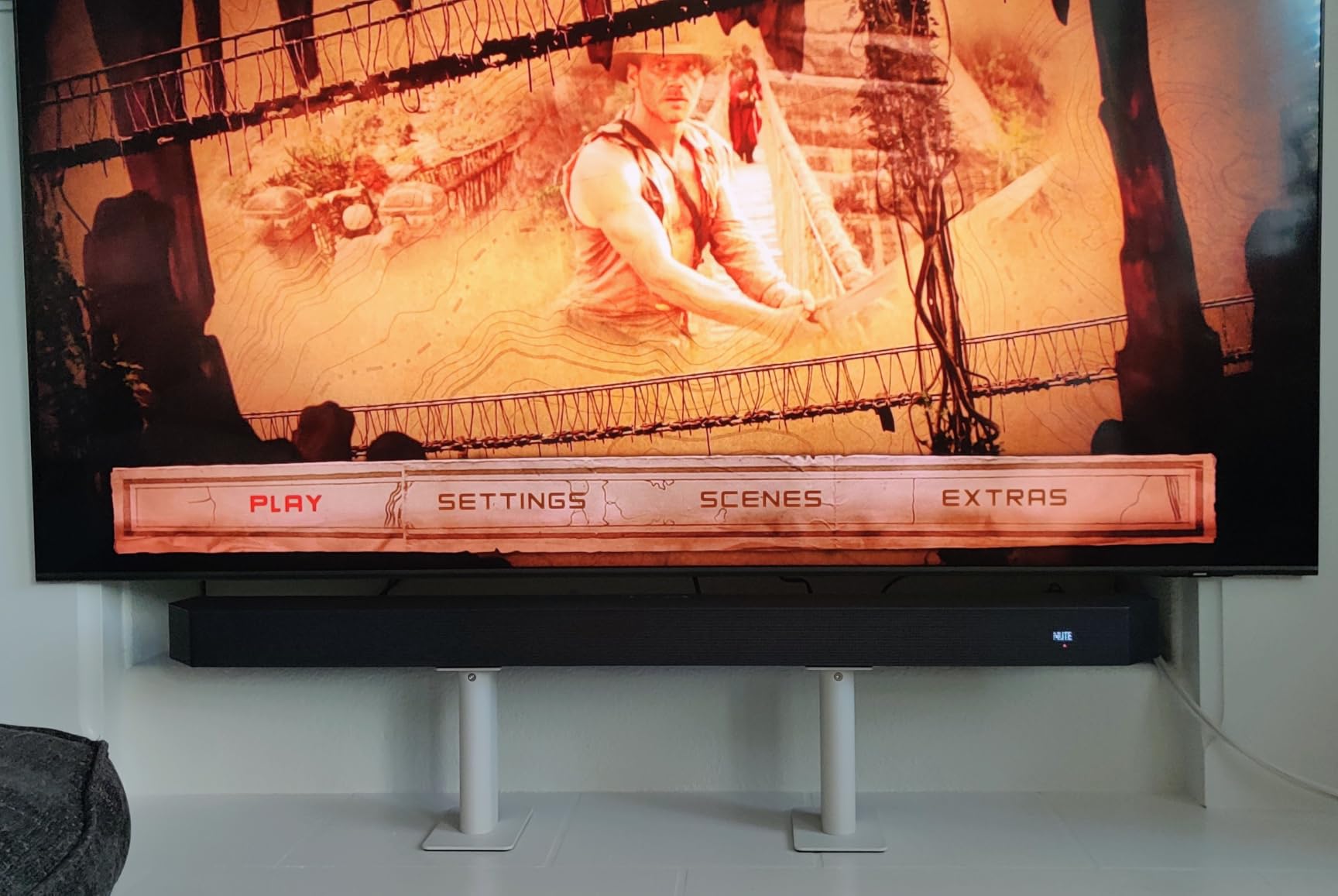
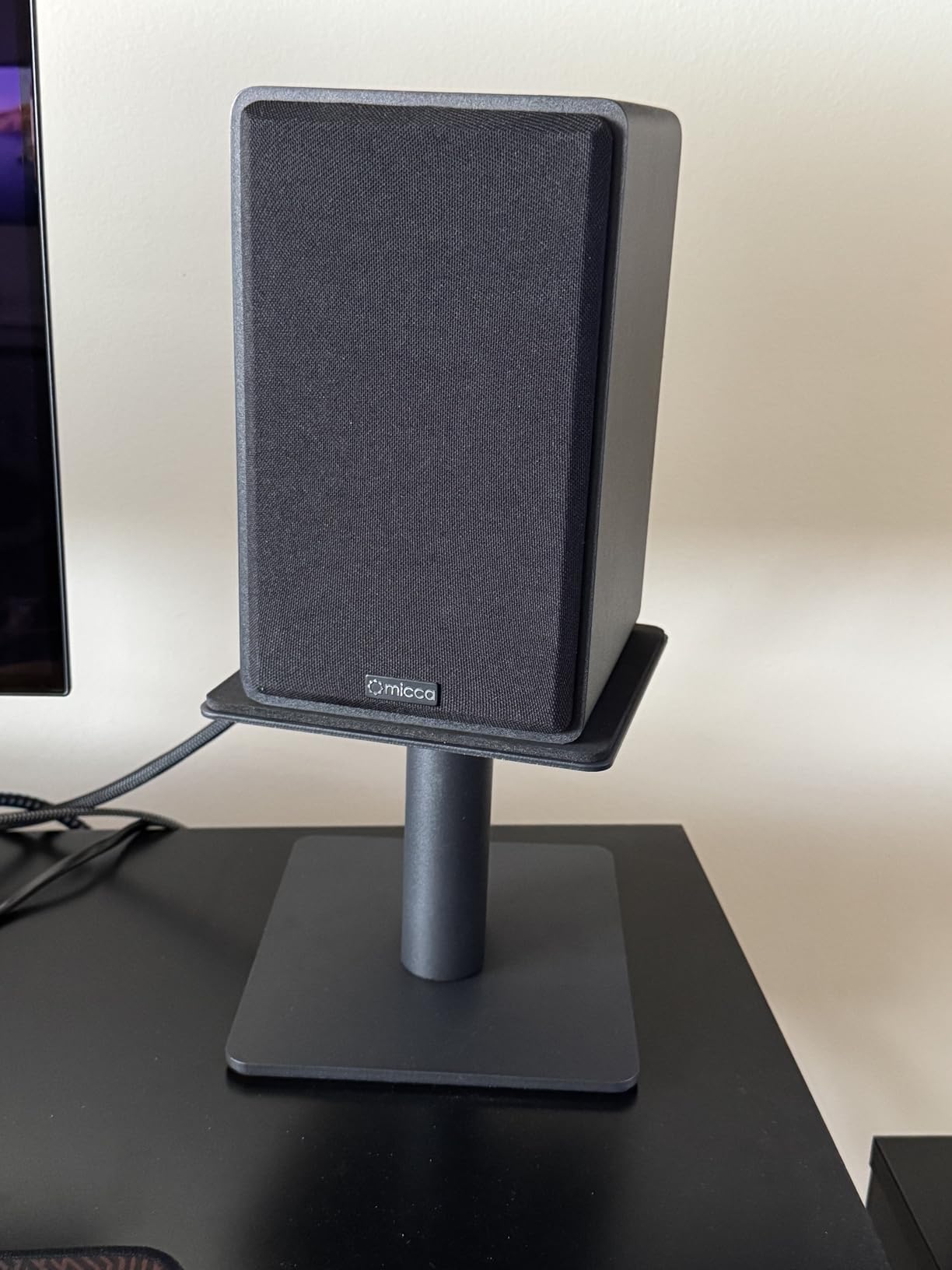
Two details make it work. First, two top plate sizes ship in the box, each with a mounting hole and a quarter inch 20 screw, so you can match the plate to your speaker width and bolt down the monitors if your cabinet has a threaded insert. Very few stands in this category include the hardware.
Second, each top plate rotates up to 15 degrees left or right, which gives you toe-in without repositioning the whole stand. The hollow support column also routes cables internally, so a single cable run goes down the post rather than three loose cables hanging behind the speaker.
What to check before you buy
The 30 lb rating is the limit, and the stated sweet spot is 2 to 4 inch drivers. Nine inches of elevation brings 3 to 4 inch tweeters to ear level well, but a large 8-inch monitor will overhang a plate designed for small cabinets and sits well above your ear line at that height.
Height is fixed at 9 in, so there is no correction if your chair or desk height changes later. That is the main compromise in an otherwise well-executed design.
Where it falls short
It is a small-monitor stand, not a heavy-monitor stand. The moment you are past about 4 inch drivers you are outside the design, and the answer is one of the 60 lb or 66 lb options in this list.
For compact nearfields, though, this is the one we would put on a desk first. Powder-coated steel, closed cell foam padding, internal cable routing, and a mounting screw for the speakers that take it – there is not much left to want at this size.
11. Vondynote Studio Monitor Stands with Cable Management – Best for Large Monitors
Vondynote Studio Monitor Stands Speaker Stands Pair with Cable Management
Floor stand
33 to 51 in height
88 lb capacity
Built-in wire hole
Interchangeable feet or spikes
Pros
- Highest load capacity here at 88 lb per stand
- Wide 33 to 51 inch height adjustment with knob and pin locking
- Built-in wire hole for cable management
- Interchangeable rubber feet or metal spikes
- Wide square tube cross base at full height
Cons
- Floor stands rather than a desktop clamp
- Large floor footprint behind the desk
- Tall configuration needs a stable surface
When a monitor does not fit on the desk, a floor stand is the only answer. This pair adjusts from 33 in to 51 in, which covers seated ear level on a normal desk right through to a raised or standing monitoring position, and it carries 88 lb per stand – the highest rating in the roundup by a wide margin.
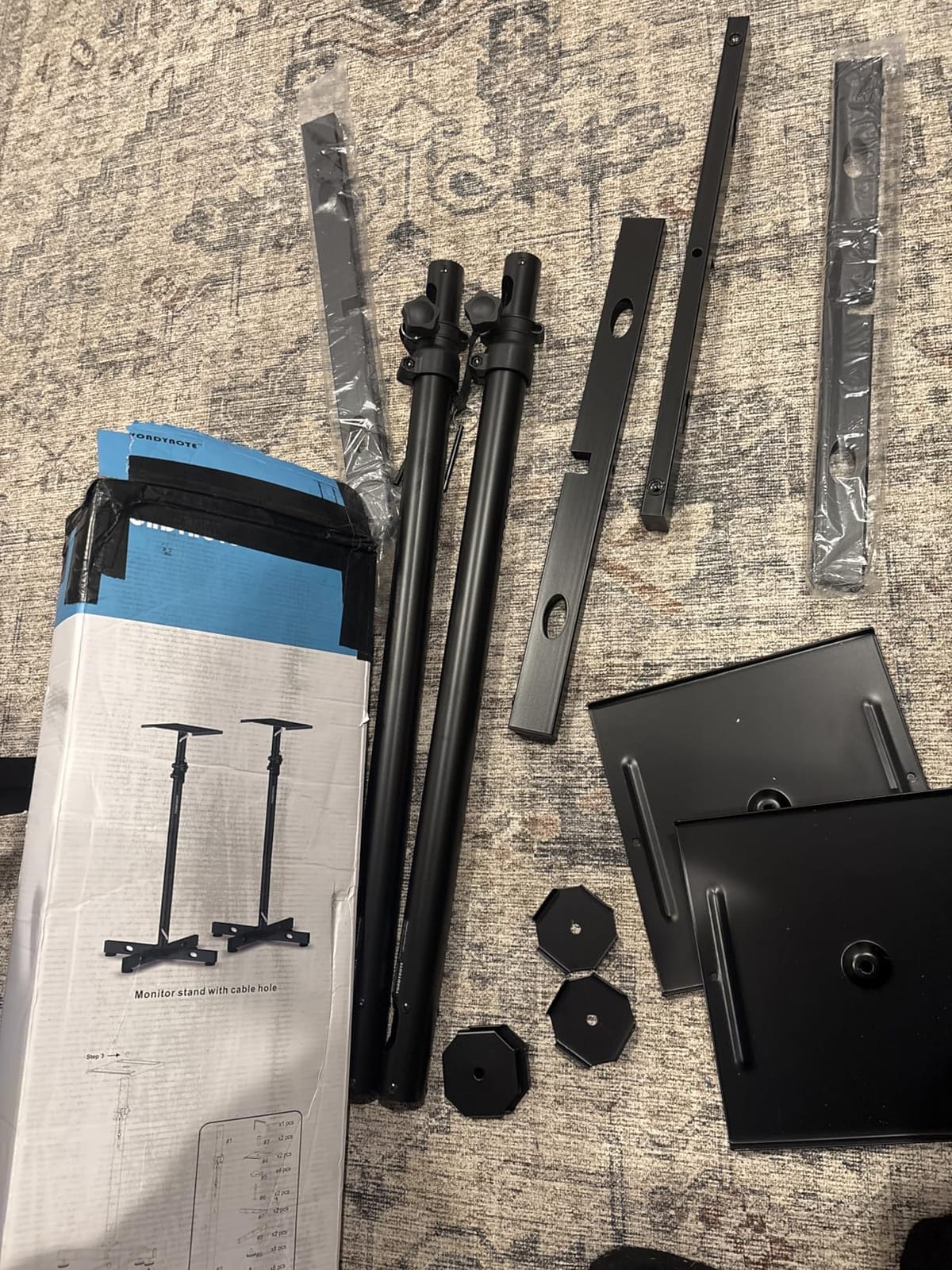
The base design is what makes a 51-inch stand stable. A bottom square tube cross covers a 13.5 x 13.5 in area, so the stand resists tipping at full height with a heavy cabinet on top. That is the difference between a floor stand that stays put and one that gets nudged every time you pass the desk.
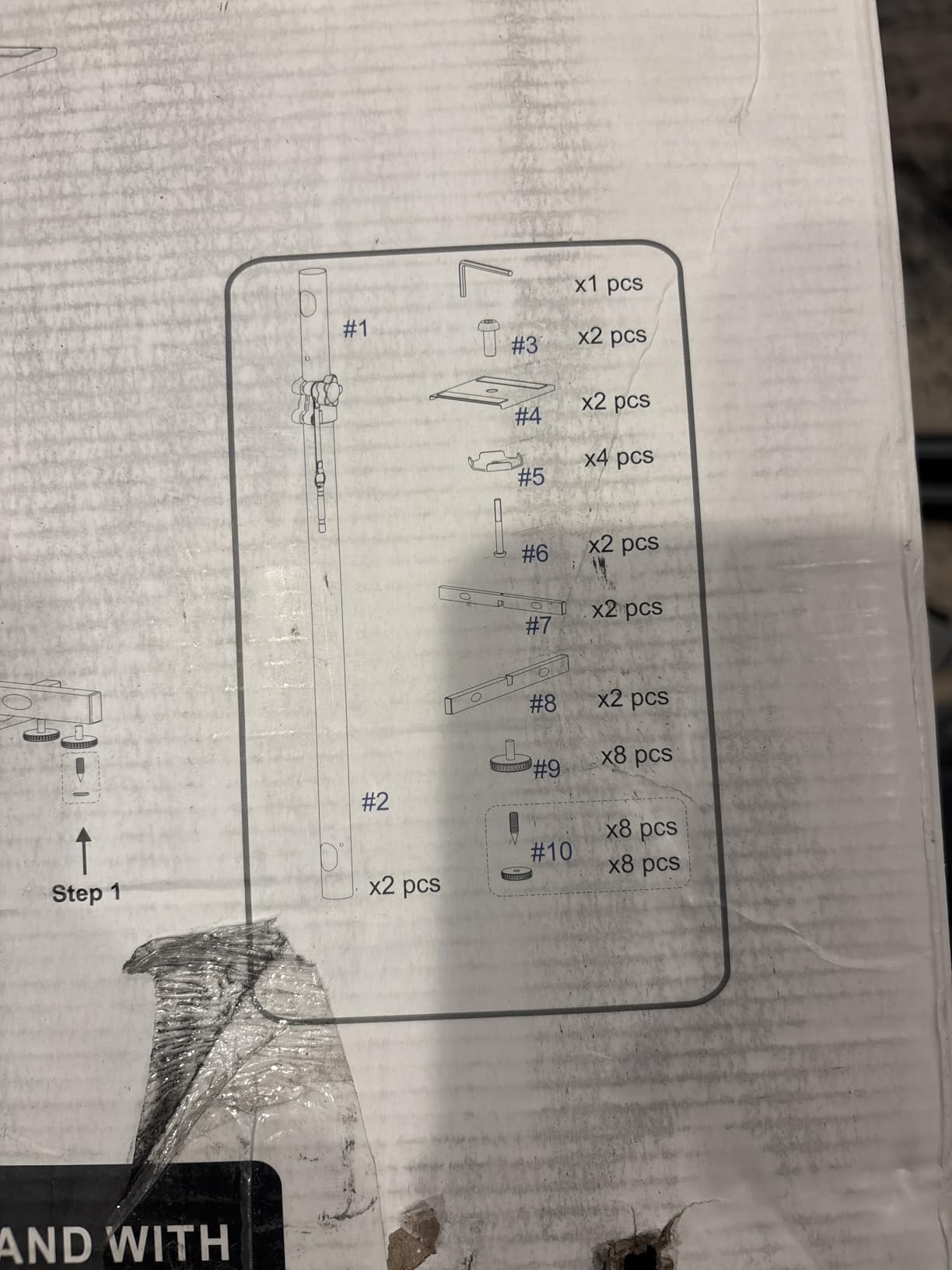
Cable management is handled properly. A built-in 1.38 x 0.98 in wire hole runs the cable down through the post, and height locks with both knobs and pins. The feet are interchangeable – rubber for hard floors, metal spikes for carpet and soft surfaces – which directly answers the rocking problem that forum users report with heavy stands on thick carpet.
What to check before you buy
Measure your ceiling and your floor plan, not just your ears. At 51 in these are tall stands, and in a small room they can dominate the space and create a reflection path off the ceiling. If your room is low, set them lower and accept the reduced height.
Also check that the desk is not in the way. A floor stand needs clear floor behind or beside the desk, and if your desk sits in a tight corner you may have to move it.
Where it falls short
It is the wrong product entirely if your problem is desk clutter. Owners are clear that the desk footprint is unchanged – you have moved the problem from the desk surface to the floor, not solved it.
The spikes help on carpet, but on a hard floor you are relying on rubber feet alone. Test the stand in position before you run cable, and expect to re-level it if the floor is not flat.
12. suptek Clamp-on Speaker Stand Desk Mount Set – Best for Thick Desks
suptek Clamp-on Speaker Stand Desk Mount Set, Height Adjustment, Tilt, Swivel, 9.6 x 8.8 inch Trays, Universal Audio Holders for Computer and Bookshelf Speakers, Elevated Sound, 2 Pack, Black, SDM001B
Alloy steel clamp
Fits desks up to 3.93 in
8.9 to 13.9 in heights
Plus 12 to minus 12 degree tilt
Pros
- Widest clamp range here
- fitting desktops up to 3.93 inches
- Four lockable height levels
- Plus 12 to minus 12 degree tilt
- Steel construction holds steady at 33 lb each
- Also elevates laptops and projectors
Cons
- 33 lb capacity is low for large studio monitors
- Coating and hardware are basic
- Shortest height travel of the four-level clamps
This is the clamp to look at if your desk is thick. The C-clamp installation fits desktops up to 3.93 inches, which covers butcher block, laminated, and heavy composite tops that no other clamp stand in this roundup will accept. That single specification puts it in a category of one.
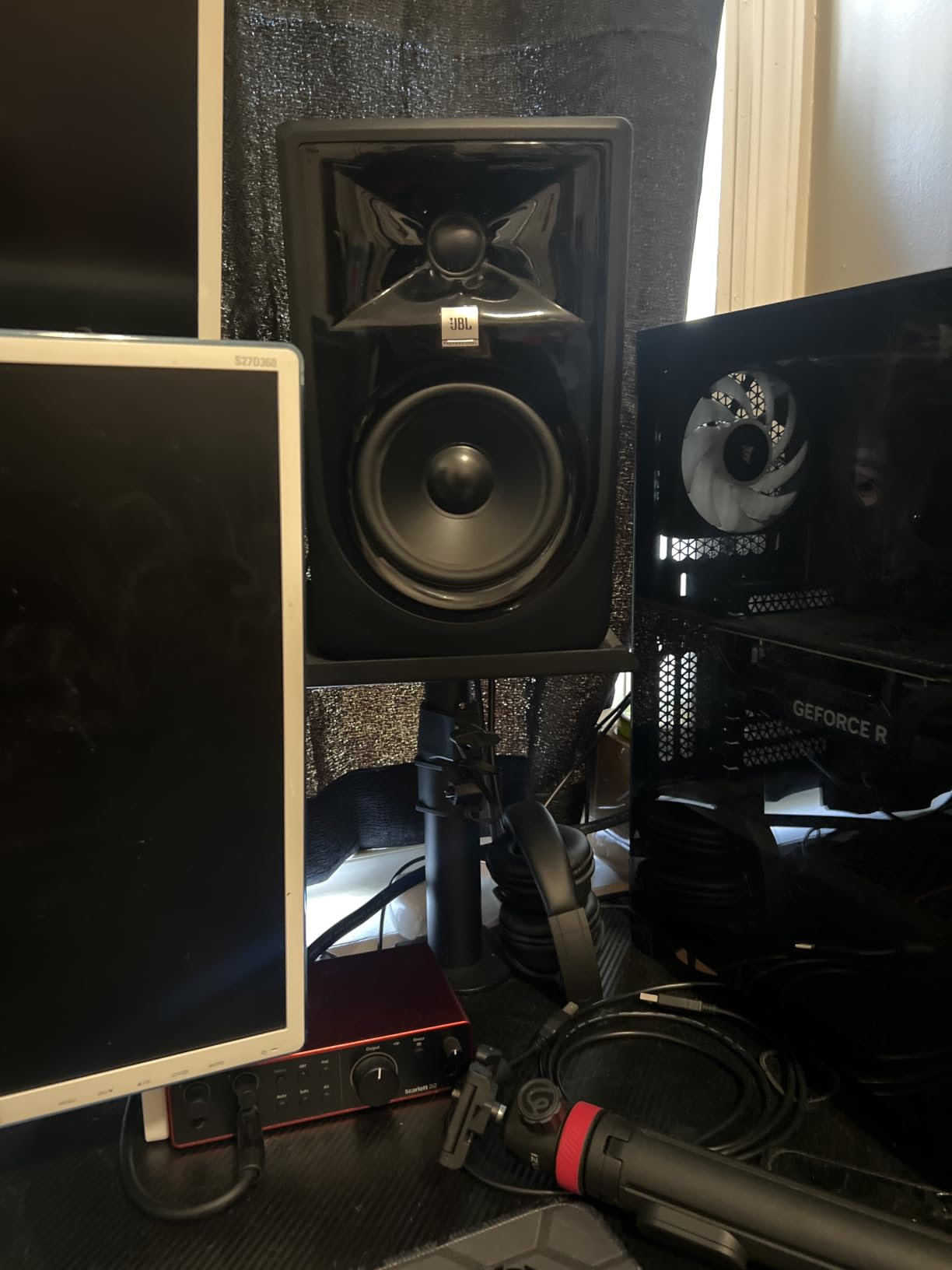
The rest of the spec sheet is sensible. A 9.6 x 8.8 in platform, a four-level locking pole at 8.9, 10.4, 12.1, and 13.9 in, and plus 12 to minus 12 degrees of tilt. Alloy steel construction keeps it steady, and the package includes both stands, mounting hardware, and a manual.
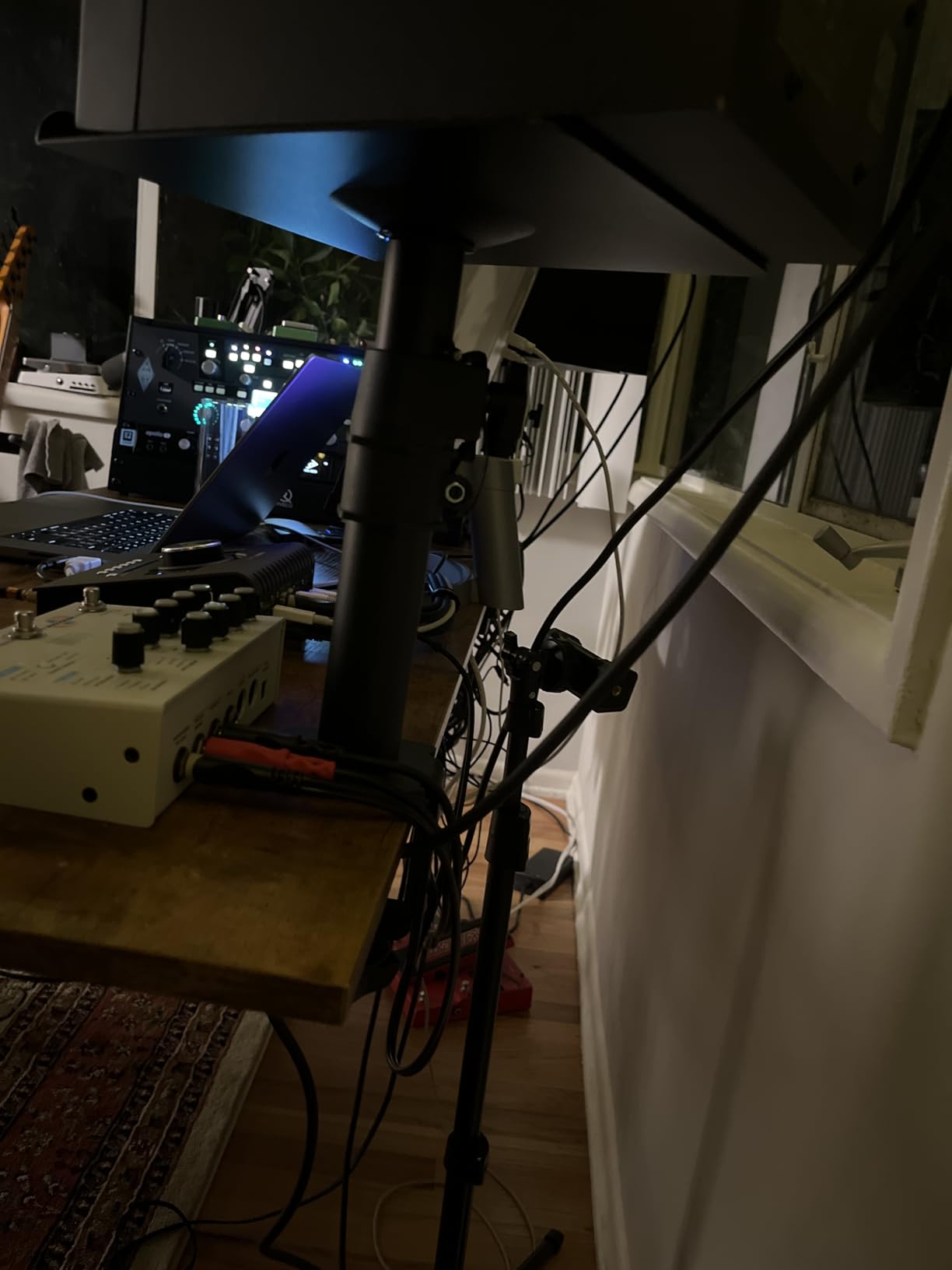
One unexpected use: owners use these to elevate laptops, projectors, and CD players, not only speakers. On a cramped desk the same post that lifts a monitor can lift a laptop to a usable screen angle.
What to check before you buy
The 33 lb rating is the constraint to check. It is fine for small and medium bookshelf or computer speakers and marginal for large studio monitors. The thick-desk compatibility is real, but it does not extend to heavy cabinets.
Height travel is also the shortest of the four-level clamps here – about 5 inches. If you plan to move between seated and standing heights, the post levels may not be enough.
Where it falls short
Finishing is basic compared with the premium clamp options, and the 33 lb rating means you are buying desk compatibility rather than capacity. If your desk is thin, you are giving up tilt range and load capacity for a feature you do not need.
For a thick studio desk with compact monitors, though, it solves a problem nothing else here does, and at a cost that makes it an easy decision.
How to Choose the Right Stand Height for Seated and Standing Listening
Aim for the tweeter at your ear line, not the cabinet base. When you mix seated, your ears sit roughly 45 to 50 cm above the desk surface, so the stand needs to raise the cabinet by whatever is left after subtracting the monitor’s own height from that figure.
Here is the method. Sit at your normal mixing position and measure from the desk surface to the centre of your ear. Note the height of your monitor cabinet, tweeter included. Subtract the cabinet height from your ear height and that remainder is the minimum stand height you need. Add a few inches of headroom if you want a tilt range to work with, and check the stand’s maximum height against the total.
For a standing desk, the logic changes. The ear line rises to roughly 55 to 65 cm above the desk, and the monitors need to move with the surface rather than at a fixed height. This is where floor stands earn their place – the 33 to 51 in adjustment in entry 11 covers both a seated and a raised position with one product, while a clamp stand is fixed to a desk height you will need to re-measure every time you cycle it.
Floor type changes the outcome too. Audio Science Review users report stands that rock alarmingly on thick carpet and underlay unless they have deep spikes, calling spikes the most important design feature. If you are on carpet, look for interchangeable feet and spikes rather than fixed rubber pads – and check that the surface is flat before you level the stand.
Matching Your Monitors: Weight, Size, and Desk Footprint
Check three numbers before you choose anything: the weight of each monitor, the width of the cabinet base, and the depth of your desk. Get any of them wrong and the stand is a wasted purchase, because it will either flex, overhang, or not clamp at all.
On weight, buy to a rating with headroom. The 33 lb and 30 lb stands in this roundup are appropriate for compact monitors, and the 60 lb and 66 lb options cover 7 to 8 inch models. The category trap is buying a light stand for a heavy monitor – one Gearspace user described 35 lb monitors that simply could not sit on a studio desk at all, which is exactly the case that needs both a stand and a real load rating.
On base width, overhang is a stability problem rather than a cosmetic one. A 5.1 x 6 in platform works for a compact 3 to 5 inch driver and does not work for a wide 8-inch cabinet. The 12.6 x 9.3 in platform in entry 8 and the 9 x 12.5 in platform in entry 5 are the ones that handle large cabinets properly.
On desk depth, this is the specification nobody publishes and everybody needs. Measure from the front edge of your desk to the wall or the wall to the front edge, then subtract the depth of your monitor. If you have less than about 8 inches of clear depth, a clamp or boom arrangement lets the monitors sit over the desk instead of on it – which is the entire argument for a clamp stand on a compact studio desk.
While you are measuring, check two more things. Look for grommets or a cable tray: several stands here have no cable routing at all, so the cable path has to come from somewhere. And check what sits behind the desk, because a clamp needs to swing under the surface and a cable tray or modesty panel will stop it.
Desk Clamp or Base Stand: Which Mechanism Should You Buy?
Buy a desk clamp when desk space is your problem, and buy a base stand when floor space is. That is the whole trade. A clamp uses no desk surface and no floor space, but it needs a compatible desktop edge and commits you to one desk. A base stand works on any surface, moves anywhere, and gives up the space it sits on.
The specific reasons people land on a clamp: monitors currently sit behind the desk and you want them up and over the work surface, the desk is shallow, or the desk is clutter you want cleared. The r/musicproduction question that drove much of this category asked exactly this – floor stands or desk clamp stands – and the answer in practice depends on whether the monitor fits on the desk at all.
Specific reasons to choose a base: your monitors are too heavy for a 33 lb clamp, you want to move the monitoring position around, or your desk is a thick top that no clamp will grip. Entry 3 and entry 11 are the base options here, and both handle weight the clamp options cannot.
There is no wrong answer, but there is a common disappointment. Buyers who expected a clamp to sound better than a base tend to be disappointed, because the difference is mechanical, not acoustic. If desk buzz is your real complaint, either mechanism will help as long as the top plate is padded.
Do Isolation Stands Actually Improve Sound?
Partly. The measurable, repeatable benefit is vibration and buzz reduction, and raising the tweeter to ear level. A claim that isolation platforms will make your monitors sound dramatically better is not supported by the evidence, and the audio community has been arguing about this for years.
Count Arthur on Audio Science Review described the honest version: the setup stops the desk from buzzing along with the music, which was distracting with rigid stands, and it was more something you could feel than a specific sonic issue. That is the defensible claim, and it is worth real money if your desk buzzes on bass-heavy playback.
The sceptical position comes from the same community. One regular wrote that the big issue with isolation feet is the marketing, calling it very sank oil like and accusing sellers of downplaying how hard meaningful improvements actually are – and not to the sound the speakers make. Another warned that undamped springs can make things immediately and audibly worse, confirmed by measurement, which is a real caution against any stand where spring behaviour is untested for your load.
The height argument is the one that survives scrutiny. The same forum’s position was that the pucks were really more about raising the speakers an extra 25 mm to get the tweeters to ear height. If that is the mechanism you are buying for, a padded riser with good height adjustment does the same job for far less – which is why we rank the adjustable risers and clamps above the isolation platform for most buyers.
Room acoustics are the other part of the picture, and they matter more than any stand. Decoupling a monitor does nothing for reflections off the desk, the side walls, or the ceiling. If your image is unclear and your low end is uneven, acoustic treatment on the first reflection points will change more than any platform on the market, and it is worth reading about before you spend.
Placement Basics: The 38 Rule and the Equilateral Triangle
The best stand in the world cannot fix bad placement. Five steps cover most home studio rooms, and they take an afternoon.
1. Get tweeter height right. Sit at your mixing position and put the tweeter axis at ear level. Every stand in this roundup exists to make this possible, and it is the single largest change you can make.
2. Form an equilateral triangle. Your head and the two monitors should form an equilateral triangle, which means the space between the monitors equals the distance from each monitor to your head. Measure it, do not estimate – eyeballing this is the most common placement error in small rooms.
3. Apply the 38 rule. Pull the monitors back from the front wall by 38 percent of the room width, and place them 38 percent of the room length from the rear wall. In a room 12 feet wide, that is about 4.5 feet back from the front wall. It is a starting point, not a law, but it is a far better starting point than putting the monitors against the wall.
4. Angle them in. Toe each monitor toward your listening position. The rotating plates on the Kanto SP9 and the 360 degree rotation on the OUKMIC pair exist for this step, and it is what produces a centred stereo image rather than one that sits between the speakers.
5. Move them off reflective surfaces. A monitor sitting flat on a desk fires into a reflective surface. Elevating it changes where the early reflection comes from, and this is the mechanism behind the forum observation that the biggest difference was getting the monitors well above the desk to avoid reflections.
Two extras for larger rooms. Keep the monitors away from corners, where the boundary effect adds low-frequency output you did not want, and if you are near a wall, expect a bass bump and treat it rather than fight it with distance.
What to Avoid When Buying Monitor Stands
Avoid HiFi furniture stands sold as studio monitor stands. This is the most common category mistake. A Home Recording thread warned explicitly that stands in the 8, 10.5, and 12 inch range are not made for studio monitors at all, but for floor-standing home theatre speakers – and an AVForums thread exists for the same reason. Furniture stands use MDF bases that rock, offer no meaningful decoupling, and are sized for cabinets on a hardwood floor rather than for a desk.
Avoid untested spring platforms for heavy monitors. Springs need stiffness and damping tuned to the load they carry, and forum users report undamped springs making things immediately worse, with measurement confirming it. A spring platform rated well above your monitor’s weight is a guess, not a fit.
Avoid any stand whose load rating is close to your monitor weight. Treat the stated rating as a maximum rather than a target, and keep at least 30 percent headroom. The 33 lb stands in this roundup are appropriate for compact monitors and wrong for anything heavier.
Avoid stands with no top plate damping and no padding if your desk buzzes. Every stand here includes some form of EVA, foam, or isolation padding, and its absence is a strong sign the manufacturer did not think about resonance at all.
Finally, avoid rocking and wobble. It is the deal-breaker that comes up most often in owner feedback, particularly on carpet. Check the base area, the feet type, and whether the stand has spikes for soft floors. A stand that moves when you touch the desk is not going to help with buzz, and it will get worse with time.
Frequently Asked Questions
Are studio monitor stands worth it?
Yes – for height and desk space first, and buzz reduction second. A stand raises your tweeters to seated ear level and moves the cabinets off a vibrating desk surface. Expect less desk buzz on loud bass content, but not a dramatic change in how your monitors sound.
Should studio monitors be placed on stands or on a desk?
On a stand, in almost every case. Elevating the monitors puts the tweeter at ear level and takes the cabinet off a flat reflective surface, which sharpens the stereo image and clears desk space. Sitting directly on the desk works only when your monitors already reach ear level without help and the desk does not resonate.
What is the best desk stand for studio monitors?
The Gator Frameworks Desktop Clamp-On is our top pick. It clamps to desktops up to 2 inches thick, adjusts from 10.13 to 13.5 inches in height, tilts 0 to 15 degrees, carries a 60 lb rating, and has the largest review base in the category at 1803 reviews. It suits most compact and mid-size nearfield monitors.
What are the best monitor stands for a studio?
It depends on your desk and monitors. Clamp stands such as the Gator Frameworks, Liquid Stands MS112, and On-Stage SMS4500-P suit most studio desks. Adjustable risers like the Kanto SP9 suit compact monitors, and floor stands like the Vondynote pair are the answer when monitors will not fit on the desk at all.
Do studio monitors sound better on stands?
Mostly they sound more accurate, not better. Height and reduced desk buzz are the two changes you can expect. A dramatic tonal improvement from isolation is disputed on measurement-minded audio forums, so treat isolation claims as a secondary benefit and buy for height and fit.
Do studio monitors need isolation pads if they are on stands?
Usually not. Most stands in this roundup already include EVA or foam padding on the top plate, which handles high-frequency resonance. Isolation pads or an isolation platform only add value if your desk still buzzes audibly on low-frequency content after the stand is in place.
What height should my studio monitor stands be?
Aim for the tweeter at your seated ear level. Measure from your desk surface to the centre of your ear, subtract the height of your monitor cabinet, and the remainder is your minimum stand height. Add a few inches of headroom if you want tilt adjustment to work with.
What is the 38 rule for studio monitors?
The 38 rule says to place monitors 38 percent of the room width back from the front wall, and 38 percent of the room length away from the rear wall. In a 12 foot wide room that is roughly 4.5 feet of space behind the monitors. It is a starting point rather than a fixed law.
What is the best way to place studio monitors in a room?
Five steps: set the tweeter at ear level, form an equilateral triangle with your head and both monitors, apply the 38 rule for distance from the walls, toe the monitors in toward the listening position, and keep them off reflective surfaces. Placement changes more than any stand does.
Final Verdict: Which Monitor Stand Should You Buy in 2026?
For most home and project studios, the Gator Frameworks Desktop Clamp-On is the best monitor stand for studio desks we tested this year. It reaches seated ear level on a typical desk, clamps firmly, tilts where you need it, and has the review history to back it up. The Kanto SP9 is the better-looking, smarter answer for compact 4-inch monitors, and the Liquid Stands MS112 is the one to buy if your desk is thin and you want steel.
Buy a floor stand only when your monitors genuinely will not fit on the desk. Buy an isolation platform only when your desk still buzzes after everything else is right. Everything else in between is a height and footprint problem, and an adjustable clamp or riser solves it for a fraction of the cost. If you are still choosing the desk itself, our studio desk guide and isolation pad comparison are worth reading first – and if your monitors are still undecided, start with our studio monitor picks and our headphone mixing guide for cross-checking your mix.