
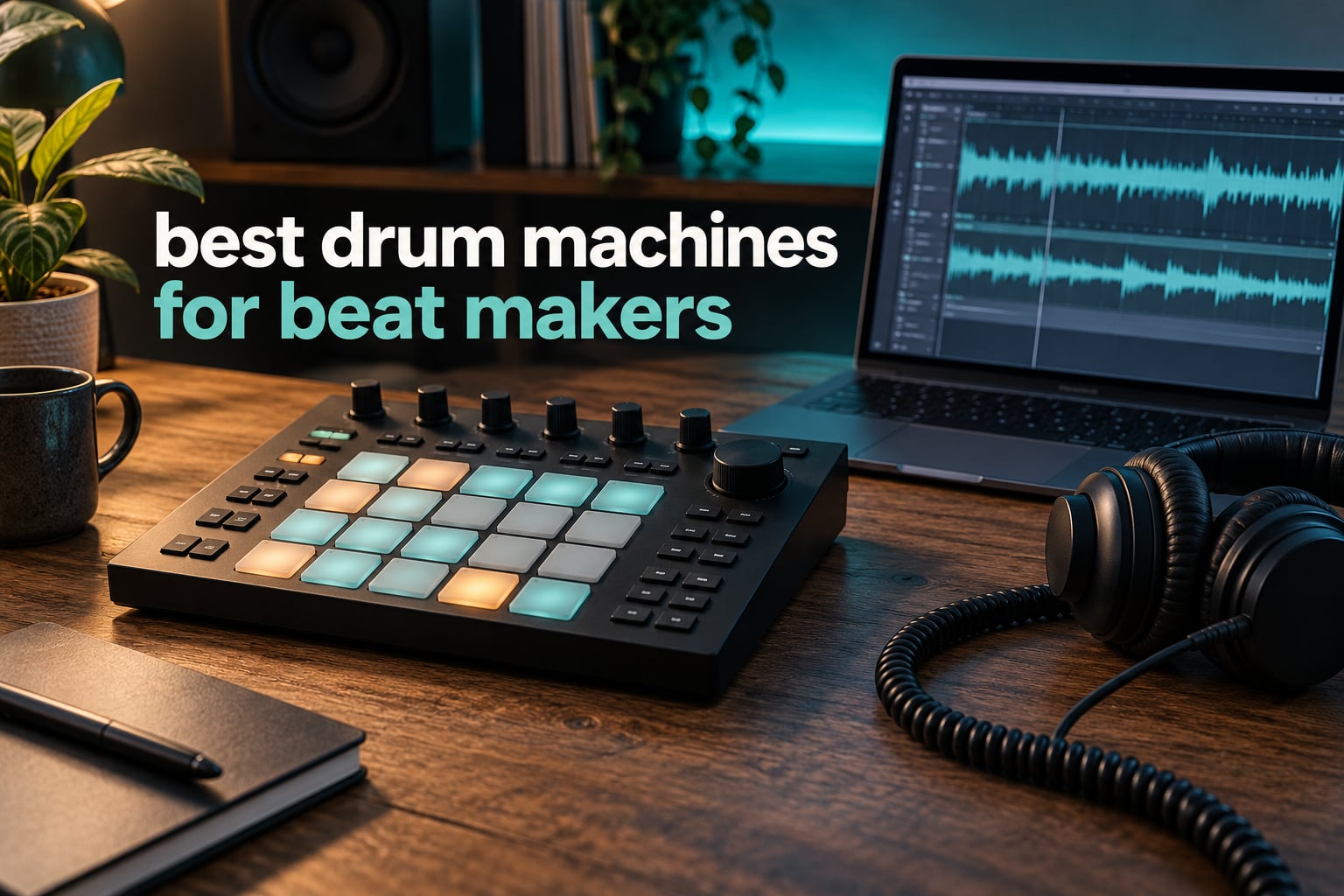
The short answer: the best drum machines for beat makers are the ones that get out of your way. That means a hardware unit with a real step sequencer, pads you can play, and either a good bundled sound library or an SD card slot. Our top pick is the Native Instruments Maschine Mikro Mk3 for anyone who already owns a laptop, the Akai Professional MPC Sample for a fully standalone workflow, and the Roland TR-8S if you want the reference TR-808 and TR-909 sounds.
We spent weeks putting these ten units through the same routine: load a factory kit, program a groove from scratch, chop something, route audio into and out of a DAW, and try to make a beat that did not sound like every other beat. We also read through thousands of owner reviews to see where our experience matched the consensus and where it did not. What follows is a beat-maker’s list, not a drummer’s list, because those are very different products.
One thing worth saying up front, because forum threads keep circling it: there is no single best drum machine. There is a best drum machine for your situation, your budget and the genre you actually make. The Stylophone Beat is a legitimate answer for a beginner on a very small budget. The Roland TR-8S is a legitimate answer for a producer who wants the exact Roland tone. Choosing wrongly usually means paying for a feature you will never use.
If you also need melodic hardware to go with it, our picks for best MIDI keyboards for beat makers pair well with several of the machines below.
Top 3 Drum Machine Picks for Beat Makers in 2026
Three machines cover most of what people ask us about. One assumes you have a computer, one assumes you do not, and one is the sound reference the rest of the category is measured against.

Native Instruments Maschine Mikro Mk3
- 16 backlit pads with four input modes
- 1.6 GB factory sample library
- Runs standalone or as a VST inside your DAW
- USB 2.0 bus-powered metal build

Stylophone Beat
- Stylus input
- no learning curve
- 4 drum kits and 4 bass sounds
- Built-in speaker
- Layering and pattern recording

Teenage Engineering PO-12
- 16 sounds
- 16 effects
- 16 pattern chains
- 2xAAA battery powered
- 3.5 mm line out and built-in speaker
Our full list covers the rest, including the Roland TR-8S, the MPC Sample, the Arturia DrumBrute Impact and the Korg Volca Drum. Each entry covers who the machine suits, the sound character, and who should skip it.
All 10 Drum Machines for Beat Makers Side by Side
This table covers every machine in the roundup. The price column is omitted because prices move daily; use the check button on any row to see the current figure.
| Product | Specifications | Action |
|---|---|---|
| Native Instruments Maschine Mikro Mk3 |
|
Check Latest Price |
| Stylophone Beat |
|
Check Latest Price |
| Teenage Engineering PO-12 |
|
Check Latest Price |
 Singular Sound BeatBuddy 10th Anniversary Singular Sound BeatBuddy 10th Anniversary |
|
Check Latest Price |
 Korg Volca Drum Korg Volca Drum |
|
Check Latest Price |
 Akai Professional MPC Sample Akai Professional MPC Sample |
|
Check Latest Price |
 Roland TR-8S Rhythm Performer Roland TR-8S Rhythm Performer |
|
Check Latest Price |
 Roland AIRA Compact T-8 Roland AIRA Compact T-8 |
|
Check Latest Price |
 Arturia DrumBrute Impact Arturia DrumBrute Impact |
|
Check Latest Price |
 Roland TR-6S Rhythm Performer Roland TR-6S Rhythm Performer |
|
Check Latest Price |
1. Native Instruments Maschine Mikro Mk3 – Best Drum Machine Overall for Beat Makers Who Own a Computer
Native Instruments Maschine Mikro Mk3 Drum Controller, 25707
USB 2.0 bus-powered
16 backlit pads
1.6 GB factory library
Mac and Windows 10
Pros
- Compact and portable with a metal build
- 1.6 GB of samples loops presets and drum kits included
- Four pad modes covering drum in pad keyboard chord and step
- Works standalone or as a VST AU or AAX plug-in
- Supported by Ableton Live Pro Tools and FL Studio
Cons
- Needs a computer for the full MASCHINE workflow
- Small pads limit finger-drumming expressiveness
- Bus-powered only so it needs a USB port
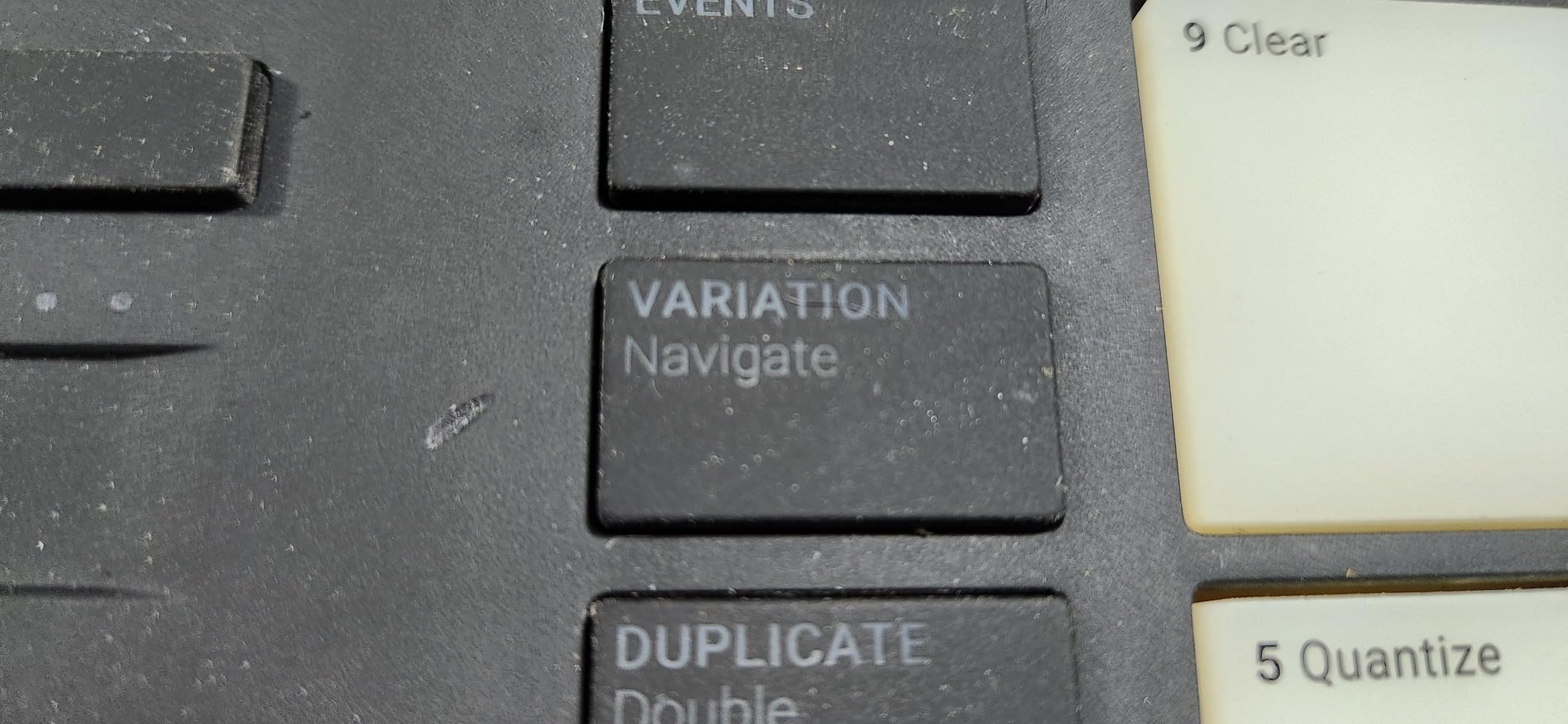
We spent the most time with the Maschine Mikro Mk3, and it is the unit we keep coming back to. The 16 backlit pads switch between four modes: pad for finger drumming, keyboard for melodies, chord for progressions, and step for programming patterns on the grid. That last mode is what makes it a genuine beat-making tool rather than a controller.
The included library is the quiet advantage. You get 1.6 GB of the MASCHINE Factory Selection, which is samples, one-shots, loops, sample instruments, presets, patterns, drum kits and songs. On our tests we had a working beat without buying a single extra pack, which is not something we can say for most hardware in this category.
The integration is the other reason this one tops our list. It runs standalone or as a VST, Audio Unit or AAX plug-in inside Ableton Live, Pro Tools, Logic Pro and FL Studio, and the documentation names those DAWs directly. For a producer who already owns a DAW, this is the least disruptive way to move from software-only beats to hands-on hardware.
Weight and size are genuinely practical: 1.12 kg at 12.6 by 6.9 by 1.7 inches. It fits in a backpack and takes almost no desk space, which matters more than spec sheets suggest in a home studio.
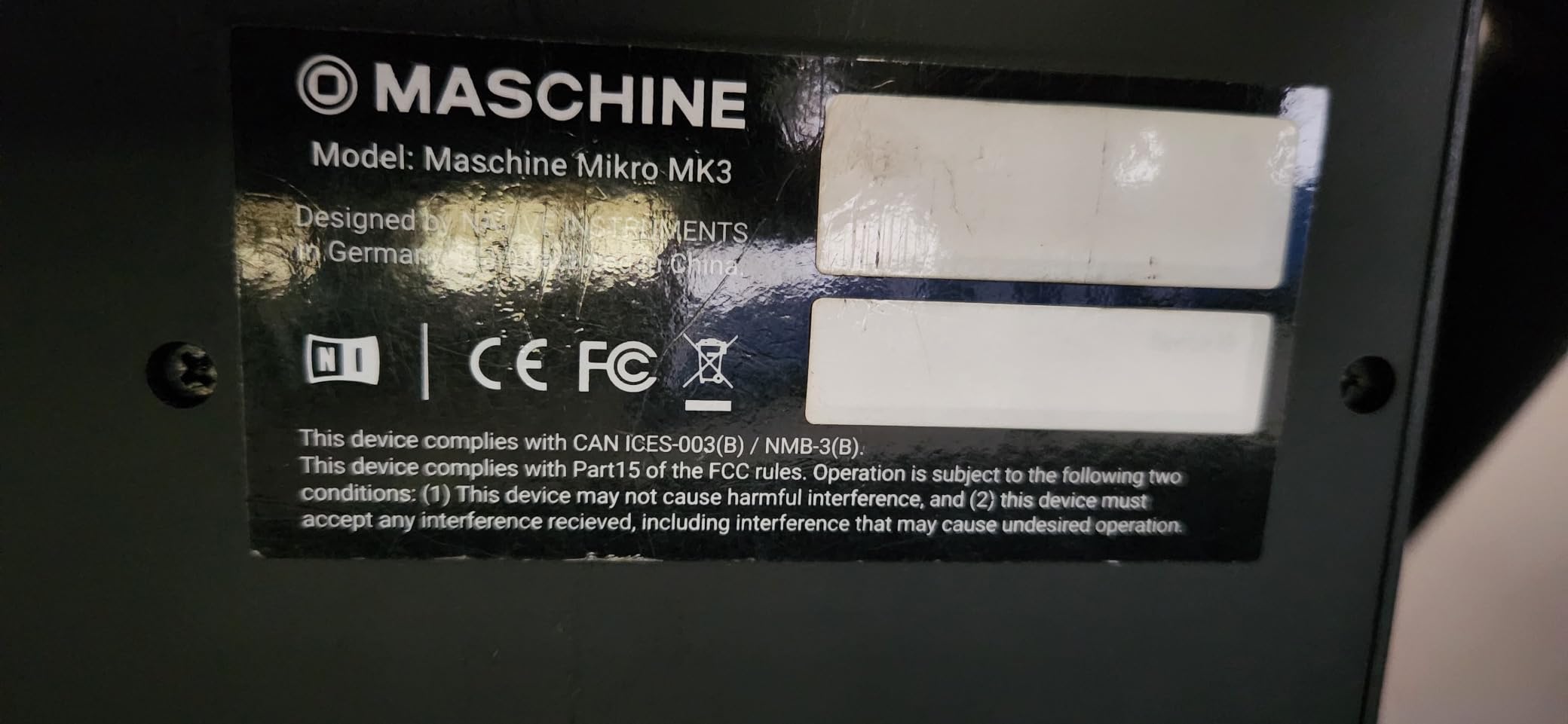
Who the Maschine Mikro Mk3 suits
It suits producers who already have a computer and a DAW and want tactile control without replacing their workflow. It also suits anyone who wants to write on the move and finish the arrangement later in a session, since the USB 2.0 connection means the same project opens on the desktop software.
If you have never touched a DAW at all, the learning curve is steeper than it looks. Nobody describes this as a first-ever instrument for a complete beginner.
Where the Maschine Mikro Mk3 falls short
The pad footprint is the main complaint in owner reviews. Compared with a full-size MPC unit, the pads are small, and if you plan on playing drums with your fingers rather than programming them, the surface is cramped.
Second, everything meaningful happens through the computer. There is no built-in speaker, no battery and no audio interface, so this is a controller first and a self-contained instrument second.
2. Stylophone Beat – Best Budget Drum Machine for Absolute Beginners
Stylophone Beat – Compact Stylus Drum Machine | 4 Drum Kits & 4 Bass Sounds | Rhythm Machine Beat Maker | Drum Loop Machine
Stylus input surface
4 drum kits and 4 bass sounds
Built-in speaker
3 AA batteries
Pros
- Extremely low entry point for a self-contained drum machine
- Stylus play style is intuitive for beginners
- Tempo lock and click track keep loops in time
- Layering and per-sound muting
- Built-in speaker means no other gear needed
Cons
- Restricted to four drum kits and four bass sounds
- No MIDI or USB audio for DAW integration
- Stylus input can feel imprecise
- Needs three AA batteries
The Stylophone Beat does one thing, which is draw strokes with a stylus to trigger sounds, and it does it well enough that you can sketch a full loop in about a minute. If you have been hesitant about hardware because every machine looked complicated, this is the shortest path to a finished idea.
It also handles more than the toy label suggests. There is a tempo lock and click track so loops stay in time, you can record multiple layers and mute individual sounds, and you can record multiple patterns. That is a real arrangement tool in a 7.09 by 4.8 by 1.5 inch plastic body weighing 10.1 ounces.
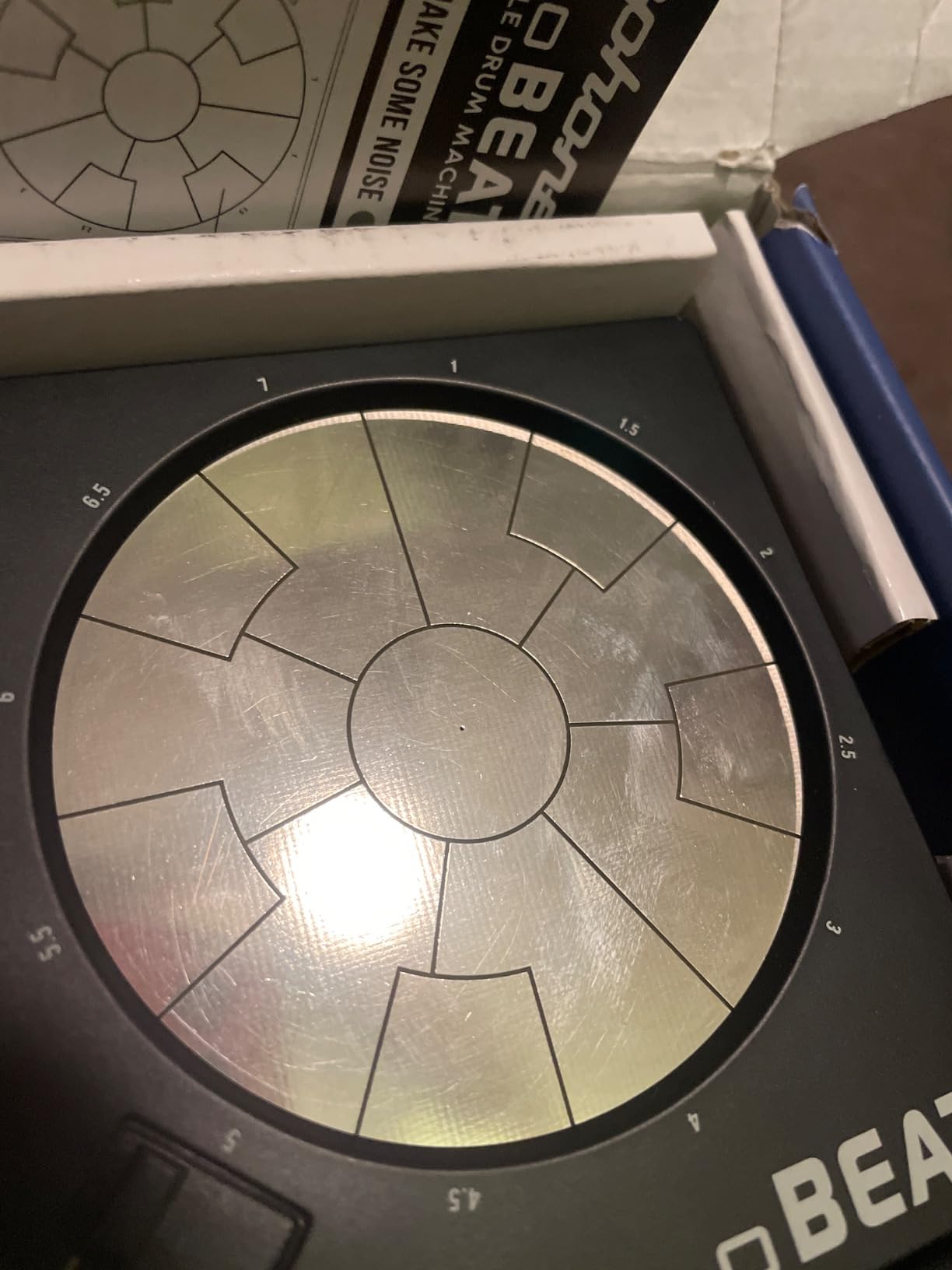
The four drum kits and four bass sounds are the hard limit. You are not going to build a library here, and the same kit plus one snare variation is all you get to work with. Our advice is to treat it as a sketchpad rather than a finishing tool.
There is also no MIDI, no USB audio and no SD card workflow. Whatever you make on it stays inside it unless you record from the headphone output into something else.
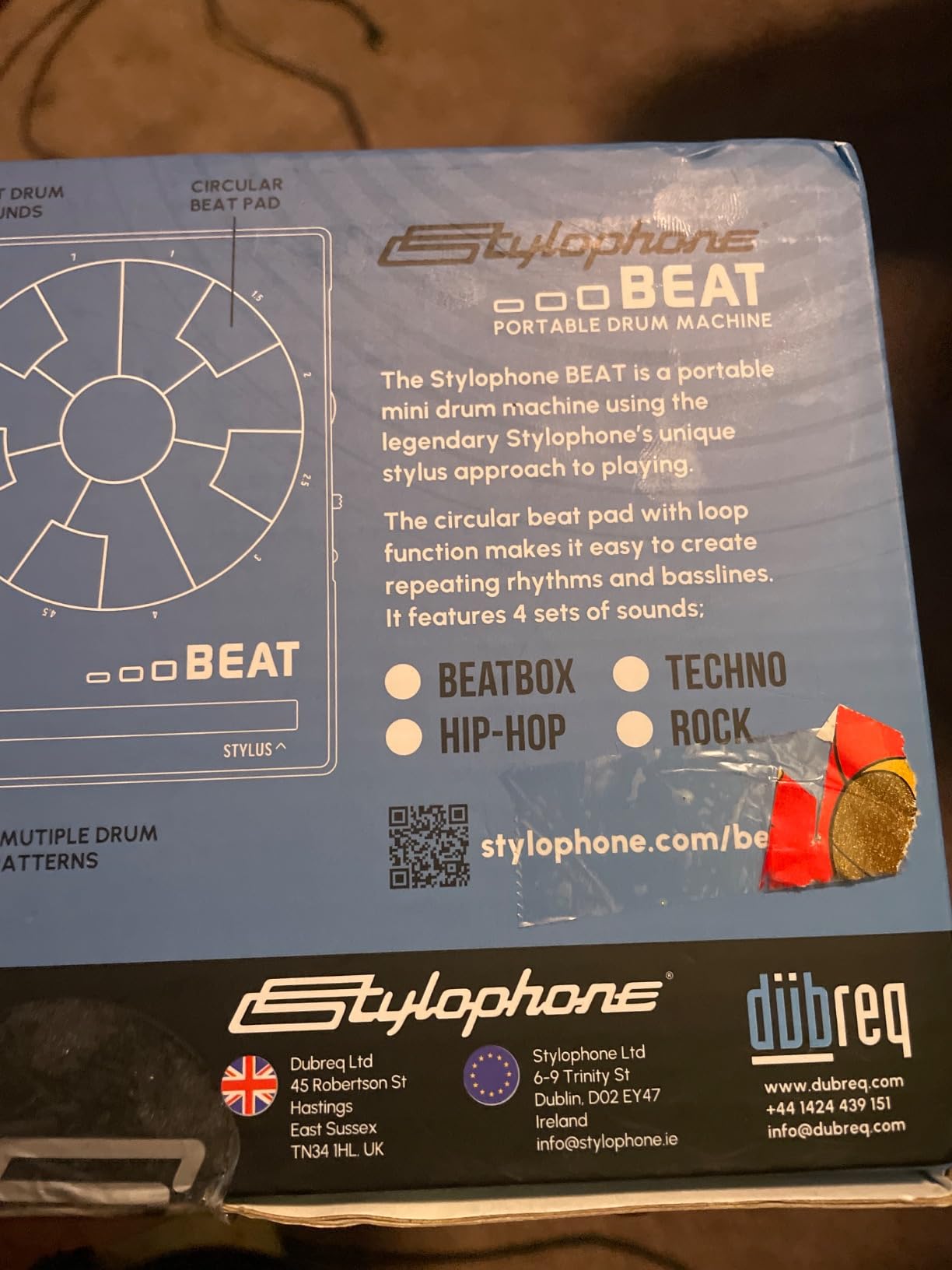
Who the Stylophone Beat suits
It suits a total beginner, a producer who wants something for a desk or a bag with zero setup, and anyone who wants to test whether they enjoy beat making before spending real money. Owners consistently describe it as giftable, which is a fair signal that it works for people with no production background.
It also suits songwriting. Writing a rhythm by hand with a stylus keeps you focused on the groove instead of on menus, and the layering function lets you build a chorus without a DAW.
Where the Stylophone Beat falls short
Precision is the first limitation. Stylus input on a small surface is inherently less exact than physical pads, so complex hi-hat patterns take practice that the simplicity otherwise suggests you would not need.
Second, the four-kit ceiling means you will outgrow the sounds before you outgrow the workflow. Treat it as the beginning of a habit rather than the end of a setup.
3. Teenage Engineering Pocket Operator PO-12 – Best Pocket Drum Machine for Making Beats Anywhere
teenage engineering pocket operator PO-12 rhythm, drum machine and sequencer with parameter locks and punch-in effects
16-step sequencer
16 sounds and 16 effects
16 pattern chains
2xAAA battery
Pros
- Genuinely good synthesized and sampled drum sounds
- 16 sounds effects and pattern chains in a tiny box
- Battery powered and pocket sized
- Built-in speaker plus 3.5 mm line out
- Syncs to other pocket operators and the Korg Volca line
Cons
- Printed instructions are largely useless
- No MIDI in or out
- Exposed circuit board with no case
- Small LCD shows limited information
The PO-12 is smaller than a deck of cards and runs 16 drum sounds, 16 punch-in effects and 16 pattern chains through a 16-step sequencer. That is a deeper feature set than most machines several times its size, and it is why it turns up so often in producer recommendations.
Sound quality is the genuine surprise. These are not toy samples; they combine real synthesized drum sounds with sampled ones, and the punch-in effects add ghost notes, flams and tonal changes without extra steps. Reviewers repeatedly note the sound quality beats what the category implies at this size.
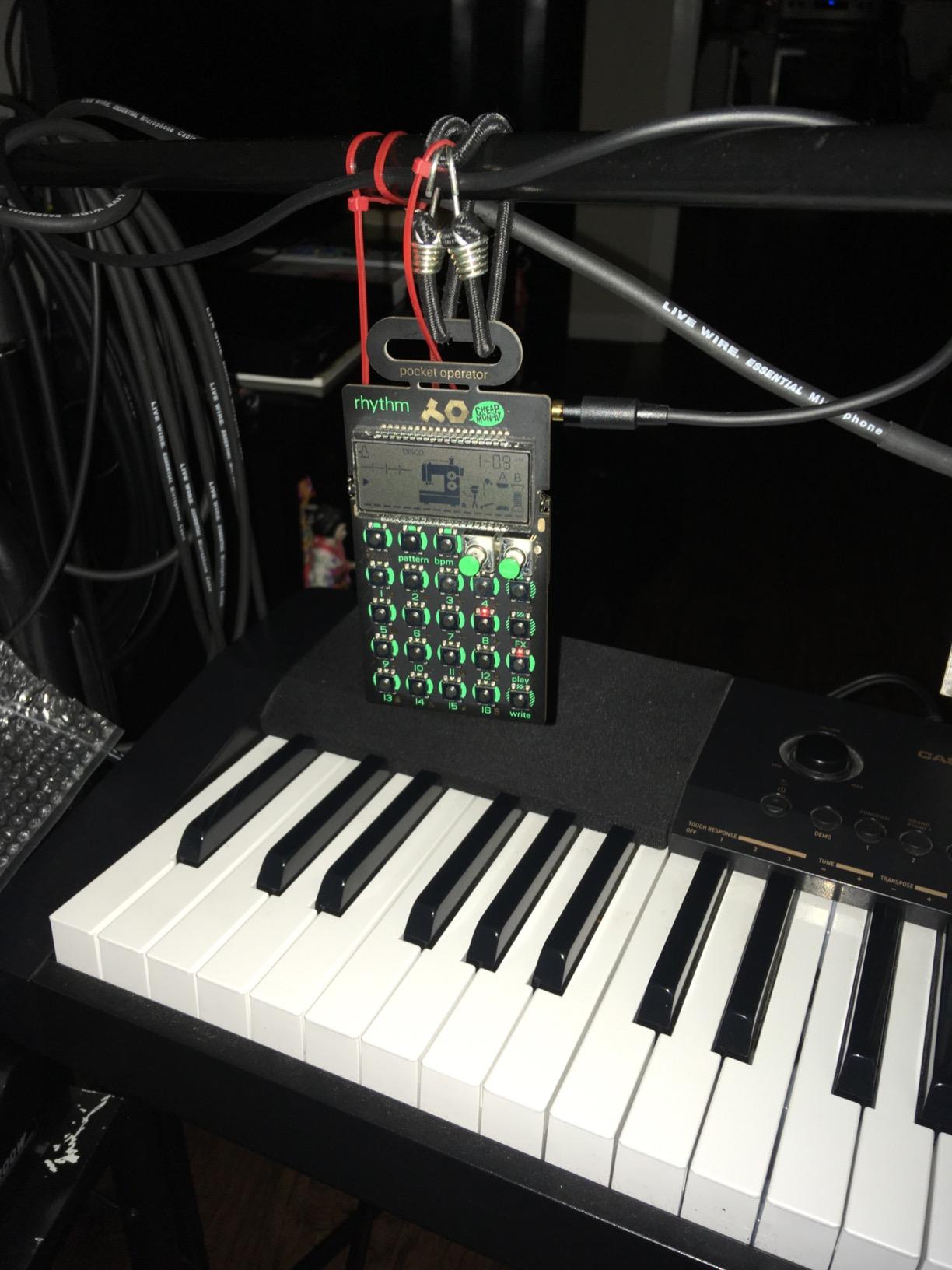
Portability is the reason to own it. It runs on two AAA batteries for long sessions between changes, includes a folding stand, and works with the built-in speaker or the 3.5 mm line out into external gear. Multiple owners confirm it jams alongside the Korg Volca series via click-track sync, which makes it a genuine second voice rather than a novelty.
Who the PO-12 suits
It suits producers who want to capture ideas wherever they are, and anyone who wants a first hardware beat-making device that does not need a computer. The fold-out stand and the tiny footprint mean you can keep one on a desk permanently without it taking space.
It also suits people who like generative tools. Sixteen pattern chains plus the punch-in effects give you enough variation that two boxes rarely sound the same, and reviewers cite the Korg sync behaviour as a specific buying reason.
Where the PO-12 falls short
There is no MIDI in or out, which is the most commonly cited limitation. You cannot send notes from your DAW into it or take its MIDI elsewhere, so it is a standalone voice only.
The exposed circuit board is the other worry. There is no protective case, so it is fragile in a bag, and the printed instructions do not help, which means you should plan to learn it from tutorials rather than the manual.
4. Singular Sound BeatBuddy 10th Anniversary – Best Drum Machine Pedal for Playing and Recording Live
Singular Sound BeatBuddy 10th Anniversary Edition Drum Machine Pedal
Footswitch pedal format
Two foot switches
200+ songs across 24 genres
9V DC power
Pros
- Hands-free control of fills transitions and song parts
- Large library with 200+ songs and 10 drum kits
- Sound quality reviewers describe as mimicking a real drummer
- Visual metronome on the LCD aids timing
- Lightweight at 1.2 pounds
Cons
- Footswitch format limits hands-on pattern editing
- Transitions take practice to trigger reliably
- Not a full sequencer or sampler
The BeatBuddy is the odd one out in this list because it is a pedal, not a desktop unit. Two footswitches let you trigger fills, transitions and song parts while your hands stay on a guitar or another instrument, and that is a workflow no box on this list offers.
Sound realism is its headline feature. It ships with 200+ songs across 24 genres and 10 ultra-realistic drum kits, with storage for 3.2 million songs and 300 drum sets. If your complaint about drum machines is that they sound programmed rather than played, this is the unit built to answer it.
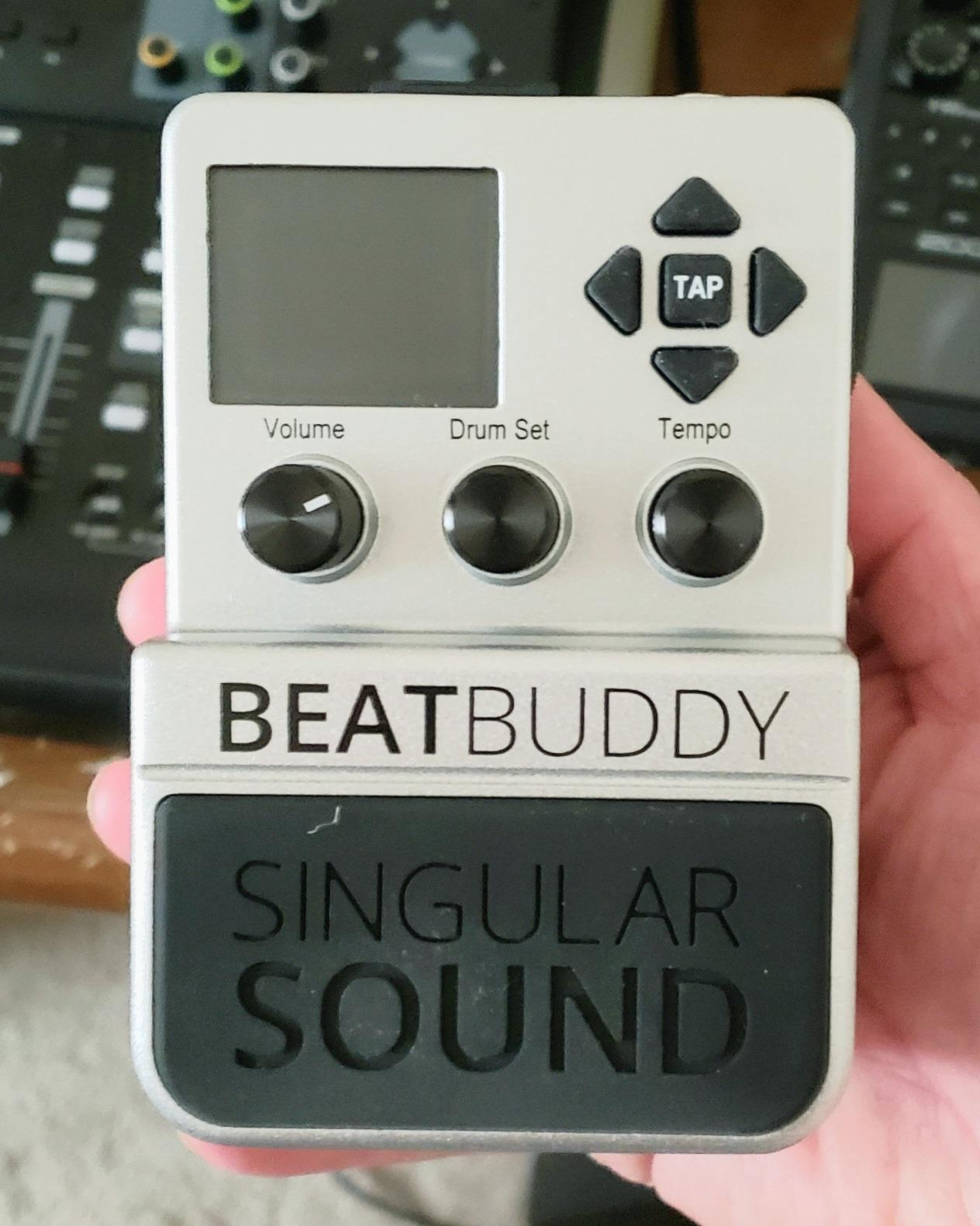
The LCD visual metronome is genuinely useful. It shows the beat visually, which helps you lock timing and learn unfamiliar time signatures, and the 100 mA power draw means it will not drain a pedalboard supply.
At 5.1 by 3.5 by 2.5 inches and 1.2 pounds, it fits on a board, in a gig bag or on a desk beside an interface.
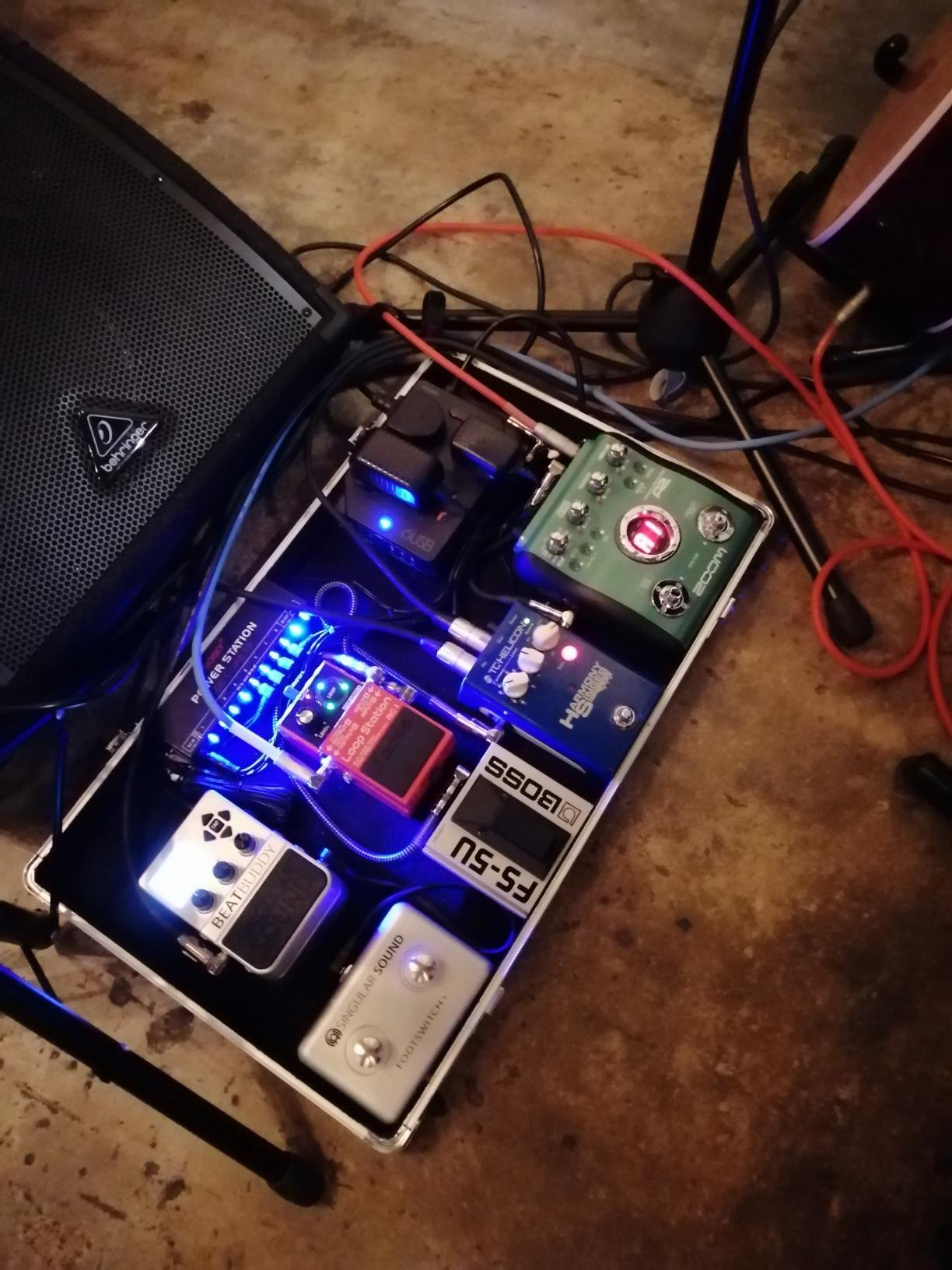
Who the BeatBuddy suits
It suits guitarists, singer-songwriters and anyone who wants to practise or perform without a drummer and without sitting down. Forum discussions about first hardware machines keep pointing toward pedal formats for exactly this reason, and reviewers frame the realism as the reason to buy.
It also suits anyone who wants realistic-sounding drums quickly. This is the fastest route on the list to a groove that sounds like a person played it.
Where the BeatBuddy falls short
Footswitch control is the trade. Pattern editing happens with your feet in a limited vocabulary, so deep sound design and sequencing are out of scope. Owners say the transitions take real practice to trigger reliably, especially while playing another part.
Second, it is not a sequencer or a sampler. If you want to chop samples or program sub-step detail, you need a different machine entirely.
5. Korg Volca Drum – Best Drum Machine for Percussive and House Sounds
Korg Volca Drum Digital Percussion Synthesizer w/ 16-step Sequencer and Active Step
Six-part DSP engine
Waveguide resonator
16-step sequencer
Built-in speaker
Pros
- Synthesis-driven percussion more distinctive than sample-only machines
- Active Step and Slice allow per-part pattern variation
- Two randomize functions generate new beats fast
- Compact with a built-in speaker
- Exceptional value for studio and live use
Cons
- Six-part architecture limits polyphony
- Menu-driven editing on a small screen
- No audio input on this revision
The Volca Drum sounds different from every other machine here because it is built on a six-part DSP synth engine rather than a sample playback chain. A waveguide resonator adds resonant character to each hit, and the result is metallic, tuned percussion that samples alone rarely produce.
Programming tools are where Korg put the effort. Active Step lets you replace individual steps within a pattern, Slice divides a step for rolls and intricate rhythms, Accent offers 16 levels of dynamic shaping, and Choke groups parts so hats cut each other properly. Two randomize functions will generate a fresh beat in seconds when you are stuck.
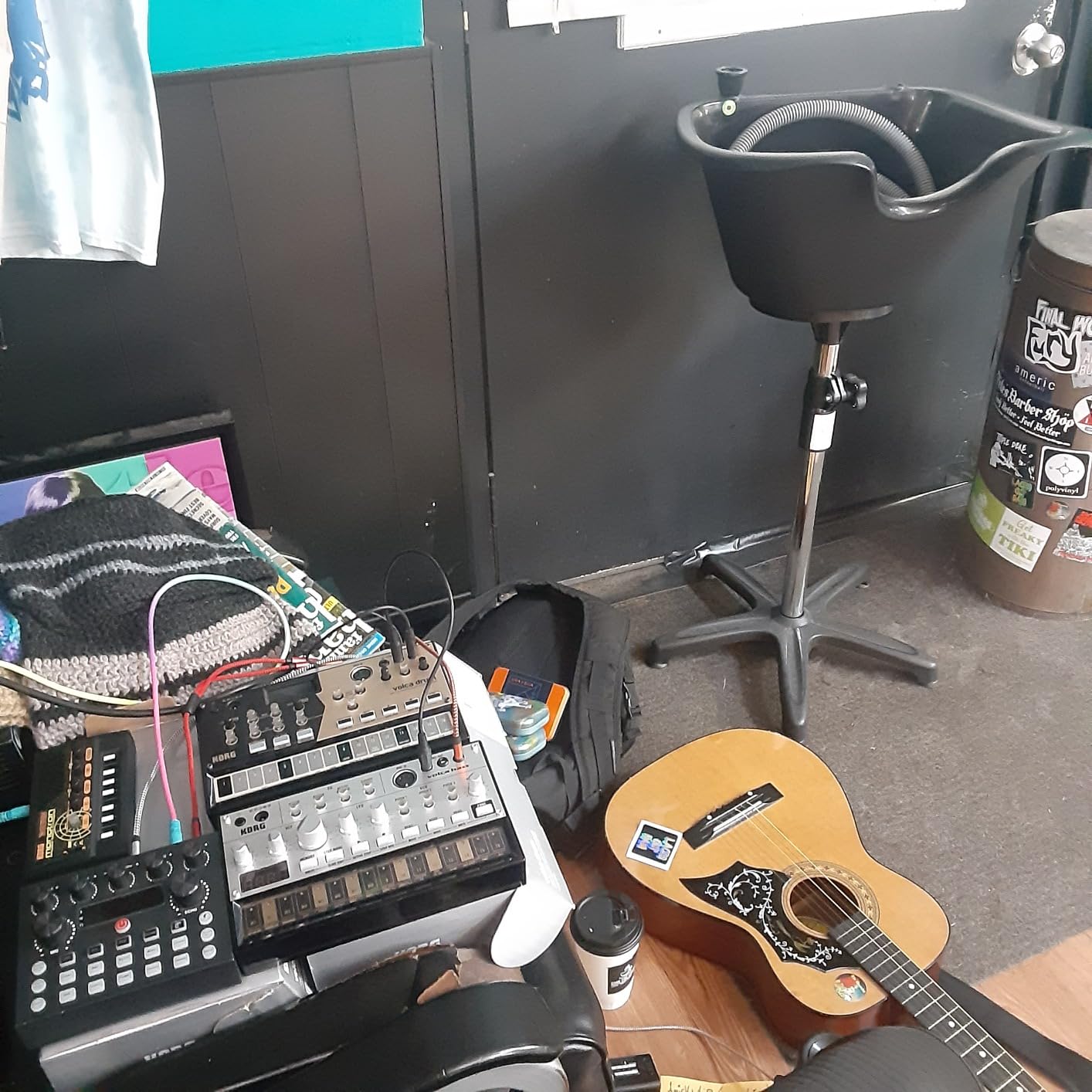
It weighs 0.37 kg, measures 7.6 by 4.53 by 1.54 inches and has a built-in speaker, so it works anywhere. For a beat maker moving between rooms, that combination is genuinely useful.
Swing and micro-timing between the parts are handled by the sequencer rather than by hand, which is a fast way to make programmed patterns feel less rigid.
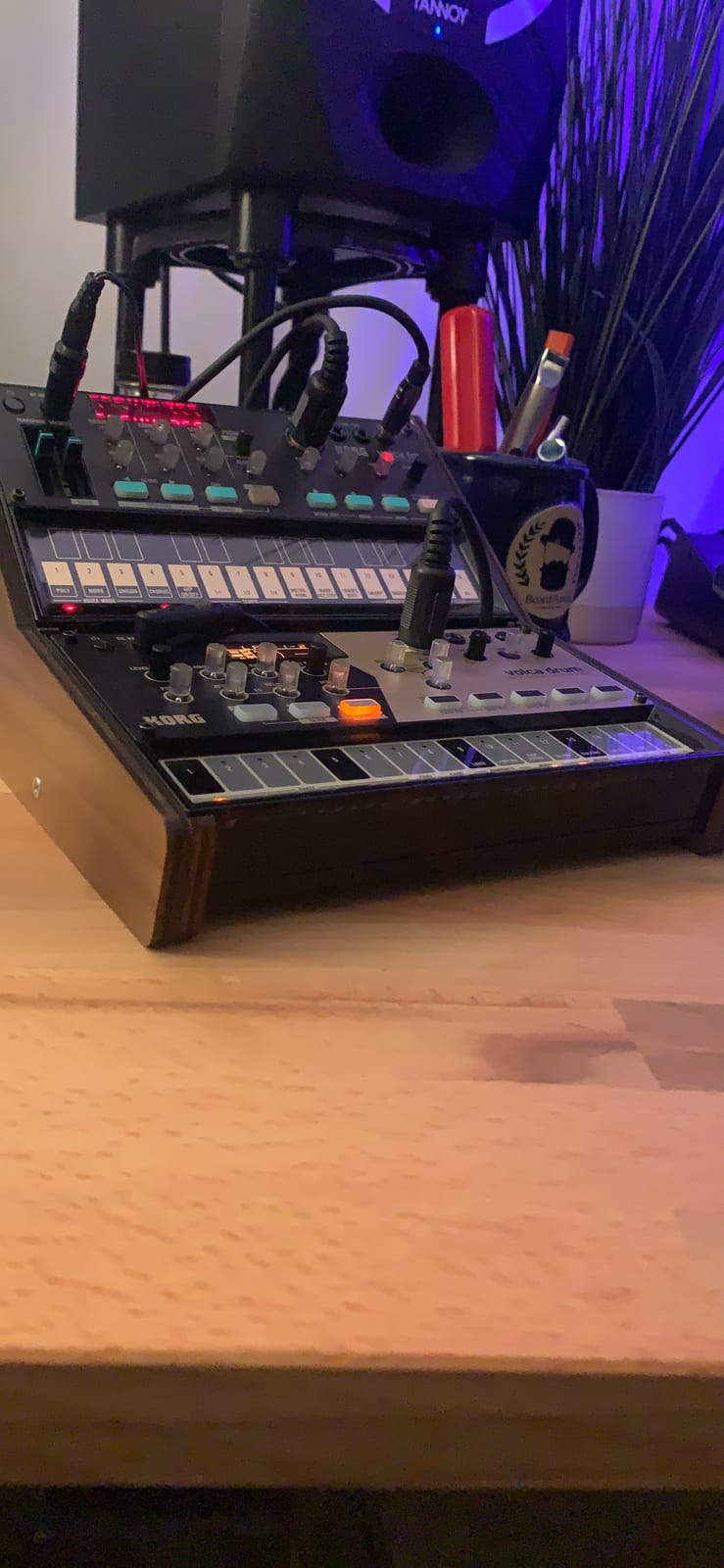
Who the Korg Volca Drum suits
It suits producers making house, techno, electro and anything built on tuned percussion. If your beats depend on melodic or resonant drum sounds rather than acoustic hits, the synthesis engine is the reason to choose this one.
It also suits beginners who want a full 16-step sequencer with real programming depth at a very low entry point, and it slots into a live or studio rig thanks to the built-in speaker.
Where the Korg Volca Drum falls short
Six parts is the hard limit. Competitors with 11 or 13 simultaneous sounds give you far more layering headroom, and that ceiling is the most common reservation in reviews.
Parameter editing is menu-driven on a small screen, so it is less immediate than dedicated knobs. There is also no audio input on this revision, which blocks resampling into the machine.
6. Akai Professional MPC Sample – Best Standalone Sampler for Chopping Beats on the Move
Akai Professional MPC Sample Portable Sampler
16 MPC pads with 2.4 inch display
Rechargeable battery
Speaker and internal mic
microSD storage
Pros
- Classic MPC sampling and chopping workflow in a portable box
- Works fully standalone with speaker mic battery and microSD
- Real-time timestretch and repitch with internal resampling
- Four FX processors with 60 effect types
- Line in out
- headphone out
- MIDI and sync out
Cons
- Battery life is limited for long sessions
- MIDI DIN adapter cable not included
- Small display for browsing long libraries
- Larger sample collections need an SD card
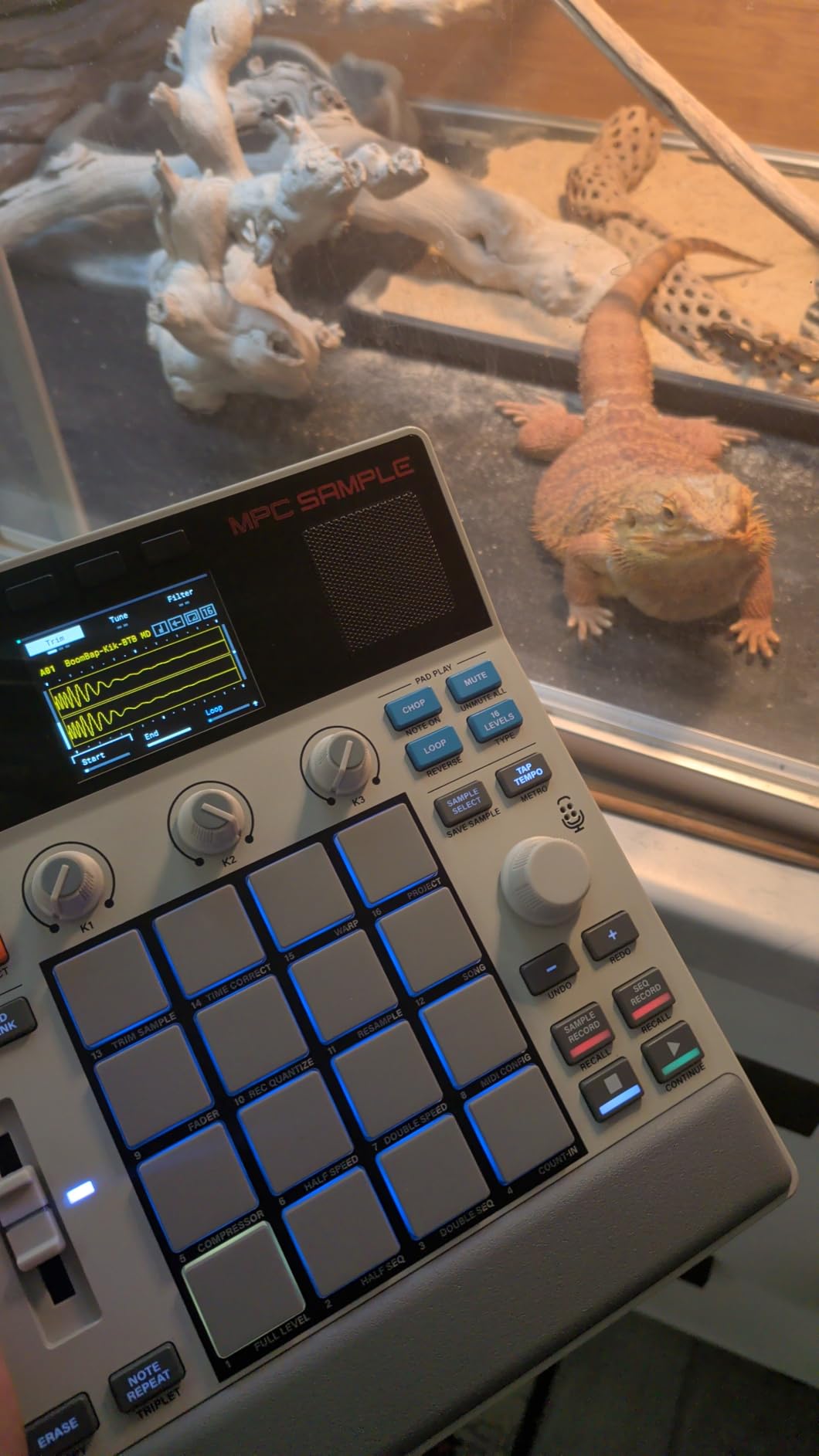
The MPC Sample is the closest thing on this list to a complete standalone beat-making machine. It has 16 MPC pads, a 2.4 inch full-color display, over 100 factory kits, Instant Sample Chop Mode, real-time timestretch and repitch, internal resampling, and a disk-streaming sample engine that reads from microSD.
What separates it from a controller is that it needs nothing else. There is a built-in speaker, an internal microphone for sampling your own acoustic drums, a rechargeable lithium-ion battery, and line in and out, headphone out, MIDI in and out plus sync out. You can record a snare in a room, chop it, and build a beat on a bus.
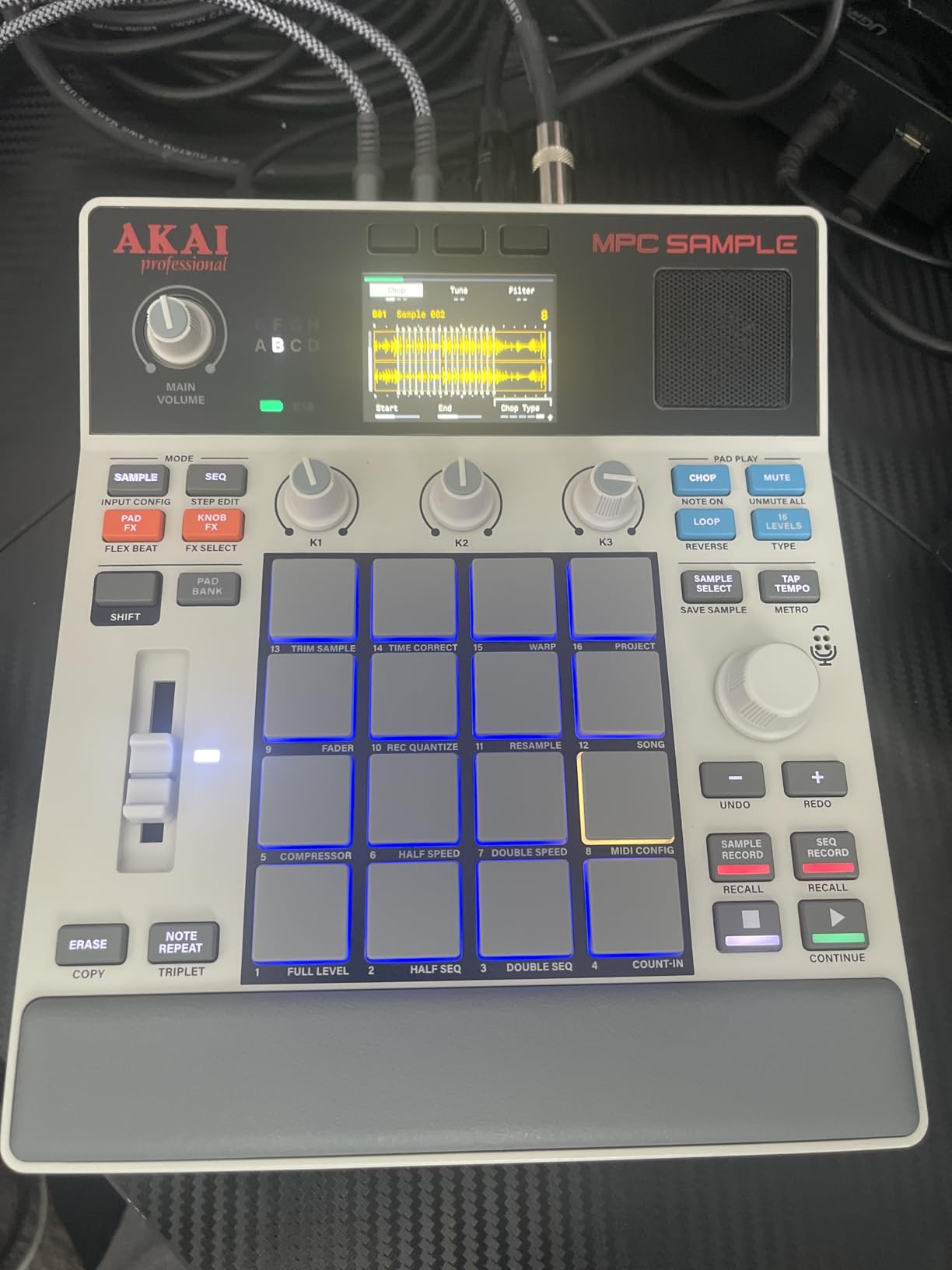
Four internal FX processors with 60 effect types, including Flex Beat and Color Compressor, mean you can finish a loop on the device. Reviewers note that MPC OS 3.8 ties the unit into desktop MPC software, so a session started on the box continues on the computer.
At 0.9 kg and 9.29 by 7.64 by 1.97 inches with USB-C audio and MIDI, it is small enough to be a real portable instrument rather than a desk accessory.
Who the MPC Sample suits
It suits producers who want the MPC chop-and-layer workflow without giving up mobility. Forum threads about first hardware machines almost always come back to sampling your own kit, and this is the machine on our list built for that from the box up.
It also suits anyone who records their own drums. The internal microphone means you can sample a doorway, a stairwell or a real kit and get character that no factory library provides.
Where the MPC Sample falls short
Battery life is the honest limitation. It needs regular recharging for long sessions, which means it is portable rather than truly all-day portable. The MIDI DIN adapter cable is not in the box, so budget for that if you sync to external gear.
The 2.4 inch display is small for browsing long sample libraries, and larger collections require an SD card rather than internal memory.
7. Roland TR-8S Rhythm Performer – Best Drum Machine for Authentic TR-808 and TR-909 Sound
Roland TR-8S Rhythm Performer Advanced Drum Machine
TR-808, 606, 909, 707, 727 circuit models
128 kits
SD card sample import
907 g desktop chassis
Pros
- Circuit-modeled recreations of the classic TR machines
- SD card sample import with decay
- tuning
- start point
- speed and direction control
- Hybrid kits mixing TR sounds and user samples
- Instrument and master effects stored per kit
- Free TR-EDITOR software included
Cons
- Large desktop footprint and 907 g weight
- Premium price point for a rhythm instrument
- Menu-heavy parameter editing takes practice
- No melodic instrument beyond the rhythm engine
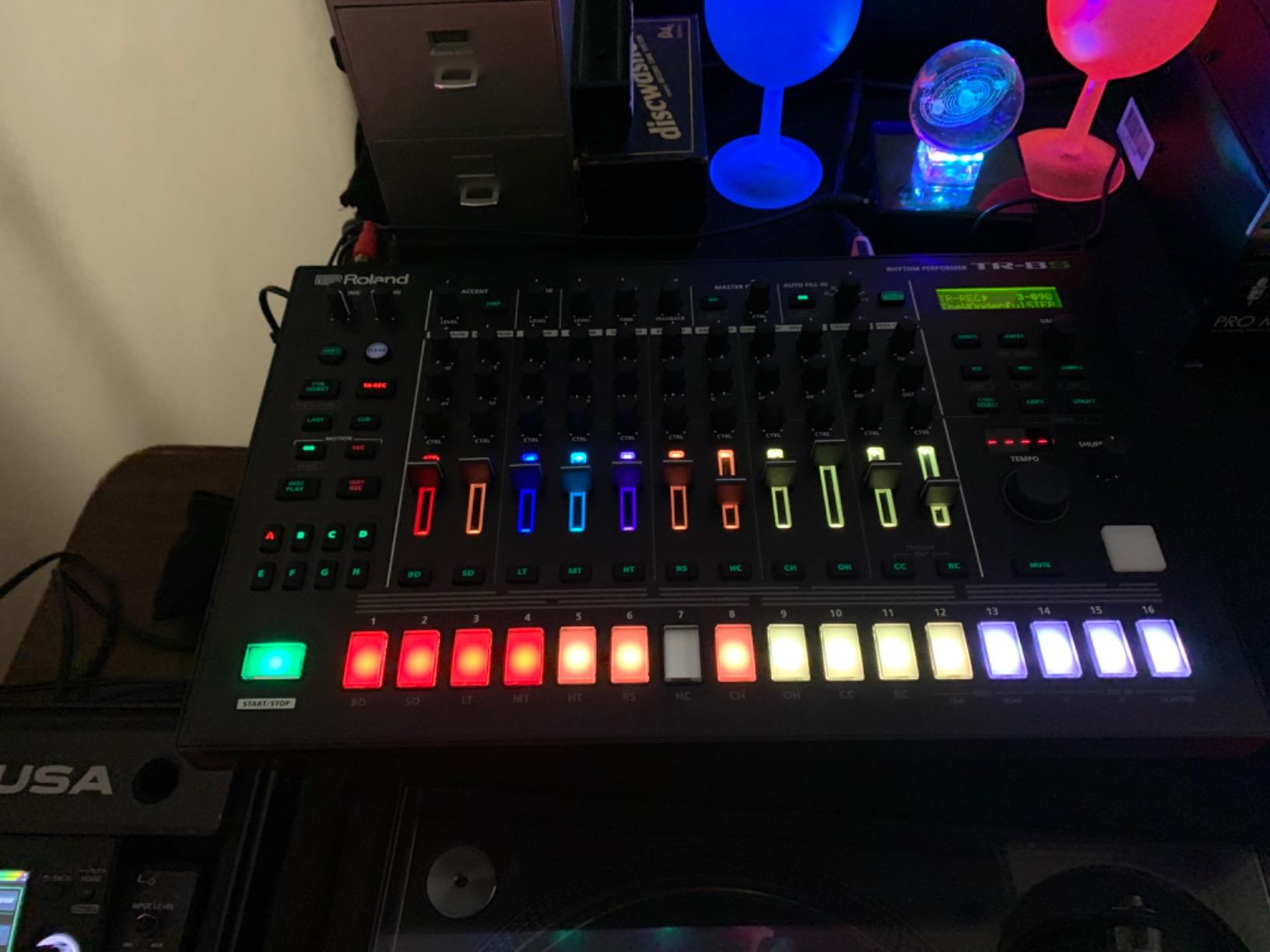
Nothing else here reproduces Roland’s circuit models with this level of fidelity. The TR-8S models the TR-808, TR-606, TR-909, TR-707 and TR-727 along with modified versions, and owners rate the TR emulation as the most accurate in the category. If the sound of a classic TR drum machine is what you are after, this is the reference.
It is also more flexible than the machines it emulates. You can import mono or stereo samples from an SD card and adjust decay, tuning, start point, speed and direction, then build hybrid kits that mix TR circuit models with your own samples in one kit.
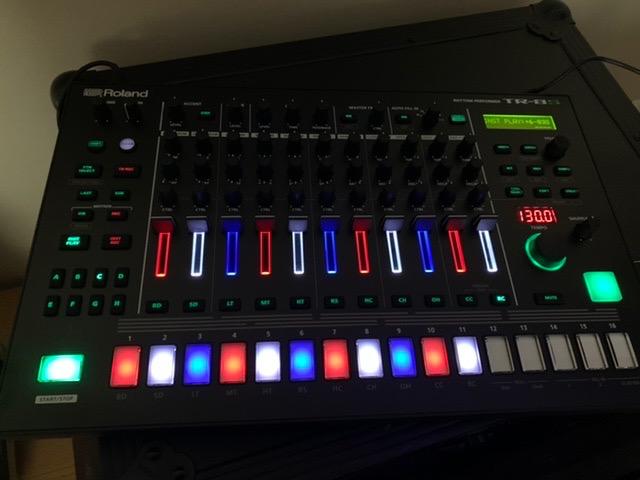
The detail that matters day to day is that instrument and master effects are stored with each kit. That means a sound recalls exactly as you left it, which is what makes it usable live and in long sessions rather than only as a studio curiosity.
Free TR-EDITOR software gives you a graphical interface for deeper editing and organisation, which softens the menu-heavy hardware workflow considerably.
Who the TR-8S suits
It suits producers chasing specific Roland tone, particularly hip hop and house where the TR-808 and TR-909 have become genre signifiers. It also suits anyone who wants a large preset library with 128 kits plus custom sample import rather than a fixed sound set.
Second-guessing presets is not the workflow for everyone, and the people who thrive here are the ones who enjoy shaping sounds rather than simply choosing them.
Where the TR-8S falls short
It is a desktop instrument. At 907 g and 10.38 by 16.13 by 2.38 inches it is not a travel unit, and that footprint is real in a bedroom studio.
It is also the most expensive machine we looked at, and the parameter editing takes practice to master. If you want a melodic instrument alongside your drums, it will not provide one.
8. Roland AIRA Compact T-8 – Best Compact Drum Machine with TR Sounds and TB-303 Bass
Roland AIRA Compact T-8 Beat Machine
ACB modeled TR drums and TB-303 bass
64 patterns of up to 32 steps
USB-C audio and MIDI
1.3 pounds
Pros
- Authentic ACB-modeled TR-808
- TR-909
- TR-606 drums plus TB-303 bass
- TR-REC sequencer with 64 user patterns up to 32 steps
- Probability
- sub step
- last step and velocity controls
- Built-in sidechain
- delay
- reverb and overdrive
- Class-compliant USB-C audio and MIDI with no drivers
Cons
- Menus and small screen take time to learn
- Color listed as random
- Not a sampler so no chopping or user samples
- USB or battery power only
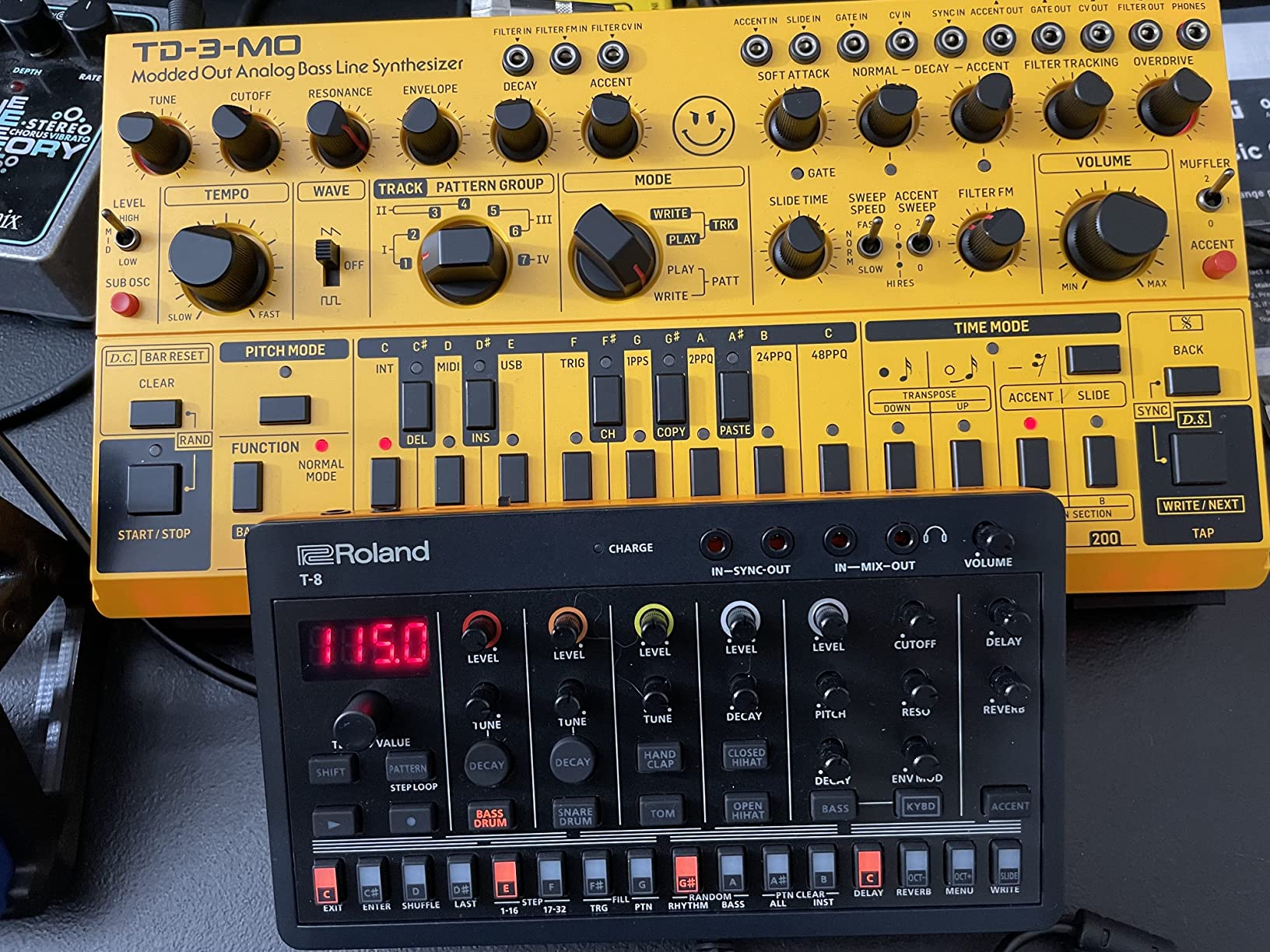
The T-8 puts TR-808, TR-909 and TR-606 drums plus a TB-303 bass into a compact body using Roland’s ACB analog circuit behavior technology, which recreates the tonality of the vintage hardware. Including a bass voice alongside the drums is unusual at this size and genuinely useful for sketching full loops.
The sequencer has more depth than pocket machines usually offer. TR-REC gives you 64 user patterns of up to 32 steps each across six rhythm tracks, plus probability, sub step, last step and velocity controls that let you write grooves that feel less mechanical.
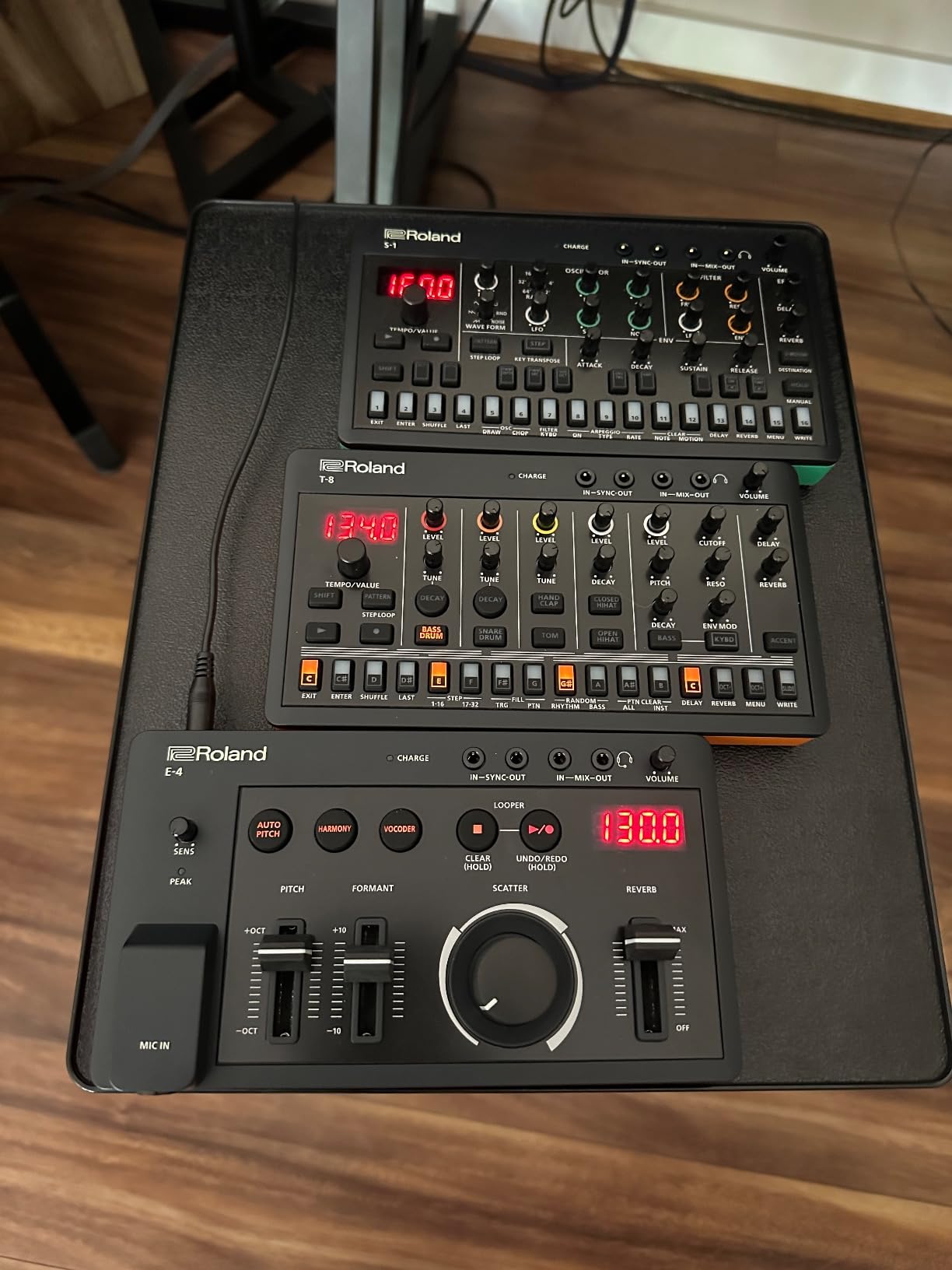
Effects are built in, including sidechain compression, which is the missing link for a lot of trap and EDM beats. Delay, reverb and overdrive cover the rest without outboard gear, and step loop, mute, fill, reload and pattern shift handle performance.
Our favourite detail is the connectivity. It is a class-compliant USB-C audio and MIDI interface with no drivers needed, so it drops straight into Ableton Live, FL Studio or anything else with no installation step.
Who the T-8 suits
It suits producers who want classic Roland tone without the desktop footprint or the flagship price. If the TR-8S is more machine than you need, this is the compressed version of the same idea and a very effective one.
It also suits anyone building beats inside a laptop DAW but wants to record audio and MIDI through the machine instead of a separate interface. That alone justifies it for many home studios.
Where the T-8 falls short
It is not a sampler. There is no chopping, no loading user samples and no SD card workflow, so if sampling is central to your beats this is the wrong tool.
The menu system takes time to learn, especially for saving and naming kits. Reviewers also flag that the color is listed as random, so the finish you receive may not be the one you pictured.
9. Arturia DrumBrute Impact – Best Analog Drum Machine for Punchy Saturated Hits
Arturia DrumBrute Impact Analog Drum Machine
Analog drum voice architecture
Color shaping per voice
Separate accent per drum
Song mode
Pros
- Fully analog voice architecture gives punchy saturated hits
- Color sound-shaping circuit on every instrument except cowbell
- Separate accent control for each drum voice
- Song mode chains patterns into arrangements
- Substantial metal construction
Cons
- No internal sample library so no chopping or one-shot layering
- Large and heavy desktop footprint
- No built-in speaker and limited connectivity
- Narrower feature set than digital rivals
The DrumBrute Impact is the only fully analog voice architecture in this roundup, and that is the entire point. Every hit is generated by analog circuitry, which gives a thickness and saturation that digital emulations chase without quite arriving. Reviewers single this out repeatedly as the reason to buy.
Two controls do a lot of work. Color is a sound-shaping circuit available on every instrument except the cowbell, and each drum voice has its own accent control. Separate accents per voice are how you build a groove that breathes instead of sitting flat.
Song mode chains patterns into longer arrangements, which is more than most analog machines at this level offer.
Who the DrumBrute Impact suits
It suits producers who want fat, saturated, slightly imperfect hits and are willing to record them into a DAW. A guitarist new to beat making described this machine in forum discussion as the simplest and most affordable option, and picked one up used, which tells you how well it holds up as a first instrument.
It also suits anyone who records hardware into their DAW anyway, because the raw hits gain character on the way in and want processing afterward.
Where the DrumBrute Impact falls short
There is no internal sound library, so no user samples, no chopping and no one-shot layering. The sound set is fixed, and that is the trade for the analog character.
It is also large and heavy. At 1.84 kg and 18.31 by 11.54 by 3.94 inches it needs real desk space, there is no built-in speaker, and connectivity is thinner than digital competitors at a similar tier.
10. Roland TR-6S Rhythm Performer – Best Value Route to TR-808, TR-909 and TR-606 Sounds
Roland TR-6S Rhythm Performer | Compact Drum Machine with Six Tracks of Authentic TR Sounds including TR-808, CR-78 & More | Large Preset Sample Library | Editable FM Sound Engine | Advanced Sequencer
TR-8S architecture
Circuit models of TR-808, 909, 606, 707
Six tracks
USB audio and MIDI
Pros
- Circuit-modeled TR-808
- TR-909
- TR-606 and TR-707 at far less than the TR-8S
- Same engine and workflow as its bigger sibling
- Sub-steps
- flam
- step-loop and motion recording
- SD card sample import
- Class-compliant USB audio and MIDI interface
- Four AA batteries or USB power
Cons
- No audio input for resampling
- No dedicated clock sync input or output
- Only one MIDI jack type
- Arrangement limited to eight chained patterns
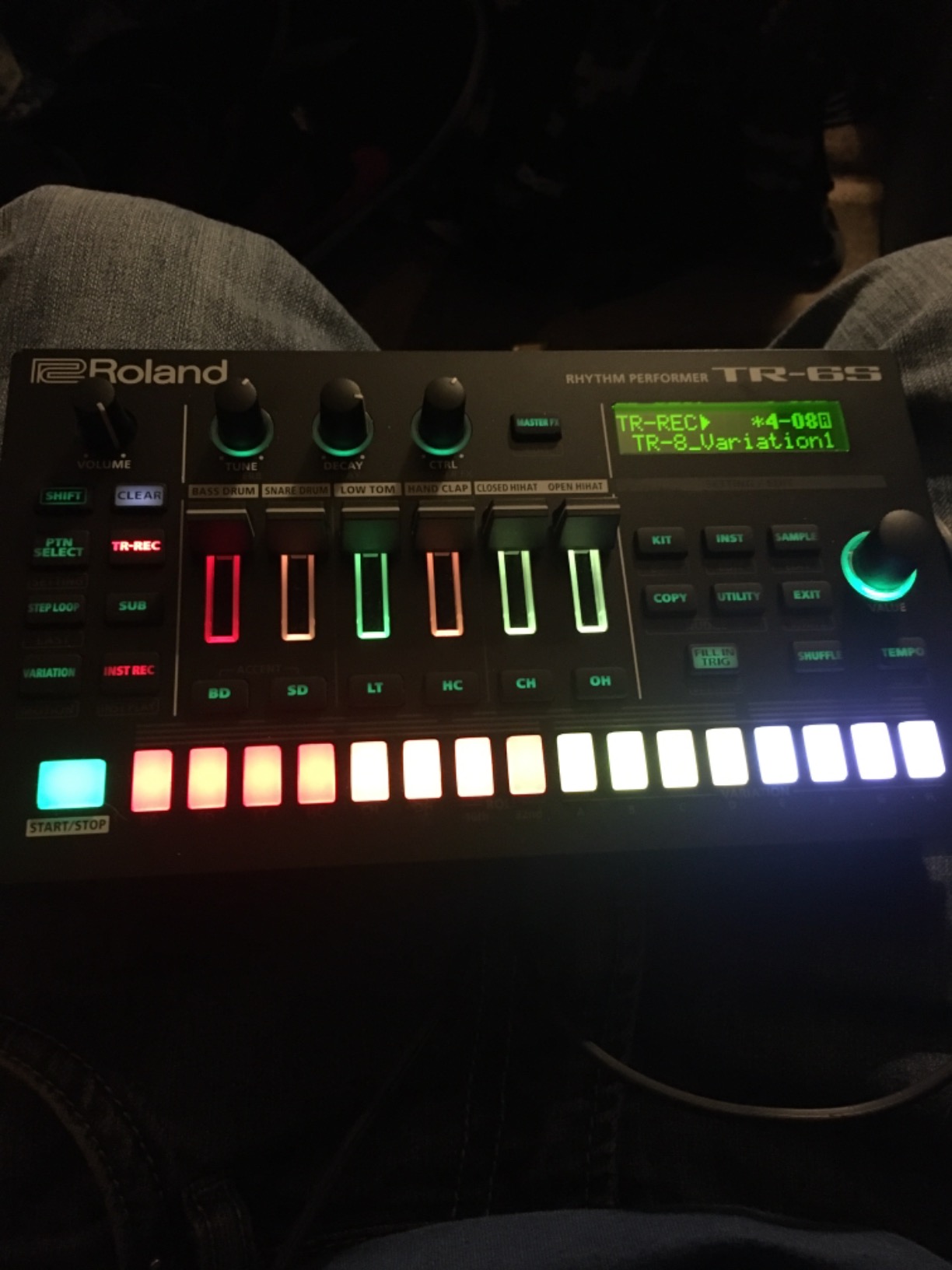
The TR-6S is the practical answer to a question many producers ask: do I need the flagship TR to get the sound? It runs the TR-8S architecture and engine with circuit models of the TR-808, TR-909, TR-606 and TR-707, and reviewers describe the build as far more substantial than the price suggests.
The sequencer is the TR-8S sequencer. Six tracks of advanced sequencing plus sub-steps, flam, step-loop and motion recording gives you plenty of detail, and the FM sound engine covers futuristic tones that the analog models cannot produce.
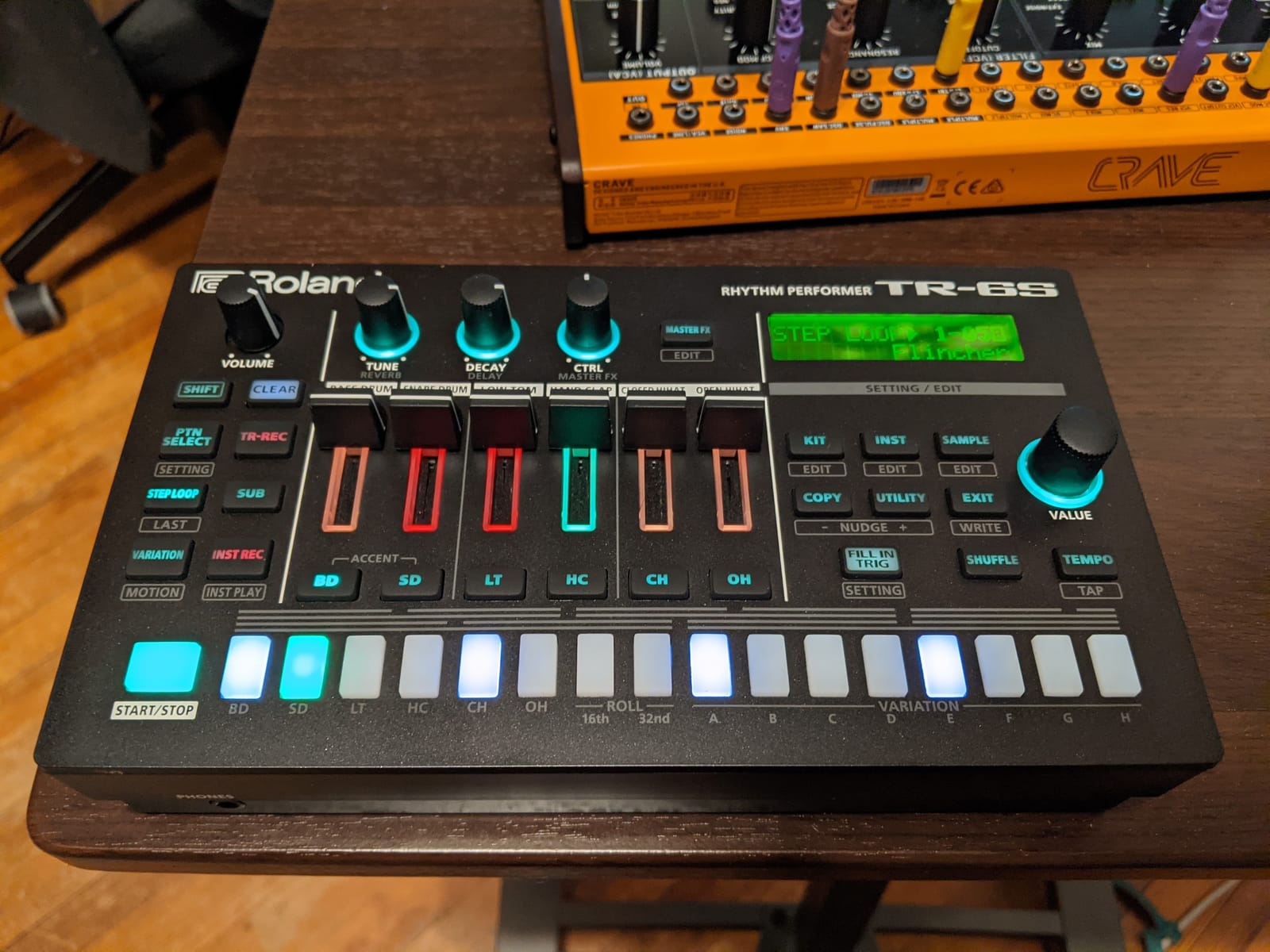
SD card sample import supports a wide range of file formats including up to 32-bit float WAV, so you are not restricted to factory sounds. It also doubles as a class-compliant USB audio and MIDI interface, and free TR-EDITOR software comes with it.
It runs on four AA batteries or USB power, which makes it the most portable machine with genuine TR sounds on this list.
Who the TR-6S suits
It suits producers who want authentic Roland TR tone at a mid price point rather than the flagship cost. Documentation quality comes up often in reviews too, which matters if you are learning alone.
It also suits anyone building beats in a DAW who wants one box to handle audio and MIDI connections, and anyone who wants TR sounds on battery power for sketching away from a desk.
Where the TR-6S falls short
There is no audio input, which limits resampling and makes it awkward as the end of your chain in a mix. There is also no dedicated clock sync input or output, which restricts integration with other entry-level gear, and only one MIDI jack type.
Arrangement is limited to eight chained patterns without an external sequencer, and tuning a sample changes pitch and speed together.
How We Picked: The Criteria Behind This List
Every drum machine can make a beat in isolation. The differences that matter show up over months of use, so we judged each machine on six things rather than on its spec sheet.
Time to first usable groove. How long before you have something worth keeping? Machines with menus and deep submenus score badly here, because a beat maker who spends an hour navigating is a beat maker who stops making beats. This is the single most common complaint in producer forums and it drove several of our exclusions.
Sound flexibility without a purchase. Factory kits matter. A machine that needs third-party content before it sounds good is a worse buy for most people than one that sounds finished on the box.
Growth headroom. Sample import, micro-timing, probability and per-voice control decide whether a machine stays interesting after the novelty fades.
Connectivity that matches your setup. We checked MIDI in and out, USB audio, sync, audio inputs and headphone output against real DAW workflows rather than against a checklist.
Portability. Weight, size, speaker and battery decide whether a machine lives on a desk or gets ignored in a cupboard.
Owner satisfaction. We weighted review volume and rating heavily. Two machines here carry far more owner reviews than the rest, which means their long-term behaviour is better documented than a newer unit with a handful of ratings.
Drum Machine or VST? The Decision Every Beat Maker Faces
This is the question producer forums ask most often, and the honest answer is that the two approaches solve different problems. A hardware machine gives you velocity from your fingers, hands-free control, portability and an instrument you can use anywhere. A VST gives you a far larger sound library, unlimited editing, unlimited tracks and no extra hardware to carry.
The real dividing line is how you work. If you already have a DAW open all day and you finish beats by editing and arranging on screen, a VST is faster. If your problem is that you spend forty-five minutes arranging and never actually play a groove, a hardware machine forces you to make music in a way that is difficult to avoid.
There is a middle route that gets popular for good reason: a hardware controller that runs as a plug-in. The Maschine Mikro Mk3 does this, and the Roland T-8 and TR-6S both work as class-compliant USB audio and MIDI interfaces, so you get tactile control with the editing power of your DAW.
One forum answer worth repeating for anyone choosing: Microtonic, fully synthetic, for the VST side. The general consensus in those threads is that vintage-style synthesized percussion in software can be as characterful as hardware, which removes the sound-quality objection to staying in software entirely.
Our practical recommendation: if you already own a DAW, start with a hardware unit that also works as an interface. If you have no computer setup at all, start standalone. Either way, avoid buying a MIDI-only pad controller expecting it to be a self-contained instrument, which is the mistake that shows up most often in first-hardware threads.
Buying Guide: Which Drum Machine Fits Your Setup
Standalone versus MIDI-only. A standalone machine makes sound with no computer attached. A MIDI-only controller is a set of pads with no internal sounds, which means it is useless without a DAW or a sound module. For beginners, standalone is almost always the safer choice. The Stylophone Beat and the PO-12 are the clearest low-commitment entries on the list, and if you want melodic triggers to sequence alongside them, our best MIDI keyboards for beat makers roundup covers that side of the setup.
Analog, digital or hybrid. Analog voices give you saturated, alive hits and a fixed sound set. Digital engines give you samples, editing and memory. Hybrid machines model classic circuits and let you load your own samples. The Roland TR-8S, TR-6S and T-8 all sit in that hybrid space, which is why they cover the most ground for hip hop and electronic production.
Step sequencer versus sampler. A step sequencer programs kick, snare and hat placements. A sampler lets you chop and layer audio. Chopping is how most trap and boom bap beats are actually built, so if that is your genre, an MPC-style workflow is worth paying for.
Velocity and dynamics. A groove that never changes feels dead. Look for velocity-sensitive pads, accent controls and probability. The Arturia DrumBrute Impact gives each voice its own accent, and the Korg Volca Drum offers 16 levels of accent plus a choke function.
Sound design depth versus groove tools. Decide early whether you want to spend time designing sounds or writing patterns. Machines with deep FX and resampling reward the first kind of producer, and machines with sub-steps, step-loop and motion recording reward the second.
MIDI, USB audio and sync. Any machine you plan to record through needs audio outputs, and any machine you plan to sequence needs MIDI and ideally sync. Read the connectivity section of the specification carefully, because this is where the cheaper models cut corners. The TR-6S has no audio input and no dedicated clock sync, which matters more than any extra kit.
Matching the machine to your genre. For hip hop and trap, the classic Roland TR sounds and MPC-style sampling are the strongest fits. For boom bap and lo-fi, analog machines and sample manipulation do more for you than realism. For house and techno, the synthesized percussion of the Korg Volca Drum has an edge. For synthpop and indie electronic, anything with a melodic companion voice, such as the Roland T-8 with its TB-303 bass, saves a separate instrument.
Used and vintage. The used market is part of this category. Forum regulars keep recommending the Roland TR-808, the LinnDrum and older units as reference points, and a used analog machine can cost a fraction of a new one. Check that pads respond evenly and that any screen is intact, and remember that vintage hardware often needs servicing before you trust it in a session.
Whatever you choose, the honest test is simple. Make three beats in the first week. If you can do that comfortably, the machine is right. If you cannot, the problem is usually that you bought for features instead of for the grooves you actually want to make. And if your sessions run long, our picks for the best drum coffee roasters keep the fuel fresh while you work.
Frequently Asked Questions
What drum machine is best for making beats?
For most beat makers, the Native Instruments Maschine Mikro Mk3 is the best overall choice because it combines 16 backlit pads with a step mode and a 1.6 GB factory library, and it runs inside your existing DAW. If you need a fully self-contained instrument with no computer, the Akai Professional MPC Sample is the pick, and for authentic TR-808 and TR-909 sound the Roland TR-8S remains the reference.
What is the most realistic sounding drum machine?
The Singular Sound BeatBuddy 10th Anniversary is aimed squarely at realism, shipping with 200+ songs across 24 genres and 10 drum kits described as ultra-realistic, plus a visual metronome. If realism matters more than programming depth, the Arturia DrumBrute Impact takes a different route with fully analog voices that sound saturated and alive rather than sampled.
What is the best drum machine to buy?
It depends on your setup and genre. Pick the Maschine Mikro Mk3 if you own a computer and DAW, the MPC Sample if you want standalone sampling and portability, the Roland T-8 for classic TR drums in a compact body with USB-C audio and MIDI, or the Korg Volca Drum for house and techno percussion. Start with the machine that matches how you already work.
What is the best drum machine this year?
Our roundup was tested and reviewed this year, and the top tier is dominated by machines with either a sampler workflow, like the Akai Professional MPC Sample, or circuit-modeled classic TR sounds, like the Roland TR-8S and the cheaper TR-6S. Budget options such as the Teenage Engineering PO-12 remain the most capable entry points for beat makers.
Which drum manufacturer is considered the best?
Roland is the reference for classic TR-808, TR-909 and TR-606 tones. Akai is the reference for sampling and chopping with MPC pads. Arturia is known for analog drum voice design, Korg for synthesized percussion and sequencer depth, Native Instruments for tight DAW integration, and Singular Sound for pedal-format realism.
What is the best drum machine for synthpop music?
For synthpop you want sequenced drums paired with melodic material, so the Roland AIRA Compact T-8 is a strong fit because it combines ACB-modeled TR-808, TR-909 and TR-606 drums with a TB-303 bass voice and built-in delay, reverb, overdrive and sidechain compression in a compact body.
Final Verdict: Which Drum Machine Should You Buy in 2026
If you want one answer, buy the Native Instruments Maschine Mikro Mk3. It is the best drum machine for beat makers who already work in a DAW, because the step mode, the included library and the plug-in integration let you move between pad playing and screen editing without changing tools.
If you have no computer setup, or you want to sample your own drums, the Akai Professional MPC Sample is the strongest all-in-one instrument here. If you want the exact classic Roland tone, the Roland TR-8S is the reference and the TR-6S gets you most of the way for considerably less. If you make house and techno, the Korg Volca Drum gives you sounds nothing else here produces.
And if you are starting from nothing, the Teenage Engineering PO-12 or the Stylophone Beat will teach you more about groove than any expensive box, at a fraction of the commitment. The best drum machines for beat makers in 2026 are the ones you will actually switch on tomorrow.